
Universal Touch Screen Pen Pair
3.6Editor score
Two stylus pens included
Capacitive and resistive support
Compact everyday navigation
Our Fine Tip Stylus guide compares ten options for precision, compatibility, comfort, charging, and everyday note-taking on compatible touchscreens.
A fine tip stylus can make tapping, handwriting, sketching, and document annotation feel more controlled than using a fingertip. The most useful model balances a precise contact point with a comfortable body, dependable touch response, and compatibility with the capacitive screens you use every day.
This guide compares ten stylus pens based on the stated tip designs, writing features, charging requirements, included accessories, screen compatibility, and suitability for common tasks. It covers battery-free capacitive models as well as rechargeable active pencils, helping readers separate simple convenience from more specialized functionality.
Each review highlights the strongest use case, practical limitations, and who may benefit most from the particular model. Ratings and product details reflect the supplied information, while prices and availability can change, so readers should confirm current listings and device compatibility before buying.
3.6Editor score

4.6Editor score

4.4Editor score
The comparison below evaluates tip construction, power requirements, device compatibility, and practical extras across ten stylus pens, from simple battery-free navigators to rechargeable active pencils.




The MEKO Stylus Pen for Touchscreen combines two silicone nib sizes with a transparent disc tip, giving it more flexibility than a conventional single-tip capacitive stylus. Its 4.6 rating reflects a generally well-received feature set, particularly the ability to move between browsing, writing, and detailed tasks without changing devices.
We may earn a commission when you buy through this link, at no additional cost to you.
The disc tip is the most distinctive component because it lets users see exactly where the stylus contacts the screen. The listed 180-degree writing angle and two rubber sizes, measuring 0.18 and 0.27 inches, support different levels of control. The package also includes two stylus bodies, four replacement 0.18-inch tips, four replacement 0.27-inch tips, and two disc tips.
This is a passive capacitive stylus, so it does not provide pressure sensitivity, palm rejection, or active tilt sensing. It works by imitating a fingertip rather than communicating as a low-latency active pencil. That distinction makes it ideal for ordinary notes, scrolling, gaming, and light drawing, but less suitable for demanding digital illustration or professional annotation workflows.
The MEKO is a strong all-around choice for readers who want one inexpensive accessory to cover several devices. Its interchangeable tips, protective cap, broad compatibility, and extensive spares make it especially useful for households, students, travelers, and anyone who wants to avoid charging a stylus. Confirm that your target device uses a capacitive screen before ordering.
Switching between the disc and rubber nibs lets one stylus handle precise screen contact, everyday navigation, and broader strokes. The replacement supply also reduces the likelihood that a worn tip will end the pen's usefulness.
Because no Bluetooth pairing or charging is required, the stylus can move readily between an iPad, phone, Galaxy device, Kindle, Switch, Chromebook, or other listed capacitive touchscreen.
We may earn a commission when you buy through this link, at no additional cost to you.
The Bopomofo Stylus set stands out for offering five colored stylus pens, making it more useful for shared devices, classrooms, family tables, or keeping one in several bags. Each pen combines a rubber tip with a flexible transparent disc tip, and the set carries a 4.6 rating alongside a clear 2-in-1 design.
We may earn a commission when you buy through this link, at no additional cost to you.
The two contact styles serve different preferences. Moderate pressure with the rubber tip can create stable contact, particularly when a screen protector is installed, while the disc tip improves visibility at the point of contact. The package also includes six replacement rubber nibs and three disc nibs, reducing the need for a separate replacement purchase.
Like other passive capacitive styluses, this model does not offer pressure sensitivity or palm rejection. The product information specifically notes that it is not an active stylus and may be better suited to general writing, sketching, scrolling, and tapping than to professional-grade illustration. Some writing limitations may originate in device settings rather than the pen itself.
Choose Bopomofo when the main goal is to keep several reliable, colorful pens available without managing batteries. Its five-piece format makes it especially convenient for students, teachers, office workers, and families. Users who need advanced drawing behavior, consistent pressure response, or palm contact tolerance should consider an active stylus instead.
Five colors reduce the chance of two people reaching for the same pen, while the compact format makes distribution simple. It is well suited to study sessions, shared tablets, and work areas where several people take turns.
The rubber tip is described as maintaining stable signal transmission when moderate pressure is applied, which can be helpful on devices fitted with a screen protector.
We may earn a commission when you buy through this link, at no additional cost to you.
The High Precision 3-in-1 Stylus offers a versatile combination of 0.18-inch and 0.27-inch rubber tips plus a transparent disc nib. Its 4.5 rating places it among the strongest all-round entries in this guide, with particular value for users who regularly alternate between reading, writing, gaming, and drawing.
We may earn a commission when you buy through this link, at no additional cost to you.
The disc tip provides visible contact and a more controlled writing angle, while the smaller rubber tip supports detailed marks and the larger one handles scrolling or broader interactions more comfortably. The stated 180-degree writing angle is designed to reduce lag and interruption, and all three tips can be changed without tools in a matter of seconds.
Its broad compatibility list includes iPads, iPhones, Galaxy devices, Kindles, Fire MAX tablets, Chromebooks, and Nintendo Switch models. The design remains passive, however, so it does not deliver pressure sensitivity, palm rejection, or the low-latency feel of a true active pencil. It is a tool for interacting with capacitive screens, not for advanced pro-grade digital art.
This stylus is a practical pick for students, older adults, office workers, and families who want one uncomplicated pen for many capacitive devices. The fast replacement system is particularly useful when the nib wears down. Buyers should still verify compatibility with any less common device before purchase.
The two rubber sizes accommodate different interaction styles, while the transparent disc tip adds visibility where accuracy matters. Switching remains a simple manual process.
Immediate use without charging or setup makes this model convenient for people who alternate between a tablet, phone, Chromebook, or handheld gaming device throughout the day.
We may earn a commission when you buy through this link, at no additional cost to you.
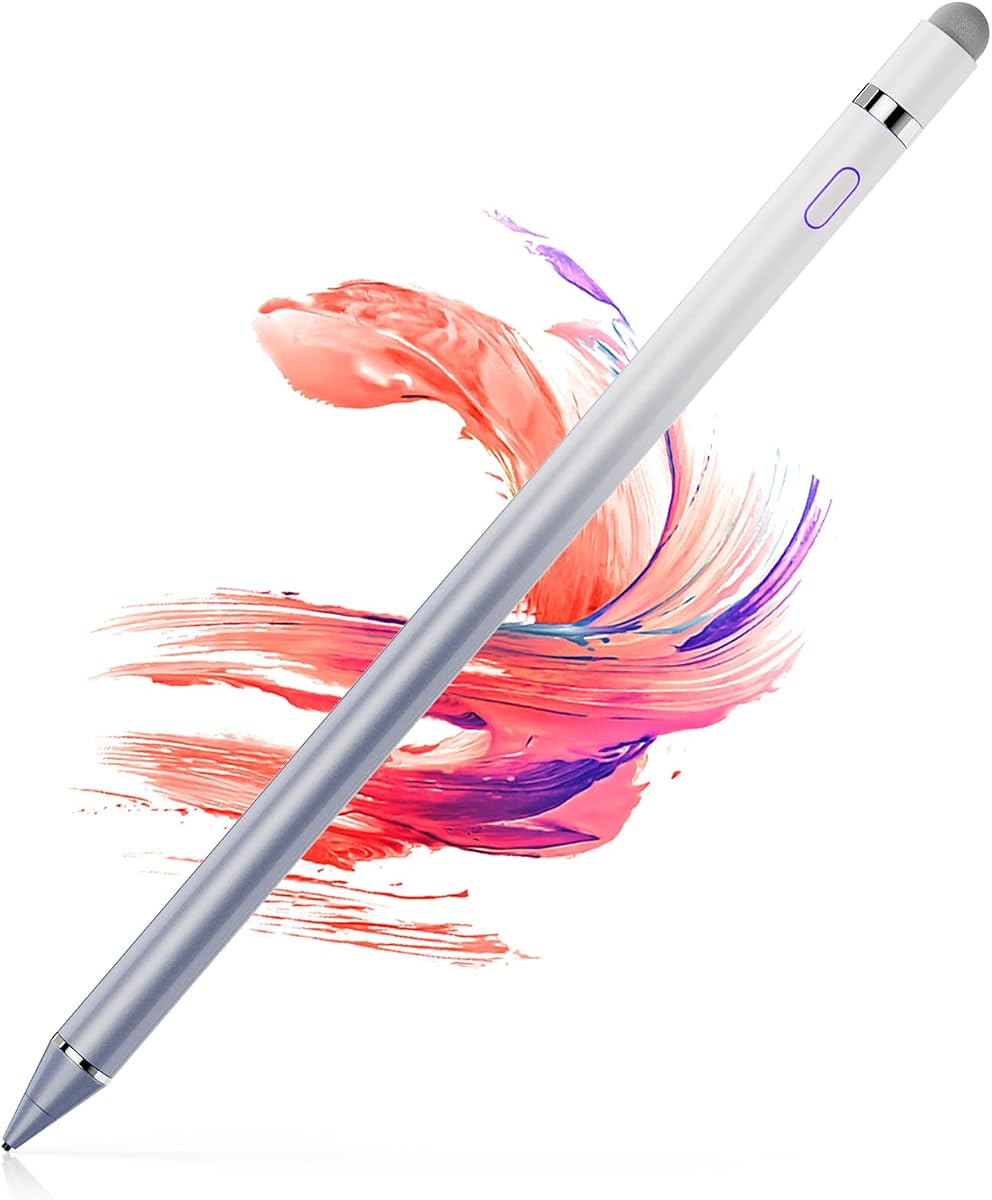
The Universal Touch Screen Pens provide a straightforward way to interact with modern phones and tablets while also supporting older resistive equipment. The two-pen bundle receives a 3.6 rating, making it the most basic option in the group but also a useful choice for straightforward navigation and older devices.
We may earn a commission when you buy through this link, at no additional cost to you.
The round silicone head is designed for capacitive screens such as iPads, iPhones, Galaxy devices, and Android phones and tablets. A second hard-plastic point is reserved for older resistive screens, including some GPS units, Nintendo DS or 3DS systems, and certain point-of-sale machines. That distinction is important because the plastic point will not operate on modern capacitive displays.
There are no stated active features such as pressure sensitivity, palm rejection, replaceable nibs, or magnetic storage. Its value comes from supporting two screen technologies in a simple, ready-to-use format. It is more appropriate for tapping and scrolling than for detailed drawing, and its lower rating suggests fewer features than the leading models.
The set is best for a buyer who needs a spare pen for an older resistive device or a straightforward capacitive accessory at a modest cost. It also suits households seeking two simple pens. Readers with modern tablets and an interest in smooth handwriting should examine a multi-tip or active model instead.
The silicone end covers modern capacitive screens, while the fine plastic end extends usefulness to older resistive navigation and point-of-sale devices. Users must select the correct tip for each screen.
Two included bodies provide a simple backup for travel or shared use without adding charging routines, pairing steps, or complicated settings.
We may earn a commission when you buy through this link, at no additional cost to you.
The Acempire Stylus set is built around a generous seven-pen bundle, making it a colorful option for shared devices or users who prefer keeping a stylus in multiple locations. The 4.6 rating indicates strong reception, while the stated 2-in-1 construction and battery-free operation emphasize simplicity.
We may earn a commission when you buy through this link, at no additional cost to you.
Each lightweight alloy body is ready to use without Bluetooth pairing or charging. The pens are suitable for writing, drawing, reading, gaming, and general touchscreen control across Apple, Samsung, Motorola, Lenovo, Xiaomi, and other listed devices, as well as major operating systems including Google, Android, and Microsoft environments.
The description promises smooth contact without delay, interruption, or screen scratching, but it does not identify pressure sensitivity, palm rejection, or an active low-latency protocol. The set is therefore better suited to everyday interaction and casual sketching than to illustration demanding variable line width or advanced tilt behavior.
Choose the Acempire set when variety, color coding, and a large number of ready-to-use pens matter most. Families, classrooms, offices, and travelers can keep pens in different rooms or bags. A single higher-end stylus may suit a dedicated artist, but this multipack offers broader everyday utility.
The multicolor assortment makes it easy to assign a pen to a device, room, or family member. It also supplies multiple backups without requiring separate purchases.
There is no charging or pairing process, so the pens can be unpacked and used across compatible capacitive screens. That simplicity suits quick notes, scrolling, and casual drawing.
We may earn a commission when you buy through this link, at no additional cost to you.
The ChaoQ Stylus Pen set focuses on lightweight convenience with three aluminum-bodied pens, dual rubber tips, and a 4.6 rating. It is aimed at people who want comfortable everyday writing, drawing, and gaming across capacitive tablets, phones, and laptops without managing a battery.
We may earn a commission when you buy through this link, at no additional cost to you.
Its two silicone nib sizes, listed as 0.20 and 0.26 inches, provide a useful choice between more detailed marks and broader strokes. The package includes six replacement tips, and the aluminum bodies are described as offering a natural grip while reducing wrist strain during extended use.
The product remains a passive capacitive tool, so it does not offer pressure sensitivity, palm rejection, or active stylus latency. The two rubber tips are also less distinctive than a transparent disc contact point, particularly for users who value precise visibility of where the pen meets the screen.
The ChaoQ set is well suited to students, artists working in less demanding apps, seniors, and travelers who prefer light equipment. Three bright colors and replaceable nibs make it practical for sharing, while the absence of charging removes a common source of inconvenience. It is best for ordinary notes and navigation rather than advanced professional drawing.
The slim aluminum construction and stated ergonomic shape are intended to reduce hand fatigue. That makes the pens suitable for prolonged note-taking, browsing, or light drawing.
Selecting between the two rubber nib sizes lets users adjust the feel of the contact point. The smaller tip supports finer control, while the larger one is easier to use for ordinary screen interaction.
We may earn a commission when you buy through this link, at no additional cost to you.
The Universal Fine Point iPad Pencil is the most feature-rich premium entry in this guide, with a 4.4 rating, rechargeable construction, fine-point nibs, and magnetic attachment. It is designed for users who want a more pen-like writing experience than a basic fingertip simulator.
We may earn a commission when you buy through this link, at no additional cost to you.
The one-touch switch provides quick control, while magnetic adsorption attaches the stylus to the side of supported iPad Pro models. The product information limits that feature to the 11-inch and 12.9-inch third- and fourth-generation iPad Pro. A full charge takes 40 minutes and supports approximately nine to ten hours of continuous use.
The stylus works across many capacitive devices, including iPhone, iPad, Android devices, tablets, and Samsung products, but it does not prevent accidental touches. Pairing can also be necessary, and the listed troubleshooting process tells buyers to adjust Bluetooth settings and forget the Apple Pencil entry if it does not initially work.
This is a strong choice for a student, professional, or artist who values fine writing, a magnetic storage solution, and rechargeable performance. It deserves consideration over passive models for extended handwriting or drawing. Buyers should verify their tablet model, charging expectations, and pairing behavior before purchase.
Magnetic adsorption keeps the stylus close to compatible iPad Pro models and reduces the chance of leaving it behind. The attachment is deliberately limited to specified hardware rather than every tablet.
A forty-minute charge and stated nine-to-ten-hour operating window suit a full workday of note-taking or drawing. The one-touch control also makes it easy to activate before starting a task.
We may earn a commission when you buy through this link, at no additional cost to you.
The OASO Disc Tip Stylus uses a transparent contact disc to simulate a fingertip while providing visibility of the exact contact point. Its 4.3 rating reflects a practical battery-free design, and it is positioned for note-taking, scrolling, reading, and drawing on capacitive touchscreens.
We may earn a commission when you buy through this link, at no additional cost to you.
The stylus requires neither a battery nor a connection, making it immediately usable. Its magnetic cap protects the disc and stores it conveniently, while a replacement disc tip is stored in the opposite end of the pen. A leather carry case is also included for transport in a bag or folio.
Compatibility is broad across Apple devices, Samsung tablets, Chromebook, Microsoft Surface, Fire HD models, Android devices, and other products where a finger works. However, this passive design offers no pressure sensitivity or palm rejection, and it does not provide the low-latency behavior of an active pencil.
The OASO model is a good fit for travelers, students, and readers who want a simple stylus that remains protected during storage. Its visible contact point helps with general writing precision, though people creating detailed artwork may prefer a model with a narrower pointed nib. It remains a convenient, no-setup option for compatible screens.
The magnetic cap shields the contact disc while the pen is idle and helps keep the stylus from being misplaced. A spare disc in the pen body improves long-term maintenance.
The included leather case and complete battery-free operation make the stylus convenient to carry for meetings, classes, travel, or everyday mobile use.
We may earn a commission when you buy through this link, at no additional cost to you.
The 1.5mm Ultra-Fine Stylus Pen is built around a narrow copper contact point intended to improve control during detailed drawing, note-taking, and signature work. It carries a 4.0 rating and offers a rechargeable design without requiring Bluetooth pairing or app setup.
We may earn a commission when you buy through this link, at no additional cost to you.
Its most notable convenience is the combination of a one-hour USB charging cycle and a stated 12-hour operating time. The pen sleeps after 30 idle minutes, while a magnetic cap secures to an iPad stylus or device, protects the charging port from dust, and helps prevent the pen from being lost.
The product supports iPad, iPhone, Android, Samsung tablets, Chromebooks, and most capacitive screens, but explicitly excludes Windows devices. It also lacks palm rejection, so users should avoid resting their hand on the screen. Pressure sensitivity and active drawing features are not stated in the supplied information.
This stylus is best for creators and professionals who value a narrow point and long untethered use more than Bluetooth accessories. It is also useful for signatures and annotations on supported devices. Buyers should confirm the target platform is capacitive and not a Windows system, and they should charge it before important sessions.
The 1.5mm copper tip is narrower than a broad rubber finger simulator, making it more appropriate for small marks, writing, and detailed drawing on supported apps and devices.
Rechargeable power and a stated 12-hour runtime support extended use, while the lack of Bluetooth reduces setup friction. Automatic sleep helps preserve the battery between tasks.
We may earn a commission when you buy through this link, at no additional cost to you.
The Active Fine Point Digital Pen combines a 1.5mm contact diameter with a rechargeable active-stylus design. Its 4.0 rating reflects a focused approach to drawing and handwriting without Bluetooth connectivity, and it powers on within approximately one second for quick sessions.
We may earn a commission when you buy through this link, at no additional cost to you.
The pen works across a broad range of listed devices, including many iPad, iPhone, Samsung, Dell, LG, and Huawei models. Its lithium battery provides approximately 10 to 12 hours of continuous use after one to two hours of charging, and a 30-minute inactivity timer turns it off automatically.
The product does not provide different pressure sensitivity, so all lines remain the same thickness. It also does not state palm rejection or Bluetooth functionality. This means it can produce fine marks for casual drawing and handwriting, but it is not equivalent to a pressure-sensitive professional digital pencil.
The Active Fine Point Digital Pen suits users who want a narrow, responsive-feeling contact point and a long battery life without pairing. It is appropriate for sketches, handwritten notes, and device navigation on supported products. Those needing artistic line variation or palm contact tolerance should look for a more advanced active stylus.
The one-second startup removes much of the delay associated with preparing an active stylus, making the pen convenient for short drawing or note-taking sessions.
Because pressure levels do not alter the line, users can expect a consistent 1.5mm result. This predictability can be useful for casual handwriting and simple illustrations.
We may earn a commission when you buy through this link, at no additional cost to you.
The right fine tip stylus depends on the screen, task, and level of control required. Consider tip construction, power design, compatibility, comfort, and maintenance before choosing a model.
A passive capacitive stylus imitates a fingertip and needs no battery, pairing, or charging. It is convenient for scrolling, tapping, basic notes, and casual drawing, but it does not normally provide pressure sensitivity, palm rejection, or active-stylus latency. An active stylus uses internal electronics and a rechargeable battery, providing a more pen-like experience and, in some cases, a narrower tip.
A fine point can make small handwriting and detailed marks easier to place, while a broad rubber tip is more forgiving during ordinary navigation. Transparent disc tips improve visibility of the contact point, and different rubber sizes can provide a balance between precision and comfort. The key is to select a tip that suits both your handwriting and the apps you use.
Most modern phones, tablets, Kindles, Chromebooks, and handheld devices use capacitive screens, which respond to any conductive object. Some older GPS units, Nintendo DS or 3DS models, and point-of-sale systems use resistive screens and require a different hard-plastic tip. A dual-tip model can cover both, but users must know which end applies to each device.
Pressure sensitivity allows lines to vary with the amount of force applied, which can improve the behavior of illustration tools. Palm rejection lets a hand rest on the screen without creating unwanted touches. None of the passive models in this guide provides either feature, and some active models also lack them, so check the specifications rather than assuming every active pencil supports advanced drawing.
Rechargeable active styluses require planning around charge time and battery level. The featured active models list charging and runtime figures of 40 minutes to one hour and approximately 10 to 12 hours of use. Battery-free passive pens offer the least interruption but may feel less like a low-latency drawing tool. Think about how long and how often you expect to use the stylus.
Magnetic caps and side attachment can keep a stylus close to a tablet and reduce the chance of losing it. Caps also protect delicate tips and charging ports from dust. By contrast, a small barrel with a protective cap is often easier to place in a pocket, pouch, or notebook. Consider how you carry the stylus and where it will be stored between sessions.
A fine tip is only useful if the pen feels comfortable and controllable. Lightweight aluminum bodies, slim barrels, and balanced shapes can reduce fatigue during long note-taking sessions. Rubber tips may also provide a gentler surface against a screen protector. A pen that feels precise but becomes uncomfortable after an hour may be less useful than a slightly wider model.
The contact tip is the part most likely to wear, so replaceable nibs can extend the useful life of a stylus. Some sets include several spare rubber or disc tips, while others keep a replacement disc inside the barrel. Extra pens, carrying cases, and charging cables are useful but secondary to the tip style, device fit, and writing behavior you need.
Begin by confirming that the target device uses a capacitive screen and choosing the appropriate tip. Active models should be charged before use, while passive models can be used immediately. Remove any protective film only if the device manufacturer permits it, and test the stylus on a less important area before beginning detailed work.
Use light, consistent pressure and keep the hand out of the contact area. Passive models work like fingertips, while active pencils can provide a more natural writing response. Avoid pressing hard enough to deform a screen or protector, and do not expect a passive stylus to create pressure-sensitive line widths. If writing is inconsistent, check the app's stylus settings and screen-protector conditions.
Store the pen with its tip protected, and keep replacement tips sealed when they are not needed. Charge active models according to the supplied instructions, clean the exterior with a soft dry cloth, and avoid liquids or abrasive cleaners. Replace a tip when it feels rough, slips, or stops registering cleanly rather than applying excessive pressure to compensate.
A passive stylus imitates a fingertip and normally requires no charging, pairing, or special setup. An active stylus contains electronics and a rechargeable battery, often offering a narrower point and a more pen-like response. Active models may still lack pressure sensitivity or palm rejection, so the listed features should be checked individually.
Most good capacitive styluses are intended to work over common screen protectors, although very thick, damaged, or poorly fitted films can affect sensitivity. A rubber tip may need moderate pressure to maintain a stable signal, while a disc tip offers direct visibility of the contact point. Test carefully and avoid using excessive force.
Not necessarily. Older resistive screens require a firmer pressure-sensitive point, whereas capacitive screens respond to a fingertip or conductive stylus. Dual-tip products can support both categories, but their hard-plastic end is only for resistive screens and will not work on a modern iPhone, iPad, or similar capacitive device.
Many passive capacitive styluses need no Bluetooth because they communicate by imitating a finger. Some active models also advertise one-click or quick activation without Bluetooth, while others may require pairing. Follow the instructions for the specific model, especially if it does not register on the first attempt.
A narrow tip generally makes fine lines, handwriting, and detailed marks easier to control. It may be less forgiving for broad shading or casual navigation, where a larger rubber tip can feel smoother. Drawing quality also depends on the app, screen, latency, and whether the model offers pressure sensitivity.
That depends on the model. Palm rejection is explicitly absent from several options in this guide, and passive styluses generally lack the sensors needed to distinguish a palm from a finger. Users of those models should lift their hand or rest it on a suitable surface. Always check the specifications before writing with your palm near the screen.
Replace a tip when it becomes rough, miss registers, snag on a screen protector, or stops producing a consistent contact. Frequent use may wear the edge sooner, while light navigation can extend its life. Sets with spare rubber or disc tips make replacement convenient and help avoid forcing a worn point to perform.
Choose a model with a cap, magnetic attachment, or a protective case that keeps the pen with its device. Magnetic iPad models are especially useful, although attachment support is limited to certain models. For portable passive pens, a fitted pouch, desk holder, or dedicated tablet compartment can prevent the stylus from being left behind.
The MEKO 3-in-1 Stylus is the strongest all-around choice because it combines three interchangeable tips, a broad compatibility list, no charging requirement, and abundant replacement parts. The Bopomofo set appeals to anyone who wants five ready-to-use pens, while the Universal Fine Point iPad Pencil stands out for rechargeable performance, magnetic storage, and a more specialized writing experience.
Prioritize the type of screen, the tasks you perform, and the features you actually need. A passive capacitive pen is ideal for simple notes, scrolling, and casual drawing, whereas a rechargeable active pencil is more appropriate for sustained handwriting and detailed work. Pay particular attention to pressure sensitivity, palm rejection, tip size, and charging requirements before deciding.
Ratings, product details, prices, and availability can change over time, so check the current listing and compatibility information before making a final purchase. The correct fine tip stylus is the one that feels comfortable on your screen, fits your usual tasks, and remains ready when inspiration or an important note appears.