
WD 2TB My Passport
4.6Editor score
Hardware encryption and password protection
Included backup management software
Slim portable enclosure
Compare the 10 best encrypted secure external hard drives for privacy, portability, encryption, capacity, and everyday backup needs in this expert guide.
An encrypted secure external hard drive adds hardware-level protection to portable storage, making it better suited to sensitive files than an ordinary drive. The right model balances strong encryption, accessible authentication, useful capacity, durable construction, and straightforward compatibility with the computers and workflows you already use.
We compared the ten featured products by their documented encryption methods, access controls, validation levels, storage capacity, portability, physical protections, software requirements, and intended users. The list covers portable hard drives, desktop-style models, and an encrypted solid-state drive, giving both everyday buyers and regulated organizations relevant options.
Each review identifies the product's standout qualities, practical limitations, and most suitable user. Ratings and specifications can change over time, as can product availability and pricing, so verify the latest listing details and compatibility before making a purchase.
4.6Editor score

4.5Editor score

This side-by-side comparison covers the leading encryption, authentication, capacity, portability, and physical-protection features of all ten products, helping you identify the model that best matches your security and storage requirements.



The Apricorn 1TB Aegis Padlock is the strongest all-around recommendation in this guide, combining hardware encryption, portable construction, and convenient PIN access in a compact enclosure. Its 4.5 rating reflects a favorable balance of protective features and everyday usability, while the FIPS PUB 197 validated encryption algorithm adds credibility for buyers who want a clearly documented security standard rather than vague promises.
We may earn a commission when you buy through this link, at no additional cost to you.
Its 256-bit AES XTS encryption operates as part of the drive's security design, and the software-free format means users do not need administrator rights simply to unlock the device. That makes it useful in places where managed or restricted computers might prevent security software from being installed. The USB 3.0 connection also provides a practical transfer-speed improvement over USB 2.0, while the wear-resistant keypad and epoxy coating help protect both the controls and internal electronics from routine handling hazards.
The most notable defensive feature is the brute-force self-destruct mechanism, which adds a response to repeated incorrect PIN attempts. A rugged, compact enclosure supports the product's intended use as travel storage, although the epoxy coating and security design may make the unit feel more specialized than a standard consumer drive. One terabyte can also fill quickly when working with large video libraries, extensive project archives, or multiple operating-system images.
This is the option to choose for users who need portable hardware encryption without installing drive-management software on every computer. It is particularly attractive for confidential business documents, client files, tax records, and personal information that should remain protected if the drive is lost or borrowed. Buyers who routinely move terabytes of media may prefer a larger Apricorn model, while those wanting the simplest balance of security, size, and ease should give this model serious consideration.
Hardware encryption keeps the protection associated with the drive rather than depending entirely on a particular computer's operating system. The AES XTS approach, validated algorithm, PIN access, and brute-force response create a coherent security model for portable data.
The ability to use the drive without administrator rights is valuable for travel, shared workspaces, and restricted systems. Its compact body, sealed epoxy coating, and wear-resistant keypad reinforce its suitability for data that must move between locations.
We may earn a commission when you buy through this link, at no additional cost to you.
The Apricorn 2TB Aegis Padlock Fortress is built for buyers who want a portable drive with clearly stated validation and a larger capacity than the guide's 1TB flagship. Its 4.4 rating indicates solid customer reception, and FIPS 140-2 Level 2 validation makes it easier to compare with other security-focused storage used in professional environments.
We may earn a commission when you buy through this link, at no additional cost to you.
Data protection is handled by 256-bit AES XTS hardware encryption, with keypad PIN access providing a direct way to unlock the device. The brute-force self-destruct feature adds an additional layer against prolonged guessing attempts. A USB 3.0 interface supports faster transfers, and the integrated USB cable is a practical touch that reduces the need to carry a separate lead for the drive itself.
As with other portable security devices, the strongest feature is also its main commitment: buyers must treat the PIN as a critical credential and follow the manufacturer's setup and recovery procedures. The integrated cable cannot easily be replaced if damaged, while its permanent placement may make the drive less convenient for some storage workflows. The product is also designed more like a secure appliance than a conventional consumer desktop drive.
Choose this model for professionals handling sensitive files on systems where formal validation matters, including security-conscious organizations, consultants, and remote workers. It offers a persuasive combination of portability, two-terabyte capacity, validated encryption, and physical tamper resistance. Users who need the latest validation level, more capacity, or a desktop form factor should compare the Fortress L3 and Desktop Padlock models instead.
FIPS 140-2 Level 2 validation gives security-conscious organizations a documented benchmark for the drive's cryptographic protection. That makes this model easier to consider when procurement language or internal policy calls for validated hardware encryption.
Two terabytes provides useful room for client files, project archives, and local backups while preserving portability. The integrated USB cable simplifies packing, although owners should protect the fixed cable from sharp bends and pulls.
We may earn a commission when you buy through this link, at no additional cost to you.
The Apricorn 5TB Aegis Fortress L3 targets buyers who need a generous amount of encrypted portable storage while retaining a formal validation level. Its 4.3 rating remains favorable despite being lower than the scores of several alternatives, and the FIPS 140-2 Level 3 designation distinguishes it from the Level 2 products elsewhere in the guide.
We may earn a commission when you buy through this link, at no additional cost to you.
The drive uses 256-bit AES XTS hardware encryption and includes a USB 3.0 connection for practical transfer performance. Separate administrator and user modes provide a more structured approach to control, while two read-only modes can be useful when recipients need access but should not alter source files. Brute-force defense adds another layer of protection against repeated access attempts.
Those controls make the Fortress L3 more appropriate for organized deployment than for someone who simply wants a private backup disk. Creating administrator and user credentials requires planning, particularly if several people will use the drive. Its five-terabyte capacity also means a larger physical footprint than the one- or two-terabyte models, although it still supports mobile use.
This is a strong choice for organizations that want large-capacity portable media with higher validation and more granular access controls. It can serve well for transporting datasets, maintaining offline copies of critical files, or separating an administrator's configuration from a user's day-to-day access. For straightforward personal storage, a smaller model would be easier to manage; for this combination of capacity, validation, and access structure, however, the Fortress L3 is compelling.
Five terabytes makes the Fortress L3 a practical offline-storage option for sizable archives. Its validated hardware encryption means users do not have to choose between carrying substantial data and maintaining a documented security standard.
Administrator and user modes can separate management from everyday use. The two read-only options also allow data to be shared in a controlled way, reducing the chance of accidental modification during review or transfer.
We may earn a commission when you buy through this link, at no additional cost to you.
The WD 2TB My Passport is the best budget-oriented choice in this roundup because it combines password protection, hardware encryption, backup software, and a portable enclosure in a widely recognizable product family. Its 4.6 rating is the highest among the products with a numeric customer score, indicating strong general appeal without requiring buyers to move into dedicated security-appliance design.
We may earn a commission when you buy through this link, at no additional cost to you.
Two terabytes is enough for many document collections, photo archives, and incremental backups. The drive's slim shape is suited to carrying between home and office, while USB 3.1 and USB 3.0 compatibility allows it to work with current and earlier generations of compatible ports. Included device-management software provides backup features and defense against ransomware, adding useful functionality around the encrypted storage itself.
The trade-off is that this model does not present the same specialized validation and administration options as the Apricorn Fortress products, iStorage diskAshur2, or DataLocker DL4 FE. It is better viewed as a convenient encrypted backup drive for many consumer and small-office workflows than as a dedicated compliance device. Users should still configure the password properly and retain any recovery information provided during setup.
For buyers who want recognizable software, straightforward portability, and hardware encryption without moving to the most specialized enterprise-style products, this My Passport is an excellent fit. It is well suited to maintaining a private local backup of important documents, photos, and music. Organizations that require specific validation levels or multi-user controls should consider a more specialized model, but for common secured backups, the WD is a compelling balance.
Hardware encryption and password protection work together with the included backup software, allowing a user to create a more complete local backup routine. This combination makes the drive more useful than a simple encrypted file container.
The slim My Passport enclosure is intended for easy transport, and compatibility with both USB 3.1 and USB 3.0 broadens the devices it can serve. Its familiar software and design make it a practical starting point for less technical users.
We may earn a commission when you buy through this link, at no additional cost to you.
The WD 5TB My Passport is the more spacious member of the guide's mainstream encrypted backup options. It provides substantially more room than the 2TB version while preserving the same core combination of a portable enclosure, password protection, hardware encryption, and backup software. Its 4.5 rating places it among the stronger customer-rated options in the list.
We may earn a commission when you buy through this link, at no additional cost to you.
Five terabytes is well suited to photographers, video collectors, small creative teams, and users who want a larger offline copy of their computer files. The slim design keeps the drive relatively easy to carry, while USB 3.1 and USB 3.0 compatibility supports use with a broad range of current and older devices. Included software adds ransomware-defense functionality and supports more structured backup management.
This is not as specialized as the Aegis Fortress models because it lacks their documented high-level FIPS validation, separate administrator and user modes, read-only configurations, and brute-force controls. It also may be unnecessarily large for a user who only needs to protect a small collection of documents. As with other password-protected drives, the password should be configured before sensitive data is stored.
Choose the 5TB model when you need meaningful backup volume but do not require advanced multi-user security architecture. It offers an attractive balance of capacity, portability, and familiar backup features for personal or small-office storage. If formal validation, regulatory positioning, or granular access control is the deciding requirement, a specialist encrypted device may be a better investment.
The jump from 2TB to 5TB reduces the need to divide large archives across multiple drives. It also gives backup software a broader target when preserving photos, videos, project files, and historical records.
Password protection and hardware encryption address the risks associated with carrying important data. Ransomware-defense software adds another layer of usefulness for users who want their storage to participate in a managed backup workflow.
We may earn a commission when you buy through this link, at no additional cost to you.
The Apricorn 2TB Aegis Padlock DT is a configurable encrypted drive aimed at buyers who want more administrative control than a basic password-protected backup disk. Its 4.3 rating reflects a solid but not exceptional customer reception, while the combination of administrator and user modes makes the product particularly relevant to managed data workflows.
We may earn a commission when you buy through this link, at no additional cost to you.
Aegis Configurator compatibility gives users a structured way to prepare the drive and its access credentials. Forced enrollment for administrator and user credentials can establish clear ownership from the beginning, while data recovery PINs provide a planned route for restoring access. The programmable brute-force defense adds another layer of control over how the device responds to invalid authentication attempts.
The tradeoff is added complexity. Users who want to insert a drive, create one password, and begin copying files may find the more advanced management options unnecessary. The documented information also does not emphasize the higher validation levels highlighted by some of the other Apricorn products, so buyers with formal compliance requirements should verify the exact certification scope of the current model.
This drive fits well for small teams, consultants, and technically capable individuals who need separate administrator and user access. It is also useful when a recovery process must be planned before confidential data is stored. For general personal storage, the WD models or first Aegis Padlock are simpler; for configurable credentials and two-terabyte portable capacity, the Padlock DT provides a more deliberate security model.
Separate admin and user modes make it possible to distinguish control of the device from everyday access. Forced enrollment can also prevent a drive from circulating without clearly assigned credentials.
Data recovery PINs encourage users to prepare for lockout before important files are stored. Programmable brute-force defense adds a configurable response to repeated incorrect credential attempts.
We may earn a commission when you buy through this link, at no additional cost to you.
The Apricorn 2TB Aegis Desktop Padlock is a secure, drive-style option for offices, studios, and home workstations where users want more permanence than a pocket-sized Padlock provides. Its 4.4 rating indicates favorable customer reception, while FIPS 140-2 Level 2 validation and TAA compliance make it relevant to professional and regulated procurement environments.
We may earn a commission when you buy through this link, at no additional cost to you.
The enclosure is built around a solid aluminum body, which suits storage that remains connected or semi-permanent on a desk. Inside, 256-bit AES XTS hardware encryption protects the data, and secure PIN access provides a direct authentication method. Separate administrator and user modes, data recovery PINs, and programmable brute-force defense make the drive manageable as a shared or governed device rather than a simple personal container.
Its desktop orientation is the main compromise. Compared with the compact Padlock models, it is less convenient for users who need to move large archives frequently. The drive also carries more setup responsibility because multiple access modes, recovery credentials, and brute-force settings need to be configured carefully. Buyers should verify how TAA compliance applies to their specific procurement requirements.
This model is a good fit for a secured workstation that stores sensitive client, financial, medical, or project material and can remain under the user's control. It is also useful for shared professional environments that want separate administrator and user roles. For highly mobile storage, choose a portable Aegis model; for a stationary encrypted volume with validated security and a rugged metal housing, the Desktop Padlock is a strong contender.
The solid aluminum enclosure gives the drive a more substantial feel and makes it well suited to a desk or equipment cabinet. It offers the security benefits of a dedicated encrypted appliance without requiring a full network-attached system.
FIPS 140-2 Level 2 validation and TAA compliance provide useful credentials for formal purchasing environments. Its operating-system compatibility and USB 3.0 connection also reduce deployment friction across different computers.
We may earn a commission when you buy through this link, at no additional cost to you.
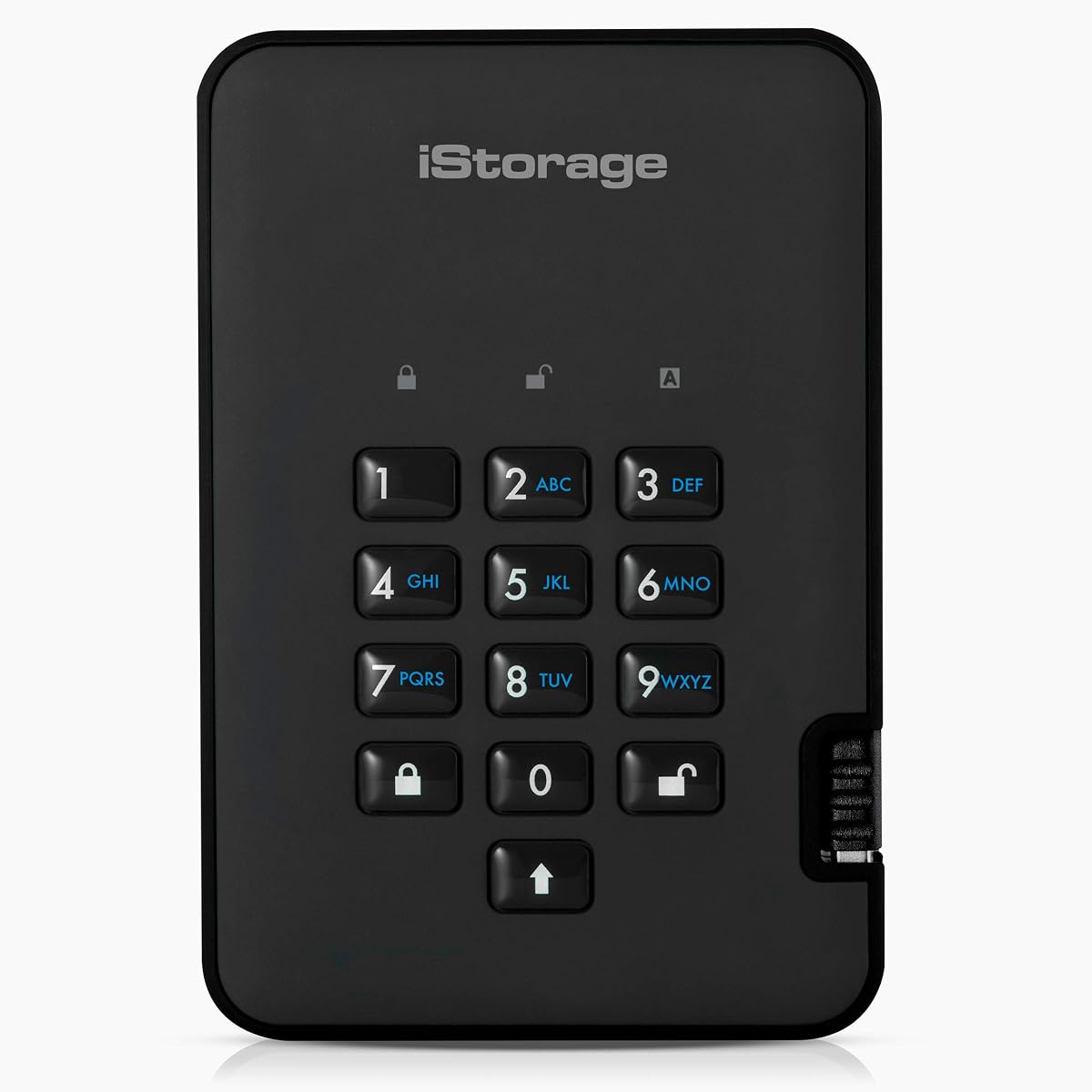
The iStorage diskAshur2 HDD 2TB stands out for its broad platform compatibility and rugged portable design. Its 4.0 rating is the lowest numeric score among the rated products, but the feature set remains compelling for buyers who prioritize cross-platform use, environmental resistance, and a dedicated hardware security processor.
We may earn a commission when you buy through this link, at no additional cost to you.
A 7-to-15-digit PIN authenticates the drive before it operates like a normal portable hard disk. All transferred data is encrypted in real time using AES-XTS 256-bit hardware encryption, and the stated behavior is that data is encrypted when the drive is disconnected. A Common Criteria EAL 5+ hardware-certified secure microprocessor provides a strong foundation for the device's access controls.
The diskAshur2 also carries an IP56 certification for dust and splash resistance, making it more suitable for travel and less controlled work environments than a bare desktop drive. It supports Windows, macOS, Linux, Chrome OS, Android, thin clients, zero clients, embedded systems, Citrix, and VMware. The lower rating means buyers should be especially attentive to current user feedback and confirm that their required workflow is supported.
Choose this model when one encrypted drive must move among many types of systems and be used without installing dedicated software. It is a sensible option for contractors, field workers, developers, and organizations with mixed operating environments. Those who require formal FIPS validation may prefer an Apricorn or DataLocker product, while users who simply want the most common backup features may find the WD My Passport more approachable.
The unusually broad compatibility list allows one drive to work across traditional desktop operating systems, mobile platforms, virtualized environments, and specialized clients. No software is required, which is especially useful when visiting computers you do not control.
The EAL 5+ secure processor and real-time hardware encryption protect access at the device level. IP56 certification adds resistance against dust and splashes for travel, fieldwork, and other less predictable operating environments.
We may earn a commission when you buy through this link, at no additional cost to you.
The DataLocker DL4 FE 2TB is the premium choice for organizations that want a modern encrypted SSD with a touchscreen, current FIPS validation, and centralized management options. It is a solid-state drive rather than a mechanical hard disk, and its list includes FIPS 140-3 validation, TAA compliance, AES 256-bit XTS encryption, and IP64 resistance to dust and water.
We may earn a commission when you buy through this link, at no additional cost to you.
An interactive touchscreen guides users through creating true alphanumeric passwords with special characters, avoiding the limitations of a simple numeric keypad. OS-independent operation and both USB-C and USB-A connectivity simplify use across modern and legacy ports. For organizations with centralized oversight, SafeConsole can provide remote device management and auditing, while remote detonation adds a high-level administrative control for managed deployments.
The important qualification is that the SafeConsole license is sold separately, so the full value of centralized management depends on an additional purchase. There is also no numeric customer rating in the supplied product information, making it especially important to examine current user feedback and confirm deployment requirements directly. IP64 protection helps with environmental hazards but does not make the drive waterproof for every possible use.
This model is best suited to managed deployments, government-oriented procurement, and security teams that need more sophisticated administration than a standalone password-protected drive. It is also appealing to professional users who prefer the responsiveness of SSD storage and a clearer setup interface. For a simpler personal backup, choose the WD or first Aegis Padlock; for premium validated management features, the DL4 FE is the strongest fit.
The built-in display makes credential creation clearer and supports complex alphanumeric passwords with special characters. This can improve usability while avoiding the awkwardness of entering long or varied passwords through a small numeric keypad.
SafeConsole support can centralize auditing, remote management, and device detonation across an organization. Because the license is separate, buyers should include that cost and the required management expertise in the evaluation.
We may earn a commission when you buy through this link, at no additional cost to you.
The Apricorn 4TB Aegis Padlock SSD combines the portability of an encrypted Aegis drive with the speed and responsiveness expected from solid-state storage. Its 4.8 rating is the highest numeric customer score in the guide, making it an especially well-regarded option, while four terabytes provides substantial room for backup data, media, and project archives.
We may earn a commission when you buy through this link, at no additional cost to you.
Documented read and write speeds reach up to 350 MB/s over USB 3.0, which can materially improve large-file transfers compared with slower portable systems. The drive adds 256-bit AES encryption, separate administrator and user modes, Aegis Configurator compatibility, data recovery PINs, and programmable brute-force defense. These controls make it appropriate for users who need strong protection without giving up fast transfer performance.
The primary drawback is the premium price associated with this specialized combination of capacity, SSD technology, and security features. Four terabytes is not unlimited, so active projects and growing media collections may eventually require archiving or a second drive. As with other Aegis products, secure setup and recovery credential planning are essential; speed cannot compensate for a misplaced PIN or poorly managed administrator account.
Choose the Padlock SSD for professionals who regularly move large encrypted files and want more capacity than a smaller encrypted drive. It is well suited to photographers, editors, developers, and consultants who need quick access to a large local working set. The combination of strong customer ratings, portable construction, high storage capacity, and documented transfer speed makes it one of the most complete choices for high-security portable storage.
Up to 350 MB/s makes the drive more attractive for video, archives, and other large files that can make hard-disk transfers feel slow. SSD responsiveness is particularly useful when the drive functions as a working store rather than an occasional archive.
Four terabytes offers room for large backups and project collections while retaining hardware encryption, user modes, recovery PINs, and brute-force controls. It bridges the gap between compact secure drives and roomier mechanical storage.
We may earn a commission when you buy through this link, at no additional cost to you.
The right encrypted drive depends on the kind of data you carry, the systems you use, the level of validation your organization requires, and how much you value portability versus capacity.
Look for a clearly stated hardware-encryption standard, such as AES 256-bit XTS, and determine whether the product or its cryptographic component has a formal validation. FIPS 140-2 Level 2, FIPS 140-2 Level 3, and FIPS 140-3 appear in this guide, but validation is not the same as every possible security claim. Compare the exact certified component, scope, and model documentation with your organization's requirements rather than relying only on a logo or abbreviated description.
Capacity should reflect both your active files and the number of historical copies you expect to keep. One- and two-terabyte models are convenient for travel, while five-terabyte options suit photo libraries, video projects, and offline archives. Remember that full-capacity encryption does not limit usable space, but you will still need room for system files, application data, and a sensible backup margin. The SSD option may suit speed-sensitive users, while a portable hard disk generally offers a different capacity and cost balance.
A PIN keypad, alphanumeric touchscreen, and password-based desktop utility offer different convenience and security profiles. Simple numeric PINs are easy to enter while traveling, whereas longer passwords can be more resistant to guessing. Administrator and user modes matter when multiple people share a drive, while read-only modes can reduce accidental edits. Forced credential enrollment and recovery PINs are also useful because they help establish responsibility before sensitive data is loaded.
Portable drives need a balanced combination of enclosure strength, manageable size, and connector durability. Epoxy sealing, aluminum construction, and IP-rated dust or water resistance can help in travel, fieldwork, and crowded workspaces. Desktop-style models may be more appropriate when the drive stays in one location. Pay attention to integrated cables, strap support, wear-resistant controls, and the environment in which the drive will actually be used rather than comparing protection labels alone.
A software-free drive is especially convenient when moving between computers you do not administer. Desktop backup utilities can be convenient for scheduled copies, but they may require compatible operating systems and sufficient user permissions. Some secure drives work across Windows, macOS, Linux, Chrome OS, Android, and virtualized environments, while others are managed through a separate console. Confirm the exact systems, port types, and required software before purchasing, especially in a mixed workplace.
Hard-disk and SSD models serve different needs. A portable hard disk can provide high capacity for file archives, while an SSD can deliver lower latency and faster transfer of many small files. The Apricorn Padlock SSD documents speeds up to 350 MB/s, and the iStorage diskAshur2 lists read and write rates of up to 160 MB/s and 143 MB/s. These figures relate to specific devices and interfaces, so treat them as useful comparisons rather than guaranteed results for every file and host.
TAA compliance, FIPS validation, and references to regulations such as GDPR, CCPA, or HIPAA can be important signals, but they should not be treated as blanket guarantees for every workflow. A buyer may need to verify precise certification scope, organizational policies, deployment controls, and whether associated management licenses are required. Products designed for government or enterprise procurement often include features that are unnecessary for home use, so assess those requirements before selecting the most specialized option.
Encryption protects data by making it unavailable without the correct credential, which also means a lost password can be a serious problem. Recovery PINs, administrator controls, brute-force settings, and audit tools should be configured before important files are stored. Make sure the organization understands who is allowed to reset credentials, how recovery information will be stored, and whether remote management is truly required. Good administration is not an accessory to encryption; it is part of the operational security plan.
Before copying important files, connect the drive to a trusted computer, install any required management or backup utility, and complete the initial configuration. Set a strong PIN or password, create the relevant administrator and user accounts, enable any read-only or brute-force settings you need, and securely record the recovery information. Then unlock the drive, confirm that it appears normally in the operating system, and perform a small test file before beginning a full backup.
Treat the credential and recovery information as essential parts of the drive. Never store a recovery PIN or administrator password unprotected on the same encrypted drive it is meant to govern. Use an approved password manager or another secure record-keeping system, and follow any organizational rules for sharing administrator credentials. When transferring the drive to another person, change the user mode, revoke unnecessary access, and verify that the recipient can unlock it without seeing confidential recovery details.
For safe removal, use the operating system's eject function before unplugging the device. Keep the connector, keypad, touchscreen, and any integrated cable free from moisture, debris, and sharp bends. Use a protective sleeve for portable models, avoid leaving the drive in extreme heat or direct sunlight, and consider the enclosure's IP rating only within its stated limits. Periodically test a backup, review who retains access, and retire the device responsibly when it is no longer needed.
A regular operating-system password may simply restrict access to the mounted folder, while a dedicated encrypted drive can encrypt data through its own hardware controller. A high-quality encrypted model can protect information even when the drive is removed, copied, or examined outside the original computer. Confirm that the listing specifically documents hardware encryption and determine whether any host software is still needed for management or backup.
Encryption adds processing, but a modern controller and a compatible interface can keep performance high, especially for SSD models. The Apricorn Padlock SSD documents speeds up to 350 MB/s, while the iStorage diskAshur2 lists read and write speeds up to 160 MB/s and 143 MB/s. Actual results depend on the host device, file sizes, source drive, and whether the connection is operating at its full supported speed.
No, not every product has the same compatibility. Many dedicated encrypted drives are designed to work without software across several operating systems, while backup utilities and remote-management consoles may have narrower requirements. The diskAshur2 lists support for Windows, macOS, Linux, Chrome, Android, thin clients, zero clients, embedded systems, Citrix, and VMware, so check your exact environment before purchasing.
Forgetting the correct credential can prevent access to the encrypted data, and no legitimate bypass should be expected from the manufacturer. Some models provide data recovery PINs or administrative reset workflows, while centrally managed devices may require help from an administrator. Set up the recovery process and record the necessary information securely before adding files that cannot be replaced.
No. A higher validation level can matter for formal organizational or procurement requirements, but it does not make every other factor irrelevant. Capacity, portability, operating-system support, administration, and ease of use still affect whether a product suits your routine. Choose the strongest option your security policy justifies, rather than assuming the highest label is necessary for every personal backup.
Yes, provided it has enough capacity and is compatible with your backup software or manual workflow. The WD My Passport models include device-management and backup software, while the Apricorn and iStorage drives emphasize security and can be used with ordinary file-copy operations. Test a small backup, verify the resulting files, and keep at least one additional copy in a separate location.
These modes separate the authority to configure the drive from the authority to use its data. An administrator can establish credentials, recovery procedures, and access rules before allowing users to store or retrieve files. They are especially useful for shared or managed drives and less necessary for a personal device used by only one owner.
No. An IP rating describes resistance under specified test conditions, and it does not mean the device can be submerged or exposed to every kind of liquid and damage. The diskAshur2 is IP56 certified for dust and splash resistance, while the DL4 FE lists IP64 dust and water resistance. Even with these ratings, keeping connectors dry and following the manufacturer's care instructions is the safest approach.
The WD 2TB My Passport is the most approachable budget pick, combining hardware encryption, password protection, backup software, and a slim portable design. The Apricorn 1TB Aegis Padlock is the best overall option for users who prioritize validated hardware encryption, software-free access, and rugged portability, while the DataLocker DL4 FE 2TB leads the premium group with FIPS 140-3 validation, a touchscreen, and centralized management potential.
Prioritize the security controls your situation actually needs, then account for capacity, transfer speed, platform compatibility, and physical protection. A personal user may get excellent value from the WD line, while a frequent traveler might favor the first Aegis Padlock. Regulated or multi-user deployments should examine FIPS validation, administrator controls, recovery workflows, TAA requirements, and any separate management-license cost.
Finally, review the current listing before ordering because ratings, software compatibility, availability, and pricing can change. Confirm the exact model identifier, port, operating systems, validation details, and accessories, and make sure you can preserve the recovery information. With those checks completed, the right encrypted drive can become a dependable, secure part of your portable data routine.
