
ELUTENG Dual USB Cooling Fan
4.4Editor score
Two synchronized 80mm fans
Three adjustable speed levels
Flexible horizontal or vertical use
Rubber feet for stability
Discover the best PS4 external cooling fan options by comparing compatibility, airflow, automatic temperature controls, noise levels, power needs, and setup.
A PS4 external cooling fan can help maintain airflow around a console during long sessions, especially when the system is positioned in a closed entertainment cabinet or operated in a warm room. The best option depends heavily on console model, fan configuration, control method, noise level, and whether you need a simple cooler or a multifunctional stand.
This guide compares ten available products, including dedicated PS4 coolers, a cooling and charging stand, a versatile USB fan, and compact Noctua models that require more adaptation. The comparison considers model compatibility, number of fans, automatic or manual operation, power source, installation, and suitability for horizontal or vertical use.
Each review explains the product's strongest features, limitations, and ideal buyer, while the comparison table makes model differences easier to scan. The top picks highlight the most balanced, economical, and premium-oriented options, although prices and availability can change and should be checked before purchase.
4.4Editor score

4.5Editor score
4.8Editor score
The comparison covers dedicated PS4-specific coolers, a multifunctional stand, general USB cooling fans, and specialist compact fans. Console compatibility, control style, power requirements, and installation method are the most important distinctions.


The Linkhood Five-Fan PS4 Cooler is a dedicated external cooling accessory for the original PlayStation 4, and it carries a 3.9 rating. Its standout feature is the group of five turbo fans, which gives the product a more substantial cooling design than compact single-fan alternatives. It is intended specifically for owners of the original PS4 and should not be considered for the Slim or Pro versions.
We may earn a commission when you buy through this link, at no additional cost to you.
Two operating systems make the cooler adaptable to different gaming habits. Continuous ON mode keeps the fans working, while AUTO MODE uses a built-in temperature sensor to increase activity when the console becomes hot and reduce it after cooling. The product also provides normal and turbo cooling speeds, allowing users to balance cooling demand against the constant operation of the fans.
Power comes directly from the console's USB port at DC 5V, so an extra outlet or separate power brick is unnecessary. The included USB power cable supports plug-and-play setup, and the design can operate with many vertical PlayStation stands. Its compatibility with both horizontal and vertical console orientations adds useful flexibility for owners whose entertainment setup changes.
The package includes the cooling fan, a USB power cable, a 12-month warranty, and customer service support. This is a practical choice for an original PS4 that is regularly used for long sessions or kept in a warmer cabinet. It is less suitable for anyone who cannot verify the exact console model, because the product explicitly excludes both the Slim and Pro designs.
The five-fan configuration is the defining feature of this Linkhood model. Multiple small fans can create a broader moving-air zone around the console than a single compact fan, which may be useful during prolonged gaming or in a confined entertainment center.
AUTO MODE responds to the console's temperature through an integrated sensor, while ON mode keeps cooling continuous. The two-speed design also lets the owner choose between a normal operating level and a stronger turbo level according to the immediate need for airflow.
We may earn a commission when you buy through this link, at no additional cost to you.
The Linkhood Five-Fan PS4 Pro Cooler is a model-specific external fan for the PlayStation 4 Pro, earning a 4.1 rating. It mirrors the useful design of the original-PS4 version while supplying a different fit for the Pro console. Buyers should note that it is explicitly not designed for either the original PS4 or the PS4 Slim.
We may earn a commission when you buy through this link, at no additional cost to you.
Its five turbo fans form the main cooling system and are intended to move air around the PS4 Pro during demanding games or hot weather. The cooler offers normal and turbo cooling modes, giving the user a choice between gentler everyday operation and a stronger level when rapid heat dissipation is more important.
The operating controls include a continuous ON setting and an AUTO MODE controlled by a built-in temperature sensor. The automatic setting is designed to start or intensify cooling as the console heats and reduce the fans after the system cools. This makes the accessory more convenient than a fixed-speed-only design for owners who do not want to manage it constantly.
DC 5V power is drawn from the PS4 Pro's USB port, removing the need for a separate power supply. The included USB cable makes the initial setup straightforward, and the unit can be used horizontally or vertically with many available vertical charging stands. It is a logical choice for PS4 Pro owners who want a dedicated five-fan cooler rather than a general-purpose USB fan.
Model-specific construction is the main advantage here. The product is shaped and marketed for the PS4 Pro, avoiding the uncertainty that comes with adapting a standard USB fan to a console whose vents and physical dimensions need to be considered.
The built-in sensor enables automatic operation based on console temperature. Owners who prefer predictable performance can instead select continuous ON mode and use the normal or turbo speed settings as needed.
We may earn a commission when you buy through this link, at no additional cost to you.
The Mcbazel Intelligent PS4 Slim Cooler is a three-fan stand designed for the PS4 Slim, and its 4.2 rating reflects a useful combination of automatic temperature control and simple power requirements. It is not compatible with the original PS4 or PS4 Pro, making correct model identification essential before buying.
We may earn a commission when you buy through this link, at no additional cost to you.
Its most distinctive feature is a defined automatic threshold. The fans turn on when the console reaches 40 degrees Celsius or above and switch off after the console cools. A manual OFF option is also available, while high-speed turbo and slow settings provide a choice between stronger cooling and a lighter operating level.
The horizontal three-fan arrangement is intended to disperse heat and maintain airflow around the PS4 Slim. Rather than relying on batteries or a wall adapter, the cooler draws power from the console through the included USB-to-DC cable. That simplifies cable management and avoids occupying an additional outlet.
The lightweight stand can be mounted and removed, and the product is described as compact and space-saving. It is best suited to PS4 Slim owners who want a dedicated cooler with a clearly stated temperature trigger. The limitation is narrow compatibility: the product is a third-party accessory and cannot be used with either of the other PS4 console models.
The 40-degree-Celsius activation point gives the automatic mode a clear starting point. This is particularly useful for owners who want the cooler to start when the console reaches a recognized heat level and stop once the system has cooled.
The three fans are arranged horizontally within a removable stand. This creates a compact cooling setup that can be added or taken away according to the user's available space and preferred console position.
We may earn a commission when you buy through this link, at no additional cost to you.
The OIVO PS4 Cooling Stand is the most versatile dedicated solution in this guide, with a 4.5 rating and support for the original PS4, PS4 Slim, and PS4 Pro. Rather than functioning only as an external fan, it combines a vertical stand, cooling, dual controller charging, and twelve game-storage slots in one unit.
We may earn a commission when you buy through this link, at no additional cost to you.
The upgraded fan is designed to cool the console efficiently while reducing noise to as low as 50dB according to the supplied product information. A metal bottom supports the cooling and console structure, while the vertical arrangement can improve organization around a television or entertainment unit. The included holder is necessary when fitting a PS4 Slim.
Controller charging is managed by LED indicators: red shows that charging is underway, while green indicates completion. The stand supports charging through the extended port and is described as reducing the charging time associated with a USB dongle from four hours to two hours. Its power can come from a USB adapter, hub, wall adapter, or the PS4 console itself.
This makes the OIVO stand especially attractive to owners who want more than passive cooling and want to consolidate game storage and controller charging. The trade-off is that it is a larger, more permanent addition than a clip-on cooler or portable USB fan. Nevertheless, its broad model support and multifunction design give it the strongest overall balance for a PS4 household setup.
Cooling, vertical support, controller charging, and game storage are combined in a single structure. That makes the stand useful for organizing a gaming area while also addressing the restricted ventilation that can occur when a console is kept in a closed cabinet.
Red and green LEDs show when the controllers are charging and when charging is complete. This is a simple but valuable convenience for a shared console, particularly when the stand serves as the permanent home for the system.
We may earn a commission when you buy through this link, at no additional cost to you.
The ELUTENG Dual USB Cooling Fan is a general-purpose two-fan accessory that is explicitly listed as compatible with PS4 systems, and its 4.4 rating makes it a strong alternative for buyers who do not want a model-specific accessory. It also works with routers, laptops, television boxes, receivers, projectors, hard-drive enclosures, and other heat-producing electronics.
We may earn a commission when you buy through this link, at no additional cost to you.
Two connected 80mm fans operate simultaneously to create stronger airflow than a single-fan option. The controller provides low, medium, and high settings. According to the supplied specifications, the pair runs at 2050, 2400, or 2750 RPM, with listed airflow values of 23.9, 2790, and 31.98 CFM.
Acoustic performance is another major selling point. The stated noise range is 25.6dB at the weak setting and 32.5dB at the strong setting, making the fan suitable for environments where low sound matters. Hydraulic bearings support durability, and the product is described as capable of continuous operation.
The removable rubber shock absorbers improve stability, while metal grids on both sides help protect fingers and wiring from the blades. A protected cable joint and a three-foot cable add everyday durability. The main limitation is that the fan has no temperature sensor, so it is a manually managed cooler rather than a self-adjusting PS4-specific accessory. It is best for a buyer who values flexibility and quiet operation.
The three-speed controller lets the owner increase airflow only when needed. Two 80mm fans provide a wider cooling effect, while the stated low noise level makes the unit suitable for offices, studies, libraries, and other shared spaces.
Because it is a standard USB fan, the same accessory can move between the PS4 and another compatible device. That versatility makes it a practical choice for owners who want one small cooling tool for several pieces of electronics.
We may earn a commission when you buy through this link, at no additional cost to you.
The Acogedor USB Host Cooling Fan is a compact, clip-on cooler made for the PS4 Slim, with a 4.1 rating. It combines three mini fans with a built-in temperature sensor and supports both automatic and manual operation, making it a convenient option for Slim owners who want a dedicated rather than universal cooling accessory.
We may earn a commission when you buy through this link, at no additional cost to you.
The automatic mode activates when the console temperature exceeds 38 degrees Celsius and turns off after the system cools. Users can also select Turbo mode for direct control. This gives the owner a useful choice between automatic temperature management and manually increased cooling when the console is under a sustained workload.
The snap-on installation requires no tools and is intended to fit closely against the PS4 Slim. The compact, quiet-looking design is described as space-saving, which is useful for setups with limited room behind the console. Its three-fan group is intended to draw heat away from the case during heavier gaming.
Power is supplied through the PS4's USB port at DC 5V, so no separate power supply is necessary. Although the product is described as suitable for most PlayStation vertical charging stands, it does not include an extra USB pass-through port. That distinction matters for buyers who want to retain access to another USB connection while the cooler is attached.
The 38-degree-Celsius trigger allows the cooler to remain inactive when additional airflow is not needed. Manual Turbo mode remains available for owners who want immediate cooling or prefer to control the fan directly.
The clip-on format is designed for quick installation and removal without tools. Its close-fitting shape keeps the accessory visually compact while allowing the three mini fans to direct air around the console.
We may earn a commission when you buy through this link, at no additional cost to you.
The Linkhood PS4 Slim Cooler is a three-fan external accessory designed exclusively for the PS4 Slim, and it has a 3.9 rating. Its most useful distinguishing feature is the extra USB 3.0 port, which helps preserve access to a console connection while the cooling unit occupies the original USB port.
We may earn a commission when you buy through this link, at no additional cost to you.
Three turbo fans provide the cooling array and are intended to help keep the console dust-free during hot conditions and extended gaming. The product supports automatic and manual operating modes. Its built-in sensor starts cooling when the console rises above 40 degrees Celsius and stops after the system has cooled.
The housing is described as quiet, space-saving, and easy to mount or remove. Because it draws DC 5V power from the console's USB port, it does not require an additional power supply or occupy another wall outlet. It can be used with the PS4 Slim in either horizontal or vertical orientation, subject to the user's available stand.
The extra USB access is especially helpful for a person who uses another USB-powered accessory regularly. The limitations are narrow console compatibility and the absence of a more granular speed control system than the stated manual or automatic choices. Overall, it is a functional Slim-specific cooler for owners who value a simple sensor and retained USB connectivity.
The integrated extra USB 3.0 port is the defining convenience. It lets the cooler use the console's existing USB connection while maintaining a location for another compatible USB device.
Automatic mode uses a temperature threshold of 40 degrees Celsius, while manual control lets the user run the fans directly. The lightweight, removable design makes it straightforward to reposition for vertical or horizontal use.
We may earn a commission when you buy through this link, at no additional cost to you.
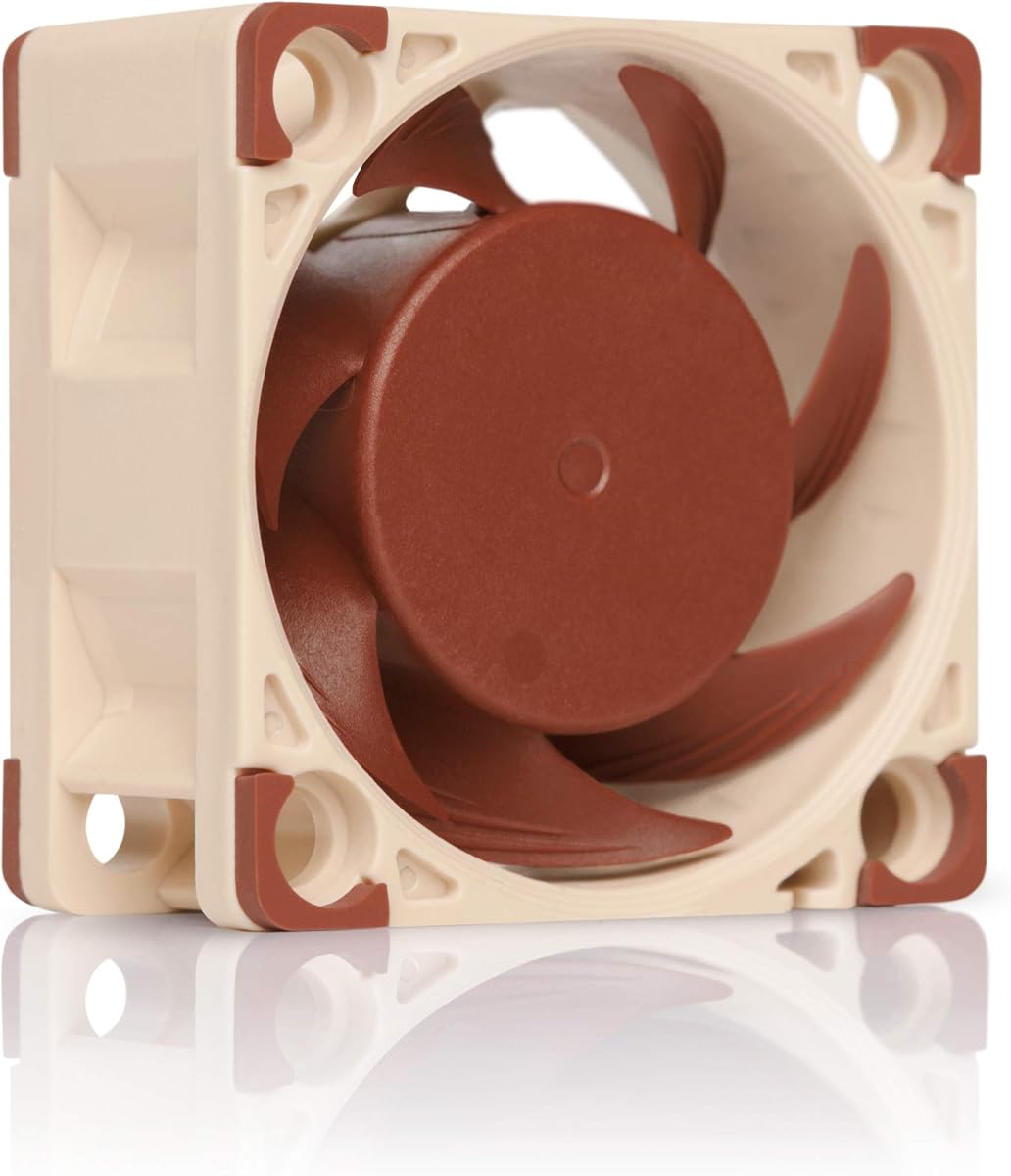
The Noctua NF-A4x20 PWM is a premium 40mm quiet fan with a 4.8 rating, making it one of the strongest-rated products in the comparison. It is not a dedicated PS4 cooler, but its high-performance 12V PWM design, low stated noise level, and included mounting hardware appeal to buyers who want a flexible premium cooling component.
We may earn a commission when you buy through this link, at no additional cost to you.
The fan measures 40x40x20mm and can reach a maximum of 5000 RPM. Its four-pin PWM connection supports automatic speed control through a compatible four-pin PWM fan header, and it can reach 4400 RPM when paired with the supplied Low-Noise Adaptor. The listed maximum acoustic level is 14.9dB(A), the lowest maximum figure among the Noctua options here.
Flow Acceleration Channels and the Advanced Acoustic Optimisation frame are central to the fan's cooling and noise-control design. The included package adds anti-vibration mounts, fan screws, an extension cable, a Y-cable, and an OmniJoin adaptor set, giving the user several ways to connect or mount the fan.
Using it with a PS4 requires more adaptation than a plug-and-play model-specific cooler. The console's USB output does not directly match the fan's 12V four-pin specification, so appropriate power and connection arrangements are needed. Even with that caveat, the NF-A4x20 PWM is the pick for buyers who prioritize refined acoustic performance, PWM control, and premium construction over immediate console-specific installation.
The 14.9dB(A) maximum and advanced acoustic frame make this a strong choice when fan noise is a major concern. PWM control can also reduce speed when full output is unnecessary, helping balance cooling and sound.
Anti-vibration mounts, screws, an extension cable, a Y-cable, and an OmniJoin set provide several installation and connection options. The accessories make the fan more adaptable than a simple USB-powered accessory.
We may earn a commission when you buy through this link, at no additional cost to you.
The Noctua NF-A4x10 FLX is an ultra-thin 40x40x10mm premium fan with a 4.8 rating. It is intended for compact equipment such as 3D printers, DVRs, network-attached storage, switches, and routers rather than a PS4 directly, but its slim profile and refined noise characteristics make it interesting for custom cooling arrangements.
We may earn a commission when you buy through this link, at no additional cost to you.
This 12V fan uses a three-pin Molex connection and offers two speed choices: 4500 RPM or 3700 RPM. Supplied Low-Noise Adaptors allow the user to select the desired operating level. The maximum stated noise level is 17.9dB(A), and the MTTF is listed as greater than 150,000 hours.
Its 10mm thickness is the central advantage over the 20mm NF-A4x20. Where space is extremely limited, that reduced depth can make installation easier. Flow Acceleration Channels and the Advanced Acoustic Optimisation frame remain important parts of the fan's design, combining airflow-focused shaping with noise reduction.
The box includes anti-vibration mounts, fan screws, a Low-Noise Adaptor, an extension cable, and an OmniJoin adaptor set. A PS4 owner would still need a suitable 12V power source and a way to position the fan near the console's vents. It is therefore most appropriate as a premium component for a carefully planned setup rather than a simple external PS4 cooling purchase.
The 10mm thickness is smaller than the 20mm Noctua model in this guide. That makes the NF-A4x10 FLX useful where fan depth is limited and where a larger 40mm fan simply would not fit.
The fan can run at 4500 or 3700 RPM using the included Low-Noise Adaptors. This lets the user select stronger airflow or a quieter operating level without requiring separate fan models.
We may earn a commission when you buy through this link, at no additional cost to you.
The Noctua NF-A4x10 5V PWM is a slim 40mm fan that combines a four-pin PWM connection with a 5V power specification, and it carries a 4.7 rating. Among the compact Noctua options, its included USB host adaptor makes it the most straightforward candidate for a DIY external cooling arrangement around a PS4.
We may earn a commission when you buy through this link, at no additional cost to you.
The fan can reach a maximum of 5000 RPM, with polarity protection designed for 5V applications using PWM speed control. Its maximum listed noise level is 19.6dB(A). Flow Acceleration Channels and the Advanced Acoustic Optimisation frame support the combination of airflow and quiet operation, while the stated MTTF exceeds 150,000 hours.
A USB power adaptor cable allows the fan to operate from devices with USB host ports, power banks, or common USB power supplies. That is a key advantage over the 12V Noctua models, although the console's own USB port would still need to provide suitable power for the intended arrangement.
The package includes anti-vibration mounts, fan screws, an extension cable, and an OmniJoin adaptor set. There is no dedicated PS4 bracket, so positioning the fan correctly and directing airflow toward the console becomes the user's responsibility. It is best recommended for a technically comfortable buyer who values PWM control and a slim premium fan enough to handle the setup.
The included USB power adaptor cable allows the fan to draw from a USB host, power bank, or suitable USB supply. This simplifies the power side of a custom setup compared with a bare 12V fan.
Four-pin PWM support provides a way to manage the fan's speed when the power and controller arrangement supports it. The 10mm depth also makes the fan easier to fit into a compact external cooling assembly.
We may earn a commission when you buy through this link, at no additional cost to you.
The right PS4 external cooling fan depends first on exact console compatibility, followed by the balance between cooling output, noise, controls, power requirements, and installation complexity. A product that looks effective but does not fit the intended console model is not a useful purchase, regardless of its other features.
The PS4 family includes designs that are similar at a glance but physically and functionally different for accessory makers. The original PS4, PS4 Slim, and PS4 Pro coolers in this guide are each model-specific, and several listings explicitly warn that the other versions will not fit. A general USB fan offers broader device compatibility, while a dedicated cooler may provide a closer fit and more clearly directed airflow. Check the console label and the product's compatibility statement before ordering, paying particular attention to exclusions rather than assuming that a PS4 accessory supports every revision.
More fans do not automatically mean better cooling, but they can create a broader moving-air area around a console. The five-fan Linkhood products are designed for substantial external airflow, while the three-fan dedicated models provide a smaller footprint. The ELUTENG product uses two full-size 80mm fans that run together, making it useful when the goal is to direct a strong stream across a broad surface. Buyers should consider the size of the vent area, the direction of the airflow, and whether the accessory can sit close enough to the console without obstructing its openings.
Automatic control can be more convenient than operating a fan continuously. The Mcbazel cooler starts at 40 degrees Celsius, the Acogedor unit activates above 38 degrees Celsius, and the Linkhood models use a sensor to respond when the console becomes hot. These thresholds are useful because cooling is applied when needed and reduced after the console cools. However, automatic operation still depends on the sensor's placement and the product's fit. Manual turbo controls remain valuable when a user wants immediate airflow or does not fully trust automatic response.
Noise is especially important when a console is near a television, in a bedroom, or in a shared living space. Dedicated PS4 coolers describe their output with broad terms, while the ELUTENG and Noctua products provide specific decibel ranges. The ELUTENG dual fan is listed at 25.6dB to 32.5dB, and the Noctua models range from 14.9dB(A) to 19.6dB(A) at their stated maxima. Lower sound is helpful, but the operating speed, surrounding objects, and room acoustics also affect what the user hears.
Most dedicated PS4 coolers draw DC 5V from the console's USB port, which avoids another wall adapter and simplifies setup. The OIVO stand can also draw power from a USB adapter, hub, wall adapter, or console. General USB fans offer similar convenience but may occupy a port the owner wants for another device. The Linkhood PS4 Slim cooler addresses that issue with an extra USB 3.0 port. Specialist Noctua fans require consideration of their 5V, 12V, PWM, Molex, and adaptor arrangements, making them better suited to buyers who are comfortable building a custom setup.
The easiest accessories often require little more than plugging in a cable, while others become part of the console stand. The Acogedor product uses a tool-free snap-on design, and the Mcbazel and Linkhood units are described as light, compact, and easy to mount or remove. The OIVO stand is a larger vertical solution with an included holder for the PS4 Slim. General USB fans such as the ELUTENG model can be placed horizontally or vertically but require the user to position them correctly. Choose the format that suits the available cabinet space and whether you routinely reposition the console.
A fan does not have to be a standalone accessory. The OIVO stand combines cooling, vertical support, dual controller charging, and twelve game-storage slots, making it useful for a permanent entertainment-center setup. Some simpler coolers focus only on airflow and may provide a more compact footprint. A multifunction product can reduce clutter, but it may take up more space and be unnecessary if the console already has a satisfactory stand and charging arrangement. Compare convenience against the extra functions rather than assuming more features automatically improve cooling.
External fans move air across the console and can help keep dust from settling in areas where airflow is weak. The Linkhood products explicitly position their turbo fans as a way to keep the console dustless, while the OIVO stand emphasizes efficient cooling and a metal base. These claims should be understood as airflow benefits rather than a guarantee that no dust will enter the console. Keeping the system in a reasonably clean environment, allowing clearance around the vents, and maintaining the fan remains the most complete approach to protecting the hardware.
Begin by confirming the console model and comparing the cooler or stand with the console's shape, vents, and intended orientation. For a dedicated model-specific product, install it only in the stated orientation. For a general USB fan, position the airflow toward the console's intake or exhaust area without pressing the fan grille against a dusty surface or blocking any console openings.
Connect the product as directed. Dedicated PS4 coolers commonly draw DC 5V from the console's USB port, while the OIVO stand may use a USB adapter, hub, wall adapter, or console power. If automatic mode is available, enable it for everyday use and learn the manual or turbo setting in case immediate cooling is needed. If a USB pass-through is present, confirm that the connected device is supported before relying on it.
Keep the fan and vents clean by gently removing dust with a dry, soft brush or a suitable electronics cleaning tool while the system is powered off. Do not use liquids, let moisture enter the housing, or pull on connected cables. Periodically check that the fan spins freely, the rubber feet or mounting clips remain secure, and the console has unobstructed airflow. For a custom Noctua installation, inspect the extension and adaptor connections and ensure the fan is operating without contact with the console.
No. Most dedicated coolers are made for one specific console design, and the products in this guide distinguish among the original PS4, PS4 Slim, and PS4 Pro. The OIVO stand supports all three models, while the general ELUTENG USB fan is listed as compatible with PS4 systems but does not provide a model-specific mount. Always verify the exact model before purchasing.
Most dedicated PS4 coolers draw DC 5V from the console's USB port and therefore do not need a separate power supply. The OIVO stand is more flexible because it can use a USB adapter, hub, wall adapter, or the PS4. Specialist Noctua models may need suitable 5V or 12V power and the correct connection hardware.
Automatic control is generally more convenient because the fan responds when the console becomes hot and reduces operation after cooling. Manual control can be preferable when the user wants immediate, predictable airflow or prefers to manage cooling manually. The best choice depends on how the console is used and how much attention the owner wants to give the accessory.
An external fan can improve airflow around the console and reduce heat buildup in a poorly ventilated location, but it does not replace correct console placement. Leave the console's vents unobstructed, maintain reasonable clearance around the system, and keep the cooler clean. If the console still behaves unusually or shows warning indicators, follow the console's guidance rather than relying only on a fan.
Yes, if the fan has a suitable USB power connection and can be positioned to move air around the console. The ELUTENG dual fan is listed for PS4 compatibility and can be placed horizontally or vertically. A generic fan will not automatically know when the console is hot, so it requires manual speed management and correct positioning.
They can be used in a custom external cooling arrangement, but they are not dedicated PS4 accessories. The 40mm NF-A4x20 PWM and NF-A4x10 FLX require suitable 12V power and connections, while the 5V NF-A4x10 PWM includes a USB host adaptor. Buyers must also provide a stable way to position the fan and direct its airflow toward the console.
A cooling stand is usually better when the console remains vertical in a permanent entertainment setup because it can combine airflow with organization and charging. A clip-on or compact fan is better when space is limited or the console is moved regularly. The OIVO stand offers the most features, while dedicated clip-on products provide a smaller footprint.
Turn the console off, disconnect the fan's power, and gently remove loose dust with a dry, soft brush. Keep liquids away from the blades, motor, sensor, and USB connection. Avoid bending the fan blades or pulling the cable, and check that the accessory remains firmly attached before returning the console to use.
The OIVO PS4 Cooling and Charging Stand stands out as the most complete option because it combines cooling, vertical support, dual controller charging, game storage, and compatibility with all three PS4 console designs. The ELUTENG Dual USB Fan is the most flexible value-oriented choice, while the Noctua NF-A4x20 PWM represents a premium approach for buyers willing to manage the power and mounting arrangement themselves.
For most PS4 owners, model compatibility should be the first filter. Dedicated five-fan and three-fan products can provide targeted cooling with automatic temperature control, while a general USB fan offers broader use across electronics. Buyers who want the fewest accessories should prioritize simple USB power, an unobstructed fit, a quiet setting, and enough clearance around the console's vents.
Prices, ratings, and product details can change, so check the current listing and compatibility information before ordering. Confirm the exact console model, review the power requirements, and make sure the cooling solution suits the space and orientation in which the PS4 will actually be used.