
Standard Three-Prong Monitor Cord
4.7Editor score
Simple three-prong replacement
Five-foot flexible cable
Broad electronics compatibility
Finding a replacement power cord for an HP monitor starts with identifying the monitor family and connector. HP displays use several power standards, including 19V yellow-tip, 19.5V blue-tip, and 12V round-tip configurations, while some desktop monitors accept a standard IEC C13 cord.
This guide compares ten replacement cords and adapters using their stated voltage, current, wattage, connector dimensions, cable length, compatibility lists, and listed safeguards. It covers conventional desktop models, HP M-series displays, X-series displays, and general-purpose IEC monitor power cables.
Each review explains where the option fits and where it does not, helping you avoid the common mistake of choosing by screen size or HP branding alone. Product ratings and specifications reflect the supplied listings, while prices and availability can change over time.
4.7Editor score
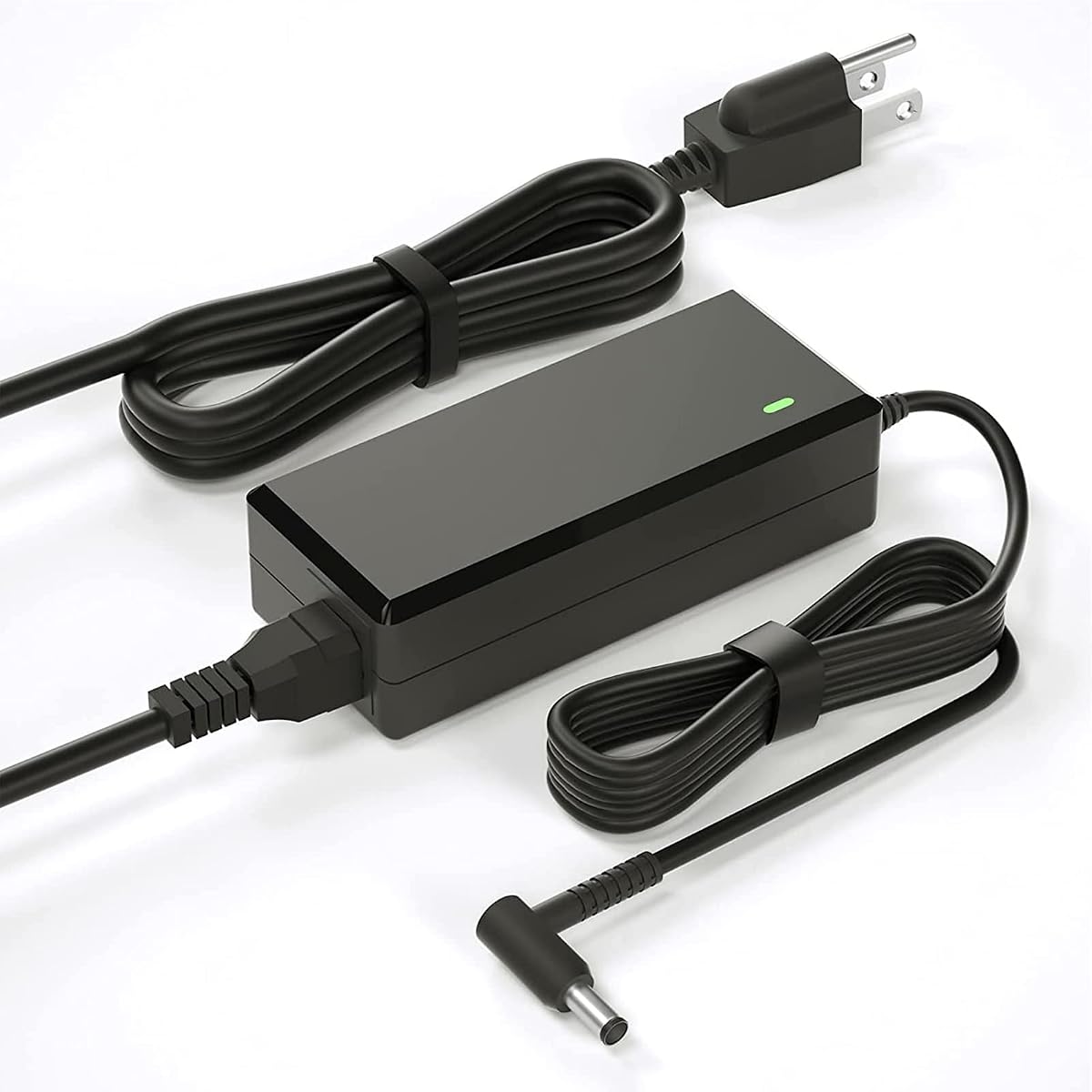
4.4Editor score
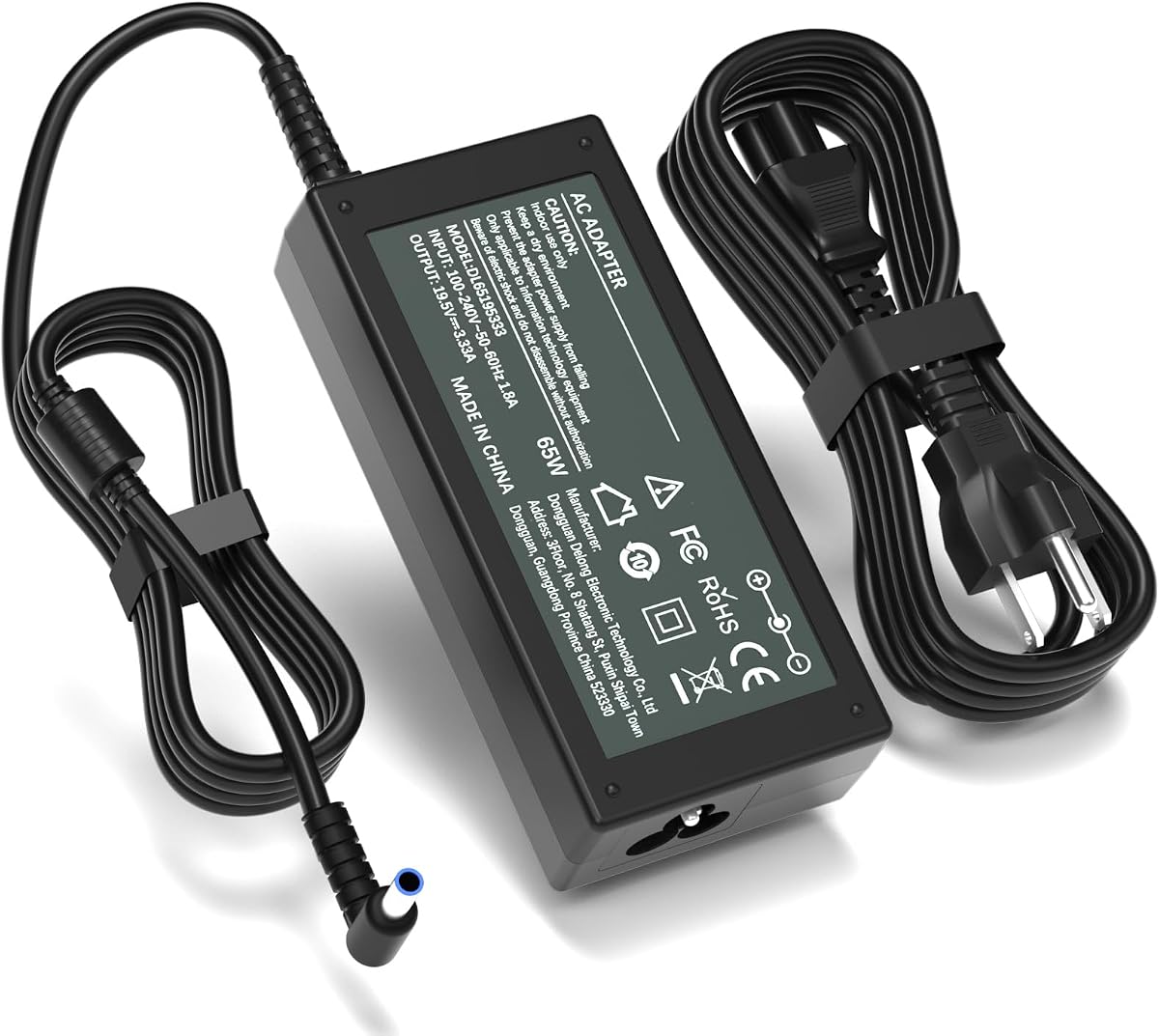
4.7Editor score
As an Amazon Associate we earn from qualifying purchases.
The comparison below separates the main connector and power standards represented in the list, making it easier to match a cable to an HP monitor before considering longer descriptions or model lists.


This 19V HP monitor replacement power supply earns the Editor's Choice position because it combines a widely stated compatibility range with clear electrical specifications. It delivers up to 19V and 3.42A for a maximum of 65W, matching the requirements of many conventional HP Pavilion and desktop displays covered by the listing. Its 4.4 rating reflects generally favorable customer feedback.
We may earn a commission when you buy through this link, at no additional cost to you.
The standout feature is the extensive model list, which includes 20xi, 22-series, 23-series, 24-series, 25-series, 27-series, and 32f displays. It also references common part numbers such as ADPC1945, ADPC1965, 700392-001, and 735297-001. An 8.2-foot total cable configuration provides practical reach between a wall outlet and a monitor positioned on a desk.
There are important limits. The listing explicitly excludes 2011X, 2211X, 2311X, 2511X, 2711X, M22F, M24F, M24FW, M27F, and M27FD. It also offers two connector arrangements, which can initially look confusing: some monitor ports have visible metal contacts, while others require the blue adapter cable. The inclusion of guidance for that distinction is useful, but buyers should still verify the original adapter label and connector.
This is the strongest general choice for a traditional 19V HP desktop monitor with a yellow-tip-style power input, provided its model appears in the compatibility list. It is less suitable for 12V or 19.5V blue-tip systems, and its broad list should not be interpreted as permission to ignore the stated exclusions. Check the monitor model, output requirements, and port before ordering.
The long compatibility list is valuable when the original adapter has been lost and its part number is no longer visible. Match at least one model identifier or part number, then confirm that your monitor requires 19V and uses the appropriate connector arrangement.
The stated 8.2-foot length gives you more freedom when the outlet is behind a desk or the monitor uses a larger stand. It remains short enough to avoid an unnecessarily tangled workstation.
We may earn a commission when you buy through this link, at no additional cost to you.
This standard three-prong cord is the Best Budget choice for replacing a worn mains cable on a monitor that accepts a conventional three-pin connection. It carries a stated rating of 10 amps at 125 volts, and the fully molded construction is intended to withstand regular use. Its 4.7 rating is among the strongest in this roundup.
We may earn a commission when you buy through this link, at no additional cost to you.
Unlike the adapter options, this cable does not convert wall power to a low-voltage monitor supply. It simply links an existing IEC-style inlet to a three-prong wall plug. That makes it useful for many desktop computers, printers, TVs, and monitors, including some HP displays designed around a standard three-pin power inlet.
Its limitation is that the monitor must already have a compatible receptacle. If your HP display uses a round DC barrel connector, you need a power brick rather than this type of cable. The listing also describes 125-volt operation, so buyers in regions using other mains standards should verify their local outlet arrangement rather than assuming universal applicability.
Choose this cord when you recognize the same three-pin socket on the monitor that the replacement enters, particularly if the original cable failed through physical damage. It is a straightforward, economical repair for compatible equipment, but it cannot replace a yellow-tip, blue-tip, or other proprietary low-voltage HP power supply.
This cord works best when the damaged item connects directly to a wall receptacle through a standard three-prong plug. Comparing the original socket shape prevents an unnecessary adapter purchase.
The molded body and 18 AWG conductor specification indicate a conventional heavy-duty cable design. Its five-foot length suits most desk arrangements without creating excess slack.
We may earn a commission when you buy through this link, at no additional cost to you.
This replacement adapter is a strong choice for an HP monitor associated with the VH240A and 19V power platform. It supplies up to 19V at 3.42A and 65W, while accepting 100-240V input at 50 or 60Hz. The 4.6 rating indicates strong customer reception and complements the more highly rated general-purpose options.
We may earn a commission when you buy through this link, at no additional cost to you.
Its 8.2-foot total reach is split between a 4.9-foot AC cord and a 3.9-foot DC cord. That layout provides useful flexibility because the adapter brick can sit near the outlet while the monitor-side cable reaches the display. The listing also states compatibility with lower-current devices at 2.1A, 2.37A, 2.53A, and 3A, provided their connector and power requirements align.
The listing contains references beyond HP monitor models, including tattoo equipment and other products using certain 19V supplies. Those references should not be treated as broad warranty-like guarantees for every device. The core reason to consider this option is its stated 19V, 3.42A specification and the inclusion of VH240A-associated part numbers such as 1KL30AA#ABA and 1KL30AA#ABB.
It is best suited to buyers who can positively identify a 19V HP display requiring a compatible round connector and at least 65W-class output. Confirm both the monitor model and original adapter label before ordering. It is not a replacement for a 19.5V blue-tip M-series monitor or a 12V X-series display.
Separating the wall cable from the monitor-side lead makes the adapter easier to position. You can route the AC lead behind furniture and retain just enough DC cable to reach the display.
The 100-240V input range makes the adapter suitable for varied mains environments. Output voltage and connector compatibility still need to match the monitor.
We may earn a commission when you buy through this link, at no additional cost to you.
This 19.5V adapter is designed for the distinct HP M-series power standard rather than the conventional 19V yellow-tip arrangement used by many desktop monitors. It delivers 19.5V at up to 3.33A for a 65W maximum output and uses the listed 4.5 by 3.0mm blue round tip. Its 4.4 rating reflects a generally positive response.
We may earn a commission when you buy through this link, at no additional cost to you.
Compatibility is the key advantage. The listing names M22f, M24f, M24fw, M24fe, M24fwa, M27f, M27fe, M27fw, M27ha, M27fwa, M27fq, M27fd, and several 524- and 527-series displays. It also states compatibility with lower-power 19.5V and 19V devices where their electrical requirements and connector permit.
The listing expressly warns against using this adapter with common older HP models such as 22-series, 23-series, 25-series, 27-series, VH240A systems, and 2011X through 2711X displays. That warning matters because many replacement listings group unrelated model numbers together. Here, the narrow voltage and tip standard should guide the decision, not screen size or the word HP alone.
This is a sensible option for an identified M-series display that uses a 19.5V blue-tip connection. Its total reach of 8.8 feet, divided into a 1.5-meter adapter cord and 1.2-meter AC lead, is especially helpful for larger desks. Do not choose it for a 19V yellow-tip monitor merely because the replacement mentions several HP sizes.
The blue 4.5 by 3.0mm connector distinguishes this option from ordinary 19V desktop adapters. Visual connector identification is a useful backup when a model label has faded.
At 2.7 meters overall, the cable can reach a distant wall outlet while still supporting tidy routing. The separate AC and DC sections add placement flexibility.
We may earn a commission when you buy through this link, at no additional cost to you.
This 19V adapter offers a clear match for conventional HP desktop monitors that use a 5.5 by 2.5mm connector and require a 65W-class supply. It produces up to 19V and 3.42A, with an input range of 100-240V at 50-60Hz. The 4.4 rating places it among the well-regarded but closely matched replacements in the list.
We may earn a commission when you buy through this link, at no additional cost to you.
Its compatibility list covers many 20, 22, 23, 24, 25, and 27-inch HP monitor families, including VH240A systems and designations such as 27xw, 25vx, 24ea, 23cw, and 22cwa. Part-number references including C4D27AA and C4D27A2 provide another way to verify whether the replacement corresponds to the original equipment.
Most importantly, the listing does not blur M-series and X-series compatibility. It specifically says that the adapter does not fit M22F, M24F, M24H, M24FW, M27F, M32F, L7014, L7016, S230T, 2011X, 2211X, 2311X, 2511X, and 2711X. This clarity helps buyers distinguish the yellow-tip output from the blue-tip and 12V alternatives.
It is a good fit for a traditional 19V HP monitor whose original adapter used a 5.5 by 2.5mm round connector. Verify the monitor model and label because the family names overlap with devices requiring other standards. If the original brick reads 19V and has the same connector, this is a more focused choice than a broad multi-type kit.
A 5.5mm outer diameter and 2.5mm inner diameter make the expected plug measurable rather than ambiguous. Measure the original connector before ordering when the model number is unavailable.
The M-series and X-series exclusions are particularly helpful because these models can resemble older 19V displays. Follow those boundaries even if the monitor size appears familiar.
We may earn a commission when you buy through this link, at no additional cost to you.
This 19V replacement adapter covers many conventional HP desktop monitor families and provides a practical 65W-class output. It accepts 100-240V input and delivers up to 19V at 3.42A through a 5.5 by 2.5mm connector. Its 4.4 rating indicates a well-regarded option among similarly specified products.
We may earn a commission when you buy through this link, at no additional cost to you.
The compatibility list includes 20xi, 22-series, 23-series, 24-series, 25-series, 27-series, 27f, 32f, VH240A, 24ea, and 24m-related names. The listing also recommends using the computer's find function to check the model before buying, a useful practice that reduces reliance on screen-size marketing.
The stated smart chip provides over-temperature, over-current, over-voltage, and short-circuit protection. The cable uses copper conductors inside a PVC jacket, and the listing states that the coil passed more than 10,000 bending tests. Those claims describe the construction rather than a guarantee that every monitor will be compatible.
This adapter is appropriate for a 19V HP display with the stated connector and an identified model in its list. It should not be selected for a monitor requiring 19.5V blue-tip power or 12V output. If two possible models remain, compare the voltage and connector printed on the original adapter before making a final choice.
Finding the exact model in the listing is a better approach than relying on diagonal inches. Two HP monitors of the same size can use entirely different power standards.
The listed smart protection and copper conductors support dependable operation. Keep the adapter in a ventilated position and avoid sharply bending the cable at the strain relief.
We may earn a commission when you buy through this link, at no additional cost to you.
This focused 19.5V M-series adapter stands out for its 4.7 rating and tightly defined compatibility. It supplies 19.5V at up to 3.33A, giving a 65W maximum output, and accepts 100-240V at 50-60Hz. The connector is the listed 4.5 by 3.0mm smart blue round tip.
We may earn a commission when you buy through this link, at no additional cost to you.
The supported range includes M27f, M27fe, M27fw, M27ha, M27fq, M27fd, M27fwa, M24f, M24fw, M24fe, M24fwa, and M22f displays. It additionally names the 527sa, 527sh, 527sf, 527sw, 524sh, 524sf, 524sw, and 524sa models and references part numbers including ADS-45PE-19-3, M45741-001, and M45875-001.
As with the other 19.5V option, the blue tip is the defining feature. It also states that lower-current 19.5V and 19V devices can be supported when their requirements align, but this adapter should not be treated as a universal yellow-tip replacement. A monitor requiring 19V through a 5.5 by 2.5mm connector needs a different supply.
This is the premium pick for a buyer who has clearly identified an M-series or compatible Series 5 display and wants a narrowly targeted replacement with a strong customer rating. It is especially compelling when the original adapter has been lost but the monitor model and blue connector remain identifiable. Always verify the model before purchasing.
Unlike a general-purpose replacement, this listing concentrates on M-series and compatible 524/527 models. That focus makes it easier to assess suitability without sorting through unrelated HP equipment.
The 100-240V, 50-60Hz input range supports use across varied mains systems. The monitor still needs to match the 19.5V output and blue connector.
We may earn a commission when you buy through this link, at no additional cost to you.
This adapter offers a more deliberately engineered approach to the familiar 19V yellow-tip monitor connection. It provides 19V at up to 3.42A and 65W, accepting 100-240V input. Its 4.5 rating and clearly explained fixed-tip design make it a strong alternative to generic adapter blocks.
We may earn a commission when you buy through this link, at no additional cost to you.
The 5.5 by 2.5mm hollow yellow tip is permanently attached, reducing the possibility of a loose interchangeable connector causing an interruption. The adapter also has a North American Type B wall plug with a physical round grounding pin. A detachable 1.2-meter AC cord and attached 1.2-meter DC lead provide a total reach of 7.9 feet.
The listing explicitly limits the product to desktop monitors and excludes M-series, X-series, 7.4mm ports, and blue or black tips. It also notes that the adapter lacks the smart-chip protocol required for laptops, tablets, and USB-C devices. Those exclusions are useful safeguards, because some generic power supplies look physically similar but serve very different equipment.
Choose this option for a compatible 19V HP desktop monitor that uses a hollow yellow tip and requires a 65W-class supply. The fixed connection and grounded plug offer a straightforward setup. The listing also notes that adapter bricks may become warm during operation, so keep the unit ventilated and do not cover it while connected.
Because the tip is permanently attached, there is no interchangeable connector to loosen or mismatch. That makes this design straightforward for a dedicated monitor setup.
The explicit exclusions protect buyers from confusing monitor, laptop, and USB-C requirements. Match both voltage and tip before placing the adapter into service.
We may earn a commission when you buy through this link, at no additional cost to you.
The StarTech PXT10110 is the longest and highest-rated conventional cable in this selection. It is a ten-foot, 18 AWG power cord rated for 125V and 10A, with a NEMA 5-15P wall plug and an IEC 60320 C13 connector. Its 4.8 rating is the highest numerical rating among the listed products.
We may earn a commission when you buy through this link, at no additional cost to you.
The C13 end connects to many desktop computers and a substantial number of monitors, scanners, and printers. It is an especially useful choice when the monitor's original removable power cable uses this standard inlet. The ten-foot length makes it practical for installations where the wall outlet is considerably farther from the display than a five-foot cable allows.
Construction details are well specified. The cable uses 100% copper wire, fully molded strain relief, an SVT PVC jacket, and a VW-1 fire rating. It is UL listed under UL62 and UL817 and carries a stated operating range from 37°F to 140°F. The wall-plug side is designed for North American outlets.
This is the right selection for a monitor with an IEC C13 inlet and a damaged mains cable, especially when extra reach matters. It is not a low-voltage adapter and will not fit a yellow-tip, blue-tip, or proprietary round DC port. Confirm that the monitor's socket resembles the C13 shape and that your electrical setup matches the plug and voltage.
Ten feet gives substantial placement flexibility for wall-mounted or desk-mounted equipment. Route the cable safely and avoid creating a trip hazard behind furniture.
UL listing, molded strain relief, copper conductors, and a stated fire rating make this a well-documented option. Its structured specifications suit buyers who prioritize established cord construction.
We may earn a commission when you buy through this link, at no additional cost to you.
This 12V adapter is the correct power-supply family for several HP X-series and older LED LCD displays. It produces 12V at up to 5A and accepts 100-240V input at 50-60Hz. With a 4.9 rating, it has the highest listed rating in the roundup, though ratings alone should not replace model verification.
We may earn a commission when you buy through this link, at no additional cost to you.
The compatibility list includes 2011X, 2211X, 2311X, 2011xi, 2311F, and 2311CM monitors, along with 1503, D5061-A, F1503, 1703, F1703, and L1800 LED LCD displays. The connector is listed as a 5.5 by 2.5mm round tip, and the listing states that lower-current 12V devices may also work when requirements align.
The total reach of 8.8 feet comes from a 1.5-meter adapter cord and a 1.2-meter mains cable. This offers useful routing flexibility in home offices or classrooms. Listed safeguards include protection from overcurrent, short circuit, and overheating, while the housing is described as heat-resistant and flame-retardant.
Choose this product only when the original adapter is labeled 12V and the monitor model appears in the list. It will not replace a 19V yellow-tip or 19.5V blue-tip supply, even if the round connector has similar external dimensions. The current and voltage match matter more than the plug's apparent shape.
The 12V, 5A output is the defining advantage for supported X-series displays. Confirm the voltage printed on the original power supply before considering similarly sized round plugs.
The 8.8-foot combined reach is useful when the outlet is far from a mounted display. Keep the adapter uncovered and ventilated during operation.
We may earn a commission when you buy through this link, at no additional cost to you.
The safest replacement is the one that matches your monitor's model, input voltage, current requirement, wattage, and physical connector. Screen size and HP branding are useful clues, but they are not enough to establish compatibility.
Start by locating the full model number on the back of the display, inside the on-screen menu, or on the original adapter label. HP monitors sharing the same diagonal size can use unrelated 12V, 19V, or 19.5V power systems. A model-level match is more reliable than guessing from the size of the screen or the shape of the connector.
Use the exact model or part number to check the seller's compatibility list. If the label is missing, search the monitor's rear housing and system menu before choosing a replacement.
Read the output specification on the original power brick and require the replacement to provide the same voltage. Current requirements also need to align: a replacement with a higher maximum current can generally serve a lower-current device, while one rated too low may not supply adequate power. The wattage figure provides another useful cross-check.
Look for 19V and 3.42A or 65W for the conventional desktop adapters in this guide, 19.5V and 3.33A or 65W for the M-series blue-tip options, and 12V and 5A for the listed X-series replacement.
Connector size, tip color, and internal pin arrangement must all match. The conventional desktop options use a listed 5.5 by 2.5mm connector, while the 19.5V M-series adapters use a 4.5 by 3.0mm blue tip. The 12V replacement also lists a 5.5 by 2.5mm round tip, demonstrating why voltage must be checked even when the dimensions appear identical.
Measure the outer and inner diameters of the original plug with calipers or a ruler. Do not rely on a visual match when two different voltage standards use similar barrel connectors.
Some monitors use a detachable IEC C13 mains cord, while others require a complete low-voltage power adapter. An IEC C13 cable cannot replace a yellow-tip or blue-tip power brick, and a low-voltage adapter cannot connect directly to a wall outlet. This distinction determines whether you need a cord or an adapter with an attached AC lead.
Inspect the monitor's power socket and count the shape of its contacts. A standard three-prong arrangement may use a simple mains cable, while a round DC inlet requires a power supply.
A longer cable provides flexibility when the outlet is distant from the desk, but excessive length can create clutter. The options range from five feet for the standard cord to 8.8 or 10 feet for adapters and StarTech's IEC cable. Consider the monitor's position, desk depth, and the route behind or beneath the furniture.
Choose enough length for a tidy installation without creating a slack loop on the floor. Route longer leads along desk supports or wall channels to reduce strain and trip hazards.
Look for stated over-voltage, over-current, short-circuit, and thermal protection on adapter models. These safeguards can help manage electrical faults and support more stable operation. Regulatory markings such as UL, FCC, CE, and RoHS provide additional information about how a product was designed and documented, although they do not replace compatibility checks.
Prefer products that state their input range, output rating, connector size, and safety protections clearly. Vague claims without basic electrical specifications make verification harder.
Some listings advertise after-sales support, refunds, or exchanges. These terms can be useful if the replacement does not fit, but they should be read as seller-provided claims from the supplied listing and confirmed on the current product page. Keep the original packaging and receipt until you have confirmed that the monitor powers normally.
Seller support is especially valuable when the monitor model is difficult to identify. It cannot substitute for accurate compatibility information, so gather the model number before requesting assistance.
Before connecting anything, turn off the monitor and disconnect the existing power cable. Open the monitor's on-screen menu or inspect the rear label and the original adapter to confirm voltage, current, connector type, and model compatibility. If replacing a detachable IEC cord, compare the connector shape and the three-prong configuration directly.
Connect the replacement with the monitor powered off. Seat the barrel connector fully without forcing it, route the cable so it does not press against a sharp desk edge, and keep any power brick uncovered in a ventilated position. For a detachable mains cord, connect the equipment end first and plug the wall end into a suitable outlet.
Power on the monitor and confirm a stable display without unusual flicker, repeated startup attempts, heat at the connector, or a visible gap between plug and socket. Unplug the cable if you notice scorching, a loose connection, damaged insulation, or unusual heat. Periodically inspect the strain relief, clean the cord with a dry cloth, and avoid wrapping it tightly around the adapter or furniture.
Usually not unless the M-series monitor specifically requires 19V with the same connector. Many M-series displays use a 19.5V blue-tip supply, while conventional 19V adapters commonly use a 5.5 by 2.5mm yellow tip. Check the voltage and connector printed on the original adapter. A plug that looks similar may still deliver the wrong voltage or mechanical fit.
Check the label on the original power brick for output voltage, amperage, wattage, and a model or part number. Then inspect the plug itself, including its color and diameter. Conventional 19V desktop adapters commonly use a hollow 5.5 by 2.5mm tip, while the 19.5V M-series options in this guide use a 4.5 by 3.0mm blue tip. Measuring the plug is a useful final confirmation.
A replacement with a higher maximum current rating can generally power a monitor that draws less current because the monitor controls how much it takes. The voltage and connector still need to match exactly. Do not use this rule to overlook a voltage mismatch, and do not assume a 19V adapter is appropriate for a 12V monitor.
An IEC C13 cord is a detachable mains cable that sends wall power directly to a compatible equipment inlet. A monitor power adapter includes a converter brick that changes AC mains power into the lower voltage required by the display. If your monitor has a standard C13 socket, a C13 cord may suffice; if it has a round DC inlet, you need an adapter.
No. HP displays of the same or similar size can use different voltage and connector standards. The reliable identifiers are the monitor's exact model, the output label on the original adapter, and the physical plug dimensions. Screen size can help locate the model number, but it should not be the final compatibility check.
The blue-tip 19.5V adapters are intended for the listed M-series and compatible Series 5 displays, not for the conventional 19V models identified in their exclusions. Even if the barrel dimensions appear close, the 0.5-volt difference and distinct tip geometry matter. Use a 19V adapter for a monitor whose original brick is labeled 19V.
Disconnect it immediately and verify the monitor model, voltage, current, connector size, and tip arrangement. Inspect the port for debris and make sure the connector is fully seated, but do not use force or insert metal into it. If everything matches yet the problem continues, test the original setup if available and contact the seller or monitor service provider.
Do not assume it can. The yellow-tip desktop adapter in this list explicitly lacks the smart-chip protocol required for laptops and other portable devices, while USB-C equipment requires its own appropriate power standard. Some listed products also serve other 19V equipment, but compatibility must be verified independently for each device.
The Editor's Choice 19V HP Monitor Power Supply Cord is the most broadly useful dedicated adapter for traditional HP desktop displays in the list, while the Standard Three-Prong Monitor Cord is the economical choice when your monitor has a matching three-pin inlet. For an HP M-series display, the focused 19.5V blue-tip option is the strongest match.
Prioritize the exact monitor model, output voltage, current, wattage, and connector over price, screen size, or general HP branding. Traditional 19V yellow-tip systems, 19.5V blue-tip M-series displays, 12V X-series displays, and IEC C13 equipment all require different solutions. Double-check exclusions before ordering, particularly when moving between M-series and older desktop models.
Ratings, specifications, availability, and prices can change over time, so consult the current listing before purchasing. Take a photograph of the original adapter label, compare it with the replacement requirements, and retain purchase documentation in case the connector or model needs confirmation.