
Canon MegaTank G3270
4.1Editor score
Up to 7,700 color pages
Wireless print copy scan
Up to two years ink
Printers with long lasting ink are designed to reduce interruptions, control recurring ink costs, and handle demanding document or photo workloads more consistently. The strongest models combine refillable ink tanks, generous included ink, wireless connectivity, and practical all-in-one features, making them especially useful for frequent home and office printing.
This guide compares ten refillable-ink and high-capacity printer options from Epson, Canon, and HP. The evaluation considers advertised page yields, included ink, refill systems, print quality, connectivity, scanning, copying, duplex printing, displays, and productivity features, with particular attention to how each model serves different printing habits.
The rankings show why the Epson EcoTank ET-2803 stands out for home users, why the Canon MegaTank G3270 represents a practical lower-cost entry, and which more advanced model suits busy offices. Product details, ratings, and availability can change, so readers should verify current specifications and prices before purchasing.
4.1Editor score

4.2Editor score

4.1Editor score
As an Amazon Associate we earn from qualifying purchases.
The comparison below highlights the most important differences in ink endurance, printing functions, connectivity, and document-handling features across all ten refillable-ink models.




The Epson EcoTank ET-2803 earns the top position as the most balanced option in this guide, combining refillable ink tanks, wireless color printing, scanning, and copying in a home-friendly all-in-one design. Its 4.2 rating reflects a favorable overall response, while the advertised yields of up to 4,500 black pages and 7,500 color pages make it especially relevant to users seeking fewer ink interruptions.
We may earn a commission when you buy through this link, at no additional cost to you.
Its biggest advantage is the balance between endurance and convenience. Epson's cartridge-free system uses refillable high-capacity tanks, and each supplied bottle set is described as equivalent to approximately 80 individual cartridges. The printer supports wireless printing, hands-free voice-activated printing, AirPrint, and the Epson Smart Panel app, giving users several practical ways to manage output from a computer or mobile device.
The flatbed scanner and color display make the ET-2803 more versatile than a dedicated single-function printer, while Micro Piezo Heat Free technology is designed to produce sharp text and detailed color graphics across a range of paper types. The trade-off is that it does not advertise automatic duplex printing or an automatic document feeder. That makes it less convenient for large multi-page jobs than the Canon G3290 or Epson ET-4950.
This is the most broadly appealing selection for households, students, and home offices that regularly produce a mixture of assignments, reports, web pages, and photos. Buyers who prioritize long-lasting ink and wireless flexibility more than automated document handling should give it special consideration. It also stands out as a practical upgrade over a conventional cartridge-based model without moving into the larger productivity-printer category.
The refillable EcoTank design is the ET-2803's defining feature. With enough ink to cover thousands of pages and as much as two years of ink in the box under Epson's stated conditions, it reduces the need to monitor small cartridges and request replacements constantly.
Wireless support, AirPrint compatibility, mobile access through Epson Smart Panel, and voice-activated printing options make it convenient to place the printer away from a computer. The integrated scanner and copier add useful document functions without expanding into a full office model.
We may earn a commission when you buy through this link, at no additional cost to you.
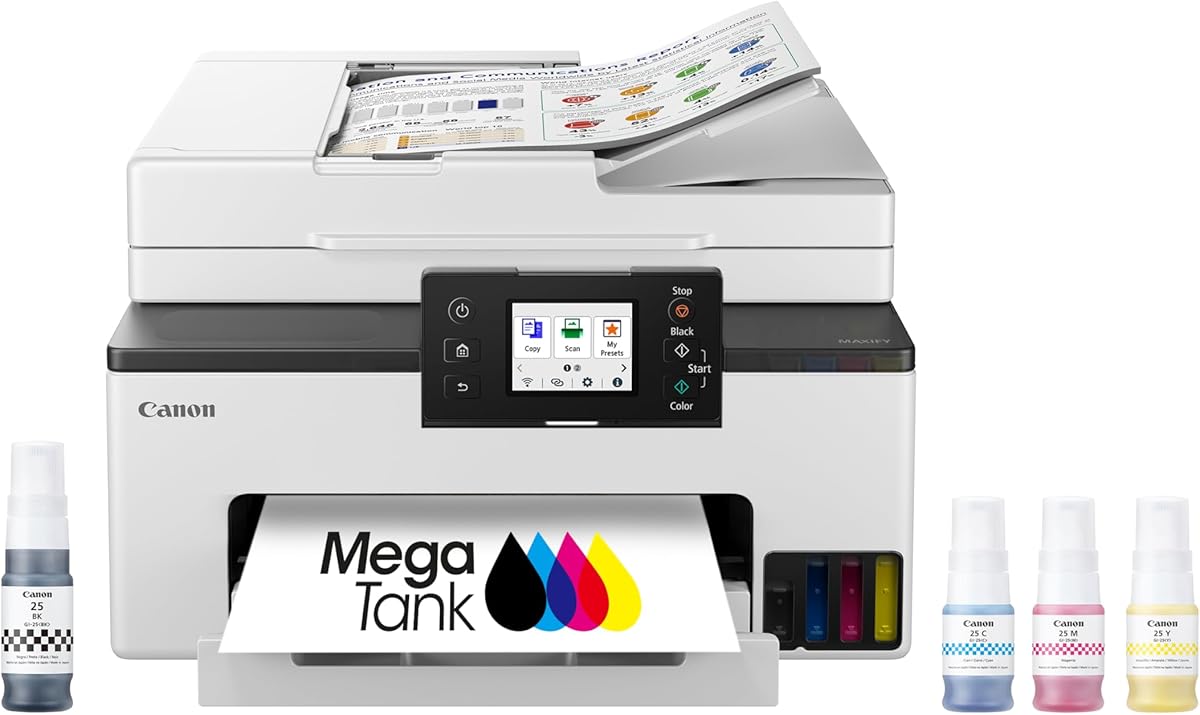
The Canon MegaTank G3270 is the value-focused choice in this roundup, pairing refillable ink with wireless print, copy, and scan functions. It carries a 4.1 rating and advertises up to 6,000 black-and-white pages or 7,700 color pages from a single ink set, making its endurance one of the strongest claims among the more approachable models listed.
We may earn a commission when you buy through this link, at no additional cost to you.
Its simple feature set is easy to understand. The 1.35-inch square LCD provides basic control and status visibility, while wireless connectivity removes the need for a direct cable between the printer and a computer. Canon describes the included ink as lasting up to two years, subject to its own usage assumptions and disclaimers, which can be particularly useful for new owners who want time before their first refill.
The most significant limitation is single-sided printing. Users who routinely handle long reports, school projects, or packet printing must manually turn the paper over for duplex jobs. There is also no automatic document feeder, so multi-page scanning requires more manual handling than it would on the Canon G3290, MAXIFY GX2020, or Epson ET-4950.
The G3270 is best suited to budget-conscious households, students, and casual home offices that print steadily but do not need advanced document automation. Its combination of wireless operation, scanning, copying, and long advertised yields gives it strong utility. It is the practical budget recommendation here for anyone who wants the endurance advantages of a tank system without paying for a larger touchscreen or office-oriented feature set.
The G3270 delivers the core advantages of a MegaTank system at an approachable tier: refillable ink, generous advertised yields, and up to two years of included ink under the stated conditions. It is a sensible first refillable printer for households moving away from frequent cartridge replacements.
Wireless print, copy, and scan functions cover the most common home-office tasks. The compact square LCD is easy to use, although the lack of automatic duplexing and document feeding makes the G3270 less efficient for lengthy document sets.
We may earn a commission when you buy through this link, at no additional cost to you.
The HP Smart Tank 5003 stands out for its stated three years of included ink, one of the longest coverage periods highlighted in this guide. It supports print, copy, scan, borderless prints, and mobile or wireless printing. Its 3.9 rating is slightly lower than the leading models, but the ink-supply commitment makes it a compelling option for users who want to postpone refill decisions.
We may earn a commission when you buy through this link, at no additional cost to you.
HP's mess-free refill system is central to the experience. Ink bottles plug directly into the cartridge-free tanks and drain without squeezing, which is intended to make replenishment simpler and reduce the likelihood of spills. The claimed initial supply of up to 6,000 color or black pages also provides a substantial starting allowance for students, families, or small workgroups that produce regular document and image output.
As an all-in-one model, it covers core copying and scanning needs without adding a large office chassis. However, the supplied specifications do not advertise automatic duplex printing, an automatic document feeder, or a particularly advanced display. That keeps its footprint and feature set manageable, but it also means it is not as well suited to large, unattended document jobs as the Canon G3290 or Epson ET-4950.
The HP Smart Tank 5003 is recommended for users who prioritize a long initial ink supply and simple refilling over advanced paper handling. Its three-year claim should be understood within HP's stated assumptions rather than as a universal guarantee. Buyers comfortable with a basic all-in-one interface will find the combination of wireless functions, borderless printing, and refillable tanks especially compelling.
The headline three-year ink coverage separates the HP Smart Tank 5003 from most competing models here. It can be particularly attractive for new users who expect steady printing during school terms, remote-work periods, or regular photo projects.
The keyed, drain-style bottle system is designed for less messy replenishment. Mobile printing, wireless connectivity, borderless output, and integrated copy and scan functions cover common needs without requiring a larger productivity model.
We may earn a commission when you buy through this link, at no additional cost to you.
The Canon MegaTank G3290 combines the roundup's highest advertised color page count with features that are usually found on more advanced models. It offers wireless printing, copying, and scanning, automatic two-sided printing, and a 2.7-inch color touchscreen. Its 4.1 rating and claimed yields of up to 6,000 black pages or 7,700 color pages make it one of the strongest all-round choices.
We may earn a commission when you buy through this link, at no additional cost to you.
Automatic duplex printing is a major practical improvement over the Canon G3270 and Epson ET-2803. It saves paper and reduces the effort involved in printing multi-page documents, while the color touchscreen makes settings and status information easier to navigate than a small monochrome or square LCD. Canon also lists up to two years of included ink under its stated conditions.
Its main limitation is the lack of an advertised automatic document feeder. A single sheet can still be scanned or copied through the flatbed scanner, but multi-page workflows require more attention. The larger touchscreen and added duplex hardware also mean this model is less compact than entry-oriented tank printers. Nevertheless, those concessions are reasonable for a home office that values efficiency over minimum size.
The G3290 is best for people who want the endurance of a MegaTank system plus genuinely useful productivity features. It is particularly suitable for students, remote workers, and family offices that regularly print reports, lesson plans, invoices, or presentations. Compared with simpler refillable models, it offers a more polished daily workflow without moving into the Canon MAXIFY GX2020's feeder-equipped class.
Two-sided printing is especially useful for reports, reference documents, and packet materials. It removes the need to manually turn every sheet, improving convenience and reducing paper consumption compared with single-sided-only designs.
The 2.7-inch color touchscreen provides a clearer way to review printer status, copy settings, and other controls. Combined with wireless all-in-one functions, it makes the G3290 a natural fit for a connected home office.
We may earn a commission when you buy through this link, at no additional cost to you.
The Canon PIXMA TS6520 is included as a useful alternative for buyers who value compactness, polished connectivity, and everyday convenience more than refillable-tank endurance. It carries a 4.2 rating and offers automatic duplex printing, scanning, copying, borderless output, and a 1.42-inch monochrome OLED display. Its two-cartridge hybrid ink system also targets sharp text and vivid color output.
We may earn a commission when you buy through this link, at no additional cost to you.
Dual-band Wi-Fi is a meaningful differentiator. Supporting both 2.4GHz and 5GHz networks can provide a more stable connection depending on the user's router and environment. Canon PRINT, Apple AirPrint, and Mopria support extend mobile access, while the OLED display allows quick review of ink levels, printer status, and settings. The compact enclosure also makes it easier to accommodate than a large office machine.
Unlike the other refillable-focused selections in this guide, the TS6520 relies on standard cartridges rather than an integrated ink tank. That means it does not offer the long advertised yields of the MegaTank, Smart Tank, and EcoTank models, and it may demand more frequent ink replacement depending on usage. It also lacks an automatic document feeder, although automatic duplex printing is a useful feature for routine documents.
The TS6520 is recommended for apartment residents, students, and compact workspaces that need wireless color printing with scanning and copying. It is not the answer for someone specifically seeking the fewest refills, but for moderate-volume users it can provide excellent convenience, a modern display, and broad media support in a smaller footprint.
Dual-band Wi-Fi support and compatibility with AirPrint, Mopria, and the Canon PRINT app make the TS6520 easy to integrate into a smartphone-centered or mixed-device household. Its compact size also helps preserve limited desk space.
Automatic duplex printing helps with multi-page work, while the OLED display presents ink levels and status information at a glance. The scanner, copier, and support for bordered or borderless media make it versatile for common home documents and photos.
We may earn a commission when you buy through this link, at no additional cost to you.
The Epson EcoTank ET-4800 is a refillable-color option centered on printing, copying, and scanning. It carries a 3.8 rating and includes high-capacity ink tanks, wireless connectivity, a flatbed scanner, a copier, and a color display. Its EcoFit bottles are intended to make filling straightforward while avoiding the recurring waste associated with small cartridge replacements.
We may earn a commission when you buy through this link, at no additional cost to you.
Print quality is another strength. Epson's Micro Piezo Heat Free technology is designed to produce sharp text as well as colorful photos and graphics across virtually any paper type. That combination of refillable ink, wireless access, and integrated document functions makes the ET-4800 suitable for households that produce more than standard documents and need occasional copying or scanning.
The provided product information does not specify a maximum black or color page count, so buyers should not assume that it matches the explicit yields listed for the ET-2803, Canon G3270, or Epson ET-4950. Its 3.8 rating is the lowest among the ten products, and the absence of listed automatic duplex printing, an automatic document feeder, and a fax function makes it less versatile for intensive office workflows.
The ET-4800 is best for a home user who wants Epson's cartridge-free approach, good color results, and built-in copying without stepping up to the ET-4950's advanced productivity equipment. It works particularly well for mixed photo-and-document printing in a wireless setup. Those who require exact advertised yield figures, duplex automation, or high-volume scanning should compare the more fully specified alternatives.
High-capacity tanks and easy-to-use EcoFit bottles reduce the need for frequent cartridge changes. The cartridge-free approach can also help reduce cartridge waste, making it appealing to environmentally conscious users who still value color output.
Epson's Micro Piezo Heat Free technology is designed to balance sharp text with detailed color graphics. The flatbed scanner, copier, and color display add useful document functions without the complexity of a full productivity printer.
We may earn a commission when you buy through this link, at no additional cost to you.
The Epson EcoTank ET-2800 is a straightforward, well-established refillable all-in-one with a 4.0 rating. It prints up to 4,500 black pages and 7,500 color pages according to the supplied claims, with each bottle set described as equivalent to about 90 individual cartridges. Wireless printing, scanning, and copying make it a capable home and small-office machine.
We may earn a commission when you buy through this link, at no additional cost to you.
The ET-2800 is positioned around dependable everyday output. Epson's Micro Piezo Heat Free technology is designed to create sharp text and vivid, detailed documents, while its stated speed of 10 ISO pages per minute helps it manage larger print jobs without becoming a specialized photo printer. Refillable EcoFit bottles reduce replacement frequency, and up to two years of ink are advertised in the box under Epson's conditions.
It does not offer automatic duplex printing or an automatic document feeder, so double-sided documents and multi-page scans require more manual work. Users who primarily need a dependable color printer with long ink intervals may not mind these omissions, but office-heavy buyers should examine the ET-4950 or Canon G3290. Epson also recommends genuine ink because non-genuine ink could cause damage not covered by the limited warranty.
The ET-2800 is a strong choice for a home printer upgrade where cartridges have become a recurring frustration. It is particularly suitable for families producing reports, school projects, recipes, and occasional photos. Compared with the newer ET-2803, it provides a closely related core experience and similar advertised yields, making the choice depend on current availability, included features, and the user's preferred Epson software and support ecosystem.
Advertised yields of up to 7,500 color pages and 4,500 black pages make the ET-2800 suitable for regular mixed use. The reduced replacement frequency can be particularly useful when a household consistently exhausts conventional cartridges.
Epson's EcoFit bottles make high-capacity refilling easier, while the wireless all-in-one package adds scanning and copying. The lack of duplex automation and a document feeder are the main limits for office users.
We may earn a commission when you buy through this link, at no additional cost to you.
The Canon MegaTank MAXIFY GX2020 is built for users who need more than refillable ink and wireless color printing. It includes print, copy, scan, and fax functions, a 35-sheet automatic document feeder, automatic duplex printing, and a 2.7-inch color touchscreen. Its 3.9 rating reflects a solid but not exceptional overall reception.
We may earn a commission when you buy through this link, at no additional cost to you.
The automatic document feeder is its clearest productivity advantage. It allows multi-page documents to be scanned or copied with less manual page placement, making the GX2020 useful for administrative paperwork, forms, and records. Duplex printing adds another layer of efficiency, while the touchscreen provides easier access to functions than a minimal display would.
Ink endurance is less impressive than on the G3270 and G3290. Canon advertises up to 3,000 black-and-white pages and 3,000 color pages from a single ink set, and the maximum page count is not stated in the supplied information. It also lacks the especially long initial coverage highlighted by HP Smart Tank models. Buyers focused primarily on maximum page yield may find the standard Canon MegaTank options more compelling.
The GX2020 is best for a home office or small business that values automated document handling, fax access, and a more capable interface in a relatively compact desktop design. It is a productivity-first refillable printer rather than the highest-yield option in this list. For users who frequently scan multi-page records or print two-sided packets, those capabilities can outweigh the lower advertised ink yield.
The 35-sheet automatic document feeder reduces the effort required for longer scan and copy sets. Combined with automatic duplex printing, it makes the GX2020 better suited to administrative workflows than the basic MegaTank models.
The 2.7-inch color touchscreen helps users manage copy, scan, and printer functions more comfortably. Wireless support and fax add a broad set of options within a compact desktop-oriented enclosure.
We may earn a commission when you buy through this link, at no additional cost to you.
The Epson EcoTank ET-4950 is the most fully equipped premium choice in this guide. It combines a refillable SuperTank system with automatic duplex printing, an automatic document feeder, fax, a 250-sheet paper tray, scanning, copying, and a 2.4-inch color display. Its 4.1 rating and advertised yields of up to 6,600 black pages and 5,500 color pages support its position as a strong high-volume option.
We may earn a commission when you buy through this link, at no additional cost to you.
Its productivity hardware is the key differentiator. The 250-sheet tray reduces the frequency of paper loading, the document feeder streamlines longer scans and copies, and automatic duplex printing handles two-sided documents efficiently. Epson also lists 18 black and 9 color ISO pages per minute, no warmup time, and mobile printing support, making it better aligned with sustained office workloads.
The included ink supply is substantial, with each replacement bottle set described as equivalent to about 80 cartridges. Refilling uses supersized tanks and uniquely keyed EcoFit bottles designed to reduce mix-ups and simplify maintenance. As with the other Epson models, using genuine ink is recommended for optimal performance, and non-genuine ink could cause damage not covered by the limited warranty.
This printer is best for dedicated home offices, small businesses, and heavy school or project workloads where automatic document handling justifies the larger design. It offers more office capability than the ET-2803 or ET-4800 while preserving Epson's cartridge-free endurance advantages. The premium badge reflects the richer productivity package, not a claim that it produces the highest possible page yield.
The 250-sheet tray, automatic document feeder, and automatic duplex printing form a strong productivity package. Together they support long print runs and multi-page document jobs with less manual intervention.
Advertised yields reach up to 6,600 black pages and 5,500 color pages, while keyed EcoFit bottles help simplify replenishment. The result is a capable printer for sustained use without constant cartridge changes.
We may earn a commission when you buy through this link, at no additional cost to you.
The HP Smart Tank Plus 570 delivers a simple refillable-ink package with a substantial advertised supply. It offers up to two years of ink, up to 8,000 color pages or 6,000 black pages, and print, copy, scan, borderless, mobile, and wireless functions. Its 3.8 rating ties the lowest score in the roundup, so its appeal rests primarily on endurance and straightforward operation.
We may earn a commission when you buy through this link, at no additional cost to you.
HP's refill system is designed around bottles that plug into the ink tanks and drain without squeezing. This approach is intended to make replenishment less messy and reduce interruptions. The large initial page allowance could be especially useful for households that expect regular color output, including photos, school projects, and graphics, without wanting to track cartridge levels closely.
The 570 does not advertise automatic duplex printing, an automatic document feeder, or a large control display. That keeps the product focused on basic functions, but it also means the Canon G3290, Canon GX2020, and Epson ET-4950 may handle lengthy office workflows more efficiently. Its highest advertised color yield should also be considered alongside coverage and image quality requirements rather than as the only measure of value.
The Smart Tank Plus 570 is a good fit for a connected home that wants a large starting ink supply and simple maintenance. It is particularly attractive to users who value color output and refill convenience but do not need advanced document automation. A buyer should compare it with the HP Smart Tank 5003, which offers a longer stated initial coverage period, and with Canon models offering stronger page-yield claims.
Up to 8,000 color pages or 6,000 black pages and as much as two years of included ink make the Smart Tank Plus 570 appealing for regular users. The substantial initial supply can reduce early refilling concerns.
Bottle-based, no-squeezing refills are intended to make replenishment easier. Wireless, mobile, borderless, copy, and scan functions cover common household needs without the larger equipment found in office-focused models.
We may earn a commission when you buy through this link, at no additional cost to you.
The most important factors are refill method, realistic page yield, printing speed, connectivity, and the amount of document handling required. Comparing these needs before choosing a model helps prevent an attractive ink specification from distracting from an unsuitable workflow.
A refillable tank system is the clearest sign that a printer is designed to last between ink changes. Epson EcoTank, Canon MegaTank, and HP Smart Tank models use integrated reservoirs filled from bottles, avoiding the frequent replacement of small cartridges. Bottle keys, tank capacity, and the presence of a mess-free drain system affect daily convenience, so buyers should check how the printer is refilled as well as how many pages it can produce.
Page-yield claims provide a useful way to compare endurance, but black and color figures are not interchangeable. A model advertising 7,700 color pages may show a lower black-page maximum, and real output varies with coverage, print settings, paper, and maintenance. Use the stated figures as relative guidance, paying particular attention to which color of ink you use most often.
Included ink can provide a new owner with a long period before the first refill. HP models in this guide advertise up to two or three years under their stated conditions, while Canon and Epson emphasize the page capacity of their initial bottle sets. Longer coverage is attractive for heavy users, but it should not replace comparing tank capacity, refill availability, and ongoing page yields.
A printer used only for basic documents may need little more than wireless printing, while many households also want scanning and copying. All-in-one models consolidate these tasks and reduce the need for separate devices. Check whether the flatbed scanner suits your originals and whether a control display makes copying or setup easier.
Automatic duplex printing saves paper and effort on multi-page jobs. An automatic document feeder is even more valuable for offices that scan or copy lengthy records. The Epson ET-4950 and Canon GX2020 include a feeder, while the Canon G3290 and PIXMA TS6520 offer automatic duplex printing. Basic tank models generally leave these tasks manual.
Wireless printing allows a printer to sit away from a computer and supports convenient placement in a home or office. Mobile services such as AirPrint, Mopria, Epson Smart Panel, Canon PRINT, and HP's mobile options broaden access from phones and tablets. The Canon PIXMA TS6520 stands out with dual-band Wi-Fi, while all ten selections provide some form of wireless access.
A long-lasting ink supply is less useful if the printer cannot produce acceptable results for the intended work. Epson's models emphasize sharp text and color output, while Canon's PIXMA line explicitly targets documents and photos. Review media sizes, borderless printing, and whether the machine is intended primarily for office pages, creative projects, or both.
The control interface affects how comfortably a printer handles copies, settings, and maintenance. A color touchscreen offers more visible navigation, while a small monochrome OLED or LCD is adequate for basic status checks. At the same time, larger displays and feeder hardware usually require more desk space, so buyers should consider room as well as features.
Begin by unboxing the printer, removing any packing restraints, installing the supplied ink, and completing the manufacturer's setup process. Connect it to the desired Wi-Fi network and install the appropriate Epson, Canon, or HP software. Test a plain page, a color page, a copy, and a scan before beginning a larger job to confirm that every function is operating correctly.
Print through the recommended driver or app and select the correct paper type in the settings. Avoid repeatedly changing ink modes, since the printer's ink-tank estimate is generally designed to reflect normal use. When a tank is low, follow the manufacturer's refill instructions, use the correct keyed bottles, and check each tank after filling. Genuine manufacturer ink is recommended by Epson for optimal performance and warranty support.
Keep the print path and scanner glass clean, use suitable ink-rated paper, and avoid leaving valuable originals on the scanner longer than necessary. Refer to the manufacturer's guidance for running print-head cleaning or alignment cycles. If a message reports a problem, address it promptly rather than repeatedly reprinting, and contact official support when a physical issue, warning light, or unusual print defect persists.
A long-lasting ink printer is designed to go longer between ink replacements, usually through refillable tanks fed by bottled ink. These systems reduce cartridge waste and are especially useful for people who print documents or color images regularly. Actual longevity depends on usage, coverage, print settings, and the manufacturer's stated testing assumptions.
They can be, because bottle-based ink is often designed to provide a lower ongoing cost per page. Savings vary by the printer, ink type, and how frequently you print. Refillable tanks are most economical for regular users, while a cartridge model may be simpler for someone who prints only a small number of pages occasionally.
The amount varies by model. The products here advertise initial page yields ranging from approximately 3,000 pages in each color to as many as 8,000 color pages, plus several models claiming up to two or three years of coverage. These are maximum or estimated figures, so actual output depends on what you print and how often.
Yes. Several models in this guide are designed for both sharp documents and color photos, including the Epson ET-2803, ET-2800, and ET-4800, plus the Canon PIXMA TS6520. Use suitable photo paper and the correct print settings, and review the printer's supported media specifications before buying.
Yes, every model listed offers wireless printing. Compatibility details differ: the Canon PIXMA TS6520 supports dual-band Wi-Fi, while the other models use standard wireless connections and compatible mobile services. Confirm that your router, computer, phone, and preferred printing app work together before setup.
Automatic duplex printing is valuable if you routinely print reports, forms, or other multi-page documents. It reduces paper use and the need to turn pages manually. The Canon G3290, GX2020, PIXMA TS6520, and Epson ET-4950 include it, while the more basic tank models do not.
An automatic document feeder is most useful for people who copy or scan several pages at once. It reduces the labor involved in placing each original on the scanner. If your workflow mainly involves single-page copies or occasional scans, a flatbed scanner should be sufficient and may help you choose a less expensive model.
Keep the printer upright in a clean, dust-free environment within the temperature range specified in its documentation. Make sure the tank is properly sealed and the print head is not left in a damaged or obstructed state. Before returning to regular use, check the ink level and run a test page, following the manufacturer's storage guidance.
The Epson EcoTank ET-2803 is the strongest overall choice because it combines generous advertised yields, refillable tanks, wireless color printing, and an integrated scanner and copier without moving into a large office design. The Canon MegaTank G3270 is the value-focused alternative, while the Epson ET-4950 is the premium selection for automatic duplexing, document feeding, fax, and higher paper capacity.
Your workload should determine which features matter most. Basic home users may prioritize simple wireless controls and refill convenience, while students and remote workers benefit from automatic duplex printing. Small offices should also compare feeder capacity, scanning speed, and display size. Maximum advertised color yield is useful, but it should be balanced against print quality, included coverage, and ease of maintenance.
Before purchasing, verify the current product listing, supported ink, page-yield details, connectivity, included accessories, and warranty terms. Product specifications, ratings, promotions, and prices can change over time, so checking the latest listing helps ensure that the selected model still matches your printing volume, available space, and everyday workflow.