
Logitech G305
4.6Editor score
Lightweight 3.4-ounce design
Wireless 1 ms report rate
Up to 250-hour battery life
Our Lightweight Mouse guide compares 10 wireless, wired, gaming, and ergonomic options for portability, comfort, precision, battery life, and control for work
A lightweight mouse can make long work sessions more comfortable while remaining easy to carry between a desk, dorm room, office, and travel setup. The best model balances low weight with accurate tracking, responsive controls, useful features, and a shape that suits your hand rather than relying on weight alone.
We compared ten options across gaming, productivity, quiet operation, portability, and specialized features such as adjustable weights, RGB lighting, haptics, and customizable clicks. The list includes wired and wireless designs, compact travel models, full-size ergonomic mice, and tournament-oriented models that differ considerably in size and function.
Each selection highlights who is most likely to benefit from that particular mouse, while the buying guide explains the practical differences between sensors, connection methods, controls, and battery systems. Product ratings and specifications can change, and prices fluctuate over time, so check the current listing before purchasing.
4.6Editor score

4.5Editor score

4.6Editor score
The table below compares all ten recommendations by connection, core technology, portability, and the feature that most distinguishes each mouse. It includes lightweight gaming models, everyday wireless mice, a wired RGB option, and a full-size productivity mouse with haptics.




The Logitech G305 combines a genuinely lightweight shell with a capable HERO optical sensor, making it one of the most convincing all-around choices in this guide. Its 4.6 rating reflects a favorable balance of wireless responsiveness, battery convenience, portability, and construction. At only 3.4 ounces, it is especially easy to move without sacrificing the tracking resolution expected from a modern gaming mouse.
We may earn a commission when you buy through this link, at no additional cost to you.
The sensor supports up to 12,000 DPI and 400 IPS precision, while LIGHTSPEED wireless provides a 1 ms report rate. One AA battery can deliver up to 250 hours of continuous gameplay, and switching to Endurance mode through Logitech G HUB extends that figure to as many as nine months. The included nano receiver stores inside the mouse, eliminating the need to carry it in a separate pocket.
The main compromise is its compact, relatively simple shape. People with larger hands may find the classic gaming profile less accommodating, while users who want extra buttons, side controls, or adjustable weights may prefer a more specialized model. It is also a three-button design, so its appeal comes from sensor performance, portability, and efficiency rather than extensive physical controls.
This is an excellent choice for a student, traveler, casual gamer, or anyone who wants a dependable wireless mouse without a complicated setup. It suits laptop users particularly well because it combines a tiny receiver, a comfortable lightweight build, and long battery life. For those seeking the strongest balance of portability, precision, and simplicity, the G305 remains a particularly practical recommendation.
The 3.4-ounce construction makes the G305 easy to carry and reposition, while the compact body fits naturally into laptop bags. Storing the nano receiver inside the mouse also reduces the chance of leaving an essential accessory behind.
A single AA battery offers up to 250 hours of continuous use, and Endurance mode extends battery life further. That makes the mouse well suited to travel, offices, and gaming sessions without frequent charging.
We may earn a commission when you buy through this link, at no additional cost to you.
The white Logitech G305 offers the same core formula as the black version: a compact wireless gaming mouse built around a 12,000 DPI HERO sensor and LIGHTSPEED technology. Its 4.6 rating places it among the strongest-reviewed options here. It suits buyers who want a lightweight mouse with gaming-grade tracking but do not need additional buttons or elaborate configuration controls.
We may earn a commission when you buy through this link, at no additional cost to you.
A 1 ms response time supports quick cursor movement, while the AA battery can support up to 250 hours of continuous gaming. The lightweight mechanical design is intended to improve maneuverability, and the durable classic shape should appeal to users who prefer a straightforward form. Built-in storage for the USB receiver also makes the mouse convenient to carry between home, school, and work.
Its limitations are similar to those of the standard G305: it offers only primary buttons and a scroll wheel, and it cannot be adjusted with removable weights. The compact profile may also feel restrictive during long sessions if you have a large hand or prefer broad palm support. These are design choices rather than major performance flaws.
Choose the white G305 when portability, fast wireless performance, and long battery life matter more than extensive controls. It works especially well for competitive gaming, laptop use, and travel. Those wanting more buttons or adjustable physical characteristics should move up to the G502 Hero or one of the professional-grade models.
The HERO sensor tracks at up to 12,000 DPI, and LIGHTSPEED wireless offers a 1 ms response time. These specifications make the mouse more than a basic travel device and allow it to handle demanding gaming sessions.
The compact dimensions and receiver storage simplify packing. Users can connect the included receiver to a laptop or desktop and carry the mouse without needing a separate adapter case.
We may earn a commission when you buy through this link, at no additional cost to you.
The Logitech G PRO X Superlight 2 is built for users who want the lightest viable competitive gaming experience without giving up advanced tracking or wireless responsiveness. Its 4.5 rating reflects the strong performance of a professional-style mouse weighing only 60 grams. It is a natural choice for esports players and competitive gamers who repeatedly move their mouse during a match.
We may earn a commission when you buy through this link, at no additional cost to you.
The HERO 2 sensor tracks beyond 888 IPS with sensitivity up to 44,000 DPI. Its calibration is designed to avoid smoothing, acceleration, and filtering, while the 8 kHz polling rate reduces the interval between movement reports. Zero-additive PTFE feet support smooth gliding, and LIGHTFORCE hybrid switches provide a crisp tactile click with reliable operation.
The rechargeable battery lasts up to 95 hours and charges over USB-C, which removes the need to carry a disposable battery. POWERPLAY compatibility adds another way to maintain wireless operation, although the compatible pad is a separate purchase. Software-based customization may also be unnecessary for some users, but it provides access to the mouse's more advanced capabilities.
This model is ideal for competitive players who value low mass, rapid movement, and high polling more than a large button count. It is less compelling for general office work, where a productivity mouse may be more comfortable. Even so, for fast flicks and tournament-style play, the G PRO X Superlight 2 remains one of the most focused lightweight choices available.
At 60 grams, the mouse is designed for quick repositioning and controlled flicks. Its low mass can reduce the amount of force needed to sweep across a large mousepad without introducing a bulky shell.
An 8 kHz polling rate and the HERO 2 sensor provide a strong foundation for responsive competitive play. Zero-smoothing and zero-acceleration behavior help keep movement closely connected to user input.
We may earn a commission when you buy through this link, at no additional cost to you.
The Logitech G PRO X2 SUPERSTRIKE distinguishes itself through a haptic inductive trigger system, a feature designed to provide both speed and tactile feedback. Its 4.6 rating reflects a strong overall package that combines advanced click customization, a lightweight shell, and tournament-oriented tracking. It is among the most technically specialized mice in this guide.
We may earn a commission when you buy through this link, at no additional cost to you.
The HITS trigger offers 10 actuation points and five levels of rapid-trigger reset, allowing users to tune how the primary button responds. Real-time haptic feedback communicates activation within the mouse, while the HERO 2 sensor tracks beyond 888 IPS at up to 44,000 DPI. LIGHTSPEED wireless supports 8 kHz polling for responsive movement.
Battery life is rated at 60 to 90 hours depending on use, and the included USB-A to USB-C cable supports recharging. The 0.7 mm thin-wall case and large UHMWPE feet maintain a low-weight feel and smooth glide. Compatibility with PC and Mac broadens its appeal, although advanced settings require Logitech G HUB, and POWERPLAY 2 compatibility does not include a mousepad.
This mouse is best suited to competitive players who want more control over actuation and rapid triggering than conventional mechanical switches provide. Haptic feedback can help confirm clicks without relying entirely on sound, though some users may prefer a traditional feel. For a premium lightweight setup built around speed, feedback, and deep customization, it is a standout choice.
Ten actuation points and five reset levels let users tune the primary click to their preferred response. The haptic system adds physical confirmation that is more informative than a basic click alone.
The thin-wall case keeps the mouse light without sacrificing its professional shape. Extra-large UHMWPE feet are designed to create a smooth, consistent glide across the gaming surface.
We may earn a commission when you buy through this link, at no additional cost to you.
The Redragon M612 stands out from the Logitech-heavy field by offering multiple programmable controls, selectable DPI stages, and RGB illumination in a wired gaming design. Its 4.6 rating indicates that many buyers find the combination of features and performance satisfying. It is a strong option for gamers who want customization without a wireless receiver.
We may earn a commission when you buy through this link, at no additional cost to you.
The optical sensor supports five default DPI levels at 500, 1,000, 2,000, 3,000, and 4,000, with software-based configuration allowing values from 500 to 8,000. Eleven buttons can be reassigned, including side macro buttons and a rapid-fire control. These options make the mouse useful for MMO-style games, productivity shortcuts, and other tasks that benefit from extra commands.
A frosted surface coating is designed to reduce the feeling of fingerprints, while textured rubber on the left side improves grip. The streamlined claw-grip shape is intended to reduce fatigue over extended sessions. Five backlighting modes add visual appeal, although the cable means the mouse must remain tethered and offers no receiver-based portability.
Choose the M612 if programmable controls, lighting, and a broad range of DPI settings are your priorities. It is particularly useful for budget-conscious gamers who do not mind configuring software or managing a cable. For those seeking absolute minimalism, one of the simpler Logitech wireless models may be a better fit.
Eleven programmable buttons allow frequently used commands to be placed under your fingers. This is helpful in games with numerous abilities and in desktop workflows that benefit from shortcut buttons.
The frosted top surface provides a clean tactile finish, while the rubberized left side helps secure the mouse. Five RGB modes let the mouse coordinate with a broader gaming setup.
We may earn a commission when you buy through this link, at no additional cost to you.
The Logitech G502 Hero is not the lightest mouse on this list in absolute terms, but it gives buyers a valuable way to adjust both weight and balance. Its 4.6 rating reflects a mature feature set, strong sensor performance, and a design that has remained popular with gamers. It works best for users who value control over physical feel rather than chasing the lowest possible gram count.
We may earn a commission when you buy through this link, at no additional cost to you.
The HERO sensor tracks up to 25,600 DPI and detects movement at very fine resolution, with zero smoothing, filtering, or acceleration. Eleven programmable buttons and a dual-mode scroll wheel expand its usefulness. Up to five removable 3.6 g weights let you adjust the mouse's mass, providing more flexibility than models with a fixed lightweight shell.
LIGHTSYNC RGB lighting can be customized to match other Logitech gaming equipment, and the button design uses metal spring tensioning with metal pivot hinges for a crisp mechanical feel. The trade-off is size and cable management. Compared with the G305 or a 60-gram esports mouse, the G502 feels more substantial, and its wired connection adds another item to manage on a shared desk.
This is the right choice for gamers who want customizable controls, adjustable handling, and high sensor resolution. It also works for office productivity because of the many buttons and dual-mode wheel. If your definition of lightweight means the lowest possible weight, choose a smaller model; if it means a weight you can tune to your preferences, the G502 is especially compelling.
Five removable weights allow you to add or remove mass according to your preferred handling. This adjustable system is more adaptable than the fixed construction of most ultra-light gaming mice.
Eleven programmable buttons and a dual-mode scroll wheel make the G502 useful beyond fast-paced games. The HERO sensor delivers precise tracking for both work and play.
We may earn a commission when you buy through this link, at no additional cost to you.
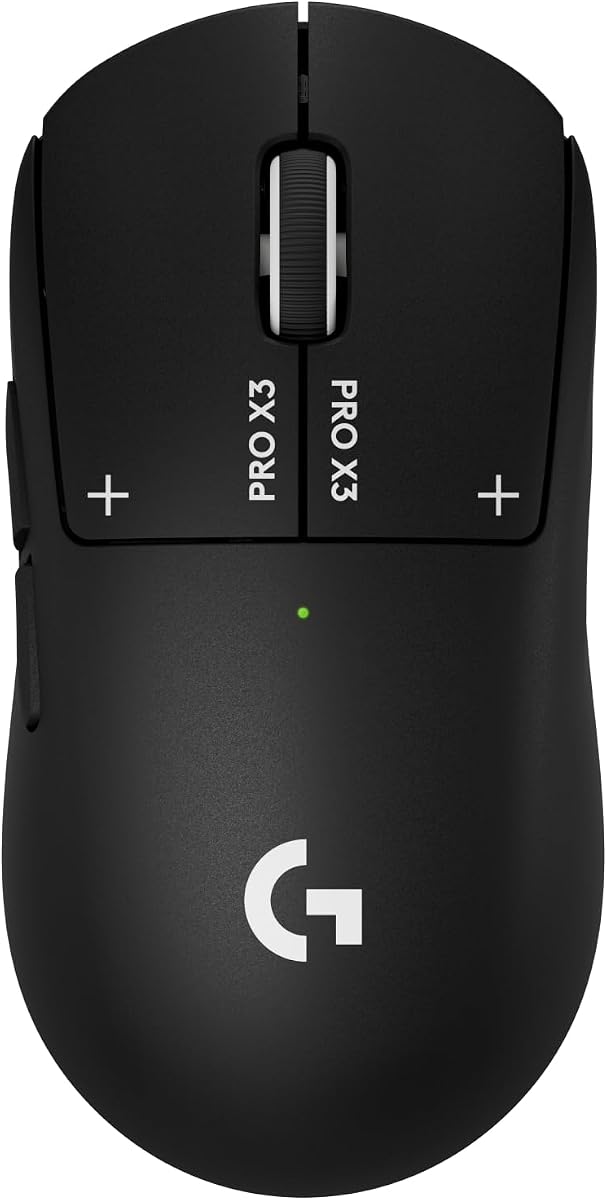
The Logitech G PRO X3 SUPERSTRIKE places a strong emphasis on click innovation, sensor resolution, and battery endurance. Its 4.3 rating is solid, though not the highest among the recommendations. The model makes sense for competitive players and advanced users who want extensive control over how their mouse behaves.
We may earn a commission when you buy through this link, at no additional cost to you.
Instead of conventional switches, the Haptic Inductive Trigger system uses an electromagnetic field. It provides 10 actuation and five reset points, allowing the click to be tuned for speed and travel. The HERO 2 sensor reaches up to 48,000 DPI, tracks beyond 930 IPS, and handles up to 90 G of acceleration. LIGHTSPEED wireless supports up to 8 kHz polling.
Battery life reaches up to 135 hours on a single charge, with USB-C recharging and optional POWERPLAY compatibility. The 0.7 mm thin-wall case and extra-large UHMWPE feet support a lightweight, smooth-gliding design. As with the X2 SUPERSTRIKE, advanced features depend on Logitech G HUB, and the compatible POWERPLAY equipment is not included.
The X3 is best suited to users who want the highest listed DPI capability and a deeply adjustable click system. Its specialized controls may be excessive for casual office work, and the premium category places it beyond the needs of many buyers. Competitive players who value click speed, polling, and battery life will find the most benefit.
The Haptic Inductive Trigger system replaces a standard mechanical switch with an electromagnetic field. Users can select actuation and reset points to create a faster, more personalized response.
The HERO 2 sensor offers up to 48,000 DPI, more than 930 IPS tracking, and 90 G capability. These figures support fast movement and precise targeting in demanding competitive games.
We may earn a commission when you buy through this link, at no additional cost to you.
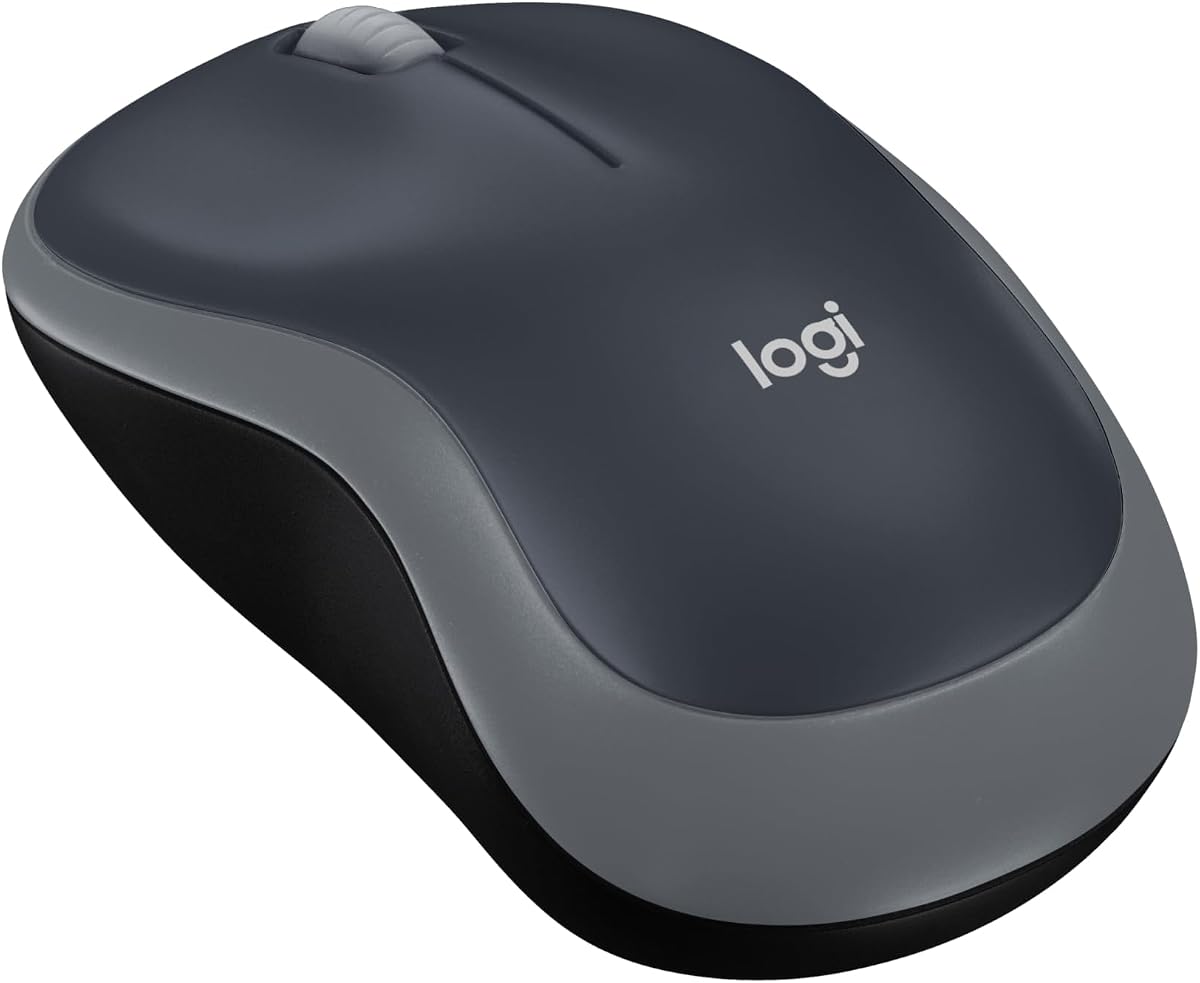
The Logitech M185 is the simplest and most travel-oriented recommendation, focusing on an ambidextrous shape, compact dimensions, and dependable 2.4 GHz operation. Its 4.4 rating supports its reputation as a straightforward everyday mouse. It is an excellent choice for small to medium hands, tight workspaces, and anyone who wants more control than a touchpad offers.
We may earn a commission when you buy through this link, at no additional cost to you.
The mouse supports Windows PC, Mac, and laptop systems without complicated setup. A tiny nano receiver plugs into an available USB port and provides a stated connection range of up to 33 feet. Its line-by-line scroll wheel, optical tracking, and smart sleep mode support regular productivity use, while the included AA battery can last up to one year depending on usage and computing conditions.
Its limitations are intentional and obvious. There are only two main buttons, no high-DPI gaming sensor specifications, and no rechargeable battery. The compact shell may feel small during extended sessions, particularly for users with larger hands. It also provides less adjustment and fewer shortcuts than the M330 Silent Plus or MX Master 4.
Buy the M185 when portability, simplicity, and low-friction setup matter most. It is well suited to a student moving between classes, a traveler working from cafés, or anyone replacing a laptop touchpad with a conventional mouse. For gaming or advanced productivity, choose a more specialized model; for everyday wireless use, this compact option is hard to overcomplicate.
The symmetrical shape can be used with either hand, helping the M185 serve shared workstations and travel kits. Its small size suits compact desks and users who prefer a mouse that takes up little room.
The included nano receiver works with Windows and Mac systems without required software. That simple setup makes the mouse convenient for temporary workspaces and computers used by multiple people.
We may earn a commission when you buy through this link, at no additional cost to you.
The Logitech M330 Silent Plus focuses on quiet operation, long battery life, and comfortable everyday productivity. Its 4.5 rating reflects a well-regarded design for offices, study spaces, shared homes, and other settings where conventional click noise may be disruptive. It is a practical lightweight option for people who use their mouse throughout the working day.
We may earn a commission when you buy through this link, at no additional cost to you.
SilentTouch technology reduces clicking noise by more than 90 percent according to the supplied product information. The contoured plastic shape is designed for right-handed users and long-lasting comfort, while advanced optical tracking offers precise cursor control on most surfaces. The 2.4 GHz connection reaches up to 33 feet, and a USB-A receiver supports Windows, macOS, ChromeOS, and Linux.
An included AA battery and automatic sleep mode support a stated battery life of up to 18 months. That removes the routine inconvenience of recharging and makes the mouse practical for travel or emergency work. The trade-off is a conventional three-button design with limited productivity shortcuts, and the shape is not specifically balanced for left-handed use.
Choose the M330 Silent Plus for shared offices, online meetings, late-night study, or any environment where quiet clicks are valuable. It is less appropriate for competitive gaming or users who want programmable side buttons. For straightforward productivity with minimal noise and maintenance, however, it remains one of the strongest everyday choices in this guide.
SilentTouch technology substantially reduces the sound produced by clicks without changing the mouse's familiar full-size layout. It is especially useful in quiet offices and shared workspaces.
The included AA battery can run for up to 18 months, while auto-sleep conserves power during inactive periods. Users can spend more time working and less time managing charging cables.
We may earn a commission when you buy through this link, at no additional cost to you.
The Logitech MX Master 4 is the most productivity-focused model in the guide, combining an ergonomic tilted shape, haptics, a sophisticated scroll wheel, and flexible connectivity. Its 4.2 rating is the lowest listed here, but that does not reflect a lack of capability. It simply targets a different audience from the lightweight esports mice competing for attention elsewhere on the list.
We may earn a commission when you buy through this link, at no additional cost to you.
The Haptic Sense Panel can provide customizable feedback for specific actions, shortcuts, and notifications. An Actions Ring places frequently used filters, adjustments, and commands near the cursor, while the thumb scroll wheel supports fluid navigation across the mouse. The MagSpeed wheel can scroll 1,000 lines per second and stop on a precise pixel, making it useful for long documents and detailed interfaces.
Connectivity includes Bluetooth and a USB-C dongle with an advanced radio chip and optimized antenna. The shape maintains a natural tilt to reduce hand stress, and quiet clicks are designed to reduce noise by 90 percent. The tradeoff is that this is a larger and heavier mouse than the compact M185 or gaming-focused G305, so it takes more desk space and offers less emphasis on ultra-low mass.
This is the preferred choice for professionals who spend hours navigating documents, editing media, moving between applications, or switching among computers. It is less suitable for a minimalist travel kit or a dedicated competitive gaming setup. If your work involves frequent scrolling, contextual shortcuts, and multi-device use, the MX Master 4 provides the most complete productivity-focused feature set here.
The Actions Ring adapts its overlay to individual applications, placing common controls within reach. This reduces the need to hunt through menus and makes repeated desktop tasks more efficient.
The tilted body, thumb wheel, and accessible primary controls support a natural hand position during long sessions. Bluetooth and the USB-C receiver provide flexible choices for different computers and workflows.
We may earn a commission when you buy through this link, at no additional cost to you.
Choosing the right lightweight mouse requires balancing weight with comfort, tracking, connectivity, controls, and battery behavior. The best option depends on how you move the mouse, which applications you use, and whether portability matters more than customization or sustained productivity features.
Weight influences how easily a mouse can be repositioned, particularly during rapid flicks or long gaming sessions. Models explicitly measured at 3.4 ounces are exceptionally portable, while the G PRO X Superlight 2 uses a 60-gram construction suited to competitive movement. Some users prefer a little more mass because it can feel steadier, which is why the G502 Hero includes removable weights.
Choose a lower weight for travel, rapid movement, and long gaming sessions. Consider adjustable or heavier construction when stability and a substantial feel matter more.
A mouse can be technically light but still uncomfortable if its shape does not match your hand. Compact models such as the M185 are positioned for small to medium hands and tight workspaces, while the MX Master 4 uses a larger, elevated shape for a relaxed productivity grip. Gaming mice often use a narrower profile intended for fingertip or claw-style control.
Compare the mouse dimensions with the way you currently use a mouse. Favor a compact shape for small hands and a larger ergonomic shape for palm support and extended productivity work.
Sensor specifications help indicate tracking capability, but the most useful comparison depends on your activity. The G305 provides up to 12,000 DPI, the G502 Hero reaches 25,600 DPI, and the professional SUPERSTRIKE models extend to 44,000 or 48,000 DPI. Competitive gaming also benefits from a high polling rate, with 8 kHz available on several Logitech models.
Match resolution and polling to your needs. General office use rarely requires extreme specifications, while competitive players benefit from precise high-speed tracking and rapid reporting.
Wired mice provide a direct connection without battery management, receiver storage, or wireless interference concerns. The Redragon M612 and Logitech G502 Hero follow this approach. Wireless mice offer greater freedom and cleaner desks, but their receiver must be carried, batteries must be monitored, and connection behavior can differ from a cable.
Choose wired for competitive consistency and zero charging overhead. Choose wireless for portability, flexible desk arrangements, and a cleaner workspace.
Battery design can determine whether a mouse suits travel, gaming, or office work. The G305 and G305 White use one AA battery for up to 250 hours of continuous gaming, while the M330 Silent Plus advertises up to 18 months. Rechargeable professional mice offer high polling and advanced features but require access to a USB-C cable or compatible charging ecosystem.
For infrequent use, long battery life may be more important than fast charging. For daily gaming or productivity, consider recharge time, cable compatibility, and whether the mouse can operate while connected.
A basic three-button mouse is easy to learn and keeps travel kits uncomplicated. The G502 Hero and Redragon M612 offer 11 programmable buttons for games and shortcuts, while the MX Master 4 adds an Actions Ring and thumb wheel for application-specific work. The SUPERSTRIKE models focus customization on the primary click through configurable actuation and reset points.
Prioritize extra controls when your work or games use frequent commands. Prefer a simple layout when portability, affordability, and immediate usability are the main goals.
Haptic feedback and adjustable clicks can communicate confirmation without relying entirely on sound. The MX Master 4 uses customizable feedback for notifications and actions, while the G PRO X2 SUPERSTRIKE and X3 SUPERSTRIKE use electromagnetic trigger systems with multiple actuation and reset points. These features offer finer control but generally require software and some learning.
Choose haptics if tactile confirmation improves your workflow or if quieter operation is important. Stay with conventional mechanical clicks when you prioritize simplicity and immediate familiarity.
The mouse's feet and intended surface influence glide and control. The professional Logitech models use smooth PTFE or UHMWPE feet, while the Redragon M612 includes RGB lighting and software-based DPI configuration. G HUB or Logitech Gaming Software may be needed for advanced settings, reminders, lighting, or performance options.
Check software requirements before buying, especially if your computer is tightly managed or you prefer a device that works without configuration. Match the mouse's foot material to a suitable clean surface for consistent movement.
Begin by choosing a clean, unobstructed tracking area and connect the mouse according to its system. Wired models can be plugged directly into a compatible USB port. For wireless models, insert the batteries if required, connect the included receiver, and move the mouse to confirm that the pointer responds. Download the relevant Logitech software when you want to adjust DPI, buttons, lighting, haptics, or polling-related settings.
Fit the mouse to your hand rather than forcing a familiar grip onto an unfamiliar shape. Keep your wrist neutral, avoid pressing the mouse hard against the desk, and make small controlled movements where precision matters. For fast gaming, use a larger surface and alternate between rapid flicks and short corrections. When using a customizable trigger or haptic feature, begin with the default settings and make gradual adjustments.
Care for the mouse by keeping the underside clean and removing dust from the feet and sensor opening. Avoid tracking on sticky, oily, or sharply textured surfaces because they can affect glide and sensor accuracy. Replace batteries promptly when performance becomes inconsistent, and clean rechargeable contacts with a dry cloth if needed. Store wireless receivers with the mouse or label them so they are not left behind during travel.
No. Lower weight can reduce the effort required for rapid repositioning, but comfort, shape, button layout, and build quality also influence performance. Some players prefer a slightly heavier or adjustable mouse because it feels steadier on the desk. The best choice is the weight and shape that support your grip and play style.
The Logitech M185 is specifically designed as a compact travel mouse, while the G305 also has a small body and built-in receiver storage. Both are wireless and easy to pack with a laptop. The M185 emphasizes simple productivity, whereas the G305 adds a higher-resolution gaming sensor and faster wireless reporting.
Yes, provided the mouse uses a modern wireless system. The G305 supports 1 ms reporting, while the G PRO X Superlight 2 and SUPERSTRIKE models support up to 8 kHz polling. Wired mice can still be preferable for buyers who want the simplest possible connection and do not want to manage batteries.
DPI determines how far the pointer moves for a given physical movement of the mouse. Polling rate describes how often the mouse reports its position to the computer. A higher DPI can allow fine positioning on a small surface, while a higher polling rate can reduce the delay between movement and on-screen response.
The Logitech M330 Silent Plus is the clearest choice because SilentTouch technology reduces clicking sound by more than 90 percent. It also offers up to 18 months of battery life and a comfortable right-handed shape. The MX Master 4 adds quieter clicks but places greater emphasis on premium productivity features.
That depends on the model. The G305, G305 White, M185, and M330 Silent Plus use AA batteries, while the professional Logitech gaming mice are rechargeable over USB-C. Wired options such as the Redragon M612 and G502 Hero do not require charging, although their cables must remain connected.
Many models support both, provided the computer has a compatible USB port and the required receiver or software is available. The M185 supports Windows and Mac systems, and the M330 Silent Plus also lists ChromeOS and Linux compatibility. Bluetooth models may offer an even more flexible connection process, depending on the device.
Choose a compact gaming mouse when fast movement, gaming sensor specifications, and a narrow shape are your priorities. Choose an ergonomic productivity mouse when you work for long periods, scroll through large documents, use application-specific shortcuts, or switch among devices. Hand size and grip style should guide the decision as much as the advertised features.
The Logitech G305 is the strongest general recommendation because it combines a 3.4-ounce body, a 12,000 DPI sensor, fast wireless reporting, and exceptional battery convenience. The G PRO X Superlight 2 is the leading choice for competitive movement, while the G PRO X2 SUPERSTRIKE stands out for its advanced haptic click system and deep customization.
Your priorities should determine which feature matters most: low mass for travel, a sensor and polling rate for gaming, silent clicks for shared spaces, programmable buttons for complex applications, or an ergonomic shape for long productivity sessions. Among general-purpose travel mice, the M185 is the simplest option, while the MX Master 4 provides the most advanced workflow features.
Ratings and specifications can evolve, and prices change frequently across retailers and over time. Before buying, confirm the current listing, included accessories, system compatibility, software requirements, and battery information. Comparing those details against your own hand size and routine will help you select a lightweight mouse you will be comfortable using every day.