
Zink Premium Instant Photo Paper 50 Pack
4.7Editor score
50 adhesive-backed photo sheets
Compatible with Polaroid devices
Water and tear resistant
Bulk 2×3 Zink photo paper is a practical choice for anyone who prints frequent small photos, crafts with instant images, or wants adhesive-backed prints ready for a scrapbook. A dependable bulk pack should balance sheet count, printer compatibility, color quality, durability, and easy loading without leaving users with excess waste.
This guide compares ten bulk paper options from Kodak, Polaroid, HP, Canon, and Liene. The evaluation considers the number of sheets, supported cameras and printers, Zink technology, water and tear resistance, sticky-back construction, creative uses, and the practical differences between branded and device-specific supplies.
Each pick reveals what stands out about a particular paper format and ecosystem, including larger packs for regular printing and smaller packs for lighter use. Ratings and specifications reflect the supplied product information, while availability and prices can change, so shoppers should confirm the current listing and device requirements before buying.
4.7Editor score
4.8Editor score
4.7Editor score
As an Amazon Associate we earn from qualifying purchases.
The comparison below organizes every option by product identity, sheet count, device compatibility, and core physical features, making it easier to identify the paper that matches your printer and intended projects.


KODAK 2×3 Premium Sticky-Backed ZINK Photo Paper is a versatile 100-sheet option for owners of several compatible Kodak cameras and printers. Its 4.6 rating reflects a generally favorable customer reception, while the product stands out for broad model support, a glossy protective finish, and the flexibility to display or stick every finished print.
We may earn a commission when you buy through this link, at no additional cost to you.
The paper is designed for Kodak Step, Step Slim, Printomatic, Printomatic+, Smile+, and Step Touch devices. Its Zink process avoids conventional ink cartridges and toners, while embedded color helps produce detailed, vibrant results. The glossy polymer overcoat adds water resistance, tear resistance, and a dry-to-the-touch finish that can be useful for travel albums, gift projects, and frequently handled prints.
This is not a universal 2×3 sheet for every instant printer; compatibility remains tied to the named Kodak devices. The instructions also call for proper printer calibration using the Blue Color Calibration sheet with the barcode facing down, and the glossy side should face upward. Those requirements add a small setup step, but they help the printer produce the intended color result.
KODAK is a strong choice for households with more than one listed Kodak device or for users who want a substantial 100-sheet supply with an adhesive back. It is particularly appealing for scrapbooks, wall displays, and shared photo albums. For printers outside the Kodak ecosystem, this paper is not the right fit, so verify your model before ordering.
The protective polymer overcoat helps prints resist water, tearing, smudging, and handling marks. The listed fade resistance also makes the paper suitable for preserving photos in albums, displays, and memory projects.
Every sheet includes a sticky back that can be peeled away after printing. Users can frame the print as a conventional small photo or adhere it to a book, board, journal, or other creative surface.
We may earn a commission when you buy through this link, at no additional cost to you.
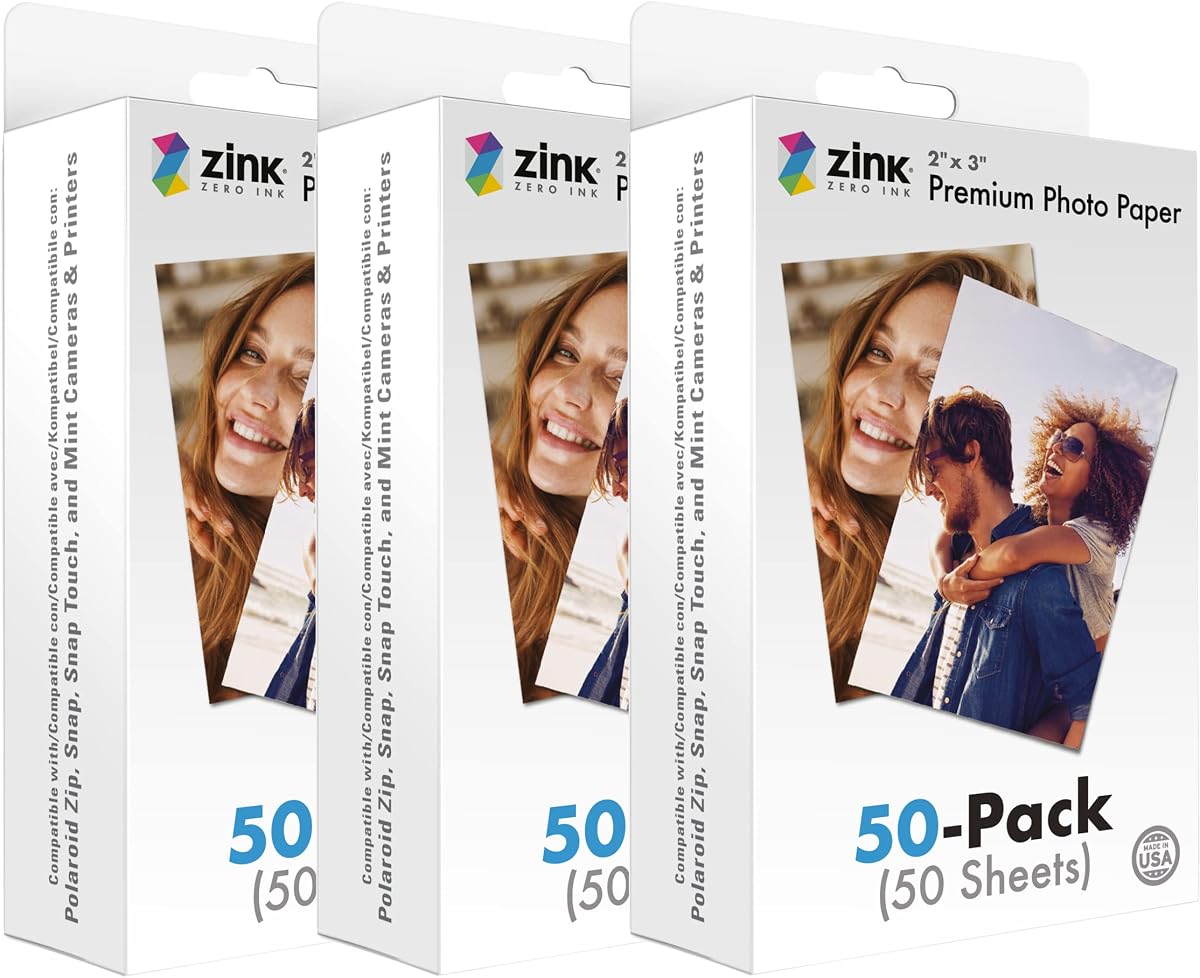
This 50-pack of Zink 2×3 Premium Instant Photo Paper combines a strong 4.7 rating with a manageable quantity for casual users. It supports Polaroid Snap, Snap Touch, Zip, and Mint cameras and printers, making it a flexible choice within a popular instant-photo ecosystem without carrying the largest sheet count in the guide.
We may earn a commission when you buy through this link, at no additional cost to you.
The Zero Ink process creates full-color 2×3 photos without wasteful cartridges, ribbons, or toners. That makes loading straightforward and can reduce the ongoing material complexity associated with conventional ink printing. The paper is also described as smudge-proof, blot-proof, water-resistant, and strong against tears, giving finished images a practical level of everyday resilience.
A peel-off adhesive backing expands the paper's role beyond traditional keepsakes. Prints can go directly onto a photo wall, into a scrapbook, or inside a journal without requiring separate adhesive. The main compromise is quantity: fifty sheets provide less room for heavy-volume projects than the 100-, 120-, and 150-sheet options considered here.
This pack is a sensible choice for someone who wants Polaroid compatibility, durable small prints, and adhesive backing without committing to the largest paper supply. It also works well for experimenting with layouts before placing a larger order. Buyers using another camera brand should choose paper explicitly designed for their printer.
Zink technology embeds color within the paper and prints without conventional ink, ribbon, or toner replacements. The straightforward loading process suits users who want to create photos without maintaining a conventional inkjet setup.
Removing the backing turns each completed photo into a sticker. This is useful for scrapbook pages, journals, wall collages, and other projects where instant placement is more convenient than traditional photo corners.
We may earn a commission when you buy through this link, at no additional cost to you.
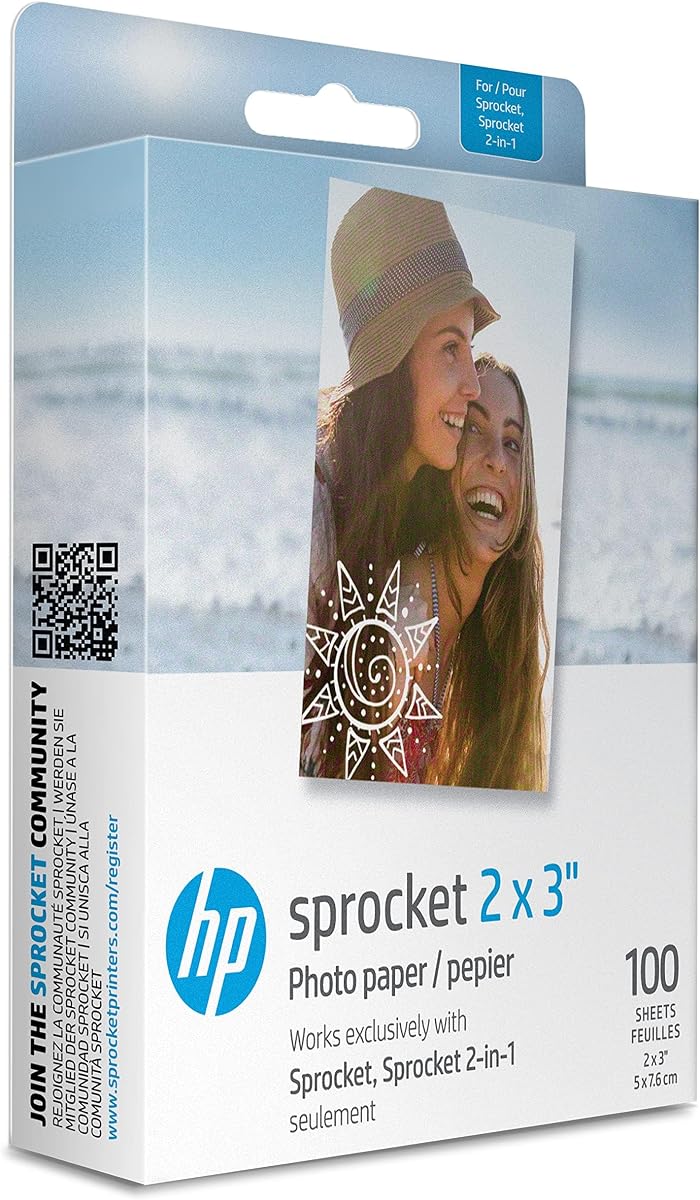
HP Sprocket 2×3 Premium Zink Sticky Back Photo Paper earns a 4.8 rating, the highest figure among the supplied products. The 100-sheet pack is built for HP Sprocket photo printers and combines vivid color, sharp detail, a glossy finish, and an adhesive back in a format designed for both keepsakes and creative projects.
We may earn a commission when you buy through this link, at no additional cost to you.
Color is embedded within the paper, helping the material resist water, smudges, and tears. The described high contrast, saturation, and detail make it suitable for social images, event snapshots, scrapbook pages, cards, and wall art. The adhesive is already applied, so the paper does not need separate mounting material after the backing is removed.
Smartphone and social account personalization can be performed through the free HP Sprocket app, which provides filters, borders, stickers, and emojis. That software support broadens the creative possibilities, although photo enthusiasts who dislike app-based editing may prefer a more direct workflow. The paper remains tied specifically to HP Sprocket printers.
This is an excellent pick for owners who regularly turn phone photos into physical memories or decorative stickers. The combination of a large 100-sheet count, strong rating, glossy results, and durable construction gives it broad appeal. It is also a practical middle ground between smaller Polaroid packs and the largest paper quantities in the comparison.
The HP Sprocket app supports personalized printing from smartphone images and social accounts. Filters, borders, emojis, and stickers make the paper useful for turning everyday images into scrapbook elements or personalized cards.
Embedded color supports vivid reproduction, high contrast, and sharp detail. At the same time, water, smudge, and tear resistance help the finished 2×3 photos remain suitable for regular handling and display.
We may earn a commission when you buy through this link, at no additional cost to you.
The 150-pack of Zink Premium Instant Photo Paper is the largest sheet quantity in this guide and carries a 4.7 rating. It is aimed at frequent Polaroid users who want a substantial supply of 2×3 adhesive-backed prints for events, family albums, parties, travel, or ongoing scrapbook projects.
We may earn a commission when you buy through this link, at no additional cost to you.
Compatibility covers Polaroid Snap, Snap Touch, Zip, and Mint cameras and printers. The paper uses Zero Ink technology to generate full-color images without cartridges, ribbons, or toners. Finished photos are described as smudge-proof, blot-proof, water-resistant, and strong against tears, making them suitable for projects that will be touched or stored.
The adhesive backing gives the sheet more creative flexibility than an ordinary print. Once printed, the backing can be removed to place the image in a scrapbook, journal, photo wall, card, or other organizer. The primary drawback is obvious: buyers with only occasional printing needs may prefer a smaller pack, and the paper cannot be assumed to work with non-Polaroid devices.
For regular Polaroid printing, this is the most volume-oriented choice in the comparison. Its combination of quantity, durability, strong customer reception, and adhesive convenience makes it a premium bulk option. Confirm that you use one of the listed devices, and estimate your monthly print volume to decide whether 150 sheets aligns with your needs.
With 150 sheets, this pack is well suited to events and other occasions when many people want prints. It reduces the need for frequent replenishment while preserving the same 2×3 adhesive-backed format.
The Zero Ink process supports bright color without ink cartridges, while the listed resistance to water, smudges, blotches, and tears helps each print withstand ordinary use.
We may earn a commission when you buy through this link, at no additional cost to you.
Canon Ivy Zink 2×3 Photo Sticker Paper is a 100-sheet option rated 4.8 by customers. It is tailored to the Canon Mini Print app and Canon IVY Mini Photo Printer or IVY CLIQ, CLIQ2, CLIQ+, and CLIQ+2 instant camera printers, giving supported users a straightforward way to produce small adhesive-backed images.
We may earn a commission when you buy through this link, at no additional cost to you.
The defining benefit is simplicity. Users can print images through the Canon Mini Print app, while the paper format provides 2×3-inch photo stickers ready for scrapbooks, journals, cards, or wall displays. The 100-sheet quantity offers enough material for regular use without reaching the storage demands of the largest packs.
The supplied information is comparatively concise and does not make detailed promises about water resistance, tear resistance, or fade resistance. Shoppers should therefore consider the construction claims of other choices against this product's clearer emphasis on quantity and compatibility. It also remains limited to the named Canon ecosystem rather than functioning as general-purpose 2×3 paper.
Canon users who own one of the listed printers or cameras and primarily need easy adhesive photos will find this paper useful. It is particularly convenient for casual printing and simple creative layouts. For people seeking documented protective qualities or broader device support, they should examine the more detailed specifications of the alternatives.
The Canon Mini Print app provides the stated route for sending photos to the printer. This keeps the workflow focused and makes the adhesive sheet convenient for users who regularly create small printed labels and memories.
One hundred sheets provide a useful middle ground for routine projects. The pack is large enough for repeated use but more restrained than the 120- and 150-sheet alternatives.
We may earn a commission when you buy through this link, at no additional cost to you.
Liene Zink Pearl K100 Photo Paper is a 50-sheet, 2×3-inch adhesive paper rated 4.7. It is designed for Liene's kiwi mini photo printer in white, green, and pink and uses the brand's app for photo creation, including eight filters, four frames, and enhancement functions.
We may earn a commission when you buy through this link, at no additional cost to you.
Its most notable feature is the extra surface film, which is intended to block hand sweat and dust, resist fading over time, and add anti-tear protection. The listing also characterizes the paper as waterproof, smudge-proof, and tear-proof. These durability-oriented qualities make it relevant for travel diaries, luggage decoration, wall souvenirs, and scrapbook pages.
Compatibility is narrow. The paper is only compatible with Liene's 2×3-inch kiwi mini photo printer, so its useful features do not extend to unrelated Zink devices. Users also need to follow the orientation and calibration instructions, including placing the Blue Color Calibration sheet barcode-side down and keeping the glossy side facing up.
This paper is best for Liene owners who value protective construction and want creative tools beyond basic printing. Fifty sheets is also convenient for controlled experimentation, although it is the smallest quantity in the guide. For owners of the supported printer, its durable finish and adhesive back justify its place in a bulk Zink paper shortlist.
The added surface film is designed to protect against dust, sweat, fading, and tearing. That construction is particularly useful when printed photos will travel, remain on display, or sit inside frequently handled albums.
The adhesive backing supports travel journals, luggage decoration, wall souvenirs, and scrapbook projects. The compatible app adds filters and frames for users who want a little more visual customization before printing.
We may earn a commission when you buy through this link, at no additional cost to you.
Kodak 2×3 Premium Zink Photo Paper is a 120-sheet supply rated 4.5. It is compatible with Kodak Smile and Step printers and targets people who want to create colorful small prints for scrapbooking, school activities, home displays, weddings, birthdays, holidays, and group crafts.
We may earn a commission when you buy through this link, at no additional cost to you.
The product highlights vibrant detail and color reproduction, along with the convenience of Zink technology. Because the process requires no conventional film, cartridges, ink, or toner, users can print directly and avoid managing traditional consumables. Its creative positioning extends beyond standard photo storage, making the larger sheet count practical for events and collaborative projects.
Among the options supplied, its 4.5 rating is the lowest, though it is tied with the 120-sheet Polaroid paper. The product information does not provide the same detailed protective claims associated with the 100-sheet Kodak listing, so buyers prioritizing documented water, tear, and fade resistance should compare those specifications carefully. Compatibility remains limited to the named Kodak devices.
This paper is a sensible choice for Kodak Smile or Step owners with an active scrapbook or event-planning workflow. The 120 sheets provide meaningful volume for repeated use. It is especially appealing when the goal is to produce many small prints rather than preserve a large supply of loose sheets for occasional printing.
A 120-sheet pack can support weddings, birthdays, holidays, school activities, and shared craft sessions. The quantity gives organizers and families room to print many keepsakes without replenishing constantly.
Vibrant detail and Zero Ink operation make the paper suitable for immediate small-photo output. Avoiding conventional cartridges and toners also keeps the printing workflow straightforward.
We may earn a commission when you buy through this link, at no additional cost to you.
HP 2×3 Premium Zink Photo Paper is a 120-sheet option rated 4.6 for HP Sprocket photo printers. It combines the well-known Sprocket format with a larger sheet quantity, making it a natural choice for owners who regularly print phone images, scrapbook photos, wall-art collages, or event keepsakes.
We may earn a commission when you buy through this link, at no additional cost to you.
The paper is glossy and adhesive-backed, with embedded colors designed to resist water, smudges, and tears. These qualities make it practical for images that will be handled or displayed outside a protected album. It can be used to preserve celebrations, compile weddings or birthdays, support home projects, and add photos to school or group scrapbooks.
Compared with the 100-sheet HP Sprocket bundle, this option offers additional volume but does not include the separate border stickers, markers, washi tapes, and decorative scissors listed with the Kodak accessory bundle. That distinction matters for crafters who want a ready-made collection of embellishments rather than paper alone.
HP Sprocket owners who print at a moderate-to-high frequency should find 120 sheets practical. It is especially useful for those who want durable sticker-style prints without managing ink or toner cartridges. Users who primarily make casual prints may prefer the smaller pack, while dedicated Sprocket printers should verify the model before purchasing.
The 120-sheet quantity suits frequent phone printing, family events, and ongoing scrapbook work. It is a larger reserve than the 100-sheet Sprocket option while remaining within the range of the biggest bulk packs.
A glossy finish and embedded colors support resistance to water, smudges, and tears. Once printed, the adhesive backing lets the image move directly into albums, cards, wall displays, and other creative layouts.
We may earn a commission when you buy through this link, at no additional cost to you.
Kodak 2×3 Premium Zink Paper 100 Pack Scrapbook Bundle combines 100 sheets of instant photo paper with a substantial collection of decorating supplies. It holds a 4.6 rating and is especially attractive to scrapbookers who want to build complete layouts without assembling a separate collection of markers, borders, stickers, and decorative tools.
We may earn a commission when you buy through this link, at no additional cost to you.
The bundle includes 12 markers, 100 photo-border stickers, six decorative edge scissors, a 50-sticker set, and six washi tapes. The paper itself emphasizes vibrant detail and color integrity for smartphone and social media images. Its glossy protective polymer overcoat is described as water resistant, tear resistant, smudge proof, and dry to the touch.
The paper also receives strong longevity language, with fade resistance when exposed to light, heat, and humidity. Zink technology allows loading and printing in a single pass without traditional cartridges, ink, or toner. As with any bundled system, however, buyers should confirm that their exact Kodak camera or printer is supported and understand that the accessory assortment may be more useful to dedicated crafters than to occasional printers.
This is the most complete craft-oriented package in the comparison. It suits families, students, scrapbook enthusiasts, and event organizers who value ready-to-use decorative components alongside durable photos. People who only need blank adhesive prints may prefer a simpler paper-only pack, but this bundle reduces the need to purchase separate embellishments.
Markers, border stickers, a larger sticker assortment, decorative scissors, and washi tapes cover several common scrapbook tasks. These extras make the package appealing for creating polished pages without assembling separate supplies.
The glossy polymer overcoat helps resist water, tears, smudges, and fingerprints. Listed fade resistance under light, heat, and humidity also supports long-term preservation within albums and displays.
We may earn a commission when you buy through this link, at no additional cost to you.
This 120-pack of Zink Premium Photo Paper provides a substantial supply for Polaroid Snap, Snap Touch, Zip, and Mint users. Its 4.5 rating is tied for the lowest among the listed products, but its combination of quantity, adhesive backing, and durable print characteristics still makes it a practical option for regular photo and craft projects.
We may earn a commission when you buy through this link, at no additional cost to you.
The paper produces 2×3-inch color photos using Zero Ink technology, avoiding cartridges, ribbons, and toners. Its prints are described as smudge-proof, blot-proof, water-resistant, and strong against tears. Once printing is complete, the user can remove the backing and place the photo on a wall, in a scrapbook, or inside a journal.
Compared with the 150-pack, this option carries 30 fewer sheets but may be a more balanced choice for users whose volume does not quite justify the largest pack. Its 4.5 rating is lower than the other Polaroid entries shown, so buyers sensitive to customer feedback may wish to examine current reviews and confirm their expectations before ordering.
This paper suits Polaroid owners who want fewer unplanned refills but do not need the largest available quantity. It is particularly helpful for scrapbookers, travelers, and party hosts who expect to create many small prints and want the convenience of adhesive-backed results.
Zero Ink technology embeds color in the paper and removes the need for conventional cartridges, ribbons, or toners. This simplifies replenishment while producing immediate 2×3-inch photos.
One hundred twenty sheets sits between the 100-sheet packs and the 150-sheet option. It gives regular users a substantial reserve without making the supply as large as the top quantity choice.
We may earn a commission when you buy through this link, at no additional cost to you.
The right bulk Zink paper depends on your exact device, expected print volume, preferred finish, and how you plan to use the finished photos. Compatibility should be checked before every other feature because standard 2×3 dimensions do not guarantee that each printer or camera can load a particular paper brand.
Zink papers are associated with particular branded ecosystems, and a 2×3-inch sheet does not automatically work with every instant printer or camera. Kodak options list Step, Step Slim, Printomatic, Printomatic+, Smile+, and Step Touch support in the leading 100-sheet product. Polaroid options specify Snap, Snap Touch, Zip, and Mint devices, while the Canon paper names the IVY Mini and several CLIQ models. HP Sprocket paper is intended for Sprocket printers, and Liene Pearl K100 is restricted to Liene's kiwi mini photo printer.
Sheet count is the clearest measure of bulk value. The guide ranges from 50 sheets to 150 sheets, and the correct amount depends on how often you print and whether paper will be used for events, gifts, albums, or regular social content. Fifty-sheet packs suit occasional use and experimentation, while 100-sheet packs offer a practical middle ground. The 120-sheet options support regular projects, and 150 sheets are most appropriate for frequent Polaroid printing or high-volume keepsakes.
Most products in this category feature an adhesive back, allowing a finished print to be peeled and placed into a scrapbook, journal, wall display, card, or travel diary. That convenience is useful for crafts because it removes the need to find separate mounting material. Buyers who want traditional loose prints should nevertheless verify whether the backing can be removed and whether the adhesive suits the intended surface, especially in an album where photos may need repositioning.
Durability claims vary by product. Kodak papers with a protective polymer overcoat are described as water resistant, tear resistant, smudge proof, and fade resistant under light, heat, and humidity. HP papers emphasize resistance to water, smudges, and tears. Polaroid and Zink options highlight smudge, blot, water, and tear resistance, while Liene adds a protective surface film and makes more specific claims about waterproofing and long-term fading.
The most important visual differences include vivid color, detail, contrast, saturation, and surface finish. Kodak and HP products emphasize vibrant reproduction and sharp detail, with some options using a glossy finish. Liene's Pearl K100 is positioned around a pearl-style appearance, while Polaroid and Zink products emphasize remarkable color quality and durable, ready-to-use prints. Look for the finish that best matches your display surface and personal preference.
Compatible apps can expand what you create before printing. The HP Sprocket app supplies filters, borders, stickers, and emojis and supports printing from smartphone images and social accounts. Canon's Mini Print app is the stated route for its supported printers, while Liene's app includes eight filters, four frames, and enhancement functions. App support is particularly useful for creating decorated stickers rather than plain photo prints.
Most options are simply packs of photo paper, but the Kodak 100 Pack Scrapbook Bundle includes markers, border stickers, decorative edge scissors, additional stickers, and washi tapes. Such a bundle can be more convenient for crafters than buying paper and embellishments separately. It may offer less value to someone who already has a well-stocked craft area or who only wants blank adhesive-backed prints.
Some products require calibration, and the supplied instructions for selected Kodak and Liene papers call for the Blue Color Calibration sheet with the barcode facing down. They also specify that the glossy side should face upward. Liene recommends loading ten sheets at a time. Following these instructions can help maintain consistent color output and reduce loading errors, particularly when moving between paper brands.
Begin by confirming that your camera or printer supports the purchased paper. Open the paper compartment, insert the sheets in the direction specified by the device manual, and pay particular attention to glossy-side orientation. For products that specify a calibration sheet, install it barcode-side down and allow the printer to complete its calibration before loading regular photo paper.
Select or import the image you want to print and use the compatible app when one is required. HP Sprocket users can personalize smartphone or social images with filters, borders, stickers, and emojis, while Canon and Liene users can use their respective apps for supported editing functions. Avoid interrupting the device during the printing pass, and handle fresh prints carefully until the image is fully processed.
To care for finished photos, keep them away from excessive heat, humidity, direct light, and damp or dirty surfaces despite their listed resistance properties. Peel away the backing only when you are ready to mount the photo, and place it on a clean, dry, smooth surface. Store unused paper in its original package away from direct sunlight and moisture, and keep the printer compartment clean to reduce smudges and loading problems.
No. Although most products share a 2×3-inch format, Zink paper compatibility is tied to specific printer and camera ecosystems. Kodak, Polaroid, HP, Canon, and Liene options list different supported models, and the physical format alone does not guarantee that a sheet will load or print correctly. Always compare the exact device name before purchasing.
The largest option is the 150-pack of Zink Premium Instant Photo Paper for compatible Polaroid devices. Other choices include 120-sheet packs from Kodak, HP, and Polaroid, as well as 100-sheet options from Kodak, HP, and Canon. Fifty-sheet packs are better suited to occasional printing or trying a new creative format.
The featured products use Zink technology, which embeds color within the paper rather than relying on conventional ink cartridges, ribbons, or toner. This can simplify the supply process and produce immediate 2×3-inch prints. You still need compatible paper, a supported device, and any calibration or loading steps specified in the product instructions.
Several products specifically claim water resistance or waterproof performance, while many also describe tear, smudge, blot, and fade resistance. Even with those protections, it is wise to keep prints away from prolonged moisture, extreme heat, and abrasive surfaces. For luggage or travel journals, select an option with the strongest documented protective claims and place it on a clean, dry surface.
Yes. The adhesive backing is intended to be peeled away after printing, allowing the finished photo to function as a sticker. You can place it on a photo wall, in a scrapbook, inside a journal, on a card, or on another smooth surface. The exact backing behavior can vary, so peel slowly and avoid pulling against the printed image.
Paper-only buyers may prefer the 100-, 120-, or 150-sheet packs for fewer refills, depending on their device. The Kodak 100 Pack Scrapbook Bundle is especially convenient because it also includes markers, photo-border stickers, decorative scissors, additional stickers, and washi tapes. Choose that bundle when ready-made embellishments will be used frequently.
Follow the instructions supplied with your exact paper and device. Kodak and Liene product information specifically calls for a Blue Color Calibration sheet with the barcode facing down, and Liene also recommends placing the glossy side upward and loading ten sheets at a time. Calibration can help the printer establish the intended color and print settings.
HP Sprocket paper has the broadest stated creative app support, including filters, borders, stickers, and emojis for smartphone and social images. Liene users also have access to eight filters, four frames, and enhancement functions, while Canon provides the Mini Print app. The best choice depends on the device you own and the editing features you prefer.
The leading choices reflect three different priorities. The Zink Premium 50 Pack is a balanced budget-oriented option for compatible Polaroid users, the HP Sprocket 100-sheet pack is an all-around editor's choice with a high rating and creative app support, and the Polaroid 150-pack offers the largest quantity for frequent printing.
Before choosing, verify the exact camera or printer compatibility, then select a sheet count that matches your actual usage. Consider adhesive convenience for crafts, documented durability for frequently handled prints, and bundled accessories if you want an immediately usable scrapbook kit. Glossy, pearl-style, and creative editing features can also influence the most satisfying result.
Availability, ratings, device support, and prices can change over time, so check the current listing before purchasing. Confirm that the paper is intended for your exact model, review the latest customer feedback, and compare the final sheet count with your planned printing and crafting needs.