
C3 Mini PC
4.2Editor score
Core i3-5005U processor
8GB expandable DDR memory
Dual SSD expansion support
Always-on server positioning
Our Mini PC Plex Media Server guide compares 10 compact computers for 4K streaming, transcoding, storage, networking, and reliable always-on home media use.
A Mini PC Plex Media Server should balance transcoding power, quiet operation, fast networking, and enough storage headroom for a growing library. The best systems also run quietly near a television, recover cleanly after interruptions, and provide display options that suit both a media dashboard and a separate status screen.
We compared all ten products using their published processor, memory, storage, networking, display, and physical-design details. The list covers models aimed at lightweight Plex duties, expandable home servers, 4K playback, demanding direct-play libraries, and compact installations where every port and mounting option matters.
Each review explains who the machine best suits, along with the compromises that could affect a Plex setup. Ratings reflect the listed marketplace feedback, specifications come from the supplied product information, and configurations, bundle contents, availability, and seller terms can change over time.
4.2Editor score

4.2Editor score

4.2Editor score
The table below compares the ten mini PCs by processor, memory, storage, networking, and display capability, making it easier to identify the right balance for direct play, transcoding, library storage, and always-on Plex operation.




The GMKtec G10 combines an AMD Ryzen 5 3500U processor, 16GB of DDR4 memory, and a 1TB solid-state drive in a compact enclosure designed for both ordinary desktop use and always-on server roles. Its listed rating is 4.2, and the most relevant Plex advantages are the expandable memory, generous starting storage, and two 2.5GbE Ethernet connections. That combination gives it unusually broad flexibility for a home media server without forcing the user into a minimalist appliance design.
We may earn a commission when you buy through this link, at no additional cost to you.
Storage is one of its strongest features. The supplied information describes dual M.2 2280 PCIe 3.0 positions and expansion to two 8TB drives, allowing a media library to grow beyond the included 1TB without replacing the entire system. Memory can also be expanded to 64GB, which is useful when the server handles transcoding, metadata processing, background indexing, and other household services at the same time. The included 1TB drive means a new owner can begin organizing and accessing media without immediately adding another drive.
Networking deserves special attention because Plex can become sluggish on a saturated wired network. The G10's 2.5GbE interface can comfortably handle large media transfers and leaves additional headroom for a NAS or fast wired home network. Display flexibility is another strength: HDMI, DisplayPort, and a full-function USB-C connection allow up to three displays, making it possible to run a Plex dashboard on a television and retain separate screens for management or monitoring. The machine also supports a configurable processor power range, which can help balance idle consumption and sustained media work.
The main limitation is the age of the Ryzen 5 3500U. It is a capable 4-core, 8-thread Zen+ processor, but newer alternatives offer more cores and faster integrated graphics, making them better candidates for demanding simultaneous transcoding or software transcoding of complex formats. The machine also relies on upgradeable laptop memory, so a potential buyer should confirm the installed memory configuration and available slots. Despite those caveats, the G10 is an Editor's Choice because it combines storage, networking, memory expansion, and display support in a particularly server-friendly package.
This is the all-around recommendation for someone who wants one compact PC to handle Plex while remaining available for office tasks, light gaming, browsing, and media playback. Choose it when a large library, 2.5GbE networking, and future upgrades matter more than choosing the newest processor generation. It is especially compelling for owners of mixed-format libraries who want hardware acceleration and direct play without committing to a larger, less flexible desktop.
The combination of 1TB starting storage and dual M.2 positions gives a Plex library room to expand without replacing the mini PC. Buyers should also account for operating-system space, backups, and Plex metadata when deciding how much media the drives can actually hold.
Dual 2.5GbE connections are particularly useful for transfers between a server, a network-attached storage enclosure, and several playback clients. Plex users with large remasters or 4K files will benefit more from sustained wired throughput than from relying exclusively on wireless playback.
We may earn a commission when you buy through this link, at no additional cost to you.
The GMKtec G3 Ultra is built around the Intel Pentium Gold 7505, a processor positioned for responsive everyday computing, 4K streaming, and light photo editing. It includes 16GB of LPDDR4 memory at 3200 MT/s and a 512GB M.2 solid-state drive. No marketplace rating is supplied for this model, so its evaluation here rests on the published specifications and intended use rather than a numerical customer-feedback score.
We may earn a commission when you buy through this link, at no additional cost to you.
Its integrated Intel UHD Graphics supports 4K playback and AV1 decoding, which are meaningful details for a modern Plex library. Two HDMI 2.0 outputs can drive two 4K displays at 60Hz, allowing a television to show the Plex interface while another display handles library management or monitoring. The machine also lists Wake on LAN, PXE boot, RTC wake, and automatic power-on, giving administrators convenient ways to manage a machine that may operate outside a normal desktop schedule.
Storage and networking are sensibly arranged. A primary M.2 2280 PCIe position and a secondary M.2 2280 SATA position make it possible to separate operating-system and application storage from a larger media or cache drive. The network specification includes Gigabit Ethernet and 2.5GbE connectivity, while WiFi 6 and Bluetooth 5.2 support wireless peripherals and less bandwidth-critical network access. The product information also notes compatibility with Linux, Proxmox, firewall-server software, Ubuntu, and VMware ESXi.
The clearest compromise is its soldered 16GB LPDDR4 memory. It should provide sufficient capacity for a typical Plex installation, but users who anticipate extensive background jobs, many local users, or additional server applications cannot upgrade the RAM later. The 512GB starting drive is also less generous than the G10's storage, and the Pentium Gold 7505 is not intended to compete with higher-end Ryzen 7 or Ryzen 5 7640HS systems for sustained software transcoding. Even so, the G3 Ultra is a strong fit for a dedicated 4K media server that prioritizes efficient playback, modern decoding, and useful remote-management functions.
Choose the G3 Ultra if direct play and 4K playback dominate your viewing habits, especially when AV1 files are part of the library. It is a practical option for a cabinet or media shelf where dual displays, server wake functions, and flexible storage are desirable but heavy simultaneous transcoding is not the main requirement.
Published AV1 decoding support helps the G3 Ultra handle current high-efficiency media formats without making the processor the only focus. Actual playback smoothness still depends on the complete file format, the Plex client, the display chain, and whether Plex chooses direct play or software transcoding.
Wake on LAN, PXE boot, scheduled wake behavior, and automatic power-on are useful server-oriented functions. They can simplify remote recovery, imaging, and headless operation, although administrators still need to configure these features correctly within the operating system and Plex environment.
We may earn a commission when you buy through this link, at no additional cost to you.
The Getorli Mini PC pairs a Ryzen 5 3501U processor with 16GB of DDR4 memory and a 512GB PCIe 3.0 NVMe solid-state drive. Its 4.5 rating is the highest numerical score among the listed products, making it a strong candidate for buyers who prioritize compactness, flexible upgrades, and a polished home-media-server footprint. The product information explicitly places streaming, personal-server setups, and digital entertainment among its intended uses.
We may earn a commission when you buy through this link, at no additional cost to you.
Upgradeability is a major advantage. Memory can be raised to 32GB, NVMe storage can be expanded to 2TB, and the system can accept a 2.5-inch hard drive. That combination is useful for a Plex setup because the operating system and media database do not have to compete for the same capacity as the media library itself. The mini chassis measures only 5.0 by 4.4 by 1.6 inches, and VESA mounting support allows it to be hidden behind a compatible television or monitor.
Display connectivity is versatile for such a small system. Dual HDMI ports and a full-function USB-C port support up to three displays. A Plex owner can therefore use the television as the primary playback screen while keeping a smaller panel for administrative tasks, or experiment with separate library and monitoring views. WiFi 6, Bluetooth 5.3, Gigabit Ethernet, and multiple USB ports cover the main connectivity needs for peripherals, controllers, network storage, and a wired network.
Its most significant networking compromise is the reliance on Gigabit Ethernet rather than a faster 2.5GbE connection. That is adequate for many homes and perfectly reasonable for standard 4K streaming, but it may constrain transfers involving very large media files or several simultaneous high-bitrate clients. The Ryzen 5 3501U is also an older 4-core, 8-thread platform, so heavy parallel transcoding is not its strongest area. In return, buyers gain a highly compact, well-connected design with one of the strongest listed customer ratings.
The Getorli is a particularly good fit for a living-room media server where appearance, mounting flexibility, and quiet desk space matter. Select it if your household uses standard-quality local media, the network does not need multi-gigabit transfer speed, and you want a small system that can still grow through memory and storage upgrades.
The 5.0 by 4.4 by 1.6-inch enclosure takes up very little desk space, while VESA support can place it behind a compatible screen. A remote-oriented setup also reduces the temptation to leave the server in an open living area where cables and status lights would be visible.
With a 512GB NVMe drive and room for a 2.5-inch hard drive, owners can place Plex and the operating system on the faster drive while using the larger drive for media. The available 2TB NVMe ceiling also leaves room to increase fast local storage without changing the processor.
We may earn a commission when you buy through this link, at no additional cost to you.
The Beelink MINI S12 Pro is a compact Intel N100 system designed for everyday office work, online learning, entertainment, and simultaneous light applications. Its listed rating is 4.3. For a Plex deployment, the most attractive qualities are the low-power processor, 2.5GbE Ethernet, dual 4K display support, and a physical footprint of 115 by 102 by 41 millimeters that can be mounted behind a display.
We may earn a commission when you buy through this link, at no additional cost to you.
The four-core, four-thread N100 is suitable for a dedicated server that performs library organization, indexing, direct playback, and limited background work. Its low thermal demand supports the use case, while the built-in cooling system is intended to maintain responsive operation. The port selection includes four USB 3.2 Gen2 ports, two HDMI outputs, 2.5GbE LAN, an audio jack, and a DC input, giving a Plex administrator plenty of ways to attach displays, controllers, storage, and networking hardware.
Two HDMI 2.0 connections support two 4K displays at 60Hz, which makes the system useful for a television-based Plex interface plus a management screen. WiFi 6 and Bluetooth 5.2 are included for convenience, although a wired 2.5GbE connection remains the preferable route for stable streaming and large file transfers. Wake on LAN, PXE boot, RTC wake, and automatic power-on further support server-style deployment and remote administration.
The main uncertainty is that the supplied listing does not specify the installed RAM capacity or storage configuration for this particular model. That makes it important to verify the exact package before purchase. The N100 also has limited headroom for sustained software transcoding, especially if several clients request converted streams simultaneously. A wall-mount bracket and HDMI cable are included, reducing the need for extra mounting hardware or an initial display connection.
Choose this MINI S12 Pro for a small, efficient Plex node intended mainly for direct play and light transcoding. It works especially well for a household that wants the unit mounted out of sight, uses a modern gigabit network, and prefers straightforward media-center behavior over demanding multi-client conversion workloads.
The N100's 4-core, 4-thread design and low power requirements make it appropriate for a system that remains available around the clock. Efficient hardware does not guarantee silent operation, but the low processor demand can help keep cooling requirements modest compared with a high-performance desktop.
Two 4K-capable HDMI outputs and four fast USB ports simplify a dedicated media-center arrangement. The included wall bracket also helps keep the compact enclosure accessible while freeing desk space near the television.
We may earn a commission when you buy through this link, at no additional cost to you.
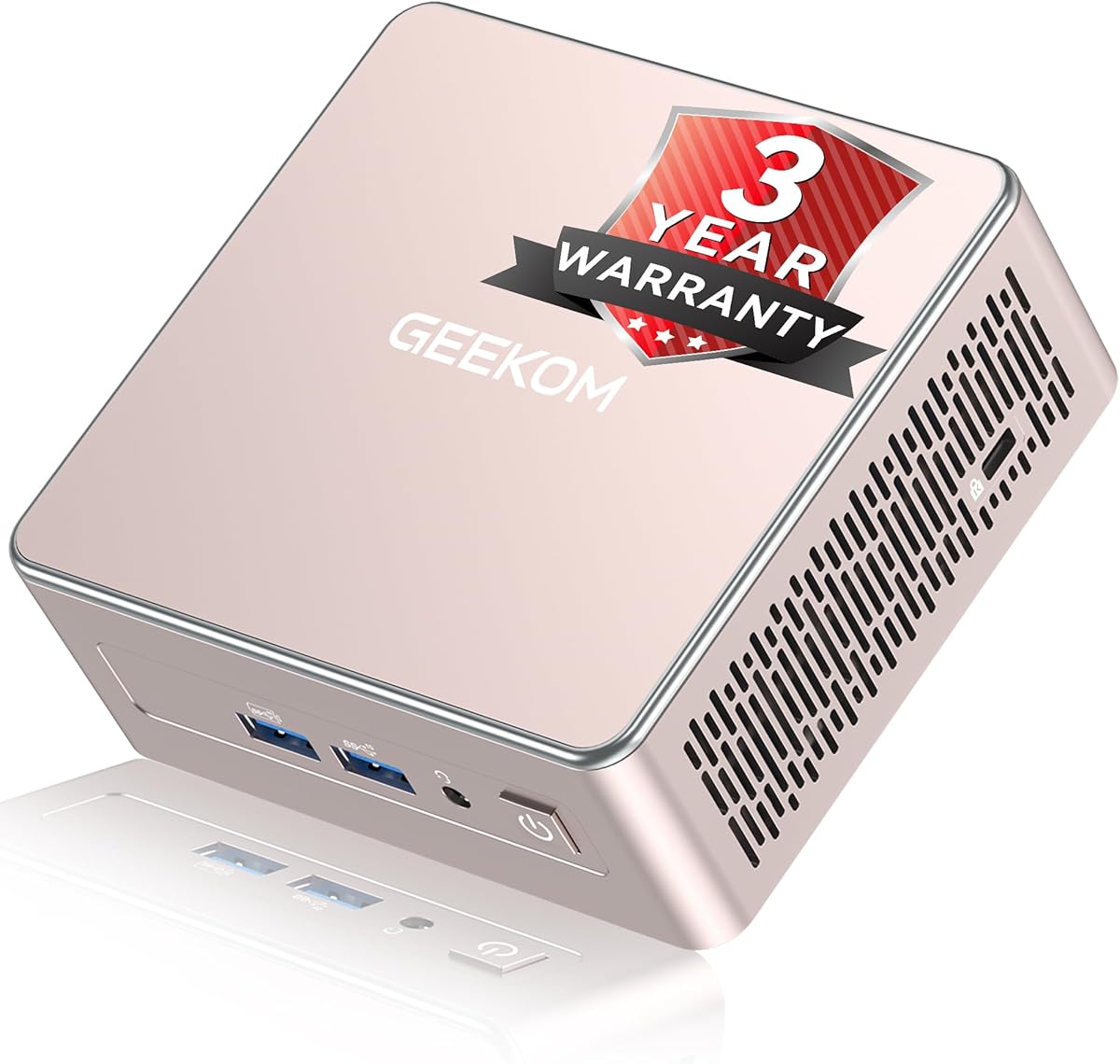
The GEEKOM A5 uses an eight-core, 16-thread Ryzen 7 7730U processor and carries a 4.5 listing rating. Its specification sheet indicates a compact 0.6-liter design with 16GB of upgradeable DDR4 memory and a 256GB PCIe NVMe solid-state drive. Although the product is positioned for productivity, AI-assisted workflows, and business use, those same characteristics make it capable of handling a demanding Plex server alongside other applications.
We may earn a commission when you buy through this link, at no additional cost to you.
The processor's eight cores provide more parallel capacity than the four-core systems elsewhere in this list. That is valuable when Plex performs several transcodes at once, indexes a large collection, runs background maintenance, and serves additional home-server functions. The integrated graphics are also supported by a particularly flexible display arrangement: dual HDMI and dual USB-C connections can drive up to four displays, including 8K output through USB-C. Two screens can therefore handle playback and administration without limiting future workspace expansion.
Its memory and storage plans are the strongest part of the proposition. Dual DDR4 slots allow expansion to 64GB, while the main M.2 slot supports an SSD up to 4TB. An additional M.2 2242 position and a 2.5-inch hard-drive bay can raise total storage capacity as listed to 10TB. This makes the A5 appealing for owners who want a single compact machine to host Plex, retain important media, and support other applications without moving immediately to a separate NAS.
The trade-off is the modest 256GB starting drive, which is small for a multimedia server once the operating system, applications, and metadata are installed. A larger drive or hard drive is advisable for anything beyond a small test library. The Ryzen 7 7730U also creates more heat and power demand than entry-level processors, although the upgraded IceBlast 3.0 cooling system is designed to improve cooling efficiency and airflow.
Select the GEEKOM A5 if you want a mini PC that is not limited to a single media-server role. It is a good fit for a powerful Plex host used alongside office applications, remote work, browser workloads, and light gaming, while its display and storage expansion options make it particularly versatile.
Eight cores and 16 threads provide a meaningful advantage when a Plex server must transcode multiple streams while remaining responsive to remote administration. Users with mostly direct-play libraries may not need that much parallel processing, but it offers useful headroom as the library and number of clients grow.
Upgradeable DDR4 memory, multiple M.2 positions, and a 2.5-inch drive bay offer a clearer upgrade path than systems with soldered memory. The 256GB starting drive should be treated as a base configuration, with storage planning completed before deploying a substantial media collection.
We may earn a commission when you buy through this link, at no additional cost to you.
The GMKtec M6 Ultra is the most technically advanced Plex-oriented system in this roundup, combining a Ryzen 5 7640HS processor, 32GB of dual-channel DDR5 memory, and a 1TB PCIe solid-state drive. It has a listed rating of 4.2. The processor provides six Zen 4 cores and 12 threads, while the Radeon 760M integrated graphics include hardware encoding and decoding for widely used formats such as AV1, HEVC, and AVC.
We may earn a commission when you buy through this link, at no additional cost to you.
That media hardware makes the M6 Ultra a strong candidate for libraries with mixed codecs or demanding 4K files. A Plex server does not automatically require the highest available processor, but additional compute headroom can help when clients cannot direct play, multiple sessions begin at once, or background work competes with transcoding. The 32GB memory configuration is also substantial for a server, providing comfortable space for the operating system, Plex metadata, caching, and additional services.
Connectivity is equally serious. The machine has dual 2.5GbE Ethernet, which is useful for high-volume media transfers, network storage access, and a wired server environment. It supports three simultaneous displays, including 8K at 60Hz through USB4, 4K at 60Hz through HDMI 2.0, and another 4K display through DisplayPort. A dedicated Plex display, administration screen, and separate monitoring panel are therefore possible without relying on virtual desktops.
Storage begins at 1TB, and the supplied information describes support for dual-slot expansion with PCIe 4.0 drives up to 8TB. Memory can also be expanded to 128GB. These are impressive ceilings for a mini PC, although buyers do not need to approach either limit for a typical household library. The meaningful compromises are power draw, heat, and cost relative to smaller processors: this system is most justified when transcoding performance and future headroom are genuine priorities.
The M6 Ultra earns the Best Premium designation for households that want one compact machine capable of serving as a high-end Plex host, light gaming machine, and general productivity computer. It is the premium choice for multi-client 4K libraries, mixed-format collections, and owners who would rather avoid replacing the processor when transcoding demands increase.
Hardware support for AV1, HEVC, and AVC can improve direct-play compatibility and reduce the processing burden of supported formats. Plex configuration and client capabilities still determine the exact path taken, so a properly encoded and matched library remains the foundation of smooth playback.
Six CPU cores, 32GB of memory, fast networking, and broad storage support create a strong foundation for several simultaneous clients. This makes the M6 Ultra more compelling when a server is expected to grow beyond occasional playback and occasional conversion.
We may earn a commission when you buy through this link, at no additional cost to you.
The C3 Mini PC is built around the Intel Core i3-5005U and is expressly positioned for 7×24 industrial, commercial, thin-client, digital-signage, and home-media-server use. It includes 8GB of DDR memory, a 512GB M.2 solid-state drive, and has a listed rating of 4.2. The design focuses on steady operation and accessible expansion rather than high-end media processing.
We may earn a commission when you buy through this link, at no additional cost to you.
Its 15-watt processor architecture is appropriate for an always-on machine that handles basic administrative tasks, media playback, and light client workloads. Integrated Intel HD Graphics 5500 supports photo editing, media playback, and 2.5K video streams, while two HDMI outputs can drive dual displays at up to 2560 by 1600 at 60Hz. That is sufficient for a television-based Plex dashboard and a secondary management display, though it is not aimed at the highest-resolution multi-screen combinations found among the premium models.
Storage flexibility is excellent for this class. The M.2 2280 drive can be expanded up to 2TB, and an additional 2.5-inch SATA SSD or hard-drive position is listed up to 2TB, providing up to 4TB in total. Memory can be raised to 32GB. For a Plex library, separating the operating system from media on an internal drive and connecting a larger external or network storage device remains a practical approach.
Networking includes Gigabit Ethernet, WiFi 5, and Bluetooth 5.0. Gigabit Ethernet is sufficient for most household streams, but owners moving very large files or operating multiple high-bitrate clients should consider whether the rest of their network can keep up. The front and rear USB selection includes two USB 3.2 Gen1 ports, a data-only USB-C port, and two USB 2.0 ports, which is adequate for external drives, keyboards, and legacy peripherals.
Choose the C3 when your priorities are a low-power, straightforward media server, expandable storage, and 24/7 operating potential rather than demanding transcoding. It can also serve as a lightweight thin client. The older processor and display pipeline are acceptable when the library is modest, most content is in compatible formats, and the system is expected to handle Plex rather than a broad collection of other demanding workloads.
The optimized cooling system and 15-watt processor platform target steady operation in spaces where a full-size desktop would be inconvenient. Buyers still need to provide ventilation around the chassis and use reliable power and storage, because software configuration and accessories can undermine hardware longevity.
The ability to add both a larger M.2 drive and a 2.5-inch SATA device makes it practical to keep the operating system separate from the media library. This expandable approach can be more useful over time than adding raw processing power that a direct-play-oriented library may never require.
We may earn a commission when you buy through this link, at no additional cost to you.
This Beelink MINI S12 Pro configuration pairs the 12th-generation Intel N100 processor with 16GB of DDR4 memory and a 500GB M.2 solid-state drive. It has a 4.5 listing rating. The system is designed for daily work, learning, browsing, and 4K video playback, all of which align with a dedicated Plex node when the library is primarily direct-play friendly.
We may earn a commission when you buy through this link, at no additional cost to you.
The N100 has four cores and four threads with a turbo frequency up to 3.4GHz. That is enough for Plex server management, library indexing, and light transcoding, but it is not the strongest choice for a household that regularly converts several 4K streams at once. Intel UHD Graphics operating up to 750MHz supports 4K video playback. Two HDMI ports allow two 4K displays at 60Hz, which is sufficient for a primary television and an auxiliary management panel.
The 2.5GbE LAN connection is a major asset for a compact media server because it provides more bandwidth than basic Gigabit Ethernet. It can help when copying media locally, connecting to a network-attached storage device, or serving multiple nearby clients. WiFi 6 and Bluetooth 5.2 provide flexible alternatives for peripherals and management access. Four USB 3.2 Gen2 ports, a DC jack, and a combined audio connection make the physical setup straightforward.
The supplied information does not describe the memory configuration as upgradeable, so the included 16GB should be treated as fixed unless the manufacturer or seller confirms otherwise. The 500GB drive also provides less room for a large library, making external or network storage important for serious collections. The enclosure can be placed behind a screen or on a wall, which is useful around televisions and keeps the media center visually clean.
Choose this version for buyers who want a complete, balanced configuration without needing to verify an unspecified RAM amount. It is a good fit for a compact 4K media center, a small family library, and a server that prioritizes direct play, 2.5GbE networking, and a tidy installation.
The 16GB memory and 500GB solid-state drive provide a usable starting point for operating-system installation, Plex, and a modest collection of local media. It is especially convenient for users who prefer a prebuilt balance and do not want to plan component upgrades immediately.
2.5GbE Ethernet provides a useful upgrade path over older gigabit infrastructure. Pairing it with a switch, client, and network storage system that also supports 2.5GbE will produce the greatest practical benefit during local file transfers.
We may earn a commission when you buy through this link, at no additional cost to you.
The GMKtec G3S is a compact, entry-level mini PC built around the 12th-generation Intel N95 processor. It includes 8GB of DDR4 memory and a 256GB M.2 2242 solid-state drive. Its listed rating is 3.7, the second-lowest score in this group, so buyers should weigh its basic specification carefully even though the underlying hardware can be appropriate for a small Plex role.
We may earn a commission when you buy through this link, at no additional cost to you.
The N95 has four cores, four threads, a 6MB cache, and a burst speed up to 3.4GHz. The product information describes it as suitable for routine office work, browsing, and home entertainment. For Plex, the key strengths are low power consumption, 4K playback, AV1 decoding, and dual HDMI 2.0 outputs that can each present a 4K image at 60Hz. That makes it viable for a small library when most content is played directly.
The machine supports WiFi 5, Bluetooth 5.0, and Gigabit Ethernet, along with USB 3.2 and an audio jack. Wake on LAN, PXE boot, RTC wake, and automatic power-on make it suitable for a headless server, while the low-power platform is appropriate for continuous availability. The updated graphics support and AV1 decoding are useful when a newer client requests a compatible high-efficiency video stream.
The limitations are capacity and processing headroom. Eight gigabytes of memory is modest for a server that may also run other applications, and the 256GB drive leaves limited room for media after the operating system and Plex are installed. The four-core N95 can manage light transcoding, but a library with frequent incompatible 4K files or several simultaneous conversions will place more strain on it than the larger-core alternatives in the list.
Select the G3S when you need a straightforward, low-power Plex machine for direct play, a small collection, and basic administrative access. It is less suitable as a shared family server with a large library, but it can be a sensible dedicated client or compact media node where storage comes from a NAS and 4K decoding is the main processing requirement.
AV1 decoding and dual 4K output make the G3S more relevant to current media than its basic processor tier might initially suggest. It remains important to match file formats to the capabilities of the television, Plex client, and playback configuration.
Wake on LAN and scheduled power behavior are useful when the unit runs near a television or in a closed cabinet. Remote management can reduce the need to connect a keyboard and monitor during routine Plex administration.
We may earn a commission when you buy through this link, at no additional cost to you.
The Fanless Mini PC Stick uses an Intel Celeron J4105 processor, 8GB of LPDDR4 memory, and 128GB of eMMC storage. It supports Windows 11 Pro and Linux, including Ubuntu, and has a 3.4 listing rating. Its most distinctive quality is its stick-sized, completely fanless enclosure, which targets portable operation, digital signage, industrial IoT, compact business use, and lightweight media applications.
We may earn a commission when you buy through this link, at no additional cost to you.
The cooling system is designed to dissipate heat through the enclosure without a fan, eliminating fan-generated noise. The product information also associates the design with 7×24 operation. This can be useful beside a television or in a business display where acoustic sensitivity matters, although a fanless chassis still requires adequate surrounding airflow and should not be enclosed in a tight cabinet without considering thermal behavior.
Connectivity includes one USB-C port, two USB 3.0 ports, a TF card reader, HDMI 2.0, Gigabit Ethernet, and a 3.5mm audio jack. HDMI 4K output at 60Hz and Intel UHD 600 graphics are supported, while dual-band WiFi 5 and Bluetooth 5.0 provide wireless options. The enclosure can connect to a monitor, projector, NAS, keyboard, mouse, and other peripherals, making it a versatile sign or status display node.
For Plex, the limitations are substantial. The 128GB eMMC offers little room for local media, the 8GB memory is modest, and the Celeron J4105 is not designed for demanding transcoding. A sensible use would be a lightweight client displaying the Plex interface, with actual media stored on a NAS and streamed across the network. The product's 7×24 and digital-signage positioning is also better matched to kiosk dashboards and simple monitoring tasks.
Choose the Fanless Mini PC Stick when silence, minimal size, and a tidy display connection matter more than local storage or media conversion. It is a niche selection rather than a general-purpose Plex server, but it can work effectively as a dedicated interface endpoint when the library and transcoding are handled elsewhere.
The fanless design removes fan noise entirely, which can be valuable in a bedroom, lounge, reception area, or near a microphone. Thermal performance still depends on the surrounding environment, so the stick should be positioned where passive cooling can operate as intended.
The small eMMC and modest processor are poorly suited to hosting a substantial local media collection. Connecting the unit to a NAS and using it primarily for the Plex client interface or a digital-signage dashboard makes better use of its strengths.
We may earn a commission when you buy through this link, at no additional cost to you.
Choosing a Plex server means balancing client expectations, codec compatibility, transcoding load, storage growth, network speed, and always-on reliability. These factors are more useful than processor marketing alone because the best machine for a small direct-play library may differ significantly from one built for repeated conversions and a large household.
Plex can often send a compatible file directly to a client, requiring little or no ongoing video conversion. A modern integrated GPU with hardware decoding for the formats in your library can therefore deliver a better experience than a faster CPU that lacks the same media-engine support. Start by identifying whether your television, apps, and streaming devices can direct play your common formats. If they can, the priority shifts toward quiet operation, storage, and networking; if they cannot, hardware transcoding and processor headroom become much more important.
A dedicated media server that only runs Plex may operate comfortably with 8GB or 16GB of memory, but indexing large libraries, serving several clients, running background jobs, and hosting additional services can consume considerably more. Upgradeable DDR4 is preferable when the system may become a general-purpose home server. Soldered LPDDR4 is simpler and often more compact, yet it establishes a fixed memory ceiling that cannot be changed later.
Media libraries grow faster than operating-system partitions, so plan the drive layout before filling a small included SSD. A separate M.2 position for the operating system and applications leaves more room for local media, while a 2.5-inch bay can accommodate a larger hard drive. Network-attached storage is another option when clients and the server have reliable gigabit or multi-gigabit connectivity. Remember that the stated SSD and hard-drive limits describe supported capacities, not how much space remains usable after formatting and system overhead.
Gigabit Ethernet is sufficient for many common 4K streams, while 2.5GbE is advantageous for large local files, network storage, and multiple high-bitrate clients. Faster Ethernet on only one device delivers limited benefit if the switch, router, storage enclosure, and playback endpoints are slower. WiFi can be convenient for management, but a wired server connection generally offers more consistent behavior for uninterrupted streaming and library maintenance.
A Plex server is often expected to remain available, making thermal design, fan noise, and power efficiency part of everyday usability. Low-power processors reduce cooling demands, while larger systems provide more performance at the cost of additional heat and fan activity. Fanless designs can be exceptionally quiet but need unobstructed airflow. Position the system away from enclosed spaces, maintain clearance around vents, and schedule occasional shutdowns if the workload does not require round-the-clock availability.
A Plex setup often needs only one television, but a second display is useful for management, monitoring, or a separate dashboard. Look for two 4K-capable HDMI outputs when using a television and a small auxiliary screen. USB-C can simplify some monitor arrangements, although its display capabilities depend on whether the port supports DisplayPort Alternate Mode. Confirm the desired resolution and refresh rate across the entire HDMI, DisplayPort, and television chain.
Wake on LAN, PXE boot, scheduled wake, and automatic power-on can simplify a headless installation, especially when the mini PC is mounted near a television. These features are useful for remote administration and controlled startup, but they must be configured within the operating system and local network. A stable wired connection, remote desktop software, and correctly secured remote access are also important for managing a server without keeping a keyboard and monitor attached.
The smallest mini PCs are easy to hide behind a television, inside a cabinet, or on a wall using VESA or a supplied bracket. A compact size is useful in a living room, but a larger enclosure may dissipate heat more quietly and offer more ports or drive bays. Measure the intended shelf or cabinet, check connector clearances, and consider whether a memory or storage upgrade will require later access to the enclosure.
Begin by placing the mini PC in a ventilated location near the television or network switch, then connect Ethernet, a display, and any storage used for the media library. Install the operating system, update it, and install Plex Media Server. Before importing a large collection, confirm that Plex can see the intended storage paths and that the library folder permissions match the account running the server.
Create a sensible library structure and configure Plex to organize files correctly. Test several representative formats on every major client, including the television, mobile applications, and any browser-based users. Review the Plex dashboard for transcoding activity, and enable hardware transcoding only when the correct GPU drivers and supported formats are in place. Regular backups of the Plex database and essential configuration files are more important than copying easily replaceable media.
For maintenance, keep the operating system and Plex application updated, monitor available storage, and check the cooling path for dust. Avoid placing the unit inside a sealed cabinet unless ventilation is tested. Use scheduled shutdown or restart cycles when continuous availability is unnecessary, and keep a record of the drive layout, remote-access settings, and recovery steps so the server can be restored quickly after an upgrade or hardware change.
Usually, no. A modern integrated GPU with hardware decoding for your file formats can handle many Plex workloads effectively. A dedicated GPU becomes more relevant when the library contains formats that clients cannot direct play, when hardware transcoding is unavailable, or when the server must also perform intensive graphics or gaming tasks.
It can be enough for a light dedicated server with a modest library and few additional services. More memory becomes useful with large libraries, multiple simultaneous clients, background indexing, transcoding, and other applications. An upgradeable 16GB configuration offers a more comfortable balance, while systems with soldered memory should be selected with their fixed limit in mind.
An SSD is preferable for the operating system, Plex database, and frequently accessed files because of its faster response. A hard drive can provide more economical capacity for a large media library. Many users combine a small SSD for system duties with a larger hard drive or network-attached storage for media.
No. Gigabit Ethernet is sufficient for many households and common high-quality streams. Multi-gigabit networking becomes useful for large local files, fast NAS transfers, and several high-bitrate clients, but the benefit is greatest when the server, switch, storage, and playback devices all support the faster standard.
Yes, provided the memory, storage, and processor are appropriate for the combined workload. Plex can share a compact PC with file sharing, monitoring, or lightweight automation, while heavier applications are better placed on a more capable system. Separate services may also require careful attention to storage, permissions, and startup order.
The best choice depends on the formats, client types, and number of simultaneous streams. Hardware decoding for AV1, HEVC, and AVC is particularly useful, while additional CPU cores help with software conversion and mixed workloads. A modest direct-play library may perform well on a lower-tier system, whereas frequent 4K conversions justify a Ryzen 5 7640HS, Ryzen 7 7730U, or comparable processor.
Many models support VESA mounting or include a wall bracket, but compatibility should be confirmed before purchase. Check the bracket pattern, display weight, connector clearance, and access to power and network cables. Leave enough space for ventilation and ensure that remote-control signals can still reach the television.
Use a stable wired network, maintain cooling airflow, update the operating system and Plex application, and monitor remaining storage. Back up the Plex database and configuration, and test recovery procedures before replacing hardware. If the server does not need to be available continuously, scheduled restarts can help maintain a healthy operating state.
The GMKtec G10 is the strongest all-round choice because it combines 16GB of expandable DDR4 memory, a 1TB starting drive, dual M.2 positions, 2.5GbE networking, and three-display support. The C3 Mini PC stands out for buyers seeking a simpler always-on system with excellent storage expansion, while the GMKtec M6 Ultra is the premium option for demanding 4K libraries, multiple clients, advanced codec hardware, and substantial performance headroom.
For most households, prioritize client compatibility, correct media organization, reliable storage, and a wired network before choosing a processor. Expandable memory and storage usually provide more long-term value than a slightly faster but fixed configuration. If transcoding is frequent or simultaneous users are likely, select a modern processor with the specific hardware decoding formats present in your library.
Finally, review the current listing details, operating-system options, included accessories, warranty terms, and component configuration before ordering. Inventory, bundle contents, and product availability can change, so confirm that the exact model includes the memory, storage, networking, and mounting features your Plex installation requires.
