
GL.iNet GL-MT6000 Flint 2
4.5Editor score
Wi-Fi 6 gaming performance
Dual 2.5G Ethernet ports
AdGuard Home support
High-capacity device connectivity
Our Parental Control WiFi Router guide compares ten routers for filtering, scheduling, coverage, security, mesh support, and simple family management at home.
A parental control WiFi router should make it easier to create a safer, more structured home internet experience without turning the network into a frustrating management project. The best options combine useful filtering, time limits, device profiles, secure connections, dependable wireless performance, and straightforward management tools for adults.
We compared ten routers based on the supplied specifications, emphasizing the parental-control features explicitly listed, along with Wi-Fi generation, band support, coverage capabilities, network security, VPN functions, mesh compatibility, and configuration options. The list includes dual-band, tri-band, mesh, gaming, and premium Wi-Fi 7 models across different household needs.
Each review highlights the strongest use case, important technical details, and any limitations visible in the available information. Ratings and specifications can change over time, and product prices also fluctuate, so shoppers should verify current details, availability, features, and service requirements before making a purchase.
4.5Editor score

4.3Editor score

4.4Editor score
The comparison below places all ten models side by side, showing the strongest parental-control, security, wireless, coverage, and connectivity features to make it easier to identify the right router for your household.


The TP-Link Archer AX21 is a dual-band Wi-Fi 6 router built around dependable everyday performance. It carries a 4.4 rating and offers up to 1200 Mbps on the 5 GHz band plus up to 574 Mbps on the 2.4 GHz band. Its strongest qualities include OFDMA, beamforming, four high-gain antennas, and support for a large collection of connected devices.
We may earn a commission when you buy through this link, at no additional cost to you.
The router is a sensible starting point for a family that wants current Wi-Fi technology without moving to a tri-band design. OFDMA allows multiple clients to share a band simultaneously, while beamforming directs signal toward connected devices. The available specifications also identify a front-end module and advanced cybersecurity as core design considerations, making the AX21 more than a basic entry-level model.
Its built-in support for OpenVPN and PPTP VPN servers is useful for adults who want controlled remote access to the home network. The trade-off is that the supplied information does not detail dedicated content categories, schedules, per-child dashboards, or other specific parental-control features. It should therefore be considered on its network foundation rather than as a fully documented filtering solution.
This is a strong recommendation for households seeking stable Wi-Fi 6 performance, good simultaneous-device handling, and straightforward provider compatibility. Families whose main requirement is granular parental control should confirm the available management interface first. For everyone else, the AX21 offers a practical balance of coverage, capacity, speed classes, and security-oriented features.
OFDMA and simultaneous transmission make the AX21 well suited to homes where phones, computers, televisions, and connected devices are active at the same time. This efficiency is more important than a headline speed when several family members compete for bandwidth.
Four high-gain antennas, beamforming, and the advanced front-end module work together to strengthen connections at a distance. Real coverage still depends on the home layout, walls, router placement, and the capabilities of connected devices.
We may earn a commission when you buy through this link, at no additional cost to you.
The ASUS RT-AX1800S is the most complete match for this guide because it explicitly combines parental controls with subscription-free network security, built-in VPN features, and AiMesh expansion. Its 4.3 rating reflects a well-rounded Wi-Fi 6 router for families that need more control over connected devices without losing strong everyday performance.
We may earn a commission when you buy through this link, at no additional cost to you.
Its family-management appeal comes from the inclusion of dedicated parental control features alongside ASUS AiProtection Classic, which is powered by Trend Micro. The router also provides ASUS Instant Guard for users who want a one-click secure VPN connection while away from home. This combination makes the model relevant to both parents managing home access and adults protecting their own remote connections.
On the networking side, the RT-AX1800S supports Wi-Fi 6, MU-MIMO, OFDMA, and 1024-QAM. One Gigabit WAN port and four Gigabit LAN ports give connected devices a strong wired option, while AiMesh compatibility allows it to join a larger expandable network. The honest limitation is that it remains a dual-band router, so it does not provide the dedicated 6 GHz spectrum found in newer tri-band alternatives.
The RT-AX1800S is our top overall recommendation for buyers who specifically want parental control as a central feature rather than merely hoping a general-purpose router provides enough. It is also suitable for smart homes, gaming, and streaming households that value wired connectivity, subscription-free security, and an upgrade path through AiMesh. Confirm that the administration tools match your preferred filtering workflow before purchasing.
Parental control is explicitly included, while the security platform is described as subscription-free. That makes the router appealing to households that prefer essential network management without relying on a recurring security service.
Five Gigabit Ethernet ports and AiMesh compatibility provide room for wired devices and larger-home expansion. This makes the router more adaptable than a compact model limited to a single band and a small port selection.
We may earn a commission when you buy through this link, at no additional cost to you.
The ASUS RT-AX3000S distinguishes itself with parental control scheduling, making it especially relevant for families that want internet access to follow a predictable daily routine. It also includes Instant Guard, built-in VPN functionality, and AiMesh compatibility. Its 4.2 rating places it among the well-regarded options in this comparison.
We may earn a commission when you buy through this link, at no additional cost to you.
The router uses dual-band Wi-Fi 6 and provides a total networking speed of about 3000 Mbps, divided into up to 574 Mbps on 2.4 GHz and 2402 Mbps on 5 GHz. MU-MIMO and OFDMA improve efficiency when many devices communicate simultaneously, which is valuable in homes where schoolwork, streaming, gaming, and device updates tend to overlap.
Scheduling is the main parental-control feature highlighted in the supplied product information, and it allows parents to build boundaries around when children can go online. However, the available details do not describe specific content categories or granular profile features, so buyers should review the interface for those requirements. As with all Wi-Fi performance claims, actual throughput and coverage will vary with the network environment and building materials.
The RT-AX3000S is a compelling choice for households that prioritize scheduled access, strong multi-device efficiency, and seamless mesh expansion. It is less compelling for buyers seeking a modern 6 GHz band, but its combination of scheduling, VPN tools, and expandable networking makes it a practical family-router option.
Parental control scheduling helps define when online access is available. It can support routines involving homework, meals, bedtime, or periods when children should focus on other activities.
The listed speed classes give the RT-AX3000S more theoretical headroom than lower dual-band models. MU-MIMO and OFDMA help translate that capacity into smoother performance when several wireless clients are active.
We may earn a commission when you buy through this link, at no additional cost to you.
The TP-Link Archer AXE75 is a tri-band Wi-Fi 6E router that offers a dedicated 6 GHz band, up to 5400 Mbps of aggregate speed, and EasyMesh compatibility. Its rating of 4.3 and the 2025 PCMag Editors' Choice designation add recognition, while TP-Link HomeShield supplies basic parental controls for family management.
We may earn a commission when you buy through this link, at no additional cost to you.
The three bands provide up to 2402 Mbps each on 6 GHz and 5 GHz and up to 574 Mbps on 2.4 GHz. This wider spectrum can provide more available capacity for modern devices, helping reduce congestion in homes where older 2.4 GHz equipment and newer high-speed clients share the network. OFDMA and true tri-band operation are designed to serve multiple devices simultaneously.
A 1.0 GHz dual-core processor and 512 MB of high-speed memory support the router's performance and expansion potential. The supplied data also lists VPN server and client support for OpenVPN, PPTP, and L2TP. On the management side, HomeShield includes a security scan, IoT device identification, basic parental controls, quality of service, and weekly or monthly reports. The limitation is that these controls are described as basic, not comprehensive.
The AXE75 is an excellent choice for a modern household that wants 6 GHz capacity alongside straightforward family controls and room to expand. It is particularly useful when several connected devices need dedicated high-speed wireless service. Families that need advanced content categories or highly granular policies should verify the HomeShield interface before buying, while larger homes may still need additional EasyMesh nodes.
The 6 GHz band expands the router's usable spectrum and can offer responsive service to compatible devices. Its benefit is greatest where modern clients and busy 5 GHz environments create contention.
Basic parental controls, device identification, quality of service, and reporting give parents a useful management foundation. Advanced filtering depth should be confirmed in the current TP-Link HomeShield interface.
We may earn a commission when you buy through this link, at no additional cost to you.
The GL.iNet GL-MT6000 Flint 2 combines Wi-Fi 6 performance with a premium emphasis on gaming, VPN speed, and content filtering. It has the highest listed rating in the group at 4.5, making it a noteworthy choice for advanced households, but its parental-control value comes through the supported AdGuard Home platform rather than a dedicated family dashboard highlighted in the supplied data.
We may earn a commission when you buy through this link, at no additional cost to you.
The router supports Wi-Fi 6 speeds up to 6 Gbps and uses an eight-stream design. It includes DDR4 memory of 1 GB and eMMC storage of 8 GB, while its capacity is described as suitable for more than 100 devices. Those specifications make it suitable for large smart homes, shared workspaces, and homes where gaming traffic competes with streaming and everyday communication.
Its standout technical advantage is fast VPN performance: the supplied information lists WireGuard at up to 900 Mbps and OpenVPN at up to 880 Mbps. Actual results depend on the internet provider, network environment, server location, and VPN service. AdGuard Home support adds DNS-based blocking of unwanted tracking and selected advertisements through a convenient filtering interface.
The Flint 2 is our premium pick for users who want more control, faster secure connections, and extensive device capacity. It may appeal to technically confident families that want to create their own filtering rules, although less experienced users may find the initial setup more involved. Updating the firmware during initial setup is explicitly recommended to improve performance and the overall user experience.
AdGuard Home support allows unwanted tracking and selected advertisements to be blocked through a dedicated web interface. It offers flexible filtering for users who want more control over the browsing experience.
High stated WireGuard and OpenVPN throughput can make the router useful for remote access, privacy-oriented connections, and gaming. Real-world performance remains dependent on the upstream service and VPN destination.
We may earn a commission when you buy through this link, at no additional cost to you.
The TP-Link AX3000 delivers the useful parts of Wi-Fi 6 while including the basic features many families need to start managing screen time and online access. It has a 4.4 rating, 2976 Mbps of combined listed speed, four external high-gain antennas, and TP-Link HomeShield basic parental controls.
We may earn a commission when you buy through this link, at no additional cost to you.
Its 5 GHz band is listed at up to 2402 Mbps and its 2.4 GHz band at up to 574 Mbps. OFDMA allows multiple clients to share one band simultaneously, which helps reduce latency and jitter when family members are streaming, gaming, joining calls, or downloading at the same time. Beamforming and four external antennas support stronger wireless coverage throughout the home.
The router includes both VPN server and client functionality, along with a redesigned cooling system intended to reduce heat-related throttling. HomeShield adds basic network security, IoT device identification, parental controls, quality of service, and weekly or monthly reports. The most important caveat is that the controls are explicitly described as basic, so shoppers needing advanced filtering categories may need more capable software or services.
The AX3000 is our best budget recommendation for families that want current Wi-Fi technology, coverage tools, and an accessible starting point for parental management. It is well suited to apartments and moderately sized homes, particularly when value matters more than a 6 GHz band or extensive physical ports. The strongest purchase case is a household ready to use HomeShield's fundamental scheduling and security features.
OFDMA is especially useful when several devices share a band. It can improve responsiveness without requiring the additional spectrum of a tri-band system.
HomeShield places basic parental controls, device identification, service quality controls, and reports in one management environment. It is a practical starting point rather than a highly granular filtering suite.
We may earn a commission when you buy through this link, at no additional cost to you.
The TP-Link Deco S4 is the strongest option in this list for explicit family-by-family parental management. Its robust parental controls can limit online time and block inappropriate websites according to unique profiles created for each family member. The three-pack also has a 4.5 rating and uses mesh technology to create a unified network throughout larger homes.
We may earn a commission when you buy through this link, at no additional cost to you.
The system can cover homes up to 5500 square feet, according to the supplied information. Three Deco units work together under one network name and password, allowing devices to move between access points without managing separate extended networks. AC1900 aggregate Wi-Fi capability and support for up to 100 devices make the system suitable for homes with broad device coverage needs.
Its defining parental-control advantage is profile-level differentiation. Instead of treating every connected device as part of a single household-wide policy, parents can create individual profiles with tailored time limits and website restrictions. Setup takes place through the Deco app on Android or iOS, and each unit provides two Gigabit Ethernet ports, with the three-pack offering six in total.
The Deco S4 is best for families prioritizing broad coverage and clearly defined per-member controls. Its trade-off is that AC1900 is an older Wi-Fi generation, so buyers should not expect the capacity of a modern Wi-Fi 6 or Wi-Fi 7 system. Wired Ethernet backhaul can improve the overall result, particularly in homes where running network cable between nodes is practical.
Individual profiles allow time limits and website restrictions to be tailored to each family member. This is more useful for mixed-age households than a single shared policy.
The three units share a network name and password while clients move between them. That removes the multiple-network confusion often associated with standalone range extenders.
We may earn a commission when you buy through this link, at no additional cost to you.
The TP-Link Archer A54 is a straightforward dual-band router for smaller homes and simple networking needs. It has a 4.3 rating, up to 1200 Mbps of total listed bandwidth, four external antennas, and coverage stated for up to 1000 square feet. The supplied specifications do not identify dedicated parental-control features.
We may earn a commission when you buy through this link, at no additional cost to you.
For families seeking basic network organization rather than advanced filtering, its 5 GHz speed of up to 867 Mbps and 2.4 GHz speed of up to 300 Mbps provide a familiar dual-band setup. WPA3 support strengthens personal network security, while the Tether app provides centralized management and firmware updates. Access Point mode can turn an existing wired connection into a wireless network.
EasyMesh compatibility is the most useful expansion feature. A homeowner can pair the Archer A54 with a compatible router or range extender to create a seamless whole-home mesh, which may be more useful than replacing the device immediately. The main limitations are its older Wi-Fi generation and the absence of documented parental-control categories, schedules, or family profiles.
The Archer A54 works best for apartments, smaller homes, or users who need a secure, uncomplicated router with a possible mesh path. It is less suitable as a dedicated parental-control solution without checking the management software available through Tether. It may also be worth comparing with a newer Wi-Fi 6 model when several high-bandwidth devices share the network.
The stated coverage of up to 1000 square feet makes the Archer A54 appropriate for apartments and compact homes. Placement near the center of the occupied area remains important.
EasyMesh compatibility allows the router to join a broader mesh system. This provides a gradual path to better coverage without committing immediately to a complete new multi-node network.
We may earn a commission when you buy through this link, at no additional cost to you.
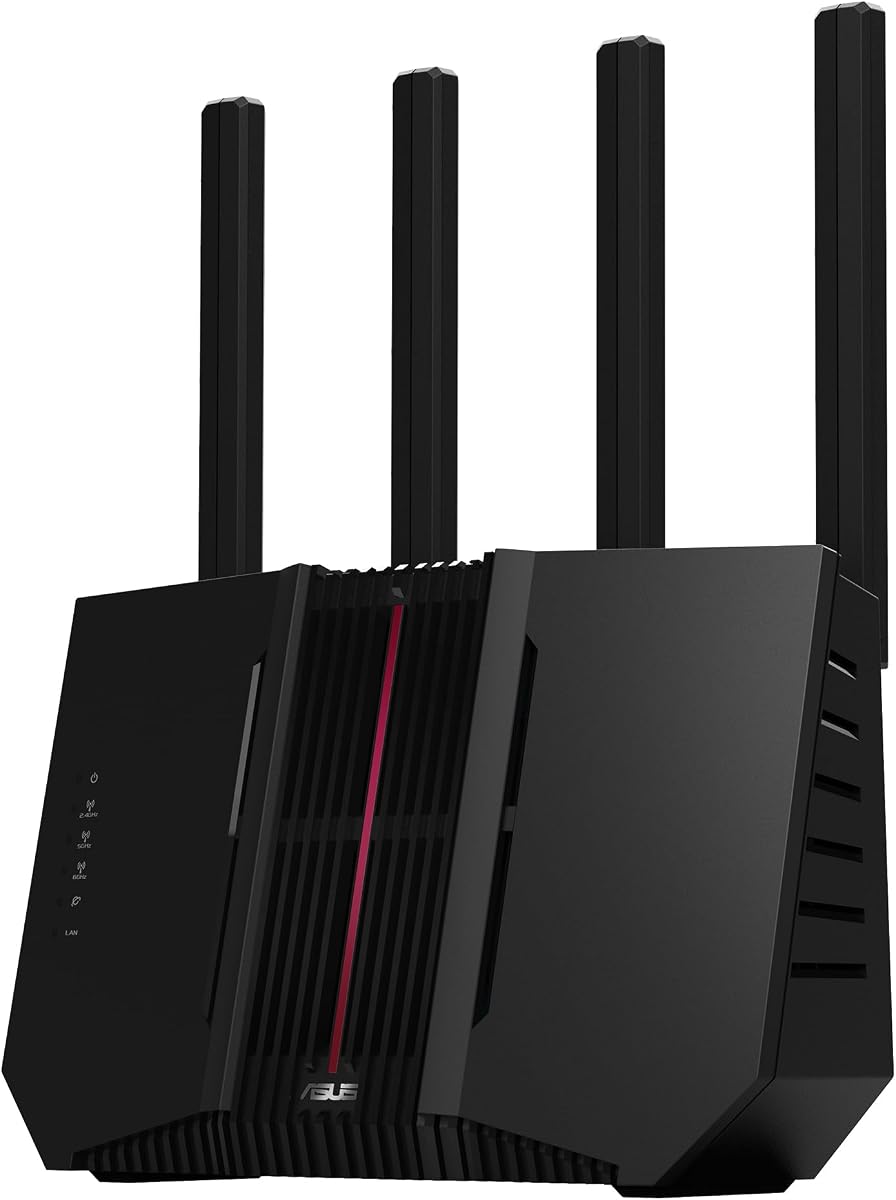
The ASUS RT-BE82U brings Wi-Fi 7 performance to a dual-band extendable router design. It supports speeds up to 6500 Mbps, five 2.5GbE ports, Multi-Link Operation, AiMesh expansion, and commercial-grade AiProtection Pro security. Its 4.2 rating makes it an advanced option for households seeking modern connectivity rather than a dedicated filtering-first model.
We may earn a commission when you buy through this link, at no additional cost to you.
Wi-Fi 7 features include 4096-QAM and Multi-Link Operation, allowing a device to link to multiple bands for more stable connections and efficient data transfers. The five 2.5GbE ports are valuable for high-speed internet service, modern workstations, network storage, and other devices that can benefit from multi-gigabit wired connections.
For family safety, the router includes a one-tap security scan and Safe Browsing through its security platform. However, the supplied information does not explain specific parental-control scheduling, child profiles, or content-filtering categories. A buyer interested primarily in detailed parental control should verify those functions in the ASUS interface before treating this model as a complete family-management solution.
The RT-BE82U is a strong recommendation for an early-adopter household that wants Wi-Fi 7, multi-gigabit ports, and room to grow with AiMesh. Its premium hardware is most useful when compatible clients and a suitably fast internet connection can take advantage of the available capacity. For basic filtering, a model with more explicitly documented family tools may be easier to justify.
Five 2.5GbE ports can eliminate bottlenecks for devices that regularly transfer large files or connect to fast storage. They also offer more options for prioritizing traffic than a basic two-port design.
The 802.11be standard, 4096-QAM, and Multi-Link Operation provide a modern platform for compatible devices. Current benefits will vary as more clients and services take advantage of the newer standard.
We may earn a commission when you buy through this link, at no additional cost to you.
The ASUS RT-BE9700 is the most technically advanced router in the comparison, with tri-band Wi-Fi 7, speeds up to 9700 Mbps, a 6 GHz band, and versatile WAN options. Its 3.9 rating is the lowest in the group, so the specification sheet should be considered alongside actual user feedback and specific household requirements.
We may earn a commission when you buy through this link, at no additional cost to you.
Support for 320 MHz channels and 4096-QAM expands the router's theoretical capacity, while Multi-Link Operation can use multiple bands together for more stable transfers. AI WAN detection, two WAN capabilities, and a USB port ready for 4G LTE and 5G mobile tethering offer unusual flexibility for people who want redundant connectivity or flexible internet sources.
ASUS Network Security provides a triple-level protection design and a commercial-grade cloud database. The router also includes advanced site-to-site VPN and Instant Guard for secure access over public Wi-Fi. As with several other high-end choices in this guide, the supplied data does not describe granular parental-control profiles, so it should not be chosen solely for family filtering.
The RT-BE9700 makes sense for a large, tech-forward home using compatible Wi-Fi 7 devices, high-speed fiber, multiple WAN connections, or mobile tethering. It is overkill for a modest home whose priorities are basic time limits and reliable coverage. Buyers should confirm that their devices, service, and preferred management features justify a flagship-class platform.
The 6 GHz band adds a large dedicated channel pool for compatible clients. Combined with the other two bands, it is designed to support demanding and numerous devices.
AI WAN detection, dual WAN configuration, mobile tethering readiness, site-to-site VPN, and Instant Guard create several ways to maintain access. These features are particularly useful for technically experienced households.
We may earn a commission when you buy through this link, at no additional cost to you.
The right parental control WiFi router balances filtering depth, schedule flexibility, network performance, coverage, and security. Because available features range from basic HomeShield tools to detailed family profiles and customizable DNS filtering, shoppers should compare the management experience as closely as the headline speed.
Parental control is not a single standardized feature set. Some routers provide basic time limits and device identification, while others allow parents to block inappropriate websites, organize family-specific profiles, or customize filtering through DNS-based tools. The TP-Link Deco S4 explicitly supports unique family profiles, website blocking, and online-time limits. The ASUS RT-AX1800S and RT-AX3000S emphasize parental controls and scheduling, while the GL.iNet Flint 2 supports AdGuard Home for more customized filtering. Buyers who need broad category blocking, detailed logs, or flexible exceptions should verify these capabilities in the current interface rather than relying on a general label.
Choose the router whose management system matches your required level of control. Basic controls are suitable for simple schedules, while deeper filtering is valuable for mixed-age households or children who use many web services.
A reliable schedule should make it easy to define when each family member can use the internet. The ASUS RT-AX3000S specifically highlights parental control scheduling, and the Deco S4 supports unique profiles for each family member. A shared schedule is convenient for a household with similar routines, but individual profiles allow homework time, recreational periods, and bedtime limits to differ without repeatedly editing the same policy. Buyers should also consider how easily profiles can be paused temporarily and how the router presents activity or usage information.
Prioritize per-user profiles and simple scheduling when children have different ages or routines. These tools usually create more useful day-to-day control than raw wireless speed alone.
A parental control router must also support the devices trying to connect. The list ranges from the Archer A54's 1200 Mbps dual-band class to the ASUS RT-BE9700's 9700 Mbps tri-band Wi-Fi 7 potential. Faster specifications are most useful with compatible clients, a sufficiently fast internet plan, and a layout that allows the router's signals to reach each device. MU-MIMO and OFDMA improve efficiency in the ASUS and TP-Link models, particularly when several clients transmit simultaneously. Headroom matters because video calls, streaming, gaming, downloads, and cloud backups can overlap during family evenings.
Match the wireless class to the number of high-bandwidth devices rather than choosing the largest number available. A well-placed dual-band Wi-Fi 6 router can outperform an advanced model placed poorly.
Coverage depends on placement, walls, floors, interference, and device capabilities, not just antenna count. The Deco S4 provides three coordinated units and states coverage up to 5500 square feet, making it a natural choice for a large home. The Archer AXE75, ASUS models, and TP-Link AX3000 also support mesh expansion, allowing a household to begin with one router and add compatible nodes later. The Archer A54 is framed for up to 1000 square feet, which may be appropriate for a compact residence. Expansion is valuable when dead zones affect bedrooms, upstairs rooms, or areas separated by thick building materials.
Choose a mesh-ready router if the home has challenging layouts or more than one floor. Verify expansion compatibility before purchasing additional units, and favor wired backhaul when practical.
Parental controls work best inside a secure network. The ASUS RT-AX1800S includes subscription-free AiProtection Classic, the RT-BE82U provides AiProtection Pro with a one-tap scan and Safe Browsing, and the RT-BE9700 adds triple-level protection and a cloud database. TP-Link models include HomeShield security features such as security scans and IoT identification. VPN support is also widespread, with OpenVPN, PPTP, L2TP, WireGuard, and Instant Guard appearing in the specifications. Reviewers should consider both the built-in protections and any optional services or subscriptions, especially if advanced threat detection, deeper filtering, or ongoing support is important.
Prioritize current wireless encryption, network-level protection, trusted updates, and understandable privacy policies. The best controls are only as effective as the security system surrounding them.
Wireless speed cannot replace a good Ethernet connection for every device. The ASUS RT-AX1800S has one Gigabit WAN port and four Gigabit LAN ports, while the Deco S4 offers two Gigabit Ethernet ports per unit. The Flint 2 includes dual 2.5G ports, and the RT-BE82U goes further with five 2.5GbE ports. The RT-BE9700 adds versatile WAN configuration and readiness for 4G LTE and 5G mobile tethering. More ports and faster Ethernet are useful for desktop computers, smart televisions, game consoles, network storage, and other devices that benefit from stable wired connections.
Count the wired devices in the household before selecting a model. Multi-gigabit ports add flexibility, but they are only useful when the internet service and connected equipment can benefit.
A technically advanced router is not automatically easier to manage. The Flint 2 supports a web administration panel and requires a firmware update during initial setup, while it also offers AdGuard Home for users who want more control over filtering. TP-Link Deco devices emphasize app-based setup, and the Archer A54 uses the Tether app for management. ASUS provides its own administration tools and features such as AiMesh and Instant Guard. Households should consider who will adjust schedules, approve devices, update firmware, and troubleshoot connections. A simple mobile interface may be more valuable than an advanced list of networking options if one parent is the primary technical administrator.
Choose the platform that matches the household's technical comfort. Verify setup guidance, update procedures, and the ease of creating a first family profile before installation.
Start by placing the router in a central, open location rather than beside a modem in a weak-signal area. Connect it to the modem with Ethernet, power it on, and use the manufacturer's app or web interface to complete initial setup. If the router has a dedicated update notice, complete the requested firmware installation before creating detailed family profiles so the management tools are operating on the intended software version.
Create one profile for each child or other person who needs a different access schedule. Start with realistic time limits, set the appropriate website or content restrictions, and test the policy with each child's main devices. Parents should also configure a separate adult or guest network when appropriate, enable available security features, and review connected-device lists regularly. A schedule that works on a phone may not behave identically on a game console or smart television.
For upkeep, check for firmware updates periodically, review parental-control reports, and remove devices that no longer belong in the household. Keep the router's vents unobstructed and avoid stacking it beneath equipment that can trap heat. When performance declines, restart the router, confirm the modem connection, and reconsider placement before changing settings. If coverage remains uneven, use compatible mesh nodes or a wired backhaul instead of relying on an ordinary range extender.
No. The available tools vary by brand and model. Some routers provide time limits, website blocking, and per-user profiles, while others include basic device identification or DNS-based filtering through a platform such as AdGuard Home. Always check the current administration interface for category controls, custom exceptions, logs, and the ability to create separate policies for each family member.
No filtering system can guarantee perfect protection on every device or application. Controls work best when they are combined with household rules, device updates, and open communication. DNS-based tools can be effective for web browsing, but app-specific restrictions and encrypted traffic may require additional configuration or complementary device-level controls.
A mesh system is primarily valuable for coverage and roaming, not automatically for deeper filtering. The TP-Link Deco S4 combines whole-home mesh coverage with per-family profiles, website blocking, and time limits, so it offers both benefits. Other mesh-compatible routers may provide broader or more advanced management tools, so the specific software should be compared rather than the mesh label alone.
The supplied product information repeatedly notes that Wi-Fi routers generally require a separate modem, and many internet service providers require one. A router and modem serve different functions: the modem connects the provider's network, while the router creates the local Wi-Fi network and manages connected devices. Check compatibility with the internet provider before installation.
No. A newer wireless standard can improve speed, capacity, and coverage, but parental-control quality comes from the router's management software. For example, the ASUS RT-BE82U and RT-BE9700 offer advanced connectivity and security without detailed filtering information in the supplied data. Choose first based on required family controls, then consider wireless performance within that category.
Review the manufacturer's app or administration page for updates regularly, especially after initial setup. Firmware updates can improve performance, fix security issues, and modify management features. The GL.iNet Flint 2 specifically requires an update during initial setup, while the TP-Link Archer AX21 recommends checking for the latest firmware through the Tether app.
A guest network can provide separation from the main local network, but it does not automatically create parental controls. Some routers place guest clients in an isolated network or apply a separate security policy, while others do not. Use the primary network when you need profile-based schedules and confirm how the guest network behaves before relying on it for child access.
First confirm that the device is assigned to the correct profile and that its local clock and date are accurate. Then check whether the device uses a supported app, a private browsing method, or a VPN that changes how filtering is applied. Update the router firmware, review the current policy, and test with a standard browser before adjusting more complicated settings.
The ASUS RT-AX1800S is the strongest overall choice because it directly combines parental controls with subscription-free network security, built-in VPN features, and AiMesh expansion. The GL.iNet Flint 2 is the premium option for advanced users who prioritize fast VPN performance, customizable DNS filtering, and high device capacity, while the TP-Link AX3000 provides a budget-friendly starting point with Wi-Fi 6 and basic HomeShield controls.
Start with the type of management your family needs. Choose detailed profiles and per-person restrictions when household members have different routines, and consider the Deco S4 for larger homes that need both strong coverage and explicit family policies. For advanced customization, the Flint 2 offers AdGuard Home support. For modern wireless capacity, the AXE75 and ASUS Wi-Fi 7 models provide increasingly capable platforms.
Finally, confirm current specifications, feature availability, internet-provider compatibility, and any service requirements before buying. Product prices and configurations can change, so shoppers should compare current listings and ensure that the selected router supports the devices, coverage needs, and parental-control functions required at the time of purchase.