TP-Link Archer TX55E
4.5Editor score
WiFi 6 dual-band performance
Two high-gain antennas
Bluetooth 5.2 support
This guide compares the best Pcie WiFi Cards for gaming, streaming, general use, and modern desktop networks using speed, features, and compatibility.
PCIe WiFi cards give desktop computers a fast, upgradeable way to connect to wireless networks while adding Bluetooth for peripherals. A strong card should match your router, support the bands you actually use, and fit your case without compromising the appearance or layout of your build.
This guide compares ten PCIe WiFi cards based on the supplied specifications, including WiFi generation, supported frequency bands, maximum rated throughput, antenna design, Bluetooth version, security features, operating-system requirements, and bracket options. It covers affordable WiFi 6 models, tri-band WiFi 6E choices, and WiFi 7 options for newer networks.
Each product entry explains who benefits most from its particular combination of features. The top picks highlight the strongest all-around options, while the full comparison helps readers distinguish between basic dual-band cards, flexible tri-band adapters, and high-end WiFi 7 models. Product availability and prices can change, so confirm current details before purchasing.
4.5Editor score

4.7Editor score
4.4Editor score
The comparison below places all ten adapters side by side, emphasizing wireless generation, frequency support, Bluetooth capability, antenna arrangement, and important installation or platform considerations.


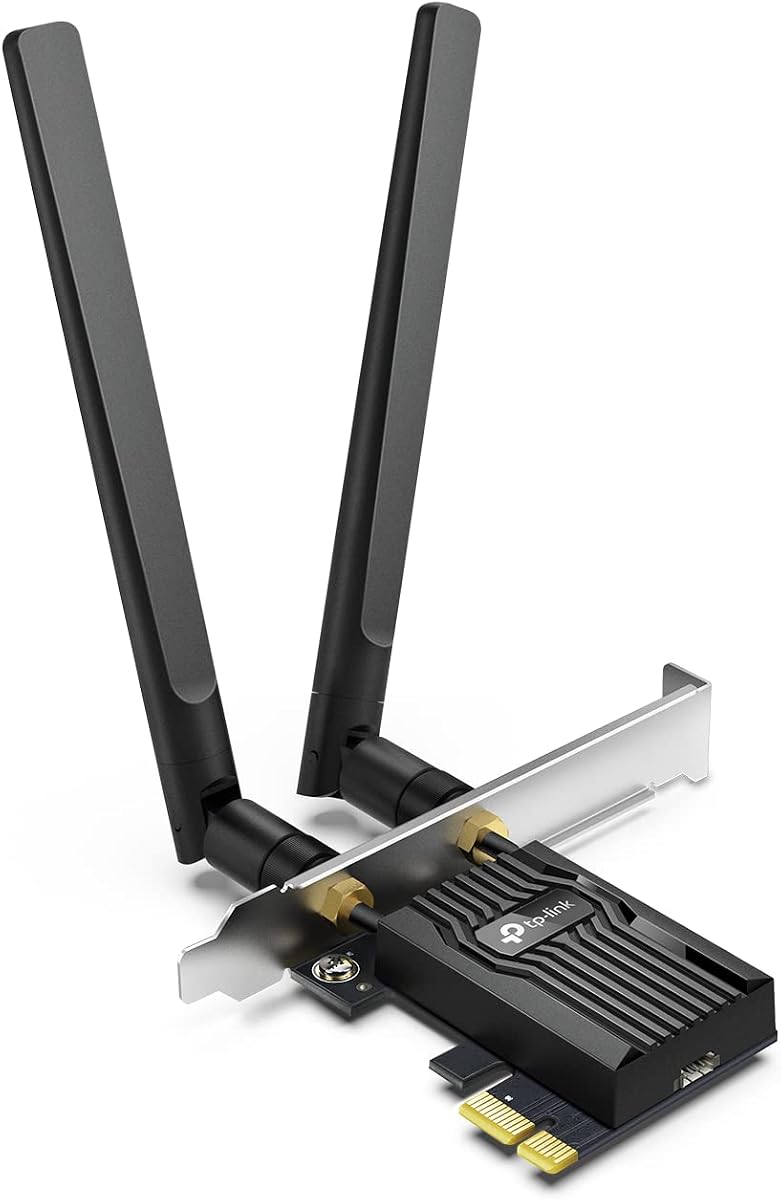
The TP-Link Archer TX55E is a dual-band WiFi 6 PCIe card rated up to 2.4 Gbps, with 2402 Mbps on the 5GHz band and 574 Mbps on 2.4GHz. Its 4.5 rating reflects a generally favorable balance of performance, features, and installation convenience, making it an appealing option for desktop users who do not need 6GHz connectivity.
We may earn a commission when you buy through this link, at no additional cost to you.
Its two high-gain antennas are designed to improve signal reception, while OFDMA and MU-MIMO technologies help reduce congestion in busy wireless environments. The card also supports Bluetooth 5.2 for compatible keyboards, headsets, controllers, and other peripherals. Both standard and low-profile mounting brackets are included, which makes it a flexible choice for different desktop chassis.
The main limitation is that this is a dual-band WiFi 6 adapter rather than a tri-band WiFi 6E or WiFi 7 model. It therefore cannot access the 6GHz spectrum, and the supplied information does not establish compatibility with newer WiFi 7 routers at their full potential. Its Bluetooth function also depends on connecting the included USB cable to an internal F_USB header.
This card is a good fit for a desktop connected to a dual-band WiFi 6 router, particularly when a user wants external antennas, useful Bluetooth functionality, and a straightforward upgrade without moving to the newest wireless generation. It is our Best Budget selection because it covers the most common desktop needs with a balanced feature set.
The two external high-gain antennas can be positioned away from metal chassis components and other sources of interference. Their placement may help users maintain a more useful connection in rooms where the desktop sits near walls or other equipment.
Bluetooth 5.2 lets the card pair with compatible everyday peripherals, reducing the need for separate USB receivers. The internal USB cable must be connected to an available F_USB connector for Bluetooth to function.
We may earn a commission when you buy through this link, at no additional cost to you.
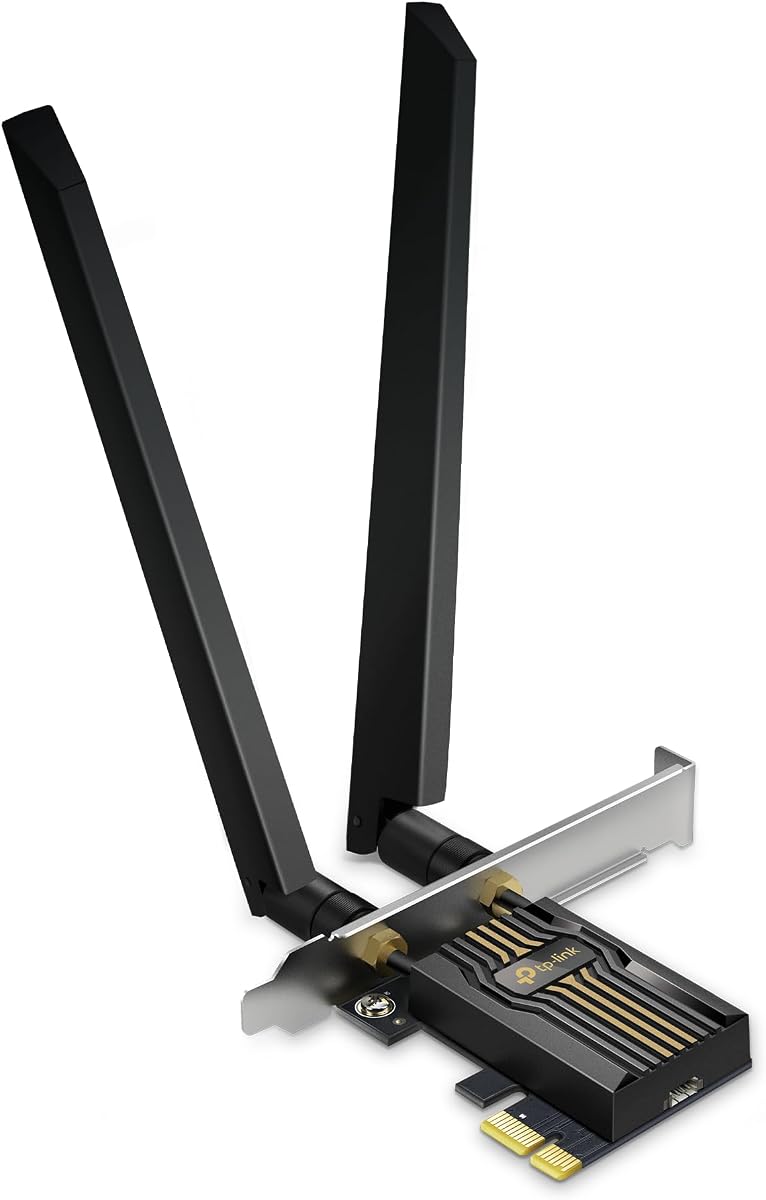
The TP-Link Archer TX3000E combines WiFi 6 dual-band performance with a 4.7 rating, the highest among the ten products listed. Rated at up to 2.4 Gbps, it supports 2402 Mbps on 5GHz and 574 Mbps on 2.4GHz, making it well suited to modern dual-band routers and demanding desktop use.
We may earn a commission when you buy through this link, at no additional cost to you.
The included multi-directional antennas attach to a magnetized base that can be placed around the desktop to find a better reception position. OFDMA and MU-MIMO are included to improve performance on congested networks, while Bluetooth 5.3 supports common peripherals such as controllers, headphones, and keyboards. A low-profile bracket is also supplied.
Its limitations are important but straightforward. It does not support 6GHz, so a WiFi 6E router cannot unlock its full tri-band potential. Installation also requires the appropriate driver, which can be installed from the included CD or downloaded from TP-Link's support page; a computer without a CD-ROM drive will need the online option.
The Archer TX3000E suits users who want a well-reviewed WiFi 6 card, stronger Bluetooth than the TX55E, and a magnetic antenna base that offers placement flexibility. It is the Editor's Choice because its combination of customer rating, mature feature set, and practical antenna design makes it a convincing general recommendation.
The desktop does not need to remain directly beside the router. Moving the magnetic base can help a user find a position that provides clearer reception while keeping the PCIe card mounted inside the computer.
Bluetooth 5.3 supports controllers, headphones, keyboards, and other compatible accessories. As with the included USB lead, the card's F_USB connector requirement should be checked before installation.
We may earn a commission when you buy through this link, at no additional cost to you.
The GIGABYTE GC-WBAX210 is built around the Intel AX210 module and supports tri-band WiFi 6E across 2.4GHz, 5GHz, and 6GHz. Its 4.6 rating makes it one of the better-rated products in the group, while the Intel module provides a clearly identified platform for users who value a recognized wireless chipset.
We may earn a commission when you buy through this link, at no additional cost to you.
Dual-stream operation is supported on all three bands, and the listed maximum connection speed reaches 2400 Mbps. The 6GHz band can provide additional bandwidth and lower-latency spectrum when the network and operating environment support it. Bluetooth 5.2 is also included for compatible wireless peripherals.
The card's listed speed figure is lower than the summed tri-band figures shown by several competing products, and the supplied details do not mention an external magnetic antenna base or adjustable antenna arrangement. It is therefore less compelling for buyers who prioritize maximum headline throughput or flexible antenna placement.
This model works well for a desktop owner seeking a straightforward Intel AX210-based tri-band card without moving to WiFi 7. It is especially relevant to systems that can benefit from the 6GHz band and users who prefer the familiarity of an established Intel module over the newest wireless generation.
The 6GHz band expands the available wireless spectrum and can offer additional room for demanding connections. Its practical benefits depend on router support, local conditions, and the other devices operating on the network.
The built-in Intel AX210 module provides a clear chipset identity for system builders. It supports dual-stream wireless operation on the 2.4GHz, 5GHz, and 6GHz bands.
We may earn a commission when you buy through this link, at no additional cost to you.
The TP-Link Archer TBE552E is a tri-band WiFi 7 card with an advertised total bandwidth of 9.3 Gbps. It is designed to unlock 320MHz channels on the 6GHz band when paired with a compatible WiFi 7 router, and it supports Multi-Link Operation, Multi-RUs, and 4K-QAM.
We may earn a commission when you buy through this link, at no additional cost to you.
The card's maximum rated band speeds reach 5764 Mbps on 6GHz, 2882 Mbps on 5GHz, and 688 Mbps on 2.4GHz. OFDMA and MU-MIMO improve efficiency in congested networks, while two high-gain antennas support extended desktop coverage. Bluetooth 5.4 adds support for controllers, headphones, keyboards, mice, and other compatible accessories.
This is a forward-looking product with strict platform requirements. The supplied information states that it is designed exclusively for Windows 11 and is not compatible with Windows 10 or earlier. It also needs a suitable WiFi 7 router and compatible 6GHz network to realize its advanced features, so a buyer with an older router should not expect immediate benefits.
The Archer TBE552E is our Best Premium pick for builders investing in a modern Windows 11 system and WiFi 7 networking. It offers a clear reason to choose a PCIe adapter over an older internal WiFi module: access to current wireless features, high theoretical bandwidth, and flexible installation options.
Multi-Link Operation, Multi-RUs, 4K-QAM, and wide 6GHz channels distinguish this card from conventional WiFi 6 adapters. These features require compatible network equipment, so the entire setup should be considered before purchase.
Two high-gain antennas are included to improve signal reception over longer distances. Positioning them away from the chassis can help a desktop maintain a cleaner connection in challenging layouts.
We may earn a commission when you buy through this link, at no additional cost to you.
The TP-Link Archer TXE5400 combines WiFi 6E, an Intel AX210 chipset, and a magnetic antenna base. Its listed maximum speeds of 2402 Mbps on 6GHz, 2402 Mbps on 5GHz, and 574 Mbps on 2.4GHz create a 5378 Mbps total, and its 4.6 rating places it among the strongest performers in the comparison.
We may earn a commission when you buy through this link, at no additional cost to you.
Two multi-directional antennas can be moved using the magnetized base to improve signal reception. OFDMA and MU-MIMO help reduce congestion, while Bluetooth 5.3 supports faster data transfer and broader coverage than Bluetooth 4.2. WPA3 support adds a modern layer of wireless security, and both standard and low-profile brackets are included.
The supplied information notes that Windows 11 is required to use the 6GHz band, which could limit the card's value in Windows 10 systems. The internal USB cable must also be attached to an F_USB connector before Bluetooth can operate. Users without that internal header should verify case and motherboard connectivity first.
This is a strong choice for a Windows 11 desktop that uses a WiFi 6E router and benefits from movable antennas. It offers nearly the same conceptual feature set as the AXE5400 model in the list, but its explicitly identified Intel AX210 chipset and adjustable magnetic base make it especially attractive for flexible placement.
The magnetic base can be placed at a clearer point on or near the desktop. This gives users more control over signal reception without needing to relocate the entire computer.
Support for 6GHz, 5GHz, and 2.4GHz gives the card flexibility across different router configurations. The 6GHz band is particularly relevant to compatible WiFi 6E networks and Windows 11 systems.
We may earn a commission when you buy through this link, at no additional cost to you.
The TP-Link Archer TBE550E is a WiFi 7 tri-band card with a maximum combined speed of 9328 Mbps. It supports 320MHz channels, 4096-QAM, Multi-Link Operation, OFDMA, MU-MIMO, and Multi-RU, while Bluetooth 5.4 expands support for wireless desktop accessories.
We may earn a commission when you buy through this link, at no additional cost to you.
Its magnetic antenna base stands out visually and functionally. Multicolored LED effects display network status, and a touch switch allows customization. The two adjustable high-performance antennas can also be positioned to strengthen reception, while the supplied USB lead supports driver installation.
The main constraint is platform dependence. The stated information limits support to Windows 11, so this card is not suitable for Windows 10 or earlier systems. Its 4.2 rating is the lowest among the listed products, although that figure alone does not reveal the reasons behind individual customer experiences. A compatible WiFi 7 router remains necessary for advanced features.
The Archer TBE550E is especially appealing to builders who want a visually coordinated WiFi 7 upgrade with an illuminated base. It combines current wireless capabilities with practical antenna adjustment, making it a distinctive option for a modern Windows 11 gaming or streaming setup.
The magnetic base includes LED effects and a responsive touch switch. It can complement a visible desktop build while providing a convenient visual indication of network status.
Multi-Link Operation can transmit data across multiple bands to reduce lag and interference. The improvement depends on router support, network conditions, and the applications in use.
We may earn a commission when you buy through this link, at no additional cost to you.
This WiFi 6E PCIe card combines the Intel AX210 chipset, tri-band wireless support, and a listed maximum speed of 5400 Mbps. It holds a 4.5 rating and is designed for desktop PCs running Windows 10 or 11, making it a flexible option for users who need modern wireless without moving to WiFi 7.
We may earn a commission when you buy through this link, at no additional cost to you.
The card supports 6GHz, 5GHz, and 2.4GHz bands, along with Bluetooth 5.3 for controllers, headsets, and keyboards. High-gain antennas support stronger reception, WPA3 encryption provides modern security, and compatibility with legacy WiFi standards broadens its potential router support. A Bluetooth USB cable is included.
The product listing uses a generic name rather than a prominent branded model designation, which may make it harder to compare component details. Full 6GHz operation requires Windows 11 and a WiFi 6E router. As with the other AX210-based cards, users should confirm the desktop's available PCIe slot and internal USB header before ordering.
This adapter is a practical choice for a builder who values a known Intel chipset, tri-band capability, and Bluetooth in one package. It does not offer the newest wireless standard, but it covers the major needs of gaming, 4K streaming, and large file transfers when paired with appropriate equipment.
Access to all three major WiFi bands allows the card to use 6GHz when available while retaining 5GHz and 2.4GHz support. This makes it useful across a wider range of router generations.
Bluetooth 5.3 allows compatible keyboards, headsets, and controllers to connect without dedicated USB receivers. The included USB lead must be routed to the desktop's internal Bluetooth header.
We may earn a commission when you buy through this link, at no additional cost to you.
The TP-Link AXE5400 pairs the Intel AX210 chipset with WiFi 6E tri-band support and a 4.6 customer rating. Its listed speeds reach 2402 Mbps on 6GHz, 2402 Mbps on 5GHz, and 574 Mbps on 2.4GHz, providing a 5378 Mbps combined figure for compatible networks.
We may earn a commission when you buy through this link, at no additional cost to you.
Two high-gain antennas are included to extend signal coverage, and OFDMA and MU-MIMO help maintain responsiveness on crowded networks. Bluetooth 5.3 serves compatible peripherals, while WPA3 strengthens wireless security. The package includes both standard and low-profile brackets for different case sizes.
The 6GHz band requires Windows 11, so the product is less useful for its full tri-band potential in a Windows 10 environment. Unlike the TP-Link TXE5400, this card does not list a magnetic base, so antenna positioning is less flexible. The internal Bluetooth cable must also reach an F_USB connector.
The AXE5400 is a strong option for buyers who want a clearly branded TP-Link WiFi 6E card with Intel AX210 hardware, high-gain antennas, and Bluetooth 5.3. It remains a sensible upper-midrange choice when WiFi 7 is unnecessary, but the full feature set is best realized with compatible software and networking equipment.
The product combines a named TP-Link adapter with an Intel AX210 chipset. This makes it easier for buyers to compare it with other AX210-based cards on the list.
OFDMA and MU-MIMO are intended to improve efficiency and reduce lag on busy networks. Actual results depend on the router, distance, channel conditions, and the types of traffic being handled.
We may earn a commission when you buy through this link, at no additional cost to you.
The MSI Herald WiFi 7 is a tri-band PCIe adapter with listed band speeds of 5764 Mbps on 6GHz, 2882 Mbps on 5GHz, and 688 Mbps on 2.4GHz. Its 4.3 rating places it in the middle of the group, while the WiFi 7 feature set targets desktop owners building around current-generation networking.
We may earn a commission when you buy through this link, at no additional cost to you.
Multi-Link Operation is designed to combine multiple links for faster, more stable connectivity. Support for 320MHz channels on the 6GHz band can provide wider, less congested channels when the router and clients support them. External antennas use a magnetized base, and Bluetooth 5.4 supports compatible accessories.
Realizing these benefits requires a compatible WiFi 7 router and supporting network configuration. The card's maximum figures describe theoretical or maximum band performance rather than a guaranteed result in every home. Its 4.3 rating is also lower than several WiFi 6 and WiFi 6E options, so buyers should not choose it solely on headline speed.
The MSI Herald is a compelling choice for a system builder seeking WiFi 7, Bluetooth 5.4, 320MHz channel capability, and movable antennas in a single desktop card. It is particularly relevant for gaming, 8K streaming, and busy networks where modern multi-link features can make a difference.
Wide 6GHz channels can carry substantial data with less competition than narrower alternatives. Both the router and connected devices must support the relevant WiFi 7 features.
MLO is intended to improve responsiveness and stability by using multiple links. Its practical value grows as more compatible client devices and network equipment are introduced.
We may earn a commission when you buy through this link, at no additional cost to you.
The TP-Link Archer TBE553E combines WiFi 7, a magnetic base, and Bluetooth 5.4 in a tri-band card with 9.3 Gbps of total advertised bandwidth. Band-level maximums reach 5764 Mbps on 6GHz, 2882 Mbps on 5GHz, and 688 Mbps on 2.4GHz.
We may earn a commission when you buy through this link, at no additional cost to you.
Support for 320MHz channels, Multi-Link Operation, OFDMA, MU-MIMO, and Multi-RU positions the card for demanding contemporary networks. The high-gain antenna and magnetic base make antenna placement more flexible, while Bluetooth Low Energy is highlighted for reducing power use in compatible Bluetooth devices. WPA3 support is also included.
The strictest limitation is the stated requirement for an Intel WiFi 7 CPU, with the product explicitly marked as incompatible with AMD. It supports Windows 10 and Windows 11, which is broader than some WiFi 7 alternatives, but Windows support does not override the CPU restriction. Its 4.2 rating is tied for the lowest listed score.
The TBE553E is best suited to a compatible Intel-based Windows desktop with a WiFi 7 router. In that environment, its compact single high-gain antenna design, magnetic placement, and current wireless features provide a capable upgrade without requiring a large collection of separate antennas.
A single high-gain antenna can be moved using the magnetic base to find a better signal position. This arrangement keeps the card visually simple while preserving placement flexibility.
BLE support can reduce power consumption for compatible accessories. Bluetooth 5.4 also adds reliability and security features for supported controllers, keyboards, mice, and headsets.
We may earn a commission when you buy through this link, at no additional cost to you.
Choosing a PCIe WiFi card starts with your existing router and operating system, then narrows to wireless generation, band support, antenna design, Bluetooth, security, and physical compatibility. Matching the adapter to the network environment prevents you from paying for capabilities the rest of your setup cannot use.
A PCIe card cannot deliver features that the router does not support. WiFi 6 cards are well suited to dual-band routers, WiFi 6E models can add the 6GHz band, and WiFi 7 adapters are designed for routers that support 320MHz channels, Multi-Link Operation, 4K-QAM, and other current-generation features. Check the exact router model before selecting a higher-standard card.
Dual-band cards cover 2.4GHz and 5GHz, while tri-band cards add 6GHz. The 2.4GHz band offers longer reach but is commonly more congested, whereas 5GHz and 6GHz provide additional bandwidth. Maximum product figures are laboratory-style limits rather than everyday guarantees, so prioritize supported bands and features over the largest number alone.
Several products have notable platform limits. Some 6GHz functions require Windows 11, one WiFi 7 option is exclusively designed for Windows 11, and the TP-Link Archer TBE553E requires an Intel WiFi 7 CPU and is not compatible with AMD. Confirm the operating system, processor, motherboard, and available drivers before purchasing.
External high-gain antennas can improve reception compared with a card constrained inside a metal chassis. Magnetic bases offer additional flexibility because the antennas can be moved to find a clearer signal path. Consider desk placement, nearby walls, and the location of the router when deciding how much antenna adjustability you need.
Bluetooth support is useful for keyboards, headsets, controllers, mice, and other accessories. Most cards in this guide provide Bluetooth 5.2, 5.3, or 5.4, but the internal USB cable must be connected to an available F_USB header. Confirm that your motherboard or case provides that header and that the cable reaches it.
WPA3 support appears throughout the higher-end options and provides stronger protection for compatible personal networks. Even with a modern adapter, users should use strong network credentials, keep router firmware updated, and avoid unnecessary exposure of the wireless network. A newer card cannot secure an otherwise poorly configured network.
PCIe cards come in standard and low-profile forms for different desktop cases. Many products here include both brackets, but buyers should measure the case and confirm the card's dimensions and slot arrangement. Also check that the antenna base has enough room and that the Bluetooth cable can reach an internal header.
For gaming, latency-related features, Multi-Link Operation, and a clean 6GHz connection can be useful, but wired Ethernet may still offer the most consistent result. For streaming and large transfers, additional bandwidth can help after other bottlenecks are addressed. For ordinary browsing and downloads, a reliable dual-band WiFi 6 card may be more than sufficient.
Before installation, power off the desktop, disconnect the power cable, and check that the selected PCIe slot has the clearance and physical coverage required by the adapter. Install the appropriate standard or low-profile bracket, seat the card securely, and connect the internal Bluetooth USB lead to an F_USB header if the card includes Bluetooth.
After the computer starts, install the manufacturer's drivers and any required firmware using the supplied instructions, included media when available, or the official support page. Connect to the intended network, confirm that the correct bands are visible, and position the external antennas or magnetic base away from obstructions. If 6GHz or WiFi 7 features are missing, verify the router, operating system, processor, and driver requirements.
For long-term care, keep the card seated firmly and the antenna cables undamaged. Avoid placing the magnetic base directly against heat sources, and maintain clearance around any ventilation openings. Update drivers and firmware when instructed, use WPA3 or WPA2 as supported by the router, and periodically check for stronger router firmware that can improve security and compatibility.
No. A WiFi 6 or WiFi 6E card can generally connect to a WiFi 7 router, but it will only use the capabilities supported by that adapter. A WiFi 7 card is more appropriate when you want access to 6GHz wide channels, Multi-Link Operation, 4K-QAM, and other features that require compatible client hardware.
Dual-band cards support 2.4GHz and 5GHz, while tri-band cards also support 6GHz. The 6GHz band can provide wider channels and additional capacity, but it requires a compatible router, suitable client hardware, and in many cases Windows 11 for full functionality.
The PCIe slot primarily carries the main wireless data connection, while Bluetooth uses an internal USB connection for its host interface. The supplied cable must be connected to an F_USB header on the motherboard for Bluetooth functions such as pairing a keyboard, headset, mouse, or controller.
It depends on the case's available space, expansion-slot layout, and bracket style. Small form-factor and mini-tower systems may require a low-profile bracket, and some compact cases do not expose usable PCIe slots at all. Check the case specifications and physical clearance before ordering.
A magnetic base is generally more flexible because it lets the user reposition the antennas to improve reception. Fixed high-gain antennas can still perform well, but they are less convenient when the router is far away, behind obstacles, or positioned in a different part of the room.
Most laptops do not have a user-accessible PCIe expansion slot, so these cards are intended primarily for desktop PCs. Some compact systems use mini PCIe or M.2 sockets, but those are not the same physical interface as a standard desktop PCIe card.
A modern PCIe WiFi card can provide a low-latency connection, but Ethernet generally remains more predictable under interference and congestion. Gaming performance also depends on the router, network load, distance, and quality of service controls. Wired Ethernet is a sensible choice for competitive or latency-sensitive play.
Enabling the bands supported by your router and adapter gives the system more connection options. The 2.4GHz band usually has the greatest range, 5GHz supports faster everyday performance, and 6GHz can offer wide, cleaner channels. The best choice depends on distance, interference, router capabilities, and local network conditions.
The TP-Link Archer TX55E is the best budget-focused choice for a straightforward dual-band WiFi 6 upgrade, while the TP-Link Archer TX3000E stands out for its 4.7 rating, Bluetooth 5.3, and adjustable magnetic antenna base. The TP-Link Archer TBE552E takes the premium position with WiFi 7, 320MHz 6GHz channel support, and Multi-Link Operation.
Prioritize compatibility before speed. Confirm that your router supports the desired band and wireless generation, that the operating system and processor meet the card's requirements, and that the case can accommodate the card and brackets. For everyday use, a reliable WiFi 6 model may be sufficient; WiFi 6E or WiFi 7 becomes more relevant when the network equipment can use those features.
Prices, driver availability, and product listings can change, so check current details before making a final purchase. Also verify the included components, return terms, and internal-header requirements. With those checks complete, the right PCIe WiFi card can give a desktop a faster, more flexible, and more modern wireless connection.