
Govee RGBIC TV LED Backlight
4.4Editor score
Affordable ambient backlighting
Large preset scene library
Built-in microphone music sync
Smart TV sync lights extend the colors, movement, and mood of a television beyond its screen. The best models capture images in real time or receive video through HDMI, but differences in screen size, synchronization method, smart features, and installation determine which system works best for your room.
We compared ten camera-based and HDMI-based options for television size, color-matching technology, lighting effects, control options, compatibility, and installation. The list includes strips designed for compact screens as well as larger displays, with both direct screen capture and external-source synchronization represented.
Each review explains where a product stands out, where its limitations matter, and which setup it suits best. Ratings reflect the supplied customer feedback, while feature details come from product information; remember that product availability and prices change as shopping conditions evolve.
4.4Editor score

4.5Editor score

4.3Editor score
As an Amazon Associate we earn from qualifying purchases.
This side-by-side comparison organizes each lighting system by television fit, synchronization method, smart controls, and installation requirements, making it easier to identify the option that matches your display and viewing setup.



The GIPOYENT 20.34FT TV LED Lights with Camera Sync to Screen for 65–100 in TV offers an expansive lighting solution for people who want one strip to serve a larger television or unusually wide wall. Its 4.4 customer rating reflects a generally positive reception, while the combination of camera-based color capture, app control, and a long strip gives it considerable flexibility. It is especially relevant when the television occupies the center of a larger entertainment area and the light needs to extend well beyond the display's edges.
We may earn a commission when you buy through this link, at no additional cost to you.
The strip uses a camera mounted near the top center of the television to identify colors appearing on the screen and reproduce them through the surrounding LEDs. This is genuine automatic synchronization rather than a preset-only lighting effect. The 20.34-foot length is the key physical advantage: it can cover all four sides of many 65- to 85-inch televisions and may provide extra reach for larger screens or less conventional layouts. GIPOYENT recommends 70 to 85 inches for the most complete visual effect.
Its app adds remote management of the lighting, while the supplied scenes and music-synchronized modes make the system useful beyond ordinary television viewing. Adhesive backing and secure clips simplify installation without tools, and the center-mounted sensor helps the strip react to a representative image of the picture. The important qualification is coverage: at 100 inches, the product itself covers only three-quarters of the screen. Buyers expecting complete perimeter lighting at that size should consider the length carefully.
This is a strong recommendation for a large television, an oversized gaming display, or a room where cinematic color spill is the priority. It is less suitable for someone who wants a nearly invisible sensor, elaborate voice control, or a system that works across many synchronized lights without extra configuration. Choose it when automatic screen matching, ample strip length, and simple installation outweigh those preferences.
The camera continuously identifies the colors on the display and maps them to the surrounding strip. That makes the system immediately useful for streaming, conventional television, games, and other screen content without requiring a special source or manual color selection.
The extended 20.34-foot strip is the model’s defining feature. It offers ample routing room for larger televisions and allows the lighting to spread farther around a wall, although the manufacturer explicitly notes incomplete coverage on a 100-inch display.
We may earn a commission when you buy through this link, at no additional cost to you.
The Govee TV LED Backlight, RGBIC Smart LED Strip Lights for 55-65 inch TVs is the practical budget selection in this guide. Its 4.4 rating and extensive lighting library make it well suited to viewers who want a polished backlit wall without the complexity of a camera or separate synchronization box. Rather than mirroring every frame, it creates colorful ambient scenes, reacts to nearby music, and can be controlled through the Govee Home app or supported voice assistants.
We may earn a commission when you buy through this link, at no additional cost to you.
RGBIC color segmentation separates the illumination into multiple color areas, helping the backlight look more dynamic than a single uniform glow. The app provides more than 99 preset scenes along with 11 music modes, giving users quick choices for gaming, movies, social gatherings, or a relaxed bedroom atmosphere. A built-in microphone lets color and brightness respond to music, so the system remains engaging even when the television itself is idle.
The 12.5-foot strip is designed to run around all four sides of a 55- to 65-inch television. Adhesive and included cable clips help it follow the rear edges more closely than a loosely draped strip, which can make the wash of color appear more even. Control through Alexa and Google Assistant adds convenience, while the AI lighting bot can translate spoken or typed ideas into personalized lighting effects.
The essential caveat is that this model does not automatically capture colors from the screen. It should be judged as an ambient and music-synchronized lighting system rather than a direct video-matching system. Its 2.4GHz-only requirement may also cause friction on networks configured exclusively for newer bands. For buyers seeking colorful, app-driven atmosphere at a modest entry point, it remains one of the most compelling choices in the list.
More than 99 preset scenes and 11 music modes make this strip useful well beyond a single synchronized effect. Viewers can quickly move from a bright gaming setup to a subdued movie scene or a colorful party display without manually programming every color.
The Govee Home app provides detailed lighting management, while Alexa and Google Assistant offer hands-on control. The app-based AI lighting bot expands the creative options, although all setups must use a compatible 2.4GHz network.
We may earn a commission when you buy through this link, at no additional cost to you.
The Govee TV Backlight 3 Lite, 16.4ft LED Strip Lights Sync with 75-85 Inch TVs stands out as the strongest all-around choice. Its 4.5 rating is the highest among the supplied products, and its feature set balances accurate automatic matching with useful smart-home functions. The 16.4-foot strip is sized for a substantial 75- to 85-inch television, giving the light enough length to create a broad, room-filling effect rather than a narrow accent.
We may earn a commission when you buy through this link, at no additional cost to you.
Upgraded Envisual technology and a fish-eye correction function improve the effective matching area near the edges of the screen. The strip uses RGBICW LEDs with an added warm-white channel and higher pixel density, producing cleaner whites and more natural-looking transitions. A gravity-hanging camera design helps the sensor sit securely at the top of the display, including on ultra-thin televisions, while adhesive can further reduce wobble.
The camera can capture the color of virtually any content shown on the screen, which removes the need for a particular streaming device, game console, or external connection. This broad content compatibility is one of the model’s strongest advantages. Users can select black-bar exclusion and blank-screen detection in the app, preserving a stable ambience when a video contains letterboxing or when the screen goes dark.
DreamView Syncing can link the 3 Lite with as many as seven additional sub-devices, expanding a single television effect into a broader room presentation. The app and voice commands provide straightforward control, and the AI lighting bot adds another way to create custom effects. This is an excellent choice for a large screen and a dedicated gaming or home-cinema room. Its principal limitation is straightforward: it is not sized for small televisions, so screen dimensions should be checked before purchase.
Fish-eye correction expands the camera’s useful matching range, helping the backlight maintain a closer relationship with colors near the sides of the image. The added warm-white LED and improved pixel density also make pale scenes look cleaner than a conventional RGB-only strip.
Because the camera reads the television as viewers see it, the system can work with ordinary broadcasts, streaming applications, videos, and games. That flexibility makes it less dependent on access to particular television inputs.
We may earn a commission when you buy through this link, at no additional cost to you.
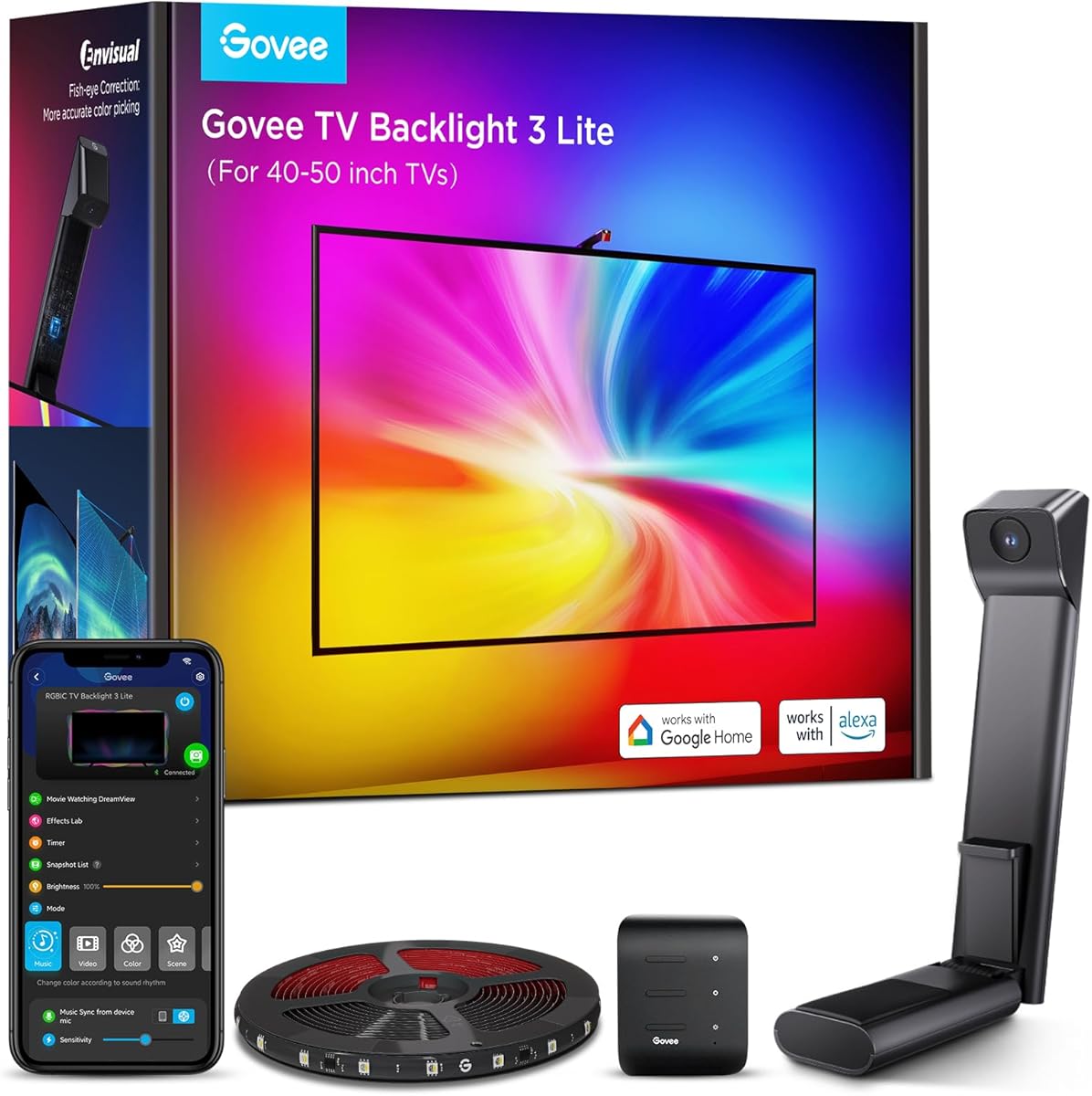
The Govee TV Backlight 3 Lite, 7.8ft LED Strip Lights Sync with 40-50 Inch TVs is designed for a television size that many lighting strips overlook. Its 4.5 rating, automatic screen capture, and compact strip length make it a sensible fit for bedrooms, offices, and smaller entertainment centers. The system delivers the same core Envisual, RGBICW, and gravity-hanging camera technology associated with the larger 3 Lite version.
We may earn a commission when you buy through this link, at no additional cost to you.
A 7.8-foot strip can route around a 40- to 50-inch display without creating a large surplus of cable. The upgraded chip and fish-eye correction improve color matching at the edges, while the 4-in-1 RGBICW lamp beads add a dedicated warm-white component. Those details produce more natural-looking illumination during bright scenes, animated content, and games in which accurate color relationships are important.
Users can manage the strip through the Govee Home app or voice commands with Alexa and Google Assistant. Black-bar exclusion helps the lighting ignore dark bars, and blank-screen detection can maintain the intended ambience when the display turns black. The camera captures whatever appears on the screen, so the product is not restricted to a particular external source or signal format.
This is the version to consider for a smaller screen that needs genuine automatic color matching rather than static RGBIC ambience. Its limitation is physical rather than functional: the short strip cannot provide full perimeter coverage on a large television. Buyers should also expect to position the camera carefully, since even a small sensor needs an unobstructed view of the display. Subject to correct sizing, it is an excellent compact-screen choice.
At 7.8 feet, the strip is proportioned for 40- to 50-inch televisions and reduces excess length behind the screen. That makes installation cleaner in compact spaces where a long strip would bunch awkwardly or fail to follow the display edges.
Black-bar exclusion and blank-screen detection help the lighting react more appropriately to letterboxed films and dark screens. These app controls make the experience feel more deliberate than allowing the camera to mirror every black region literally.
We may earn a commission when you buy through this link, at no additional cost to you.
The Govee TV Backlight 3 with Dual 4MP Lens, TV Lights Sync to 55-65 Inch TVs targets buyers who care about fine color correspondence and fast reactions. Its 4.3 rating is solid, and the dual-lens camera, 24-zone mapping system, and high-density RGBWIC strip distinguish it from basic ambient strips. The result is a more analytical lighting system designed for detailed screen matching, gaming, and cinematic content.
We may earn a commission when you buy through this link, at no additional cost to you.
The dual hybrid lenses offer 4MP optical performance and are intended to minimize color dispersion around the edges of the captured image. An AI mapping algorithm divides the screen into 24 independently assessed zones, allowing different portions of the display to influence different areas of the ambient light. A separate AI filter recognizes the visual style of films and adjusts the overall theme, which can reduce distracting background effects.
The lighting strip contains 60 four-in-one RGBWIC LEDs per meter and a dedicated white channel. According to the supplied product information, the configuration is 20% brighter and creates richer layers and transitions than earlier designs. The camera is only 90 millimeters long and uses a gravity-fit arrangement intended to remain unobtrusive on ultra-thin televisions. Dual-chip processing delivers a claimed 132% faster response with millisecond-level reaction times.
DreamView can synchronize the lighting with as many as 10 devices, while compatibility with Matter, Alexa, and the Govee app broadens its smart-home potential. The system also works with any displayed content. This is a strong option for a 55- to 65-inch television in a gaming room or a carefully arranged media space. The main trade-off is that its advanced feature set may feel excessive for someone wanting only a simple colored glow, and the supplied information does not state the precise strip length.
The dual hybrid lens design is intended to reduce color dispersion and capture the screen with greater clarity. Dividing the image into 24 zones lets the lighting represent more than one dominant color at a time, which can make complex scenes look more dimensional.
Millisecond response and strong anti-interference help the lighting keep pace with rapid action. The 60-LED-per-meter RGBWIC strip adds brightness and a dedicated white channel, improving both fast transitions and the clarity of pale colors.
We may earn a commission when you buy through this link, at no additional cost to you.
The GIPOYENT 13.7FT LED TV Llights with Camera that Change with for 45-65 in TV occupies a practical middle ground between compact and extended lighting systems. It carries a 4.4 rating and offers real-time camera synchronization for a range of television sizes that includes both bedroom and living-room displays. Its 13.7-foot strip provides enough length to surround a 45- to 65-inch screen while avoiding the extra bulk of the model designed for much larger televisions.
We may earn a commission when you buy through this link, at no additional cost to you.
Color-recognition technology maps what appears on the screen to the strip in real time. The effect is designed to create lifelike colors around the television rather than simply displaying a fixed hue. App controls allow users to adjust brightness, color, sensitivity, and other settings, which is particularly helpful when the room is darker, the television is very bright, or the wall surface affects the strength of the reflected light.
The uLamp application also provides a selection of ambient scenes and music-synchronized modes for gaming, movie viewing, parties, or a bedroom atmosphere. Installation uses adhesive-backed strips and secure clips, with the sensor attached near the center top of the television. This center position helps the camera see a representative portion of the picture and reduces the chance that the housing itself appears in the captured image.
This model is a good match for buyers who want automatic screen tracking without moving into a more complex smart-home installation. It falls short of the most advanced systems in camera resolution, device linking, and platform compatibility, but those omissions may not matter in a single-TV setup. Choose it when direct color matching, adjustable sensitivity, and straightforward placement are the priorities.
Adjustable brightness, color, and sensitivity are especially useful because wall paint, screen brightness, and ambient light all influence the final appearance. Fine-tuning through the app can produce a more balanced result than relying entirely on the automatic response.
The camera should be clipped at the center top of the television with a clear view of the display. Keeping the sensor unobstructed and stable improves the likelihood that the surrounding lighting will track dominant colors consistently.
We may earn a commission when you buy through this link, at no additional cost to you.
The Govee TV LED Backlight, RGBIC Smart LED Strip Lights for 70-80 inch TVs is a room-filling ambient system for larger televisions. It shares the familiar Govee RGBIC approach with the smaller 55- to 65-inch version but includes a 15-foot strip, providing enough length to run around all four sides of a 70- to 80-inch display. Its 4.4 rating indicates a well-received balance of color variety, convenience, and installation ease.
We may earn a commission when you buy through this link, at no additional cost to you.
RGBIC segmentation creates distinct color areas behind the television, adding visual depth to scenes, games, and music. The Govee Home app supplies more than 99 preset scenes and 11 music modes, so users can move quickly between a neutral viewing setup and a colorful entertainment scene. A built-in microphone makes the color and brightness react to nearby audio, adding motion even when the television is not the active content source.
Installation should be planned so the strip follows the rear edges neatly. The included cable clips help secure the 15-foot length against a 70- to 80-inch screen, producing a more uniform glow and reducing the visible gaps that can interrupt a backlight effect. App management, Alexa, Google Assistant, and the AI lighting bot give several ways to configure the system and create new effects.
This is an excellent choice for someone who wants rich ambient color behind a large television but does not need the lighting to reproduce every onscreen color automatically. It is also useful for parties or gaming sessions where music synchronization adds energy. Its limitations are the same as the smaller RGBIC version: no automatic screen capture and a 2.4GHz-only connection. Those constraints should be accepted before installation.
A 15-foot strip is proportioned for four-sided routing around a 70- to 80-inch television. Securing it with the supplied clips helps it sit closer to the television, resulting in a more evenly distributed halo around the display.
The built-in microphone responds to nearby music without requiring an audio cable. It creates an engaging ambient effect for playlists, parties, and gaming sessions, although it functions differently from direct screen-to-light color matching.
We may earn a commission when you buy through this link, at no additional cost to you.
The Govee TV Backlight 3 with Dual 4MP Lens, TV Lights Sync to 75-85 Inch TVs is built for large home-theater displays and advanced ambient-light setups. Its 4.3 rating reflects a strong overall response, while the dual 4MP lens system, 24-zone AI mapping, and 60-LED-per-meter RGBWIC strip provide a technically refined way to reproduce screen color. It also supports DreamView syncing across as many as 10 devices for buyers who want more than a single television effect.
We may earn a commission when you buy through this link, at no additional cost to you.
The hybrid lens structure is designed to minimize color dispersion, improving the clarity of captured colors near the image edges. Twenty-four independent zones allow the software to recognize multiple colors simultaneously rather than treating the screen as one uniform field. A dedicated white channel in the RGBWIC beads improves pale tones, while the manufacturer states that the strip is 20% brighter for stronger transitions from the screen to the wall.
A slim 90-millimeter gravity-fit camera minimizes the visual footprint at the top of the television. The adhesive is described as heat-resistant and residue-free, and the gravity design is suitable for ultra-thin screens. Dual-chip processing offers a claimed 132% improvement in speed and millisecond response, helping fast scenes and competitive games remain visually aligned with the display.
Matter compatibility, Alexa support, the Govee app, and DreamView make this a compelling center for a broader lighting arrangement. It can capture content from streaming, gaming, videos, and other sources. The tradeoff is complexity: the feature set is considerably broader than that of a basic RGBIC strip, and the exact strip length is not stated in the supplied information. It is best for enthusiasts who value accurate, fast, room-wide synchronization.
DreamView can coordinate the television backlight with as many as 10 devices. This turns the strip into the anchor for a larger ambient scene rather than limiting its influence to the immediate edge of the screen.
At 90 millimeters, the gravity-fit camera is designed to remain visually discreet. Its stability and residue-free adhesive placement help preserve a clean setup, especially on thin televisions where a larger sensor housing would be more noticeable.
We may earn a commission when you buy through this link, at no additional cost to you.
Philips Hue Play Gradient 65" Smart TV Light Strip is the premium smart-lighting choice in this roundup. It carries a 4.3 rating and focuses less on a compact all-in-one package and more on integration with the wider Philips Hue ecosystem. The strip provides warm-to-cool white light and millions of colors, giving it broad creative flexibility for a 65-inch television and the room around it.
We may earn a commission when you buy through this link, at no additional cost to you.
Mounting brackets are included and allow the strip to bend around television corners, helping it follow the rear outline more closely. Users can customize how the light reacts to content through the Hue app, while voice control can be configured for Alexa or Google Assistant. The combination of white and color ambiance is useful for tasks that require restrained illumination as well as saturated entertainment effects.
There is an important equipment requirement. A Hue Bridge and a Sync Box are both needed to synchronize the strip with movies, music, or gaming, and neither is included. This makes the system less convenient than a self-contained camera-based kit, but it can also be an advantage for existing Hue users who already rely on the ecosystem for lights, sensors, routines, and other connected products.
The Hue Play Gradient is best for a homeowner who values mature app design, flexible mounting, a broad lighting palette, and integration with an established smart-home system. It is less suitable as a simple first ambient-light purchase because of the additional components and specific television size. For those who already own the necessary hardware, the strip remains a polished and highly customizable premium option.
Warm-to-cool white light and millions of colors allow the strip to serve both practical and decorative roles. That versatility is particularly useful for evening viewing, gaming sessions, and connected Hue routines that call for more than a single RGB effect.
The Hue app provides detailed control over how the lighting reacts to screen content. Existing Hue users gain access to a broader connected lighting system, although the required Bridge and Sync Box add both cost and setup complexity.
We may earn a commission when you buy through this link, at no additional cost to you.
The PHILIPS Smart Lighting HDMI Sync Box with TV Backlight, RGBIC LED Strip for 55-65 Inch TV is a different approach to television synchronization. Instead of using a camera to read the image, it receives the video signal directly through HDMI. Its 3.6 rating is the lowest in the group, but the underlying signal method offers precise color matching, low latency, and support for 4K at 60Hz, HDR10+, and Dolby Vision.
We may earn a commission when you buy through this link, at no additional cost to you.
Installation requires connecting the external video source, backlight, and television to the sync box. A streaming device or cable box can provide the video signal, but smart television applications cannot be synchronized directly. An HDMI switcher is also not included when more than one external source needs to be connected. These limitations make the system less convenient for casual users, yet the approach can be dependable for a dedicated media setup.
The WiZ app allows adjustment of color saturation and light intensity for each preset synchronization mode. A built-in microphone can hear music and pulse the lights to its rhythm, adding a second form of synchronization. The setup can expand to work with multiple Connected by WiZ lights, making it suitable for users who want a broader room effect rather than only a single strip behind the television.
This product is best for a technically minded viewer who controls the television through an external streaming box or game console and prefers a direct video feed over camera capture. It is not ideal for people whose main viewing happens inside smart television apps, or for anyone seeking a simple all-in-one kit. Its lower rating also warrants caution, although the supplied features show a capable approach when the required source and connection are available.
Receiving the video signal over HDMI allows the system to work from the source image rather than relying on a camera’s interpretation of reflected screen colors. The approach is designed to provide accurate matching and low latency for supported high-resolution content.
The television should receive its visible picture through the same HDMI source connected to the sync box. Applications that run inside the television’s own interface cannot provide an external signal, so users must account for this when choosing streaming or gaming equipment.
We may earn a commission when you buy through this link, at no additional cost to you.
The right smart TV sync light depends on display size, the way it receives content, control preferences, and the surrounding room. Use the following factors to narrow the field before comparing installation requirements and specific model capabilities.
Begin with the television’s diagonal measurement and the manufacturer’s recommended size range, because a strip that is too short will leave sections of the display without a balanced halo, while one that is too long may bunch behind the television or create uneven routing. The two Govee RGBIC models illustrate how the same lighting concept is scaled: a 12.5-foot strip is intended for 55- to 65-inch screens, while a 15-foot strip suits 70- to 80-inch screens. The Govee 3 Lite versions are similarly divided between a 7.8-foot option for 40- to 50-inch televisions and a 16.4-foot option for 75- to 85-inch screens.
Choose the strip length according to the manufacturer’s fit guidance rather than by appearance alone.
Camera-based systems read the picture as it appears and can generally follow television apps, broadcasts, games, and other content without requiring a special connection. The GIPOYENT and Govee 3 Lite models use this approach. HDMI-based synchronization receives a direct video signal, which can offer accurate color and low latency but requires an external streaming device, cable box, or console. The Philips WiZ sync box does not work with applications running directly inside a smart television.
Choose camera sync for broad content compatibility or HDMI sync for a controlled external-source setup.
A television-size label can conceal meaningful coverage limitations. The GIPOYENT 20.34-foot strip supports 65- to 100-inch televisions, but the manufacturer states that only three-quarters of a 100-inch screen is covered and recommends 70- to 85 inches for the best experience. The Philips Hue Play Gradient is specifically designed around a 65-inch television, while the Philips WiZ package is associated with a 55- to 65-inch setup. Always check the recommended range and note any exceptions.
Do not assume that a stated maximum size guarantees full four-sided coverage.
Color capability depends on more than a generic RGB label. RGBIC segmentation creates multiple color areas, RGBICW adds a dedicated warm-white channel, and higher LED density can make transitions look smoother. The Govee TV Backlight 3 models add a white channel, 60 LEDs per meter, fish-eye correction, and separate screen zones. Philips Hue offers warm-to-cool white alongside millions of colors. Consider the kinds of content you watch, since pale scenes, dark films, and fast games expose different strengths.
Prioritize a dedicated white channel and dense LEDs for balanced, natural-looking light.
App control is now common, but voice support, wireless standards, and multi-device linking vary. The classic Govee RGBIC products use the Govee Home app, Alexa, Google Assistant, and a 2.4GHz connection, while the newer TV Backlight 3 adds Matter compatibility. Philips Hue uses the Hue app and voice assistants but needs a Bridge and Sync Box for screen synchronization. The WiZ system operates through the WiZ app and can connect with other Connected by WiZ products, but it cannot control Philips Hue devices.
Confirm network compatibility and required accessories before finalizing your choice.
Look for a camera or sensor design that can sit securely without blocking the screen. Govee’s gravity-hanging cameras are intended for stability on ultra-thin televisions, while the GIPOYENT models use a clipped sensor at the center top. Traditional RGBIC strips avoid a camera entirely and may be easier to conceal. Adhesive quality, included cable clips, room for routing, and the need to bend around corners all influence the final appearance. Philips Hue includes mounting brackets specifically designed to make corner turns easier.
Plan the camera location and cable route before mounting anything permanently.
Advanced display handling can prevent distracting artifacts. Black-bar exclusion keeps letterboxed films from causing large regions of unintended dark lighting, while blank-screen detection prevents the backlight from reacting to a completely black display. The Govee 3 Lite includes these controls, and the TV Backlight 3 adds an AI filter intended to recognize film styles. These features are especially useful in dedicated viewing rooms where accurate ambient behavior matters.
Use display filters when letterboxing or black screens are common in your viewing.
Some systems are designed to become part of a larger lighting arrangement. Govee DreamView supports additional sub-devices, with stated limits ranging from seven devices for the 3 Lite to ten for the TV Backlight 3. The WiZ sync box can work with multiple Connected by WiZ lights, while Philips Hue integrates with the wider Hue ecosystem. Expansion is valuable in open-plan rooms, but it also introduces more devices, more setup, and more opportunity for compatibility issues.
Choose an expandable system only if the extended room effect has practical value for you.
Prepare before installation by measuring the television, checking the strip length, and identifying a stable location for the camera or sync hardware. Clean the surface where adhesive or mounting brackets will sit, then route the strip around the rear edges with gentle turns at each corner. Avoid sharply folding the strip or pulling it against connectors. For camera-based products, position the sensor at the center top of the television so it has a clear, representative view of the display.
Connect and configure the system according to its synchronization method. Camera models should be placed in the app and tested while different colors appear on the television. HDMI-based systems require the external source, television, and sync box to be connected in a way that sends the visible picture through the sync box. Adjust brightness, color saturation, sensitivity, blank-screen behavior, and black-bar filtering as needed, then make fine adjustments during both dark and bright scenes.
For everyday care, gently wipe the strip and camera with a soft, dry cloth rather than using moisture or harsh cleaners. Keep the sensor lens free from dust and avoid placing tape or decorations over the viewing area. Check that clips remain secure and that cables have not been pinched. When the lighting behavior becomes inconsistent, verify the camera position, network connection, source routing, and blank-screen settings before changing the setup.
Camera-based systems generally work with any content visible on the television, including streaming apps, conventional broadcasts, videos, and games. HDMI-based systems are more restrictive because they need an external signal. The Philips WiZ sync box cannot synchronize with applications running directly inside a smart television because those apps do not send their picture through the required HDMI connection.
The appropriate size depends on the strip length and the manufacturer’s stated range. The Govee 3 Lite options target 40- to 50-inch and 75- to 85-inch screens, while the GIPOYENT models cover 45- to 65 inches and 65- to 100 inches. Always check coverage details because a model may support a large television while failing to cover all four sides completely.
No. The supplied WiZ information states that the sync box is compatible with Connected by WiZ products but not with Philips Hue products. A Philips Hue Play Gradient setup also depends on the Hue Bridge and Sync Box. These are separate ecosystems, so confirm the brands and accessories in your existing smart-lighting system before mixing components.
Camera matching offers greater flexibility because it reads whatever appears on the television without requiring a particular source. HDMI synchronization can provide a direct video signal, accurate color matching, and low latency, but it requires an external streaming device, cable box, or console. Choose HDMI only when your media equipment naturally sits between the source and television.
A camera-based system may interpret dark portions of the picture as screen colors unless filtering is enabled. The Govee 3 Lite includes black-bar exclusion and blank-screen detection to reduce this issue. You can also lower sensitivity or brightness if the lighting reacts too strongly to dark scenes, but adjusting those controls may slightly reduce the visibility of subtle color changes.
The classic Govee RGBIC products in this guide specifically support 2.4GHz networks only. That limitation does not apply equally to every newer product, so check the individual listing before assuming compatibility. If the app cannot find the light, confirm that the compatible network band is enabled and that the phone or router can access both the 2.4GHz and 5GHz networks when required.
Camera-based lights usually do not need an HDMI connection because they capture the image from the screen. The Philips WiZ sync box does require HDMI and an external video source. Philips Hue also needs its Bridge and Sync Box for synchronization. Check the required connections before purchasing so the installation matches the way you watch television.
Use the strip length recommended for your television and secure it with the supplied clips or mounts. Bend the strip gradually around corners instead of forcing tight folds, and keep the camera centered at the top with an unobstructed view. Cleaning the sensor and adjusting brightness or saturation in the app can also make the final glow appear more even and natural.
The Govee TV Backlight 3 Lite for 75- to 85-inch televisions stands out as the most balanced overall choice, combining automatic matching, a high customer rating, useful display filters, and room-expansion options. The Govee RGBIC model for 55- to 65-inch screens is the budget pick for shoppers who prioritize colorful ambience, extensive presets, and music synchronization without camera hardware.
The Philips Hue Play Gradient is the premium option for people invested in a broad smart-lighting ecosystem, while the GIPOYENT cameras offer approachable automatic synchronization at different strip lengths. For large home theaters and detailed color mapping, the Govee TV Backlight 3 models add advanced lenses, faster response, and stronger multi-device support. The Philips WiZ HDMI Sync Box is most appropriate for a carefully configured external media source.
Before buying, confirm television size, synchronization method, required accessories, wireless compatibility, and installation requirements. These details will prevent most disappointments and ensure that the lighting system functions as intended. Product availability and prices can change, so compare the current listing and seller information at the time of purchase.