
ASUS ROG Rapture GT-BE98 Pro
4.3Editor score
Quad-band Wi-Fi 7 design
Up to 30 Gbps wireless speed
Dual 10G and four 2.5G ports
Explore the best High End WiFi Router options, comparing Wi-Fi 7 performance, coverage, wired speeds, security, and device capacity.
A high-end WiFi router can transform a busy home network by combining faster wireless standards, stronger multi-band coverage, high-capacity Ethernet, and advanced controls. The right model matters because headline speeds alone do not determine real-world performance across large homes, dense device populations, and demanding applications.
We compared ten flagship and upper-tier routers using their stated specifications, ratings, coverage claims, Ethernet capabilities, security features, and ecosystem support. The list covers Wi-Fi 7 and Wi-Fi 6E designs from ASUS, Amazon eero, NETGEAR, Synology, and TP-Link, including gaming, mesh, and advanced network-management options.
Each review explains who benefits most from the router and where its trade-offs appear. We also highlight features such as multi-gig WAN ports, 6 GHz connectivity, Multi-Link Operation, device capacity, and management software, while reminding readers that prices and promotions can change at any time.
4.3Editor score

4.4Editor score

4.3Editor score
This side-by-side comparison highlights the major differences in wireless generation, stated maximum speed, coverage, device capacity, and wired connectivity, making it easier to identify the router that matches your internet service and home.




The TP-Link BE6500 Dual-Band WiFi 7 Router (BE400) combines current-generation wireless technology with a relatively balanced set of features, earning a 4.3 rating among the routers considered. Its headline 6,452 Mbps total bandwidth and support for Multi-Link Operation, Multi-RUs, and 4K-QAM make it a strong all-around option for homes with compatible modern devices.
We may earn a commission when you buy through this link, at no additional cost to you.
The most notable strength is the combination of performance and flexibility. Up to 5,764 Mbps is assigned to the 5 GHz band and 688 Mbps to 2.4 GHz, while beamforming and six antennas support the stated coverage of up to 2,400 square feet and as many as 90 devices. That makes the BE400 relevant to homes mixing 4K and 8K streaming, gaming, remote work, education, and ordinary smart-home equipment.
Wired connectivity also feels appropriate for a high-end router. There is one 2.5 Gbps WAN/LAN port, a separate 2.5 Gbps LAN port, and three 1 Gbps LAN ports. TP-Link HomeShield provides network protection, parental controls, IoT security, and remote VPN support, while EasyMesh compatibility offers an expansion path without requiring the router to be tied to the Deco mesh ecosystem.
The main compromise is the lack of a dedicated 6 GHz band. Its dual-band design can still deliver excellent performance, but buyers who want the extra spectrum available to the tri-band and quad-band alternatives may find the RS700S, eero Max 7, or GT-BE98 Pro more suitable. For most modern households seeking Wi-Fi 7, strong management features, and multi-gig flexibility, the BE400 remains an excellent primary router.
The BE400 uses Wi-Fi 7 features including Multi-Link Operation, Multi-RUs, and 4K-QAM across its dual bands. Although it lacks the dedicated 6 GHz lane found in higher-band-count models, it still provides a modern foundation for Wi-Fi 7 phones, laptops, televisions, and other compatible clients.
Two 2.5 Gbps Ethernet ports make this router practical for a multi-gig internet plan, local transfers, and a wired network backbone. VPN server and client support also broadens its utility for households that want centralized remote access or protected traffic from connected devices.
We may earn a commission when you buy through this link, at no additional cost to you.
The TP-Link AXE5400 Tri-Band WiFi 6E Router, 2025 PCMag Editors' Choice, offers a 4.3 rating and a compelling mix of tri-band performance, 6 GHz support, and expandable mesh compatibility. Although it uses Wi-Fi 6E rather than Wi-Fi 7, it remains a practical way to build a fast, modern network without moving to the newest flagship generation.
We may earn a commission when you buy through this link, at no additional cost to you.
Its stated aggregate bandwidth reaches 5,400 Mbps, divided into 2,402 Mbps on 6 GHz, 2,402 Mbps on 5 GHz, and 574 Mbps on 2.4 GHz. True tri-band operation and OFDMA increase capacity for simultaneous connections, while the dedicated 6 GHz spectrum creates a clearer path for demanding modern devices. A 1.0 GHz dual-core processor and 512 MB of high-speed memory support the router's longer-term processing demands.
TP-Link HomeShield includes a security scan, IoT device identification, basic parental controls, Quality of Service, and scheduled reports. The router also supports OpenVPN, PPTP, and L2TP in both server and client roles, plus EasyMesh expansion with compatible routers, extenders, and wireless powerline adapters. These are meaningful advantages for buyers who want control and longevity over a premium Wi-Fi 7 specification sheet.
The key trade-off is that the AXE75 is a Wi-Fi 6E platform rather than a Wi-Fi 7 one. It also does not offer the multi-gig Ethernet that appears on many high-end alternatives. It is best for budget-conscious households that want a dedicated 6 GHz band, strong capacity, and mesh expansion, rather than users who need the newest Wi-Fi 7 features or multi-gig wired connections.
The AXE75 separates 6 GHz traffic onto its own band instead of sharing the 2.4 and 5 GHz spectrum. That separation can help modern phones, laptops, and other Wi-Fi 6E clients receive responsive performance when the other bands are busy.
HomeShield, scheduled reports, Quality of Service, and dual VPN roles provide controls that extend beyond raw wireless speed. The hardware also includes 512 MB of memory, a useful amount of headroom for a busy connected home and ongoing management demands.
We may earn a commission when you buy through this link, at no additional cost to you.
The NETGEAR Nighthawk WiFi 7 Router, Up to 2,500 sq ft, 9.3 Gbps, has a 4.3 rating and targets busy homes that want a dedicated high-speed band without moving directly to the most extreme flagship specifications. Its tri-band architecture spans 2.4, 5, and 6 GHz, providing up to 9.3 Gbps across the bands.
We may earn a commission when you buy through this link, at no additional cost to you.
The added 6 GHz spectrum gives compatible devices a dedicated lane, which can be valuable when the 2.4 and 5 GHz radios are handling many phones, computers, cameras, televisions, and smart-home products. Stated coverage reaches 2,500 square feet and up to 100 devices, while MU-MIMO and OFDMA support simultaneous traffic from multiple clients.
NETGEAR also provides a practical wired configuration. The 2.5 Gbps WAN port can accept a multi-gig service, two 2.5 Gbps LAN ports support demanding local connections, and two 1 Gbps LAN ports handle standard devices. The Nighthawk app provides guided setup, speed testing, device pausing, guest networks, and remote management, while Advanced Router Protection and automatic updates are enabled out of the box.
This is a sensible middle ground in the Nighthawk range. The RS700S offers more speed and a 10 Gbps WAN port, while the RS90 uses a simpler dual-band design. The standard Nighthawk is most attractive when buyers want a capable tri-band router, multi-gig wired connections, and NETGEAR's management experience without stepping up to the range's most advanced hardware.
The 6 GHz band gives compatible Wi-Fi 7 hardware a dedicated route through the network. NETGEAR describes this arrangement as a separate lane, which can help reduce competition with devices communicating on the more heavily used lower bands.
A 2.5 Gbps WAN port prepares the router for multi-gig internet plans, while two matching LAN ports can serve a gaming computer, NAS, or other bandwidth-intensive endpoint. Two additional 1 Gbps LAN ports cover conventional wired devices.
We may earn a commission when you buy through this link, at no additional cost to you.
The NETGEAR Nighthawk WiFi 7 Router RS700S, Up to 3,500 sq ft, 19 Gbps, is the strongest general-purpose premium selection in this guide. It carries a 4.4 rating, the highest among the included products, and combines a tri-band Wi-Fi 7 design with up to 19 Gbps of stated aggregate wireless bandwidth.
We may earn a commission when you buy through this link, at no additional cost to you.
Its 12-stream configuration is designed for large, busy households and supports as many as 200 devices across up to 3,500 square feet. The 6 GHz band provides additional capacity for compatible clients, while MU-MIMO and OFDMA allow multiple devices to transmit and receive simultaneously. The Nighthawk app handles setup, speed tests, device pausing, guest networks, and remote management.
The defining feature is the 10 Gbps WAN port, which can take advantage of premium fiber or other sufficiently fast internet plans. A second 10 Gbps LAN port and four 1 Gbps LAN ports provide high-speed connectivity for a gaming system, NAS, smart television, or local workstation. Advanced Router Protection and automatic firmware updates are included, with NETGEAR Armor available through a trial followed by a separate subscription.
The RS700S is not a necessity for every household. Its extraordinary specifications may be excessive when the internet plan is much slower or only a few devices are used. Buyers with a large home, many connected clients, premium fiber service, and a desire for high-end Nighthawk controls will find it particularly well matched to their needs.
The 10 Gbps WAN port is the RS700S's most important distinction. It allows a compatible modem or gateway to feed a much faster local network, making the router better suited to premium fiber plans and modern homes with demanding wired endpoints.
Up to 200 devices and 3,500 square feet of stated coverage make the RS700S appropriate for busy homes with many phones, computers, televisions, and smart-home accessories. Physical walls and interference can still reduce actual range, so larger or multi-story properties may benefit from an Orbi mesh system.
We may earn a commission when you buy through this link, at no additional cost to you.
The ASUS ROG Rapture GT-BE98 Pro WiFi 7 Gaming Router – Quad-Band, 30Gbps, Mesh, is built for users who want maximum network capacity and can justify flagship hardware. Its 4.3 rating reflects a router whose quad-band Wi-Fi 7 platform reaches a stated 30 Gbps, the highest aggregate figure in this roundup.
We may earn a commission when you buy through this link, at no additional cost to you.
The design supports 320 MHz channels in the 6 GHz band and 4096-QAM, increasing available capacity and throughput. Multi-Link Operation can link multiple bands simultaneously to improve stability and data-transfer efficiency. Cutting-edge external dual-feeding antennas are intended to increase signal strength and coverage, while mesh support provides an option for broader whole-home deployment.
Its wired connectivity is exceptionally broad. Dual 10 Gbps ports and four 2.5 Gbps ports support premium internet service, high-speed LAN devices, and demanding local networks. Triple-Level Game Acceleration focuses specifically on PC gaming traffic from the gaming port through the route to the game server, making this model especially relevant to competitive and enthusiast gaming setups.
The trade-offs are its substantial hardware cost and specialized focus. Households with modest internet plans, few wired devices, or no interest in gaming may gain little from the full quad-band specification. For a demanding enthusiast environment, however, the combination of 30 Gbps wireless capacity, extensive Ethernet, external antennas, and gaming acceleration is unmatched among these picks.
By dividing traffic across four bands, the GT-BE98 Pro creates more opportunities to separate demanding clients from ordinary traffic. The 320 MHz 6 GHz channels and 4096-QAM support the platform's headline capacity, while Multi-Link Operation can combine links for resilience and efficiency.
Two 10 Gbps and four 2.5 Gbps Ethernet ports are unusually extensive for a home router. They support premium WAN service, high-end NAS equipment, gaming computers, smart televisions, and other wired clients that benefit from more than a single-gigabit connection.
We may earn a commission when you buy through this link, at no additional cost to you.
The Synology RT6600ax – Tri-Band 4×4 160MHz Wi-Fi router, 2.5Gbps Ethernet, VLAN segmentation, Multiple SSIDs, parental controls, Threat Prevention, VPN (US Version), offers a 4.2 rating and stands out for network administration. It is a compelling choice for technically inclined users who prioritize segmentation, threat prevention, and remote access over the newest wireless generation.
We may earn a commission when you buy through this link, at no additional cost to you.
Its tri-band, 4×4 radio design supports channels up to 160 MHz and expanded 5.9 GHz spectrum, providing high wireless capacity for compatible devices. A 2.5GbE port can serve as the high-speed internet connection or be configured for LAN use, making the router adaptable to both a modern WAN and a fast local backbone.
The standout feature is the ability to create and define up to five separate networks. This allows vulnerable or lower-priority devices to be segregated from the main network, a useful approach for smart-home equipment, guest access, or work devices. Parental controls, web filtering, traffic controls, and threat prevention reinforce the security focus, while the VPN server supports remote desktop and site-to-site tunneling.
Its main limitation is that Wi-Fi 6 predates Wi-Fi 7, so clients that can exploit 6 GHz, Multi-Link Operation, and newer modulation will not receive those benefits. Buyers building a network around current Wi-Fi 7 hardware may prefer the BE400 or a NETGEAR option. For controlled segmentation and Synology-oriented management, though, the RT6600ax remains distinctive and practical.
Defining up to five separate networks gives households and small offices a practical way to isolate smart-home devices, guests, work systems, and other endpoints. This can reduce unnecessary cross-network exposure and simplify the application of different access rules.
The VPN server includes remote desktop and site-to-site tunneling capabilities, making the router useful for employees or administrators who need secure access. Its configurable 2.5GbE port can accommodate a fast internet plan or provide a high-speed LAN connection.
We may earn a commission when you buy through this link, at no additional cost to you.
The ASUS ROG Strix GS-BE18000 is a tri-band Wi-Fi 7 router that operates across 2.4, 5, and 6 GHz and includes 2.5 Gigabit Ethernet. It has a 4.1 rating, placing it within the group while leaving less information in the supplied product data than readers receive for the other models.
We may earn a commission when you buy through this link, at no additional cost to you.
The core configuration is easy to understand: one band each for 2.4 GHz, 5 GHz, and 6 GHz provides clients with more frequency options than a dual-band router. The 2.5 Gigabit Ethernet connection is useful for a multi-gig internet service or a high-speed wired device, while the ROG branding places it within ASUS's broader gaming and networking product family.
The honest limitation is that the supplied listing contains only a model number and does not provide a detailed breakdown of aggregate wireless speed, stream counts, coverage, device capacity, port quantity, or management capabilities. As a result, it is difficult to compare this router with the detailed GT-BE98 Pro, BE400, or Nighthawk models without relying on assumptions that the available information does not support.
The GS-BE18000 may appeal to buyers seeking a recognizable ASUS ROG router with tri-band Wi-Fi 7 and 2.5 Gigabit Ethernet in a black enclosure. For a confident purchase, however, buyers should verify the complete port layout, radio specifications, coverage claims, and management features on the current product listing. The tri-band foundation is promising, but the limited published details should shape the decision.
Separate 2.4, 5, and 6 GHz radios give compatible devices multiple paths through the network. The dedicated 6 GHz band can be particularly valuable for newer clients that support the expanded spectrum offered by Wi-Fi 7.
The available product information confirms the wireless bands and 2.5 Gigabit Ethernet, but it does not establish exact speed or coverage totals. Checking those details and the full port arrangement before buying will help prevent a mismatch with your network.
We may earn a commission when you buy through this link, at no additional cost to you.
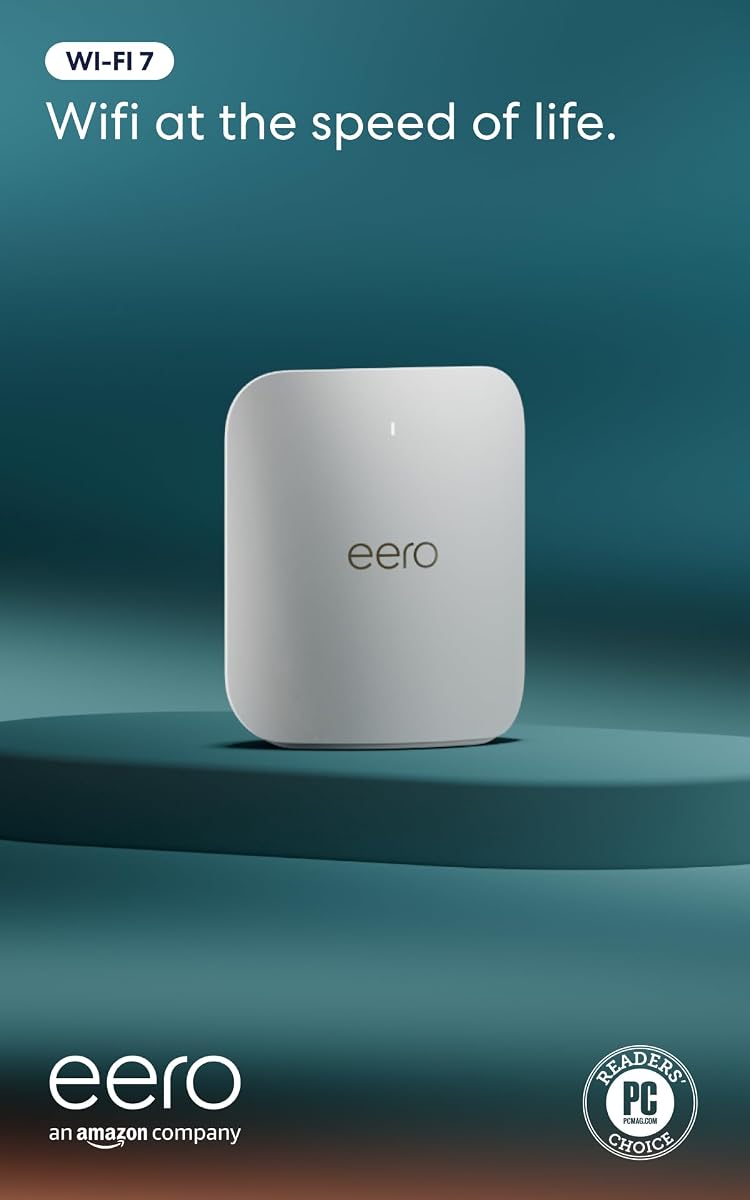
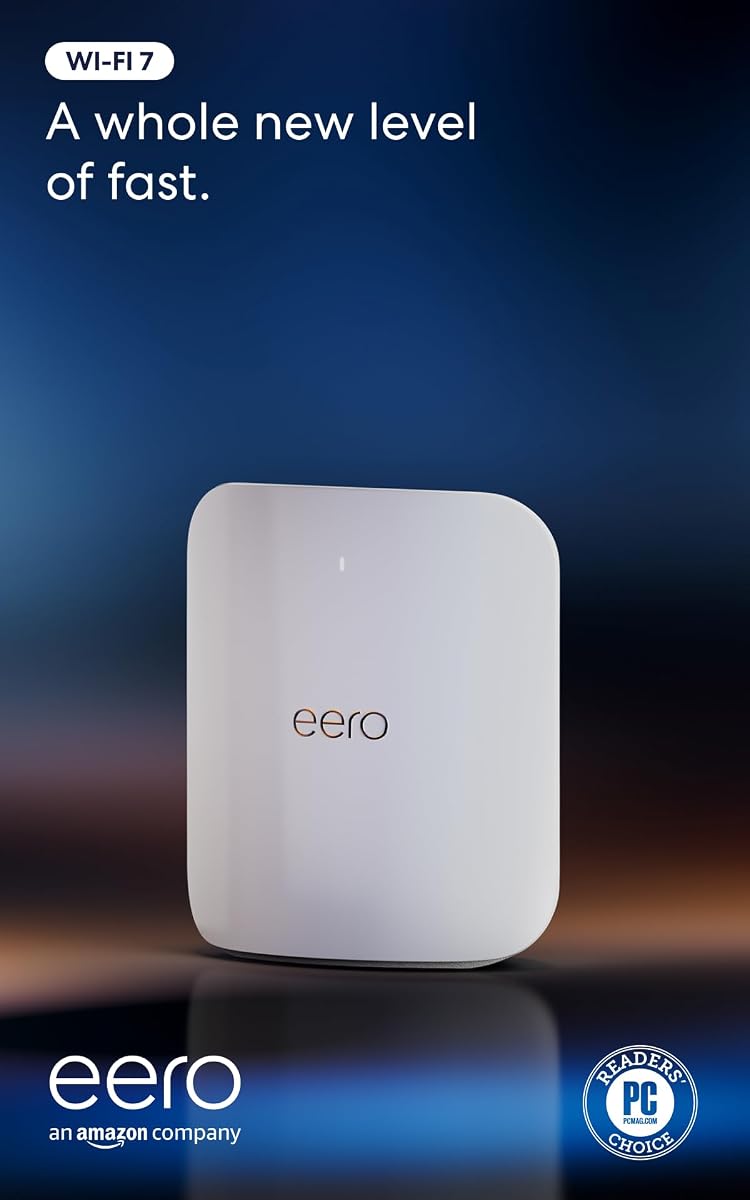
The Amazon eero Pro 7 tri-band mesh Wi-Fi 7 router – Supports internet plans up to 5 Gbps, Coverage up to 2,000 sq. ft., 1-pack, offers a 4.3 rating and an approachable approach to high-end home networking. It combines Wi-Fi 7, multi-gig Ethernet, and eero's integrated mesh system without requiring users to assemble a mixed-brand expansion.
We may earn a commission when you buy through this link, at no additional cost to you.
The single unit supports internet plans up to 5 Gbps through two auto-sensing 5 GbE ports and provides wireless speeds up to 3.9 Gbps. Its stated capacity covers 2,000 square feet within a 25-foot radius and more than 200 devices. Multi-Link Operation and eero's TrueMesh, TrueRoam, and TrueChannel software are designed to maintain reliable connections across floors and rooms.
Expansion is straightforward because the eero Pro 7 is backward compatible with previous eero generations and can join an existing eero network. It can also serve as a gateway for an eero system, and compatibility with eero Built-in on select Amazon Echo devices extends its role into the smart-home environment. The three-year warranty and dedicated support add further reassurance.
The principal trade-off is that this listing is a one-pack, while better whole-home coverage may require additional eero units. Its two 5 GbE ports are fewer than the 10 Gbps options on the eero Max 7 and premium NETGEAR models. For users who value simple setup, coherent mesh expansion, and modern Wi-Fi 7 performance, the Pro 7 remains an attractive choice.
The eero Pro 7 can extend an existing eero network or help form a new one, avoiding the need to match a separate mesh ecosystem. That consistency makes it a good fit for households that want straightforward administration and a clear upgrade path.
Two 5 GbE ports support faster internet service and high-bandwidth wired devices, while the stated support for 200-plus devices suits busy homes. TrueMesh software and Multi-Link Operation work together to help clients maintain efficient connections as usage changes.
We may earn a commission when you buy through this link, at no additional cost to you.
The Amazon eero Max 7 mesh wifi router (newest model) – Supports internet plans up to 10 Gbps, Coverage up to 2,500 sq. ft., Connect 250+ devices, 1-pack, has a 4.2 rating and serves as the more advanced eero option. It combines Wi-Fi 7 performance with two 10 GbE ports, broad device capacity, and smart-home hub functions.
We may earn a commission when you buy through this link, at no additional cost to you.
The router can support internet plans up to 10 Gbps and provides stated wired speeds up to 9.4 Gbps alongside wireless speeds up to 4.3 Gbps. Its multi-gig backhaul capability makes it more appropriate than the eero Pro 7 for high-speed fiber and an expanded mesh network, while the stated 2,500-square-foot radius supports up to 250-plus devices.
Smart-home integration is another distinguishing feature. The Max 7 can act as a controller for Thread, Matter, and Zigbee devices, complementing its role as the network gateway. The eero app guides setup and permits remote management, while TrueMesh software dynamically selects paths intended to limit interference and maintain dependable performance.
As with other mesh systems, extending coverage to a very large or multi-story home can require additional eero units. The optional eero Plus subscription also provides an extra layer of online protection, although the core router remains functional without it. Buyers wanting a straightforward mesh platform, multi-gig wired flexibility, and smart-home compatibility will find the Max 7 particularly compelling.
Two 10 GbE ports distinguish the Max 7 from the eero Pro 7 and support premium internet plans. The same capability allows high-speed links between mesh nodes, which can be valuable in larger homes where a conventional wireless backhaul would be less desirable.
Thread, Matter, and Zigbee compatibility allows the Max 7 to serve as a smart-home controller as well as a network gateway. That makes it more versatile for buyers building a connected home around compatible accessories and voice-enabled ecosystems.
We may earn a commission when you buy through this link, at no additional cost to you.
The NETGEAR Nighthawk WiFi 7 Router RS90, Up to 2,000 sq ft, 3.6 Gbps, provides a 4.3 rating and an accessible entry point into Wi-Fi 7. It targets homes that want current wireless technology and a multi-gig internet connection without paying for a quad-band flagship or a larger mesh system.
We may earn a commission when you buy through this link, at no additional cost to you.
Its dual-band architecture reaches a stated 3.6 Gbps across 2.4 and 5 GHz, with MU-MIMO and OFDMA enabling simultaneous transmissions from multiple devices. Coverage is listed at up to 2,000 square feet for as many as 50 devices. As with the other Nighthawk models, walls, floors, and interference can reduce real-world range, and larger properties may benefit from Orbi mesh equipment.
The 2.5 Gbps WAN port can be connected to a multi-gig modem or gateway, while four 1 Gbps LAN ports serve computers, consoles, televisions, and storage devices. The Nighthawk app handles setup, Wi-Fi management, speed tests, device pausing, and guest networks. Advanced Router Protection and automatic firmware updates are enabled out of the box, and NETGEAR Armor includes a trial before requiring a separate subscription.
The RS90's limitations are inherent to its simpler design. It has no dedicated 6 GHz band, making the tri-band BE400, AXE75, and eero Pro 7 better choices when that spectrum matters, and its four LAN ports are limited to 1 Gbps. Nevertheless, it is a well-rounded choice for apartments, smaller homes, and buyers seeking a straightforward, more approachable Wi-Fi 7 upgrade.
MU-MIMO and OFDMA help the RS90 handle traffic from several clients at once, while the dual-band layout keeps the design approachable. Its 3.6 Gbps stated ceiling is substantial for a home network, although actual throughput depends on connected devices and the available internet service.
The 2.5 Gbps WAN port allows the router to use a multi-gig internet plan rather than limiting the connection to 1 Gbps. Four 1 Gbps LAN ports are enough for many common household devices while keeping the overall configuration straightforward.
We may earn a commission when you buy through this link, at no additional cost to you.
Choose a high-end router by matching its wireless bands, aggregate throughput, Ethernet ports, coverage, management tools, and security features to your internet plan, home layout, and connected devices.
A router cannot create internet speed beyond the plan delivered by the service provider, so match the WAN port to your connection. A 1 Gbps WAN port can bottleneck a multi-gig service, while 2.5 Gbps, 5 Gbps, and 10 Gbps ports provide progressively more headroom for premium fiber and other fast plans. Also account for processing overhead and the fact that real wireless results depend on clients, congestion, distance, and interference.
Wi-Fi 7 introduces features such as Multi-Link Operation, 4K-QAM, wider 320 MHz channels, and improved efficiency, while Wi-Fi 6E adds access to the 6 GHz band. A tri-band or quad-band design can provide more usable spectrum, but newer hardware does not automatically improve every client. Consider the operating systems and devices already in your home as well as those you expect to purchase.
Manufacturer coverage figures are useful comparisons but are not guarantees in every building. Dense walls, multiple floors, metal, appliances, neighboring networks, and the position of the router can reduce range. Single routers are often sufficient for apartments and modest homes, while large properties may need a mesh system, additional access points, or carefully placed Ethernet backhaul to eliminate dead zones.
Every connected device consumes router capacity, but light browsing and heavy 4K video, downloads, gaming, and cloud applications place different demands on the network. Routers here list capacities ranging from about 50 devices on the RS90 to 200 devices on the RS700S. Treat those figures as maximum supported populations rather than guarantees of identical performance for every client.
Fast Wi-Fi becomes more useful when the wired network can sustain the same speed. Look for at least one 2.5 Gbps port on a modern router, multiple 2.5 Gbps LAN ports for local storage and workstations, or 10 Gbps ports for premium fiber and mesh backhaul. A clear port layout also lets you determine whether a NAS, gaming desktop, television, or switch needs a dedicated connection.
A premium router should offer more than a shared password. Look for parental controls, device identification, automatic updates, traffic reporting, threat prevention, VPN support, and the ability to create separate networks. The Synology RT6600ax is especially oriented toward segmentation, while TP-Link HomeShield, NETGEAR Advanced Router Protection, and optional Armor services provide comparable categories of network protection across different ecosystems.
The best router is one you can configure and maintain. TP-Link Tether, NETGEAR Nighthawk, and eero emphasize mobile app management, while Synology provides deeper network segmentation for administrators and ASUS targets advanced users with gaming and performance features. Confirm that the app supports the devices and functions you need, and check compatibility before mixing mesh nodes, range extenders, or powerline adapters.
Gaming routers can prioritize traffic, optimize particular connections, and provide specialized network diagnostics, while mesh systems can act as hubs for compatible smart-home accessories. The ASUS ROG GT-BE98 Pro emphasizes gaming acceleration and high-speed Ethernet, whereas the eero Max 7 supports Thread, Matter, and Zigbee as a controller. Specialized features are useful only when your devices and activities genuinely need them.
Start by positioning the router in a central, open location rather than inside a cabinet, behind a television, or at the edge of the property. Connect the modem or gateway to the appropriate WAN port, power the router on, and use the manufacturer's app or web interface for guided setup. Update the firmware before adding many devices so that the latest stability and security improvements are in place.
Create separate networks for guests, work devices, and smart-home equipment when the router supports them. Use strong, unique administrative and Wi-Fi passwords, enable automatic security updates, and review connected devices periodically. For a large home, position mesh nodes where they can communicate clearly, keeping wired backhaul in mind whenever high-speed transfers or gaming are priorities.
Treat the router as the center of a managed network rather than a device that should never be adjusted. Review firmware notices, parental-control schedules, VPN settings, and quality-of-service priorities as household needs change. Avoid placing the unit in direct sunlight or near heat sources, and allow enough clearance for the cooling design specified by the manufacturer.
Not necessarily. A fast Wi-Fi 6 or Wi-Fi 6E router can still deliver excellent performance when connected to a compatible client and a suitable modem. Wi-Fi 7 becomes more valuable when you own several newer devices, use a multi-gig plan, need better simultaneous capacity, or want features such as Multi-Link Operation and wider 6 GHz channels.
No. Maximum figures describe the router's theoretical combined capacity, not the speed every client will receive. Your internet plan, Wi-Fi generation, distance, interference, device limitations, number of simultaneous users, and wired backhaul all influence the result.
Usually not. A 2.5 Gbps WAN port is often sufficient for current multi-gig residential service, while 5 and 10 Gbps ports are more relevant to premium fiber, local high-speed networks, and mesh backhaul. Match the port to your service rather than paying for unused capacity.
It depends on the building and placement. A central router can work across multiple floors, but walls, floors, metal objects, and interference can create dead zones. A mesh system or additional wired access point is usually the more reliable solution for large or unusually obstructive homes.
Mesh systems are generally better for flexible whole-home expansion and easier multi-node management. Traditional routers can provide more high-end ports, gaming features, or advanced controls on the primary unit. The eero Pro 7 and Max 7 are particularly convenient when a coherent mesh ecosystem is the priority.
Most homes do, although some providers supply a combined modem and router. The supplied product information for the TP-Link models notes that a separate modem is required, while NETGEAR models can pair with an existing compatible modem or gateway. Confirm the connection type and provider requirements before installation.
The number represents the maximum theoretical throughput of each Ethernet connection. A 10 Gbps port can support very high local transfers and premium WAN plans, but the connected device, cable, switch, and network configuration must also support that speed. Most ordinary household devices remain limited to 1 or 2.5 Gbps.
Begin with firmware updates, a unique administrator password, automatic security updates, and appropriate parental controls. VPN, advanced routing, QoS, and optional paid protection services should be enabled according to your needs, because unnecessary changes can make troubleshooting or device access more difficult.
The TP-Link BE6500 BE400 stands out as the most balanced overall choice, combining Wi-Fi 7, two 2.5 Gbps ports, HomeShield, and EasyMesh expansion without moving into the most expensive hardware class. The NETGEAR RS700S is the premium Nighthawk choice for homes that can use its 10 Gbps WAN port, substantial device capacity, and up to 19 Gbps of stated wireless bandwidth.
For buyers seeking a particularly streamlined mesh system, the eero Max 7 provides two 10 GbE ports and broad smart-home support, while the eero Pro 7 offers a lower-tier path into modern mesh networking. The ASUS ROG GT-BE98 Pro is the specialist option for maximum capacity and gaming, and the Synology RT6600ax remains attractive when segmentation and remote access matter most.
Before buying, verify the current port layout, coverage needs, client compatibility, security subscription terms, and expansion options. Prices and promotions can change, so compare current offers rather than relying on an old recommendation. The best router is the one that matches your actual service, property, and device ecosystem while leaving enough headroom for future growth.