
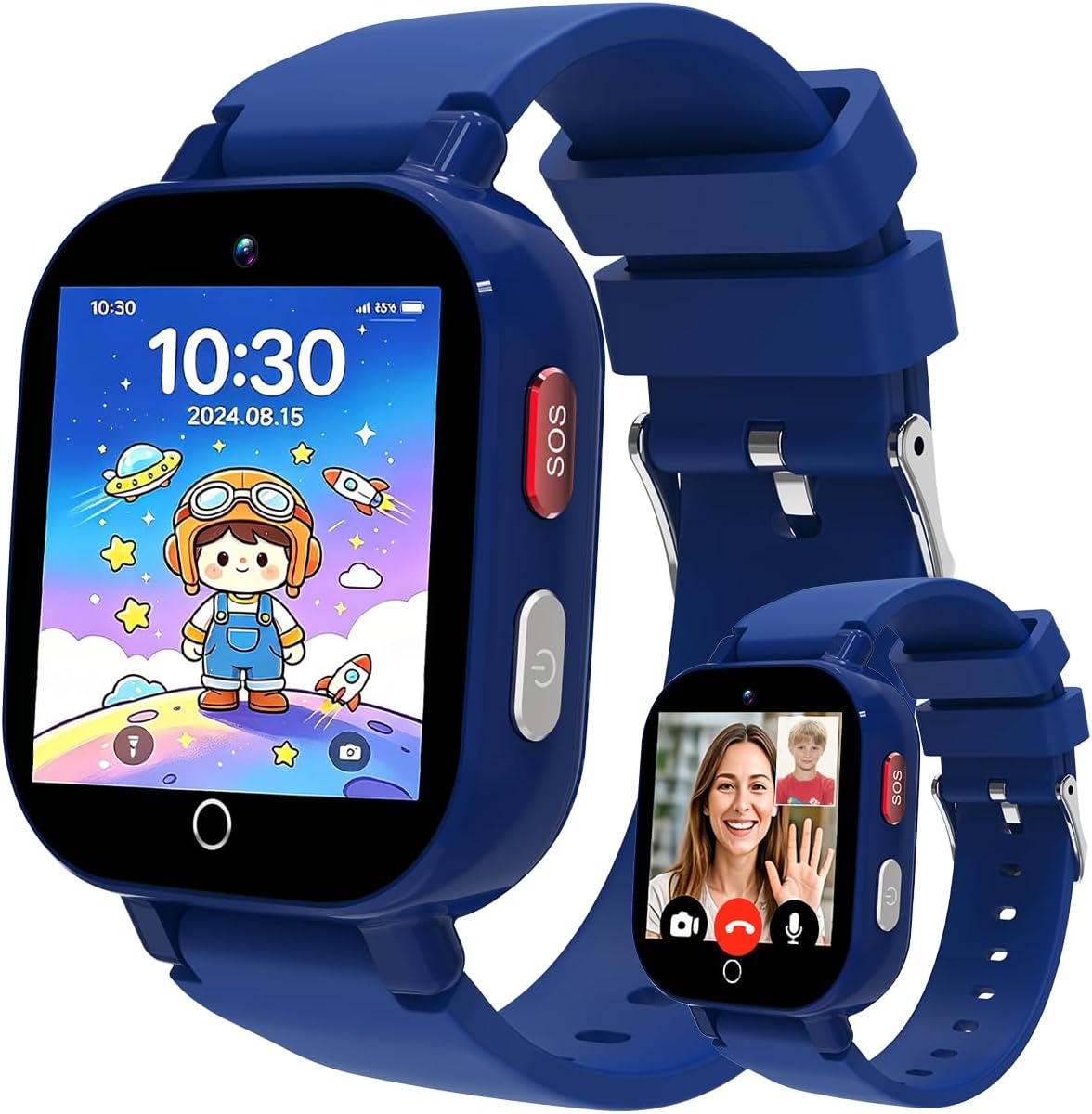
4G Kids Smart Watch Boy
5.0Editor score
GPS and LBS positioning
Parent-managed messaging
Five-second SOS activation
School mode and games
Our Kids Texting Watches guide compares ten GPS smartwatches for calling, messaging, safety, parental controls, apps, durability, and ease of use for families.
Kids texting watches give children a safer, simpler way to call approved contacts, exchange messages, and stay connected without carrying a full smartphone. The right model should balance reliable location tracking, useful parental controls, durable construction, and communication features that are easy for a child to navigate independently.
We compared ten kids texting watches across calling, video chat, messaging, GPS options, safe-zone alerts, SOS behavior, school controls, apps, water resistance, battery claims, age guidance, and setup requirements. The list includes dedicated kids watches, phone-style models, and flexible options that vary considerably in network compatibility and included accessories.
Each review identifies the feature set that makes a particular watch most useful and also explains limitations involving service, region, or everyday use. Ratings and product details reflect the supplied listings, while availability and prices change frequently, so readers should verify current information before purchasing.
5.0Editor score

4.1Editor score
4.1Editor score
This side-by-side comparison highlights the major differences among ten kids texting watches, including their communication methods, positioning systems, safety tools, controls, durability, and connectivity requirements.
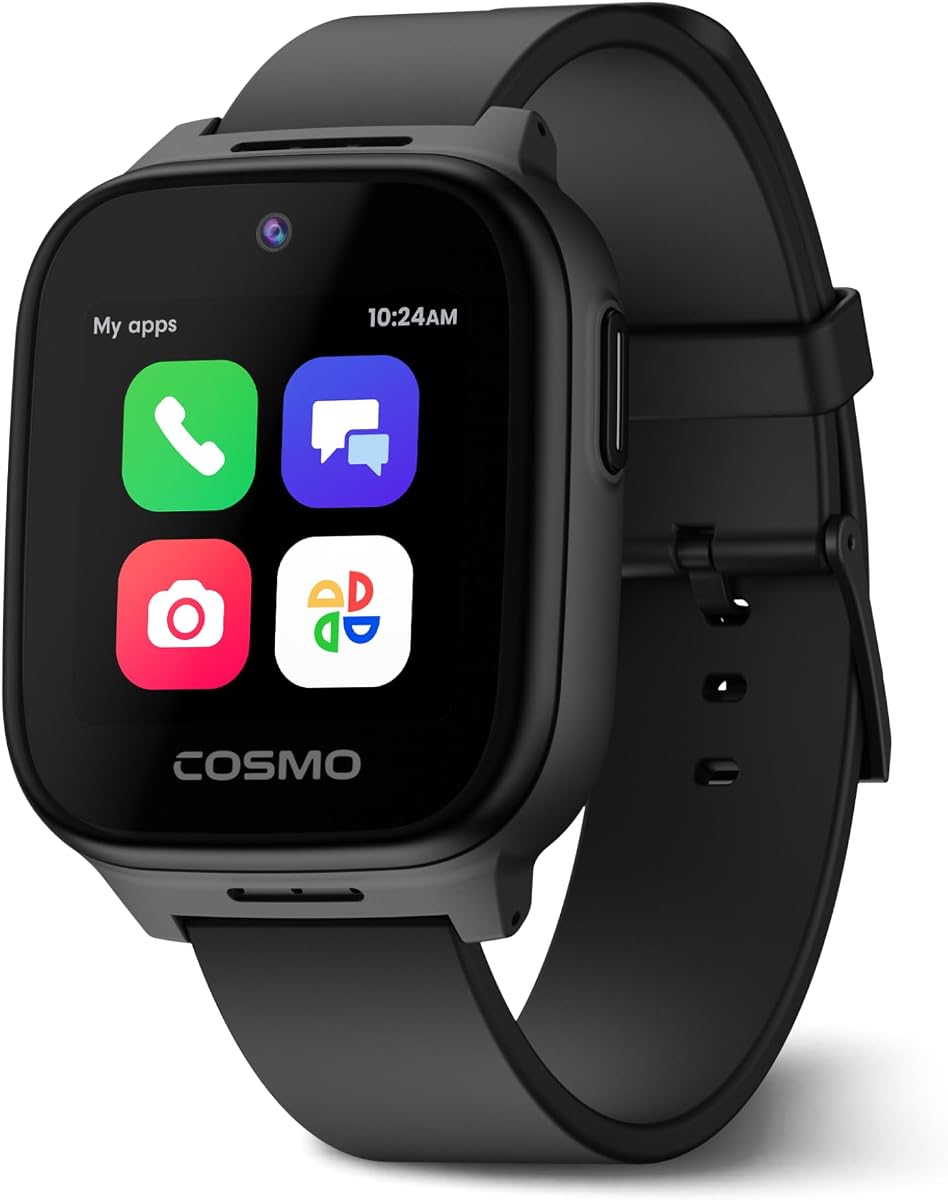


The JrTrack 5 is a feature-rich phone watch for children ages six and older, and its supplied rating is 3.6. It stands out for combining genuine calling and texting with real-time GPS, approved-contact controls, school settings, Focus Mode, SOS alerts, and optional kid-friendly apps. That combination makes it more like a carefully managed first phone than a basic tracker.
We may earn a commission when you buy through this link, at no additional cost to you.
Its strongest qualities begin with communication. True Texting supports text, pictures, audio, and short video messages with parent-approved contacts, while the parent app can monitor sent and received messages. Unknown callers and internet access are blocked, helping families preserve a deliberately narrow communication environment. Dedicated HaloGPS technology, safe-zone notifications, location history, and the four-part SafeCore system add another layer of oversight.
The trade-offs center on service and feedback rather than missing features. JrTrack does not work with other carriers, so families must accept Cosmo Mobile Family-Safe service and its eSIM activation process. The 3.6 rating is also the lowest among the watches in this guide, which may warrant more caution for buyers sensitive to customer experience. Even so, the range of controls, multimedia messaging, and safety tools is unusually comprehensive for this category.
This is a strong choice for a family that wants a genuine texting watch with deep parental oversight and does not mind using the specified cellular service. It is less suitable for households seeking carrier flexibility or for anyone who places more weight on a high aggregate customer rating. For families that value safe communication and location tools above all else, the JrTrack 5 remains a compelling recommendation.
Parent-approved contacts are central to the JrTrack 5 experience. By allowing calls and messages only from selected adults, the watch reduces spam and unwanted contact while giving children a straightforward way to reach family.
SOS alerts, safe-zone notifications, optional emergency calling, and detailed GPS history provide several ways to monitor a child's movements. Focus Mode and parent-managed time limits also make it practical to keep the watch from becoming a distraction.
We may earn a commission when you buy through this link, at no additional cost to you.
This 4G kids smartwatch has a supplied rating of 4.3 and targets children ages five through twelve. It combines GPS location, two-way video chat, voice calls, voice chat, an SOS button, a camera, class mode, geofencing, and route history. Seven built-in puzzle games add entertainment, while familiar tools such as an alarm, calculator, stopwatch, and pedometer round out the daily-use experience.
We may earn a commission when you buy through this link, at no additional cost to you.
Communication is the main reason to consider this model. Children can reach stored contacts through calls or video calls, and parents can monitor movement through daily routes and safe-zone alerts. The SOS button contacts as many as three pre-set guardians in sequence after a five-second hold. A daily calling list of 15 contacts and the ability to reject unknown numbers add useful layers of control for school walks, playdates, and after-school activities.
The primary complication is cellular setup. A Speedtalk nano SIM is required but not included, and the instructions call for restarting the watch and confirming a 4G network indicator. If a network tag does not appear, mobile network settings must be configured, and the manufacturer suggests contacting the seller if problems persist. That hands-on setup makes it less convenient than watches with a more integrated service process.
This model fits families that want broad communication tools, child-friendly entertainment, and standard geofencing without paying for a premium-tier product. It is a practical choice for children who can learn a few network settings with parent help. Buyers who want minimal setup should favor a model with a more integrated cellular activation process instead.
Video calls, voice calls, voice chat, and 15 stored numbers give children several ways to check in. This is useful during school pickup, playdates, and activities when a quick visual confirmation can be reassuring.
Holding the SOS control for five seconds starts a sequence of calls to three pre-set guardians. The straightforward interaction helps younger children request help without navigating through complex menus.
We may earn a commission when you buy through this link, at no additional cost to you.
This kids smartwatch carries a supplied rating of 4.9 and is designed for ages four through twelve. It offers a notably broad collection of features, including real-time positioning, voice and video calls, texting, SOS calling, a camera, class mode, safety fences, games, sports tracking, and historical route review. The product also describes a 2026 positioning upgrade intended to improve accuracy.
We may earn a commission when you buy through this link, at no additional cost to you.
GPS and LBS positioning work together, while the JuniCare app provides the main control center. Parents can review where a child has been, configure safety areas, manage the contact list, and control numerous watch functions remotely. Children can use voice chat and messaging to communicate with family and friends, and a five-second SOS press initiates two rounds of calls to three contacts until someone answers.
As with many entry-oriented 4G watches, cellular setup is the main compromise. A nano SIM must be purchased separately, with T-Mobile recommended in the listing. The watch needs a restart and an APN configuration when necessary. Its supplied rating is excellent, but the manual requirements may make the product less convenient for parents who want everything handled through one dedicated service.
This is an attractive recommendation for families seeking messaging, calling, GPS, games, and parent controls in one affordable-style package. It works particularly well when a parent is comfortable helping with initial network configuration. Buyers prioritizing a fully integrated carrier setup should examine a dedicated-service model before making a final decision.
The JuniCare app centralizes location history, safety fences, contacts, and watch settings. This makes it easier to review a child's route and adjust communication permissions without juggling multiple tools.
Texting, voice chat, video calls, and a 15-number phone book offer children familiar ways to stay in touch. At the same time, parents retain the ability to reject calls from strangers.
We may earn a commission when you buy through this link, at no additional cost to you.
This 4G kids smartwatch has a supplied rating of 4.1 and is positioned for children age three and older. It stands out with AI-assisted positioning, support for GPS, GLONASS, Galileo, BeiDou, QZSS, and NavIC satellite systems, 4G video calling, Wi-Fi support, remote listening, IP68 protection, and an AI voice assistant. The included SIM and broad app controls also make it a more feature-dense option.
We may earn a commission when you buy through this link, at no additional cost to you.
Location is the central strength. Parents can refresh a child's position, review routes, create multiple geofences, receive safe-zone alerts, or remotely ring the watch. Communication includes 4G video calls, voice calls, instant messages, group chat, voice notes, text, and emojis. The app adds contact management, unknown-call blocking, a disabled dial pad, class mode, scheduled power controls, remote restart, and other restrictions.
Some features require thoughtful setup and use. The watch is supported only in the United States, which makes it unsuitable for international families. Remote listening can provide useful context in an emergency, but it should be introduced with clear family rules and used responsibly. The advertised battery figures also describe particular use or standby conditions rather than guaranteeing the same result for every child.
This is the strongest premium-style pick in the guide for families that want extensive oversight, flexible communication, and a durable design. It is especially suitable for schools, activities, and busy family routines where group communication and remote controls can reduce friction. Parents should confirm regional compatibility and establish responsible remote-listening boundaries before deploying it.
The watch combines GPS with several satellite networks, Wi-Fi, and LBS positioning. That layered approach can provide more useful location information across outdoor, indoor, and urban environments.
Scheduled shutdown, remote restart, class mode, dial-pad disabling, and unknown-number blocking give parents extensive ways to shape the watch. The result is closer to a managed first phone than a simple communication device.
We may earn a commission when you buy through this link, at no additional cost to you.
The TickTalk5 is an all-around kids texting watch for ages three through twelve, with a supplied rating of 4.1. It stands out as one of the few models in this list offering real SMS texting and group chats alongside voice calls, video calls, a 5MP front camera, emergency quick-dial buttons, and an AI-assisted location correction system.
We may earn a commission when you buy through this link, at no additional cost to you.
Its messaging is the biggest differentiator. Children can send standard texts, Talk-to-Text responses, voice messages, emojis, photos, and group chats to approved contacts, even when the recipient does not use the TickTalk app. Unknown numbers are blocked automatically, while an encrypted in-app messaging layer provides another option for families seeking additional privacy. SmartPin continuously refines location results, and parents receive location updates when emergency calls occur.
The parental app is similarly mature, with trusted contacts, caller blocking, call logs, reminders, School Mode, watch passwords, user permissions, and T-Cloud backup controls. SignalBooster technology, support for multiple LTE bands, Wi-Fi, and Bluetooth help maintain connectivity. The watch also includes music through iHeartRadio Family, a step tracker, and practical tools, while deliberately avoiding games and social media.
This is the editor's choice because it addresses the core needs of a kids texting watch more completely than most alternatives: credible texting, approved-contact calling, useful location correction, privacy options, and focused entertainment. Buyers should still review service compatibility, activate the watch with adult help, and configure the parental controls before handing it over. For a first phone that still feels distinctly child-focused, it is the most balanced recommendation here.
Standard SMS, group chats, photos, voice notes, and Talk-to-Text give children more natural ways to communicate than a voice-only wearable. Approved contacts remain the central safety boundary.
SmartPin uses AI algorithms to improve GPS correction and can refine positioning indoors. Emergency quick-dial buttons also provide location updates when a child calls for help.
We may earn a commission when you buy through this link, at no additional cost to you.
The JrTrack 5 SE is a Cosmo phone watch for children ages six and older, with a supplied rating of 3.6. Its defining feature is School-Fi, which recognizes when the child reaches school and automatically limits distractions while retaining essential communication and safety functions. It also provides real-time Active Tracking, safe-zone alerts, location history, and the SafeCORE safety system.
We may earn a commission when you buy through this link, at no additional cost to you.
Calling and texting are genuinely useful for a first phone. The watch supports real SMS and MMS, calls, photos, voice notes, video messages, and family group messaging. Only parent-approved contacts can reach the device, and parents can monitor text history, manage apps, set time limits, and configure safe locations. The feature set makes it particularly suitable for a child beginning a transition toward independent communication.
The main limitation is again cellular exclusivity. JrTrack 5 SE requires Cosmo Mobile Family-Safe service and its eSIM, so families cannot use another carrier. Its supplied 3.6 rating is lower than those of most alternatives, which should be considered alongside the otherwise extensive feature set. The School-Fi automation is useful, but it also depends on location behavior and a properly configured family routine.
Choose this watch if automatic school management and tightly controlled family communication are priorities. It may be less appealing to households that want carrier flexibility or depend primarily on a high customer rating. For families already comfortable with Cosmo's ecosystem, the SE model offers a particularly thoughtful school experience and a broad set of first-phone functions.
Instead of requiring parents to manually schedule every distraction-free period, School-Fi recognizes arrival at school and adjusts the watch accordingly. Essential communication and safety features remain available.
Real SMS, MMS, photos, voice notes, video messages, and group chats make the watch practical for everyday check-ins. Parent approval keeps the communication list limited to trusted adults.
We may earn a commission when you buy through this link, at no additional cost to you.
The Lumthou Smart Watch for Kids has a supplied rating of 5.0 and is intended for ages three through twelve. It combines calling, GPS tracking, video calling, SMS, a camera, voice and picture sharing, SOS calling, school mode, sports tracking, games, and a 1.83-inch HD touchscreen. The accessory package is unusually accommodating for a watch intended for children.
We may earn a commission when you buy through this link, at no additional cost to you.
Positioning combines GPS, signal-tower location, and Wi-Fi, while safety-fence notifications warn parents when a child enters a restricted area. Holding the SOS button for three seconds sequentially calls three emergency contacts. The included SIM must still be activated through the supplied instructions. Removable and replaceable bands, a detachable case, a necklace lanyard, and two chargers make it easier to adapt the watch to different children and situations.
The listing claims a 680mAh battery with up to 12 hours of use in GPS mode, an average of 24 hours in regular use, and as much as seven days on standby. Actual life will depend on tracking frequency, calls, video use, and network conditions. The generous accessory set is valuable, but the three-year age floor and lanyard or case options also mean parents must consider fit and safe handling carefully.
This is a compelling pick for families wanting broad features, multiple positioning methods, and a watch that can be adapted to different wrists or carried in different ways. Its supplied rating is the highest in the group. The key trade-off is battery life when GPS is used heavily, followed by the need to complete SIM activation before relying on cellular features.
Replaceable straps and a detachable case make the watch easier to personalize and maintain. The lanyard option can offer another carrying method for children who prefer not to wear it continuously on a wrist.
GPS, cellular signal towers, and Wi-Fi provide complementary ways to estimate location. This layered system can be especially helpful when one positioning method has a weak or obstructed signal.
We may earn a commission when you buy through this link, at no additional cost to you.
This 4G kid phone watch has a supplied rating of 4.6 and is designed for children ages four through twelve. It provides voice and video calls, GPS, Wi-Fi and LBS positioning, safe-zone alerts, unknown-number blocking, one-touch SOS, class mode, and an 800mAh battery. Two interchangeable straps add a simple way to vary the watch's appearance.
We may earn a commission when you buy through this link, at no additional cost to you.
Classroom Mode is one of the most useful everyday features. It reduces the interface to the time while preserving emergency calling, which gives children a useful way to contact family without inviting the distractions of messages, games, or browsing. Position information can be checked in the Junicare app, where parents can establish safe zones and receive alerts if a child leaves them.
The included SIM must be activated through the official Speedtalk website, and it is compatible only with this watch. That specificity reduces setup ambiguity but limits future flexibility. IP68 water resistance is suitable for splashes, rain, handwashing, swimming, and similar everyday water exposure according to the listing. The battery's actual life will vary with call volume, tracking use, and video activity.
This is a practical recommendation for families that prioritize school focus, straightforward calling, and water resistance. It suits parents who appreciate a dedicated Speedtalk card and want two straps included. Those wanting a broader carrier choice or more advanced messaging may prefer one of the models with standard SMS and group chat functions.
Classroom Mode leaves only the time visible and retains emergency calling. This gives teachers and parents a simpler tool for reducing distraction without fully removing safety access.
The listed IP68 rating covers common wet scenarios such as rain, handwashing, splashes, and swimming. Families should still follow the manufacturer's care guidance and understand that water resistance is not a guarantee against every condition.
We may earn a commission when you buy through this link, at no additional cost to you.
The Transformers-branded 4G kids smartwatch has a supplied rating of 4.7. Its listing emphasizes two-way calls, HD video chat, real-time GPS, route history, safe-zone alerts, one-touch SOS, IP68 water resistance, and a dual-strap design. It also includes scheduled class mode and in-app customer support, giving it a concise but practical set of safety features.
We may earn a commission when you buy through this link, at no additional cost to you.
The watch is designed around a straightforward family routine. Parents can review a child's location and route history, establish safe zones, and schedule distraction-free class periods. Two-way calling and video chat offer children a direct connection to family, while one-touch SOS provides a simple emergency path. The dual straps make it easier to accommodate different preferences or replace a worn band.
An active nano SIM is required for full functionality, so the watch should not be expected to provide complete calling and tracking service without cellular activation. The supplied information is also less detailed than for several other models, making it especially important to examine the current manual, package contents, and compatibility terms. IP68 water resistance adds durability, but care instructions should still be followed.
This watch is best for families seeking a compact, familiar combination of tracking, video calls, and school controls. Its high supplied rating is encouraging, although buyers should not treat ratings as a substitute for checking carrier and SIM requirements. It is a solid alternative when straightforward safety features matter more than a large ecosystem of optional apps.
Real-time location, route history, and safe-zone alerts give parents a clear view of a child's movements. Refreshing the position in the app can also help confirm whether a watch is with the child.
The dual-strap design provides two wearing options and makes replacement more convenient. Its stated water resistance supports use during active school days and everyday outdoor routines.
We may earn a commission when you buy through this link, at no additional cost to you.
This 4G kids smartwatch has a supplied rating of 5.0 and is intended for children ages five through twelve. It combines real-time GPS and LBS positioning, 240 by 240 video calling, voice chat, text messaging, a one-key SOS control, a camera, school mode, games, and a pedometer. The result is a broad communication package centered on parent-managed contact.
We may earn a commission when you buy through this link, at no additional cost to you.
Location features include a claimed accuracy of approximately five meters for the upgraded dual positioning system, along with daily route history in the app. Parents can manage interactions through a dedicated application, while children communicate with approved contacts using video, voice, and text. Holding the SOS button for five seconds cycles repeatedly through three emergency contacts and sends guardians the child's location. Fifteen trusted numbers can be stored for everyday use.
The watch requires a Speedtalk nano SIM, which is not included, and the product is restricted to North America. It should also be removed before swimming or showering despite its broader water-resistant positioning. The 650mAh battery is described as supporting three to five active-use days, although call duration, tracking, and video use can materially affect that result.
This is the best budget recommendation for families seeking a capable texting watch without focusing on premium extras. The five-point supplied rating, combination of GPS and LBS, approved-contact communication, and emergency automation make it particularly compelling. It is best for North American buyers who are comfortable obtaining and configuring the required Speedtalk SIM.
A dedicated app gives parents control over interactions while allowing approved contacts to message or call the child. Unknown-number blocking adds another layer of communication safety.
After a five-second hold, the watch repeatedly calls three pre-set emergency contacts and sends a location message to guardians. Repetition can be valuable when a child is frightened or the first call is not answered.
We may earn a commission when you buy through this link, at no additional cost to you.
A useful kids texting watch should provide dependable communication without opening the door to unrestricted browsing, messaging, or contact with strangers. Compare location methods, cellular compatibility, parental controls, emergency behavior, durability, and the child's age before choosing.
The central distinction in this category is whether a watch supports real text messages or only voice and video calls. True SMS, MMS, group chats, photos, emojis, and voice notes can help children communicate more naturally, particularly when they cannot call during school. TickTalk5 and the two JrTrack models explicitly support real texting, while several generic 4G watches use app-based messaging, voice chat, or other communication methods. Confirm whether the recipient needs a compatible app and whether standard SMS is genuinely included.
Choose standard SMS when the goal is broad, uncomplicated family communication. Prioritize parent approval, unknown-number blocking, and message monitoring. If the child mainly needs voice check-ins, a simpler watch may be easier to operate.
Connectivity can be the most consequential setup issue. JrTrack 5 and JrTrack 5 SE work only with Cosmo's specified family-safe service. Other models may require a Speedtalk nano SIM, a T-Mobile nano SIM, or another compatible card, and some packages include a card that only works with that watch. A SIM being included does not necessarily mean cellular service is already active. Check regional support, activation requirements, network bands, APN instructions, and whether the service is sold separately.
Match the watch to a cellular provider your family can use without special exceptions. Confirm that service is available in the child's regular location before relying on emergency features.
Kids GPS watches commonly use a combination of GPS, Wi-Fi, LBS, and cellular signal data. TickTalk5 adds AI-assisted SmartPin correction, while the JrTrack models emphasize dedicated location hardware and real-time tracking. The most useful parental tools include live location refresh, route history, customizable safe zones, and alerts when a child enters or leaves a designated area. A find-watch function is also useful when a child cannot answer a call.
Do not treat a location estimate as a guarantee of perfect accuracy. Buildings, trees, tall structures, and weak cellular coverage can affect results. Review the positioning method and app interface before making a decision.
The best controls make communication safe without preventing legitimate family contact. Look for parent-managed lists, unknown-caller blocking, call logs, app permissions, time limits, School Mode, and the ability to prevent messages from reaching the child. Some watches allow a parent to monitor message history, while others provide more limited visibility. A watch password or app-user permission system can also prevent a child from changing sensitive settings.
Set up approved contacts before the child leaves home. Include the right guardians, school personnel if needed, and trusted emergency contacts, but keep the list small enough for a child to navigate.
SOS controls should be easy to find and difficult to trigger accidentally. Most models use a press-and-hold action lasting approximately three to five seconds, then call several contacts in sequence. Several also send a location message to guardians. Parents should test the feature during setup, confirm that contact numbers are correct, and understand whether emergency calls work over cellular data, Wi-Fi, or both. Quick-dial emergency buttons and optional 911 calling can provide additional confidence.
A repeated SOS sequence is valuable, but it should not replace supervision. Teach children when to use it, what to say, and how to move to a safe location when help is on the way.
A watch can easily become a distraction if notifications, games, or unrestricted contacts remain available throughout the day. Basic class mode blocks entertainment or limits the display to the time, while automated features such as JrTrack 5 SE's School-Fi can adjust the watch when the child reaches school. Parent-managed time limits, scheduled power controls, and a focus mode are also useful. The strongest systems keep emergency communication available while suppressing nonessential content.
Choose a mode that children cannot easily disable. If the school has its own device rules, confirm that wearable calls and messages comply with those policies.
Children may run, wash their hands, splash puddles, or drop the watch, so durability matters. Look for IP-rated water resistance, strong screen protection, dust or shock resistance, and comfortable straps. Some models include interchangeable bands, detachable cases, or lanyards. Water ratings are not unlimited permission to swim or shower, and manufacturers may recommend removing the watch for certain activities. Fit should also allow the screen and SOS button to remain accessible without being too loose.
Check the age guidance and wrist range before buying. A smaller child may need a replacement strap or a case to prevent accidental presses and improve daily comfort.
Battery claims vary significantly because they may refer to standby time, light use, or continuous GPS tracking. Video calling, frequent location refreshes, and weak cellular signals can reduce runtime considerably. Look for a battery estimate that reflects ordinary use, a charger included in the package, and a replacement charger option if the child may lose the original. An indicator that shows the network and battery status can make troubleshooting easier.
Choose based on the child's schedule rather than the largest headline figure. A watch that lasts a full school day with reliable GPS is more valuable than one with a longer theoretical standby claim.
Begin setup with the child present but let an adult handle the technical work. Charge the watch fully, install the required SIM or activate the specified eSIM, insert the card as directed, and restart the device. Confirm that the network indicator appears before attempting calls, messages, or location functions. Some models require APN settings or an additional app configuration, so follow the current manual rather than relying on generic instructions.
Before handing over the watch, create the approved-contact list, establish safe zones, set class mode, and test both regular and SOS calls. Explain which controls children can use, how to hold the emergency button, and when they should seek help. Have the child practice calling a parent, sending a message, checking the time, and activating classroom mode so ordinary use does not become a source of frustration.
For care, keep the watch clean and dry, inspect the strap for looseness, and use the supplied charger. Follow the stated water-resistance limits, remove the watch before swimming or showering when instructed, and replace a damaged band or screen protector promptly. Review location history and app permissions periodically, update the watch and parent app when prompted, and remove the device from accounts if the child stops using it.
The best starting point is a watch with a simple interface, parent-approved contacts, real text support, class mode, and an easy SOS button. TickTalk5 is particularly well suited because it combines standard texting with strong contact controls and no games or social media. JrTrack 5 SE is another useful option when automatic school management and multimedia messaging are priorities. The right choice still depends on cellular compatibility and the child's maturity.
No. Some support real SMS texting, while others provide voice calls, video calls, voice chat, or messages that work only through a proprietary app. TickTalk5 and both JrTrack models explicitly support standard texting, including group messaging on TickTalk5. Before buying, check whether the intended recipients use the same service and whether SMS usage requires a particular carrier or data plan.
Most of the watches in this guide include unknown-number blocking, contact approvals, or both. JrTrack models limit access to parent-approved contacts, TickTalk5 blocks unknown numbers automatically, and several generic 4G watches provide the option in their companion apps. The exact process varies, so parents should set the approved list and test the blocking behavior before the child uses the watch independently.
Accuracy varies with the watch, the positioning method, buildings, trees, weather, and network conditions. GPS may perform well outdoors, while Wi-Fi and LBS can help estimate a position indoors. TickTalk5 uses AI-assisted SmartPin correction, and other models use layered GPS, Wi-Fi, and cellular positioning. Location readings should therefore be treated as helpful estimates rather than exact coordinates.
Several models have IP68 water resistance, which the listings associate with splashes, rain, handwashing, swimming, and similar situations. However, water resistance is not unlimited protection against every depth or condition. Follow the manufacturer's instructions, avoid exposing the watch to unsuitable water, and remove it before swimming or showering when the product guidance specifically says to do so.
Most require cellular service for calls, messaging, and live location, although some offline features may remain available. JrTrack models use Cosmo's specified family-safe service, while many other watches require a compatible nano SIM. Some packages include an activation card, while others require the buyer to obtain one. Check service availability and activation steps before purchasing, especially for international use.
The listed age ranges vary from three and older to six and older, but age guidance is only a starting point. A younger child may need help managing contacts, understanding SOS etiquette, and remembering to charge the watch. Consider the child's reading ability, independence, school rules, and likelihood of losing or damaging the device when deciding whether the feature set is appropriate.
Test outgoing calls, incoming calls, text messages, video chat, live location, route history, safe-zone alerts, class mode, and the SOS sequence. Confirm that contacts are entered correctly, the watch is connected to the intended network, and the battery and location indicators work as expected. A short supervised trial can also reveal whether the interface is too complicated for the child.
TickTalk5 is the strongest all-around recommendation because it combines real SMS, group chats, approved contacts, AI-refined location, strong parental controls, and a deliberately game-free environment. The 4G Kids Smart Watch with GPS Tracker stands out as the best premium-style option for extensive controls, remote listening, multi-satellite positioning, and IP68 protection, while the 4G Kids Smart Watch Boy offers the best budget combination of messaging, location, and emergency features.
Prioritize the watch that matches your child's age, your family's cellular service, and your supervision priorities. Real texting and parent-approved contacts matter most for a first phone, while schools may place greater weight on class mode, scheduled restrictions, and automatic distraction management. Location accuracy, battery life, water resistance, and setup effort should be compared alongside communication features rather than treated as afterthoughts.
Product ratings, package contents, regional support, and prices can change, so verify the current listing and manufacturer instructions before buying. This guide reflects the supplied product information and helps narrow the field, but the final decision should also account for fit, daily routines, and whether the family is comfortable with the watch's required service and parental controls.