
Omada SG3452
4.3Editor score
48 Gigabit PoE+ ports
Four Gigabit SFP slots
Omada SDN integration
This guide compares the best 48 port Gigabit managed switches, including port counts, PoE, SFP uplinks, security, and management features.
A 48 port Gigabit managed switch is built for organizations that need many wired connections without sacrificing visibility, segmentation, or control. The right model can support access points, cameras, phones, workstations, and servers while giving administrators useful tools for VLANs, traffic control, monitoring, and reliable uplinks.
We compared the ten switches in this guide by examining their stated port configurations, management platforms, Layer 2 and Layer 3 capabilities, security functions, PoE availability, mounting options, and expansion connectivity. The list includes fully managed, smart managed, PoE-oriented, renewed, and one unmanaged model for comparison, so the intended level of control is clear.
Each review explains where a switch fits and highlights the trade-offs visible in the supplied specifications. The top recommendations include the TP-Link SG2452LP for broad managed functionality and the NETGEAR GS748TPv2 for high-output PoE, while the Omada SG3452 offers a balanced alternative. Product availability and prices can change, so verify current listing details before buying.
4.3Editor score

4.7Editor score

5.0Editor score
The comparison below highlights each switch's access-port count, management level, PoE capability, uplink options, and intended deployment role. Because the list also includes an unmanaged and a renewed alternative, buyers can distinguish feature depth and product condition before selecting the most appropriate model.




The TP-Link SG2452LP is a fully managed 48-port Gigabit switch built for administrators who want centralized control and a substantial security toolkit. Its 4.7 rating reflects a strong customer reception, while its headline appeal comes from Omada Cloud Management Platform integration. That platform brings remote configuration, network monitoring, AI-related features, and Zero Touch Provisioning into a unified approach.
We may earn a commission when you buy through this link, at no additional cost to you.
Its management flexibility is one of the strongest aspects of the specification. A web interface gives administrators a graphical option, while CLI access through Telnet or SSH, SNMP, and RMON support more specialized workflows. Security features include 802.1X, IP-MAC-port binding, DHCP snooping, access control lists, DoS and DDoS defenses, flood control, STP, and SSHv2. For 802.1Q segmentation, IGMP support, port isolation, and loop detection, the switch also provides useful building blocks for a structured network.
The passive cooling design is especially useful in offices, conference rooms, healthcare facilities, and other quiet spaces because it avoids the noise associated with a fan-equipped enclosure. The listed failover capability is another advantage for installations that need to minimize disruption during an ISP outage. The trade-off is that the supplied data does not identify this as a PoE switch, so users expecting power over Ethernet must look elsewhere in the guide.
This is the strongest general recommendation for a large managed access layer because it combines 48 Gigabit ports, cloud-oriented administration, conventional local management, advanced security, and quiet operation. It is particularly suitable for organizations operating multiple sites or standardized networks where centralized visibility and remote provisioning can reduce administrative friction. Buyers should confirm their Omada controller and firmware strategy before installation.
Omada integration gives administrators a unified way to monitor and configure the switch, especially when related access points and gateways are also managed through Omada. Standalone web, CLI, SNMP, and RMON options preserve flexibility for local or protocol-based administration.
Features such as 802.1X, DHCP snooping, ACLs, port isolation, and storm controls help administrators divide users and devices into deliberate network segments. These controls are more appropriate for a business network than an unmanaged plug-and-play switch.
We may earn a commission when you buy through this link, at no additional cost to you.
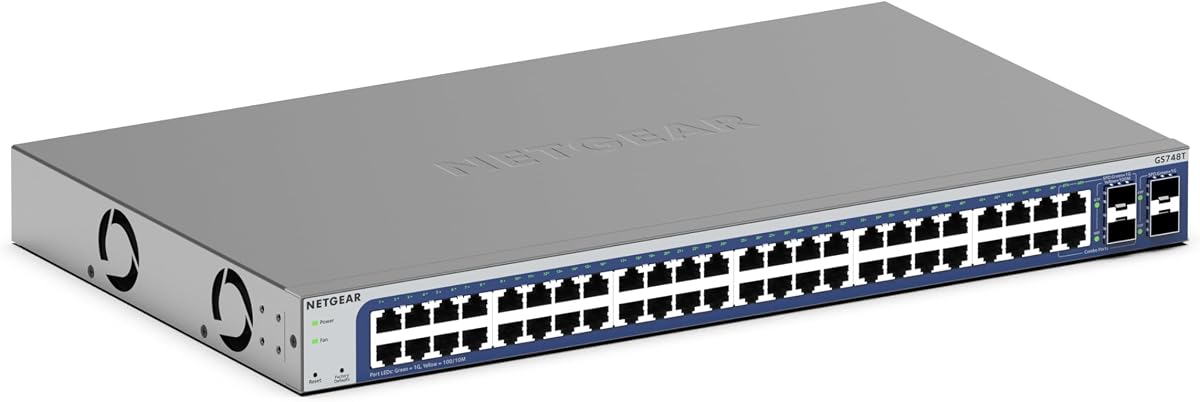
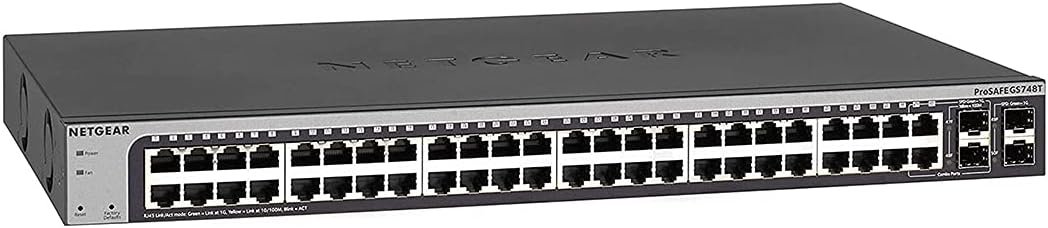
The NETGEAR GS748T is a 48-port smart managed switch that balances extensive copper connectivity with a relatively straightforward management approach. It carries a 4.4 rating and provides 48 one-gigabit Ethernet ports that auto-negotiate with connected devices. It works with existing Cat5e or Cat6 cabling, making it a practical fit for offices, schools, hospitality environments, and other access-heavy networks.
We may earn a commission when you buy through this link, at no additional cost to you.
Four one-gigabit SFP ports are included, with two shared, adding flexibility for fiber connections and network expansion. The switch supports NETGEAR's easy-to-use smart software, SNMP, NMS 300 management, and one year of NETGEAR Insight for remote management. A compact metal enclosure supports either desktop placement or rack mounting, while the fanless design provides quiet operation in offices and meeting spaces.
This model does not offer the fully managed feature depth of the SG2452LP or the Omada SDK3452, making it most appropriate for organizations that want controlled configuration and remote visibility without every advanced layer of control. The stated specification also does not include PoE, which is a decisive limitation for deployments with powered access points, cameras, or phones. IEEE 802.3az Energy Efficient Ethernet helps reduce power use.
The GS748T is a solid recommendation for buyers who prioritize 48 dependable Gigabit ports, quiet construction, and flexible mounting. Its SFP connectivity and NETGEAR Insight support make it easier to manage than a basic unmanaged switch. It works especially well where VLAN-aware control and remote monitoring matter but a fully comprehensive SDN environment would be unnecessary.
The four SFP slots give administrators more than the 48 RJ45 access ports, allowing fiber or compatible uplink arrangements where longer links or segmentation are useful. Two shared ports should be considered when planning how both copper and fiber connectivity will be used.
The fanless metal chassis is designed for low-noise operation in offices, classrooms, and similar spaces. Energy Efficient Ethernet also reduces consumption while retaining Gigabit link performance.
We may earn a commission when you buy through this link, at no additional cost to you.
The Omada SG3452 is an L2+ smart managed switch that provides 48 Gigabit RJ45 ports and four Gigabit SFP slots. Its 4.3 rating and clean integration with the Omada platform make it an appealing choice for growing businesses that want more control than an unmanaged switch without moving immediately to a fully managed hardware controller.
We may earn a commission when you buy through this link, at no additional cost to you.
Omada Software Defined Networking can combine switches, access points, and gateways under a hardware controller, software controller, or standalone mode. Remote cloud access and the Omada app allow centralized management across sites. Static routing adds useful L2+ functionality for internal traffic, while VLANs, IP-MAC-port binding, ACLs, port security, DoS defense, storm control, DHCP snooping, and 802.1X radius authentication create a serious security foundation.
Local management remains available through web, CLI, console port, Telnet, SSH, SNMP, RMON, and dual-image capabilities. Administrators can therefore begin in standalone mode and later incorporate the device into an SDN deployment. A key qualification is that controller and device firmware must support one another; compatibility information should be checked carefully before relying on centralized orchestration.
The SG3452 is an excellent value-oriented recommendation for a 48-port managed access switch. It provides more routing, security, and management depth than a basic smart switch while remaining adaptable to a larger Omada ecosystem. It does not include stated PoE support, so access-heavy installations should consider the TP-Link TL-SG3452P or NETGEAR GS348TPv2 instead.
Standalone management lets a smaller network begin with local control, while Omada SDN and cloud access provide a path to centralized administration. Buyers can also align future switches, access points, and gateways within one ecosystem.
Static routing can improve traffic handling between internal network segments without moving into a full Layer 3 platform. It is a meaningful addition for administrators who need more segmentation than a basic Layer 2 switch offers.
We may earn a commission when you buy through this link, at no additional cost to you.
This NETGEAR GS748T is a 48-port Gigabit smart switch with a 4.5 rating, offering managed access, a generous copper-port count, and long-term protection. Its product listing emphasizes 48 Gigabit Ethernet ports, four one-gigabit SFP ports with two shared, and smart software for secure setup, access control, SNMP, and NMS 300 management.
We may earn a commission when you buy through this link, at no additional cost to you.
Desktop and rack-mount installation are both supported, and the necessary mounting hardware is included in the box. That makes the switch more flexible than a model designed strictly for a work surface. IEEE 802.3az compliance supports energy-efficient operation, while the quiet design is useful in offices, schools, and other areas where fan noise would be distracting.
The main consideration is that this appears to be an established product generation. Although its management functions remain relevant, buyers comparing it with newer models should check current feature support, firmware availability, warranty interpretation, and the completeness of the current listing. The supplied data does not mention PoE, so it is better suited to conventional powered devices than to a large collection of PoE endpoints.
For buyers seeking a long-lived 48-port managed switch with straightforward software, flexible mounting, and lifetime limited hardware protection, this remains a compelling option. It is a natural fit for offices, educational environments, and branch networks where remote access and deliberate access controls are needed without the complexity of a larger SDN deployment.
Support for both desktop and rack placement makes the switch adaptable to workspaces, network closets, and growing installations. Included mounting hardware reduces one common installation task.
Smart software, SNMP, and NMS 300 provide enough control for secure configuration and network oversight. This middle ground is useful for organizations that value visibility but do not need every advanced feature of fully managed or SDN platforms.
We may earn a commission when you buy through this link, at no additional cost to you.
The TP-Link TL-SG3452P is a managed PoE switch designed for installations that need power and data across all 48 Gigabit access ports. It carries a 4.7 rating and supports 802.3at/802.3af PoE+ up to 30 watts per port, with a total budget of 384 watts. Four Gigabit SFP slots add uplink capacity for fiber or other compatible connections.
We may earn a commission when you buy through this link, at no additional cost to you.
PoE Auto Recovery is particularly useful in environments where powered devices reboot or experience temporary link changes. The switch supports IPv6, static routing, VLANs, ACLs, port security, DHCP snooping, storm control, 802.1X radius authentication, and other security controls. It can operate in standalone mode or integrate with Omada SDN, giving administrators both local and centralized options.
The key limitation is the finite PoE budget. Forty-eight ports drawing the maximum allowed amount would require more power than the stated total, so administrators must calculate realistic device requirements and leave headroom. As with the SG3452, SDN compatibility depends on suitable controllers, access points, switches, gateways, and firmware. That check should happen before committing to a multi-site management design.
This switch is best for offices, schools, hospitality environments, and similar deployments with numerous cameras, phones, or wireless access points. Its combination of 48 PoE+ ports, 384 watts of power, Layer 2+ features, and Omada integration makes it a strong all-in-one access-layer solution for administrators who can work within its power budget.
Providing PoE+ on all 48 RJ45 ports simplifies cabling for powered endpoints and avoids requiring a separate power injector for each device. The 30-watt per-port allowance also supports a broad range of common network equipment.
PoE Auto Recovery can restore power to connected devices after abnormal shutdowns or link interruptions. This is valuable in distributed installations where physical access to every endpoint may be difficult.
We may earn a commission when you buy through this link, at no additional cost to you.
The NETGEAR GS348 is not a managed switch, but its inclusion makes it a useful baseline for comparison. It delivers 48 auto-negotiating one-gigabit Ethernet ports in a simple, fanless metal design, earning a 4.8 rating. The absence of required software and configuration makes setup straightforward for users who only need reliable wired connectivity.
We may earn a commission when you buy through this link, at no additional cost to you.
The ports work with existing Cat5e or Cat6 Ethernet cables, and the compact enclosure supports desktop or rack-mount placement. IEEE 802.3az Energy Efficient Ethernet reduces power consumption while preserving Gigabit performance. Quiet operation and a broad port count make it suitable for basic office access, temporary networking, or a dedicated non-PoE segment.
Its lack of managed features is also its central weakness. There is no stated support for VLANs, traffic prioritization, port monitoring, link aggregation, or remote configuration. All connected devices therefore share the switch's basic forwarding behavior. It should not be chosen for departments that need segmentation, detailed monitoring, or policies for guest, voice, surveillance, and corporate traffic.
The GS348 is best for buyers whose needs are modest and whose priority is an uncomplicated 48-port Gigabit endpoint. It can also serve as a clearly separated basic access switch when a managed upstream device handles segmentation and policy. Buyers seeking the keyword's promised management should instead prioritize one of the NETGEAR, TP-Link, Ubiquiti, or YuanLey managed models.
No software installation or configuration is required, which makes the GS348 attractive for straightforward access networks. Connected devices can negotiate their link speed without a complex initial setup process.
The fanless chassis keeps noise low, while Energy Efficient Ethernet can reduce power consumption during lighter operating periods. Desktop and rack mounting offer flexibility for both temporary and permanent deployments.
We may earn a commission when you buy through this link, at no additional cost to you.
This listing offers the NETGEAR GS748T as a renewed Smart Managed Pro switch, with the same fundamental physical layout of 48 Gigabit Ethernet ports and four one-gigabit SFP ports, two of which are shared. It supports desktop or rack mounting, making it relevant to buyers who recognize the GS748T platform but want to investigate a renewed unit.
We may earn a commission when you buy through this link, at no additional cost to you.
The renewed designation is the most important qualifier. A renewed product may have different cosmetic or functional history than a new unit, and the supplied product data does not provide a numerical customer rating, condition notes, warranty terms, or an accessory list. The stated ProSAFE Lifetime Protection appears in the title, but buyers should confirm exactly what the seller and manufacturer apply to the specific renewed listing.
Because there is no current numerical rating, the rating field for this review is set to zero rather than inventing a score. Likewise, no unsupported claims are made about cosmetic condition, reliability history, or included hardware. A buyer who values the platform's 48-port and SFP configuration can consider it, but should examine the return policy, warranty, and condition description carefully.
This renewed option is best for cost-conscious buyers who understand the GS748T design and can tolerate some uncertainty inherent in refurbished inventory. It is less suitable for critical deployments where documented warranty coverage, uniform condition, and readily available support are top priorities. Comparing it against a new model should be based on the complete listing terms rather than headline specifications alone.
The GS748T design provides a large set of Gigabit access ports alongside SFP expansion options. Buyers familiar with the platform can assess whether its physical configuration suits their network plan.
Condition, warranty, return terms, and included accessories should be reviewed before purchase. A renewed unit may be a sensible fit, but the purchase should reflect a clear understanding of what the seller provides.
We may earn a commission when you buy through this link, at no additional cost to you.
The UBIQUITI EdgeSwitch Lite is a managed 48-port Gigabit switch with performance specifications that distinguish it from many conventional office switches. It has a 4.8 rating, 70 Gbps non-blocking switching performance, 140 Gbps switching capacity, and a stated forwarding rate of 104.16 Mpps. These figures suggest capacity intended for demanding aggregation or high-throughput access environments.
We may earn a commission when you buy through this link, at no additional cost to you.
The physical configuration combines 48 Gigabit RJ45 ports, two SFP+ ports, two SFP ports, and a serial console port. The inclusion of both SFP+ and SFP options gives administrators more flexibility for uplinks, including high-speed server or switch connections where appropriate. A serial console port is useful during setup or troubleshooting, particularly before network-based management is available.
The switch can be rack- or wall-mounted, and it supports a redundant or stand-alone DC input option. That power flexibility is notable for installations where uptime matters, although the specific power configuration should be confirmed before installation. The supplied title is truncated and the product data does not mention PoE, so this should be treated as a non-PoE model unless the current listing states otherwise.
The EdgeSwitch Lite is best for administrators who prioritize switching capacity, uplink speed, and flexible physical installation. It is a strong candidate for a network core, server access area, or high-throughput enterprise segment. Those seeking simpler stand-alone management or integrated PoE may find a more suitable choice elsewhere in this guide.
Two SFP+ and two SFP ports provide multiple paths for compatible fiber or other high-speed links. These uplinks can support a more demanding aggregation role than basic Gigabit-only connectivity.
Rack or wall mounting makes the switch usable in network closets and other installation positions. The redundant or stand-alone DC input option gives administrators additional flexibility for power planning.
We may earn a commission when you buy through this link, at no additional cost to you.
The YuanLey managed PoE switch combines 48 Gigabit PoE+ access ports with six 10Gbps SFP+ slots and a substantial 460-watt PoE budget. Its 4.4 rating accompanies a feature set aimed at growing businesses, schools, hotels, internet cafes, and other Ethernet access environments. A stated 216Gbps switching capacity supports use as both an access switch and a high-speed backbone component.
We may earn a commission when you buy through this link, at no additional cost to you.
Every copper access port supports 802.3at/802.3af PoE+ up to 30 watts, which is useful for IP cameras, wireless access points, IP phones, and computers. The built-in power supply provides a rich power budget, but administrators still need to calculate the simultaneous load and ensure the operating conditions suit the switch's design. Six 10G SFP+ slots offer considerable uplink flexibility.
Management features are extensive. The switch supports 802.1Q VLANs, QoS, ACLs, IGMP snooping, multicast VLANs and filtering, port monitoring, voice VLAN, IP-MAC-VLAN-port binding, IP source protection, 802.1X, port security, ARP protection, and STP, RSTP, and MSTP. Static and dynamic aggregation and spanning-tree security add more control. Web, CLI, console, Telnet, and SNMP management provide several administrative approaches.
The fanless design uses temperature monitoring to reduce noise, and IEEE 802.3az support targets lower power consumption. This is a compelling high-feature model for administrators who need 10G uplinks, Layer 3 management, and abundant PoE in one enclosure. The main responsibility is careful validation of firmware, management workflows, and power requirements before deploying it in a critical network.
Six SFP+ slots can connect the access layer to faster aggregation devices or servers. The available 10G options may reduce bottlenecks in installations where multiple Gigabit access ports feed a shared uplink.
VLAN support, QoS, ACLs, port monitoring, voice VLAN, multicast controls, and authentication features allow detailed policies for cameras, phones, users, and servers. These capabilities make the switch suitable for nuanced business network designs.
We may earn a commission when you buy through this link, at no additional cost to you.
The NETGEAR GS348TPv2 is a 52-port Gigabit PoE smart managed switch with 48 copper access ports and four one-gigabit SFP ports. Its 5.0 rating is the highest numerical score in this group, while the 380-watt total PoE budget and support for power-hungry devices make it the leading premium recommendation for powered access deployments.
We may earn a commission when you buy through this link, at no additional cost to you.
All 48 Gigabit Ethernet ports support PoE+, and their auto-negotiation allows them to work with existing Cat5e or Cat6 cabling. The four SFP ports provide fiber connectivity and network expansion. Smart software offers managed control for secure setup and access, while SNMP and NMS 300 support more structured administration. NETGEAR Insight may also add remote network oversight depending on current service availability and terms.
The compact metal design supports desktop placement and rack mounting. Administrators should still calculate the expected combined PoE draw because the 380-watt total is shared across the access ports. It is a better fit for a carefully sized deployment than for assuming every one of the 48 ports can operate at the maximum PoE+ level simultaneously.
The GS348TPv2 is best for organizations that need quiet, rack-ready PoE access with straightforward management and reliable uplink options. It suits offices, schools, hospitality properties, and surveillance or access-point installations where each powered endpoint would otherwise need separate power. Its combination of a high rating, full-port PoE, four uplinks, and smart management makes it a premium choice in this category.
A 380-watt budget across 48 PoE+ ports gives organizations room to connect cameras, phones, and wireless access points without separate cabling to power each device. Planning the real simultaneous load remains essential.
Four Gigabit SFP ports provide dedicated possibilities for fiber connectivity and network expansion. They make the switch easier to incorporate into a segmented or geographically distributed network architecture.
We may earn a commission when you buy through this link, at no additional cost to you.
The best 48 port Gigabit managed switch depends on more than port count. Management depth, power requirements, uplink speed, security controls, and physical environment should guide the decision before any purchase.
Choose based on the complexity of your network, not merely the number of users. A small network with a handful of ordinary devices may function well with smart management, while an organization running departments, guest access, voice, cameras, and multiple sites benefits from deeper segmentation and automation.
Add each device's expected consumption, include a margin for future expansion, and then check the manufacturer's limits for power supplies, operating temperature, and simultaneous port loads. A switch with 48 PoE+ ports is not automatically able to power 48 maximum-draw devices.
Match uplinks to the device above the switch. A basic access layer can work with Gigabit links, while servers, storage, or high-density access aggregation may need 10G. Also note when SFP ports are shared with copper ports, because that can reduce simultaneous connectivity.
Look for the specific controls your environment needs rather than assuming every listed feature is equally important. A school may prioritize authentication and guest segmentation, while a surveillance-focused office may emphasize multicast management, port monitoring, and power reliability.
Check controller hardware, software licenses, cloud-service requirements, firmware compatibility, and what remains available in standalone mode. A switch that is excellent in a unified ecosystem may be less convenient if the rest of the network is managed elsewhere.
Plan how identities and devices will be assigned to VLANs and access policies. A switch that supports the correct security framework is more useful than one carrying a longer but less relevant feature list, so validate the features against your design before ordering.
The Ubiquiti EdgeSwitch Lite supports rack or wall mounting, while most other models support desktop or rack placement. The TP-Link SG2452LP emphasizes passive cooling, and the GS348TPv2 also uses a fanless design. Confirm dimensions, airflow, and cable-management needs before finalizing the physical installation.
For a renewed unit, ask about condition, return rights, included accessories, and exactly which warranty applies. For new models, verify support and firmware documentation through the manufacturer's current website, because long-term promises can have conditions that vary by region and product status.
Begin by planning the port map, uplink strategy, VLAN assignments, and management method before installing the switch. Reserve appropriate ports for servers or network equipment, label each copper and fiber connection, and document the initial configuration. For PoE models, calculate the expected power budget and confirm that the enclosure has suitable ventilation and rack space.
Connect the switch to the network console, use a wired management connection where possible, and apply the manufacturer's recommended firmware before configuring a large production environment. Create administrative accounts, protect management access with appropriate secure protocols, set time synchronization, and document every VLAN, access policy, and uplink. If using centralized software, confirm that controllers and firmware are compatible before migration.
After deployment, monitor port status, errors, utilization, PoE consumption, temperature, and uplink capacity. Enable alerts for link failures and unexpected behavior, periodically review connected devices, and remove stale configurations or obsolete access rules. Keep the firmware current, retain a copy of the configuration, and use scheduled maintenance windows so upgrades do not disrupt critical endpoints.
It is used to connect up to 48 wired network devices while giving administrators control over VLANs, traffic, security, and monitoring. Common users include offices, schools, hotels, laboratories, and businesses with access points, cameras, phones, or many desktop computers. A managed switch is especially useful when different device groups need to be separated or governed.
Not always. If every connected device can share one simple network and the installation has few users, an unmanaged model may be sufficient. Managed features become more valuable as guest devices, sensitive systems, multiple departments, or remote administration requirements increase. The right choice depends on network complexity rather than business size alone.
Add the power draw of every PoE device, then include installation and future-expansion headroom. A 48-port switch with a 380-watt budget cannot provide 30 watts to all ports simultaneously because the budget is shared. Check each device's actual requirements and the switch's operating limits before choosing a model.
Gigabit SFP ports generally support links of up to 1 Gbps, while SFP+ ports support higher bandwidth, commonly 10 Gbps. The correct choice depends on the connected device, compatible transceiver or cable arrangement, and the amount of traffic crossing the uplink. A faster uplink can prevent aggregation bottlenecks, but it is unnecessary when connected equipment cannot use that capacity.
Usually not by itself. A managed switch provides local port control, switching, VLAN segmentation, and sometimes static or more advanced routing. A router or gateway usually handles the connection between networks, internet access, and other wide-area functions. Some managed switches can perform certain Layer 3 tasks, so confirm the exact routing features and intended architecture.
They can be, because cloud access and centralized platforms allow administrators to view and configure devices across sites from one interface. The organization should still review controller compatibility, internet dependency, account administration, and what local management remains available if cloud connectivity is interrupted. Standalone access and image or configuration recovery features are useful safeguards.
No, but many are designed for either desktop placement or standard rack mounting. A desktop setup may suit temporary events, small workspaces, or installations with clear cable access. Rack mounting is generally more appropriate for permanent network closets because it organizes a full-size switch and its many connections. Confirm that the model includes the necessary mounting hardware.
A renewed unit can make sense when the buyer understands the GS748T platform and carefully reviews the condition, warranty, return policy, and included accessories. It is less attractive for critical networks where predictable support and identical condition across units are essential. Compare the full listing terms rather than considering port specifications alone.
The TP-Link SG2452LP is the best overall recommendation because it combines 48 Gigabit ports, fully managed Omada control, remote monitoring, extensive security features, and quiet passive cooling. The Omada SG3452 is the best budget-oriented pick for buyers seeking a balanced L2+ feature set and a clear route to centralized SDN management. The NETGEAR GS348TPv2 stands out as the best premium choice for installations that need PoE+ on every access port, four SFP uplinks, and remote smart management.
Prioritize the capabilities that your network actually needs. Traditional wired access may justify the SG2452LP or a smart NETGEAR model, while extensive powered endpoints make a 380- or 460-watt PoE design more appropriate. Check VLAN requirements, controller compatibility, uplink speed, security policies, management access, rack space, and support terms before making the final decision.
Finally, verify the current listing, product condition, firmware, accessories, and availability before purchasing. Prices and retailer terms can change, and current manufacturer documentation may clarify details that are not visible in a product summary. Use the comparison and reviews to identify the right functional fit, then confirm that the latest listing still provides the required ports, management features, warranty, and physical design.