
Laptop Privacy Screen 14 Inch 16:10
4.0Editor score
Reversible matte and glossy
Adhesive or removable mounting
Reduces glare and blue light
Privacy Screen for 14 Inch Laptop guide comparing privacy coverage, aspect ratios, mounting methods, glare control, portability, and display protection.
A privacy screen for a 14 inch laptop helps shield sensitive information from side-angle viewers while also reducing glare, dust, scratches, and potentially distracting light. Because 14-inch laptops do not all share the same aspect ratio or viewing area, the best choice depends on precise dimensions, mounting preferences, and how much privacy you need in public spaces.
This guide compares ten magnetic, adhesive, and removable options for 14-inch laptops. The evaluation covers stated viewing angles, 16:9 versus 16:10 sizing, installation methods, removable and reversible designs, light-control features, included accessories, and compatibility considerations. It also distinguishes between basic side-view protection and filters designed to obscure the display from multiple directions.
Each review explains who the product is best suited for and where its compromises may matter. The top picks include a flexible budget option, a four-direction privacy model, and a magnetic filter with broad device compatibility. Amazon ratings and product details can change over time, so readers should verify current specifications, fit, and prices before purchasing.
4.0Editor score

4.3Editor score

4.3Editor score
The table below compares all ten filters by aspect ratio, mounting approach, directional privacy, and practical extras. It is designed to make compatibility and portability differences clear before you buy.


This Protescreen filter combines a 14-inch 16:10 profile with removable slide tabs and optional double-sided adhesive mounting. Its 4.0 rating reflects a practical feature set aimed at office, travel, café, airport, and train use. The manufacturer states that micro-louver technology limits side viewing to approximately plus or minus 30 degrees.
We may earn a commission when you buy through this link, at no additional cost to you.
Its most useful strength is the choice between two installation methods. Users with a raised laptop bezel can slide the filter into place and remove it when sharing is necessary, while adhesive strips provide a more permanent option. The filter is reversible, allowing the matte side to be used when glare control matters and the glossy side when stronger side-angle privacy is the priority.
The product description also claims the optical material reduces blue light by 92%, UV light by 98%, and reflected light by 95%. Those figures are manufacturer-stated rather than independently verified here. The supplied alcohol wipes, cleaning cloths, adhesive strips, and slide tabs make it a reasonably complete package for regular use.
This is a strong choice for a 14-inch 16:10 laptop owner who wants removable mounting without paying for a magnetic system. Buyers must measure the actual display area and confirm the stated 11.89 by 7.40-inch dimensions. It is best for students, commuters, and hybrid workers who alternate between focused and collaborative work.
Slide tabs make the filter convenient for temporary privacy, while adhesive strips can keep it in place during longer work sessions. Choose the method that suits how often you share your screen and whether your laptop has a raised frame.
The reversible construction gives you a practical choice between the clearer matte finish and the more privacy-resistant glossy finish. That flexibility is especially useful when changing between bright offices and crowded public settings.
We may earn a commission when you buy through this link, at no additional cost to you.
This magnetic privacy filter targets 14-inch 16:10 laptops and uses a quick attachment method suited to people who frequently move between private and shared workspaces. It has a 4.0 rating, a stated plus-or-minus 30-degree viewing range, and a two-sided finish that can be reversed to suit different conditions.
We may earn a commission when you buy through this link, at no additional cost to you.
The magnetic design is the main convenience. Instead of applying adhesive to the display, users can align the filter and press it into position, then remove it when presenting information or watching a video. A black magnet section at the top is approximately 9 millimeters, and the manufacturer specifies an image area of 11.87 by 7.42 inches.
The description states that the filter reduces blue light by 49% and includes anti-glare treatment on one side. It also warns that the finish slightly softens sharpness and color vibrancy and does not block visibility from directly behind the user. Those limitations are important for anyone seeking complete visual concealment rather than conventional side-angle privacy.
This filter is most appropriate for frequent travelers who want fast attachment without permanent adhesive. Confirm that the laptop's viewable area matches the listed dimensions, and understand that it protects primarily against side views. It is less compelling for users who need four-direction shielding or a completely opaque screen.
Magnetic placement makes repeated installation and removal straightforward. The included mounting accessories offer additional setup choices for users whose laptop frames do not naturally support the filter.
The filter is designed to narrow side viewing rather than make the display invisible from every direction. Direct rear views remain possible, and the optical layer may reduce perceived sharpness.
We may earn a commission when you buy through this link, at no additional cost to you.
The ZOEGAA filter is the standout option for viewers who need more than ordinary left-and-right shielding. It has a 4.3 rating and claims 360-degree protection across up, down, left, and right. That broader directional coverage distinguishes it from most other 14-inch filters in this guide, which focus primarily on side-angle privacy.
We may earn a commission when you buy through this link, at no additional cost to you.
The filter measures approximately 11.69 by 7.44 inches with a 14-inch diagonal and is intended for 16:10 displays. It can be installed with slide-mount tabs or double-sided adhesive pieces. The glossy side is presented as the stronger privacy surface, while the matte side focuses on reducing glare, giving users a useful choice based on the environment.
The manufacturer also states that the filter blocks blue light and ultraviolet rays and reduces distracting reflections. Compatibility is the main limitation: the listing explicitly says the product is not compatible with Surface or MacBook series computers. The 16:10 dimensions should still be checked against the actual viewable area of the intended laptop.
Choose this model when privacy from neighboring passengers, colleagues above or below, or people positioned around a table matters more than effortless magnetic removal. It is the editor's choice for comprehensive directional coverage. Owners should treat the glossy side as the privacy priority and reserve the matte side for glare reduction.
A four-direction filter limits the usefulness of shoulder surfing even when the viewer is not seated directly beside you. This makes it especially relevant on aircraft, in cafés, and around shared tables.
Use the glossy side when visibility concealment is the priority. Turn to the matte side when reflections and glare are more distracting than maximum directional privacy.
We may earn a commission when you buy through this link, at no additional cost to you.
This Protescreen model is a straightforward privacy solution for 14-inch laptops with a 16:9 aspect ratio. It carries a 4.0 rating and offers the same broad feature set as the 16:10 version: a plus-or-minus 30-degree viewing range, reversible surfaces, and both removable and permanent mounting methods.
We may earn a commission when you buy through this link, at no additional cost to you.
Its stated image-area dimensions are 12.19 by 6.88 inches, with a 14-inch diagonal. The slide tabs suit laptops with raised frames, while the adhesive strips can secure the filter more permanently. Its matte side is intended to reduce blue light and glare, whereas the glossy side offers stronger resistance to side viewing.
The listing reports reductions of 92% for blue light, 98% for UV light, and 95% for reflected light. As with the other Protescreen entry, those are supplier-provided claims. The package includes the filter, adhesive strips, slide tabs, alcohol cleaning packets, and cleaning cloths.
This is an affordable pick for owners of 14-inch 16:9 business laptops who prioritize basic side-angle privacy and glare reduction. It is not suitable for a 16:10 display, so measurement is essential. Users who frequently share their screen can remove it with the slide tabs, while those wanting a permanent setup can use the adhesive strips.
The filter is modeled around a 12.19 by 6.88-inch image area and supports several common 14-inch laptop brands. Checking those measurements is more reliable than relying on the diagonal alone.
The included cleaning materials support routine maintenance, while the reversible design lets you alternate between glare reduction and stronger privacy. Avoid abrasive pads and harsh liquids.
We may earn a commission when you buy through this link, at no additional cost to you.
The Peslv filter combines magnetic portability with a conventional 14-inch 16:9 size. It has a 4.0 rating and is designed for users who want to move the filter on and off without using adhesive on the display. A dedicated storage clip is included for keeping the screen in a laptop bag.
We may earn a commission when you buy through this link, at no additional cost to you.
The magnetic attachment uses four single-sided adhesive magnet pieces and allows easy removal. The filter provides side-angle privacy with a stated viewing range of 30 degrees to the left and right. Its description explicitly notes that it cannot prevent a view from the front, regardless of the observer's distance.
Additional stated protections include reducing blue light by 95%, UV light by 92%, and reflected light by 95%. The matte surface is positioned to limit glare, while an anti-scratch layer helps protect the display from everyday wear. The package includes a cleaning kit, microfiber cloth, magnets, storage clip, and instructions.
This is a strong premium-style option for business travelers who repeatedly move between open offices and public locations. The storage clip and fast magnetic system are particularly thoughtful for commuting. Confirm the 12.19 by 6.88-inch viewable dimensions, and choose it for side-view privacy rather than complete four-direction concealment.
The included clip gives the filter a dedicated place in a laptop bag, reducing the chance of bending or losing it. The magnetic design also makes it simple to deploy only when privacy is needed.
The anti-glare finish is intended to reduce distracting reflections and is supplemented by stated blue-light and UV filtering. Those benefits can make a matte surface more comfortable during extended work sessions.
We may earn a commission when you buy through this link, at no additional cost to you.
The PYS 16:10 filter offers a simple magnetic approach for 14-inch laptops. Its 4.0 rating reflects a solid feature set centered on portability, side-view privacy, and glare reduction. The filter attaches by aligning it with the display and applying light pressure, then detaches for storage.
We may earn a commission when you buy through this link, at no additional cost to you.
The listed image area is 12 by 7.5 inches, with a 14.1-inch diagonal, and the manufacturer says it is compatible with 14-inch 16:10 brands. It is explicitly not compatible with MacBooks and is not optimized for touchscreens. A storage clip is included so the filter can be kept with the laptop when it is not in use.
The matte finish is intended to reduce glare, and the product description claims that side viewers see a blackened screen. It also positions the filter as protection for students, professionals, and travelers working in shared environments. The side-view limitation is important: the design does not provide the four-direction coverage offered by the ZOEGAA model.
This filter is best for users who value a quick magnetic setup more than a broad range of surfaces or mounting alternatives. It is also useful for people who want a filter that can be removed whenever they need to share a screen. Verify the listed dimensions before ordering, particularly if your laptop has a narrow bezel or an unusual display area.
Magnetic placement avoids permanent adhesive and allows the filter to be attached when entering a busy area. The included storage clip supports convenient transport between home, office, and travel locations.
The manufacturer notes that the product is not optimized for touchscreens, so input behavior should be checked before purchase. It is a more natural fit for standard non-touch 14-inch 16:10 laptops.
We may earn a commission when you buy through this link, at no additional cost to you.
The IPROKKO filter combines a magnetic mounting system with a 4.3 rating, making it one of the strongest-rated products in the guide. It is designed for 14-inch 16:10 laptops and is explicitly listed as compatible with touchscreen models, a useful distinction for users whose notebooks support touch input.
We may earn a commission when you buy through this link, at no additional cost to you.
Its snap-on design uses magnets to hold the filter in position, and the description says it avoids damaging the original display or creating bubbles. The filter narrows the viewing angle to approximately plus or minus 30 degrees on the left and right. It does not conceal the display from the front, regardless of distance.
The product listing states that the filter layer reduces harmful blue light and UV light by 98% and reflected light by 95%. A matte anti-glare surface, scratch protection, and dust resistance add everyday value. The package includes a cleaning kit, adhesive magnets, a storage clip, a microfiber cloth, and instructions.
This is an excellent general-purpose pick for a compatible 16:10 laptop, particularly if you switch frequently between private work and public settings. Its magnetic construction is more convenient than adhesive, while the storage clip helps prevent damage during transport. Measure the 11.89 by 7.4-inch image area and confirm touchscreen compatibility before ordering.
The snap-on approach makes the filter convenient for repeated use. The included single-sided adhesive magnets add support for laptop frames that do not hold the filter securely on their own.
Unlike several competing listings, this product explicitly states that touchscreens are compatible. That makes it a more practical consideration for compact 14-inch touchscreen notebooks.
We may earn a commission when you buy through this link, at no additional cost to you.
This reversible filter is a versatile option for 14-inch 16:9 laptops. It holds a 4.2 rating and offers the practical combination of a matte side for clarity and glare reduction and a glossy side for stronger privacy resistance. The claimed viewing range extends to approximately 30 degrees from the front.
We may earn a commission when you buy through this link, at no additional cost to you.
Two installation choices are offered. Double-sided tape creates a more permanent setup, while slide-mount tabs allow the filter to be removed and replaced on laptops with raised bezels. The stated image area is 12.19 by 6.88 inches, and the manufacturer lists ThinkPad, Envy, XPS, HP, Dell, Lenovo, Acer, Asus, Toshiba, and Samsung as compatible categories.
The product claims 95% blue-light reduction, 92% UV reduction, and anti-glare treatment. It is also explicitly not compatible with MacBooks. Buyers should treat these compatibility statements as guidance and verify both width and height because many 14-inch displays have different proportions.
This filter is a good match for people who alternate between focused work and screen sharing, since the reversible surface can be changed along with the mounting method. It is less suitable for those seeking magnetic convenience or all-direction concealment. Measure the display area and confirm that the raised bezel can accommodate the slide tabs if you plan to remove it frequently.
The matte surface is intended to minimize glare, while the glossy side is positioned as the stronger privacy option. Reversing the filter lets you prioritize comfort or concealment without buying two products.
Adhesive strips are useful for a fixed installation, while slide tabs suit a raised display frame and frequent sharing. Select the method before installation to avoid unnecessary removal.
We may earn a commission when you buy through this link, at no additional cost to you.
The Mamol filter provides magnetic side-view privacy for 14-inch 16:9 laptops and carries a 4.2 rating. Its main attraction is a simple installation process: users can place the filter along the top and side of the display and allow the magnets to engage without applying adhesive directly to the screen.
We may earn a commission when you buy through this link, at no additional cost to you.
The stated image area is 12.19 by 6.88 inches with a 14-inch diagonal. The viewing angle is narrowed to plus or minus 30 degrees, which darkens the image for people positioned to the side. As with the other magnetic models, it does not offer comprehensive four-direction shielding.
The listing states that the optical layer reduces UV light by as much as 97% and blue light by as much as 65%. It also protects against scratches, dust, and scrapes. The package includes a cleaning kit, single-sided adhesive magnets, a storage clip, a large microfiber cloth, and detailed installation instructions.
This is a practical option for frequent travelers and office users who prefer a magnetic filter to adhesive tabs. The storage clip makes it easier to carry the filter with a laptop, and the quick mount is useful when moving into a shared space. Verify the dimensions and confirm that your laptop has a 16:9 display before buying.
The magnetic system is intended to avoid bonding the filter to the display, allowing repeated removal and reattachment. Adhesive-backed magnets provide supplemental attachment where needed.
Beyond privacy, the filter is intended to reduce dust and scratch exposure. Its included cloth and cleaning kit support routine care and help preserve a clear viewing surface.
We may earn a commission when you buy through this link, at no additional cost to you.
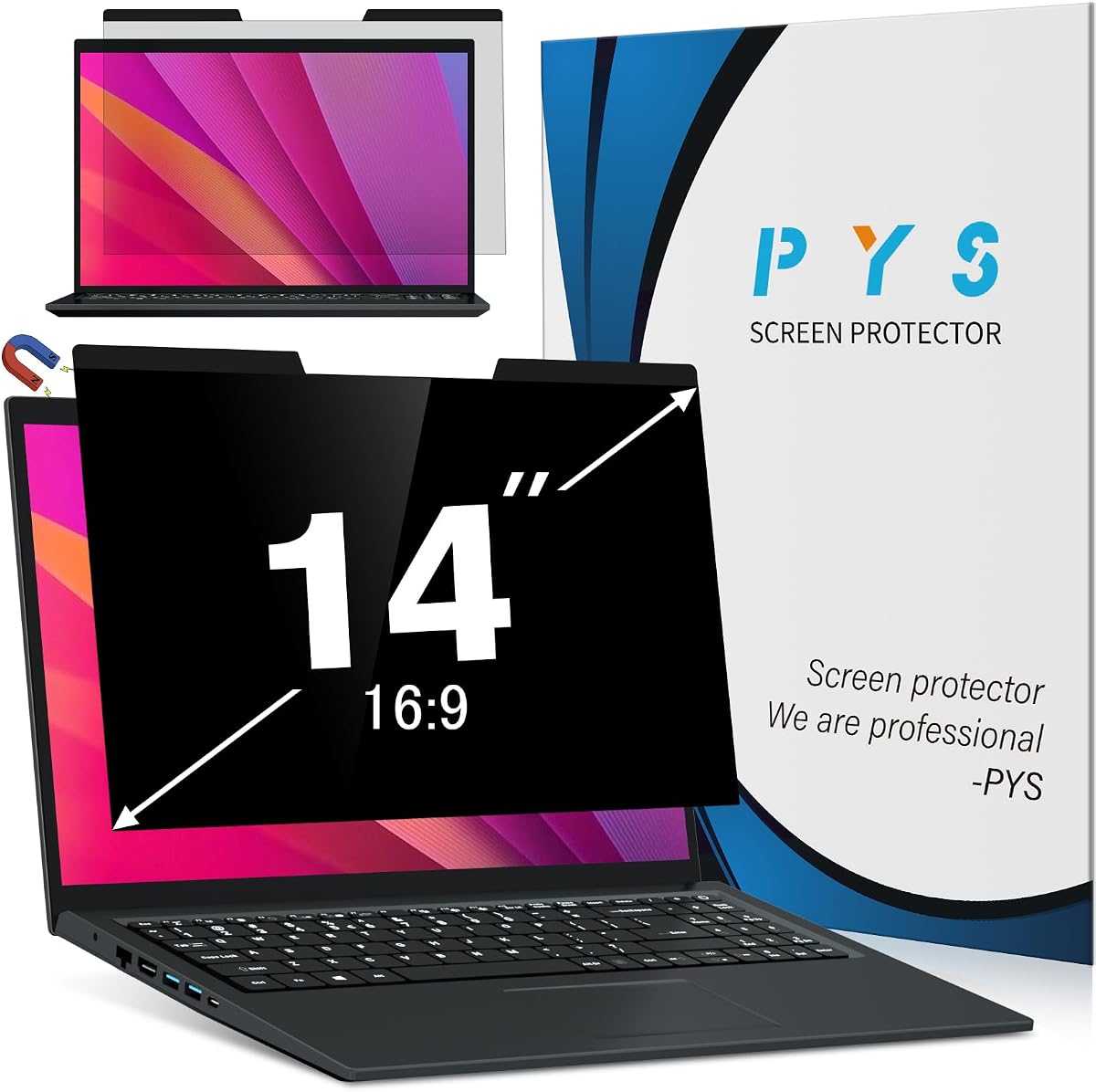
The PYS 16:9 model is a magnetic privacy filter for standard 14-inch laptops, with a stated image area of 12.2 by 6.9 inches. It uses a plus-or-minus 30-degree viewing restriction and is designed to keep the display clear when viewed directly while obscuring it from the sides.
We may earn a commission when you buy through this link, at no additional cost to you.
Its magnetic attachment system works with a laptop's built-in magnets or with the included adhesive magnets for frames that lack compatible hardware. Once attached, the filter can be removed without leaving residue. A storage clip is included for transport, making the product convenient for commuters and travelers.
The matte finish is designed to reduce glare, and the listing claims the filter blocks up to 95% of blue light and UV rays. The product is not compatible with MacBooks and is not optimized for touchscreen laptops. Those limitations are important when a 14-inch notebook has an unusual display area or touch input.
This filter is a good choice for owners of conventional 16:9 business laptops who want quick magnetic installation and direct-on clarity. It provides standard side-angle privacy rather than full directional shielding, so it is best for cafés, shared desks, and travel where neighboring seats pose the main risk.
The filter can align with compatible laptop hardware or use the included adhesive magnets. This gives users a straightforward path to secure attachment without applying full-size adhesive strips to the display.
The anti-glare matte finish is intended to soften reflections while preserving a clear view from directly in front. It is a practical balance for users who work in brightly lit locations.
We may earn a commission when you buy through this link, at no additional cost to you.
Compatibility, viewing-angle coverage, mounting style, and display comfort should guide your decision. Measuring the laptop first prevents the most common buying mistake, while your work environment determines how much privacy and portability you actually need.
Measure both width and height, then confirm the aspect ratio and diagonal. Avoid assuming every branded 14-inch notebook has the same display geometry.
Choose the filter whose listed ratio and image area match your display. Pay special attention to explicit exclusions for your laptop family.
Choose four-direction coverage for comprehensive shielding. Standard side-view filters are usually sufficient for ordinary desk and travel threats.
Choose magnets for frequent toggling, slide tabs for compatible raised frames, and adhesive only when a fixed setup suits you.
Favor matte finishes for glare control and reversible designs for changing environments. Treat stated filtration percentages as product claims.
For frequent travel, favor a removable filter with a storage clip. A case or sleeve adds protection during transport.
Look for cleaning supplies, required mounting hardware, and clear instructions. Keep included accessories organized for future moves.
Expect some possible change in brightness, clarity, or color. Prioritize a finish that remains comfortable in your normal lighting.
Before installation, power off the laptop and clean the display with the supplied microfiber cloth or another soft, lint-free material. Remove dust and residue from both the screen and filter so particles do not create scratches or bubbles when the two surfaces meet. Confirm the orientation of the privacy and matte or glossy sides before attaching anything.
For a magnetic model, align the filter with the upper and side edges of the display, allowing the magnets to engage, and press gently across the surface. For slide tabs, attach the tabs to the raised bezel and slide the filter into position. For adhesive installation, follow the included instructions, apply the strips carefully, and avoid repeatedly peeling and reapplying them. Do not force the filter if its dimensions do not match the display.
Clean the filter with a soft cloth and a small amount of suitable screen-cleaning liquid applied to the cloth rather than directly to the surface. Avoid abrasive cleaners, paper towels, sharp objects, and excessive moisture. Store removable filters in their case or clip, protect them from bending, and periodically inspect the corners, adhesive, and magnetic attachment for looseness or damage.
No. Screen size alone is not enough because 14-inch laptops can use different aspect ratios and image areas. Compare the filter's listed width and height with the active display area of your laptop, and also verify brand, model, aspect ratio, touchscreen, and bezel restrictions. A filter that is slightly narrow or wide may not cover the display properly or may interfere with the bezel.
A 16:9 filter is wider and shorter, while a 16:10 filter is narrower and taller even though both may have a 14-inch diagonal. Common 16:9 filters in this guide measure about 12.19 by 6.88 inches, whereas typical 16:10 options measure about 11.89 by 7.40 inches. Buying the wrong ratio can prevent proper coverage and may create gaps or overlap.
Most of the filters here are designed primarily to block left-and-right side views, so someone directly behind the user may still see the display. The ZOEGAA model is the notable exception because it claims four-direction or 360-degree privacy. Even with that model, the viewing angle is not the same as making the screen completely invisible from every position.
Magnetic filters are usually more convenient because they can be attached and removed quickly without placing adhesive on the display. Adhesive or slide-tab options can work well for a fixed setup or for laptops with a raised bezel. The best method depends on how often you need privacy, how often you share the screen, and whether residue-free removal is important to you.
Some reduction in brightness, sharpness, or color vibrancy can occur because the filter adds an optical layer. One magnetic listing explicitly notes that its finish slightly softens sharpness and vibrancy. Matte surfaces may also diffuse fine details, while glossy surfaces can produce more reflections. Review the side that best matches your lighting conditions and display sensitivity.
Compatibility depends on the specific product. The IPROKKO 16:10 filter explicitly states that touchscreens are compatible, while both PYS listings say they are not optimized for touchscreens. A physical fit does not always guarantee that touch input will function as intended, so check the product's limitations and consider testing before relying on the filter for touch-based work.
Turn off and unplug the laptop, then use a clean microfiber cloth with a small amount of suitable screen-cleaning solution. Apply the liquid to the cloth rather than spraying it directly onto the filter or display. Avoid abrasive pads, sharp tools, and paper towels because they can scratch or distort the protective surface.
On reversible products, yes. The matte side is generally intended to reduce glare, while the glossy side is presented as offering stronger privacy resistance. Flipping the filter is useful when moving between brightly lit spaces and crowded settings, but you should confirm that both sides are safe for the display and follow the manufacturer's orientation instructions.
The Protescreen 16:10 model is the most flexible budget-oriented choice because it supports adhesive and slide-tab installation while offering reversible surfaces. ZOEGAA stands out for broader four-direction privacy, and IPROKKO combines a high rating with magnetic convenience, touchscreen compatibility, and a storage clip. Each suits a different working style, so the best choice depends more on fit and behavior than on any single feature.
Prioritize the active display dimensions and aspect ratio before considering any other attribute. Then decide whether magnetic convenience, reversible surfaces, all-direction shielding, or glare control matters most. Frequent travelers may prefer magnetic models with storage clips, while fixed workstations may benefit from adhesive mounting and the broader privacy of a four-direction filter.
Ratings, availability, and prices can change, so review the current listing before purchasing. Confirm the current dimensions, included accessories, device exclusions, and viewing-angle claims, and compare the final cost with the protection and convenience the product actually provides.