
Standard 5ft 10 Amps 125 Volts Black 3 Prong AC Power Cord
4.7Editor score
Five-foot replacement wall lead
10 amps at 125 volts
Fully molded heavy-duty construction
ASUS Monitor Power Cord Replacement guide compares voltage, wattage, connector size, compatibility, safety features, and cable options for popular models.
An ASUS monitor power cord replacement must match the display’s voltage, amperage, wattage, and connector before anything else. A visually similar plug can still damage a monitor or fail to power it correctly. This guide covers AC adapter replacements, complete power-supply assemblies, and standard wall cords for commonly used ASUS displays.
The products were compared using their stated output ratings, connector dimensions, supported monitor models, included cables, input ranges, and listed safety protections. Particular attention was given to the important difference between an AC wall lead and the AC-to-DC adapter that actually powers many ASUS monitors. Screen size and brand alone were not treated as sufficient compatibility evidence.
Each review explains the strongest reason to consider that replacement, along with its limitations and the users it best suits. The list includes general-purpose options and adapters targeting specific ASUS families such as VG, VX, MX, MS, ML, TUF, and ROG. Product availability and pricing can change, so readers should confirm current specifications and listings before ordering.
4.7Editor score

4.6Editor score

4.8Editor score
The comparison below separates full AC-to-DC monitor adapters from a basic replacement wall cord, while showing each product's principal electrical rating, connector type, cable configuration, and intended compatibility.

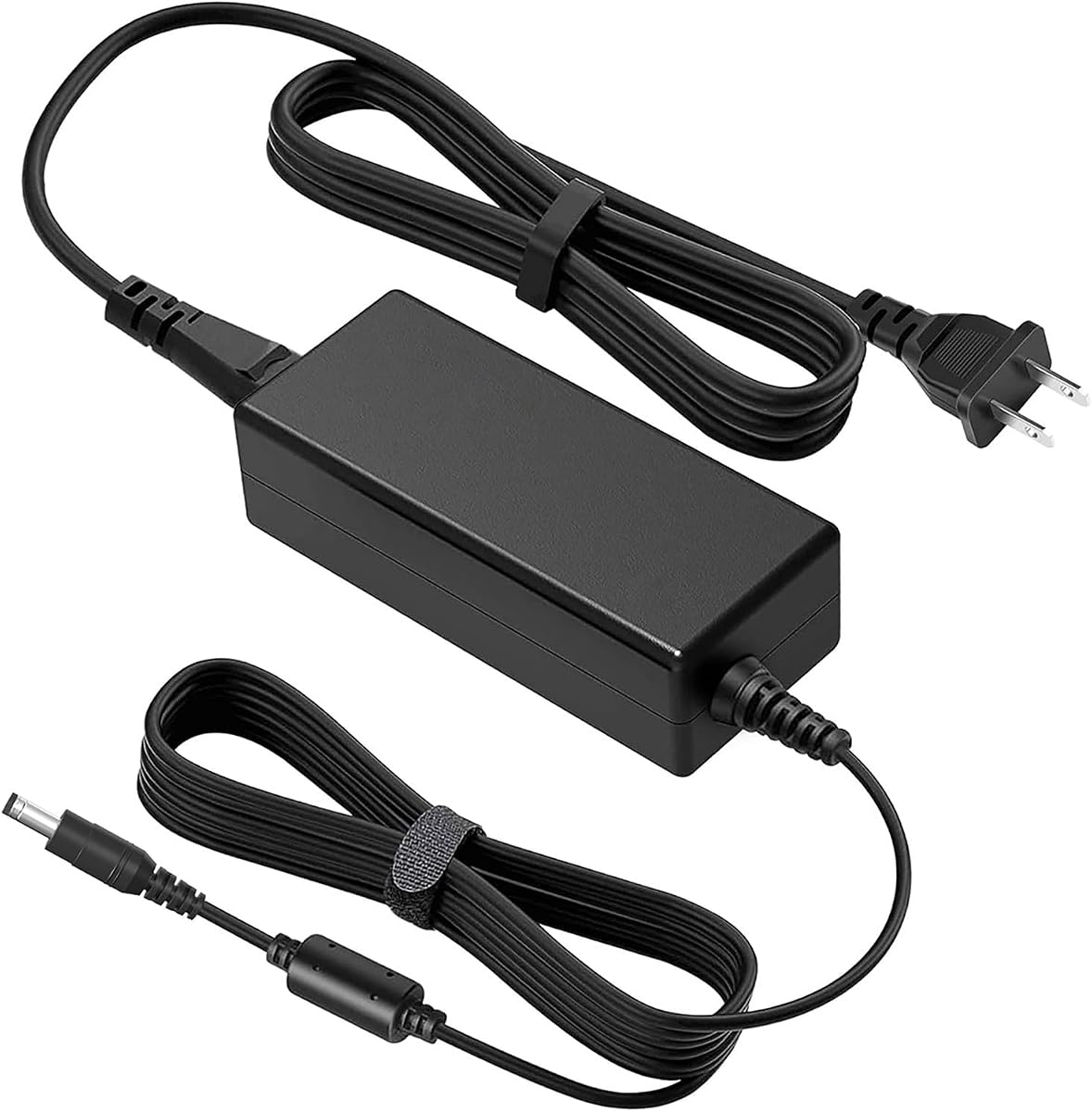


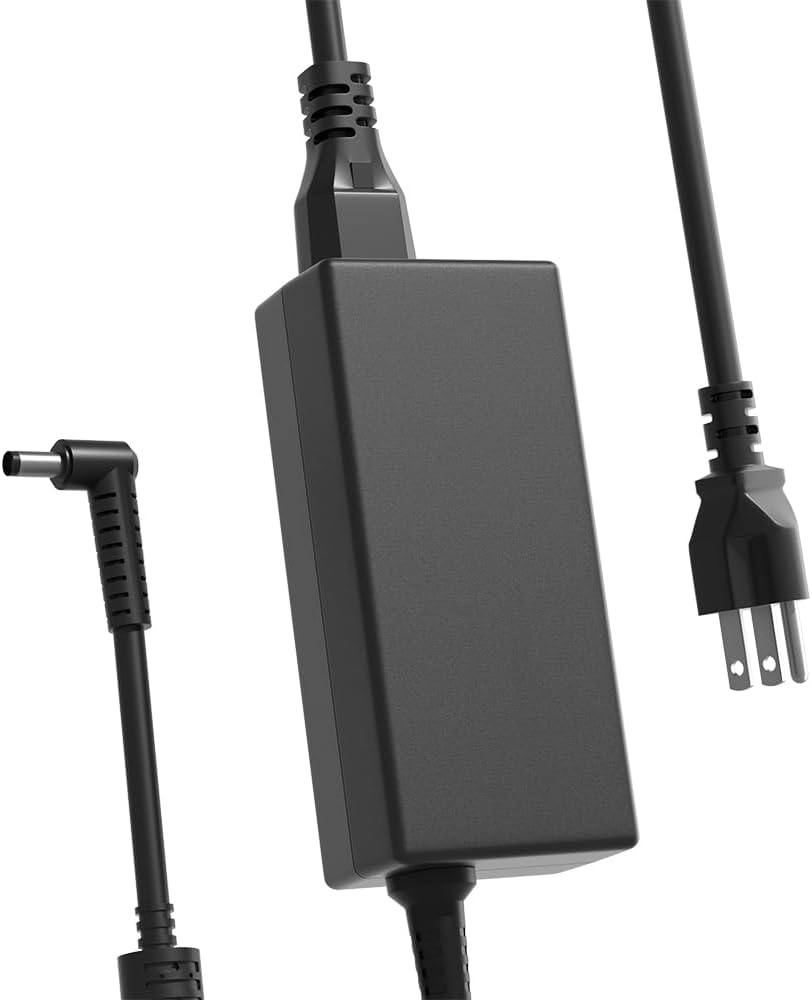


This 19V charger earns the highest customer rating among the listed products at 4.8 out of 5. Its defining feature is a maximum output of 19V, 4.74A, and 90W, giving it more capacity than most replacements in the roundup. It is aimed at users who need one adapter to cover a large assortment of ASUS monitor families.
We may earn a commission when you buy through this link, at no additional cost to you.
Compatibility is the main attraction. The listing names VG248QG, VG278, VG245, several VX, MS, ML, VG, VP, MX, PG, and VC series displays. Its 5.0mm by 2.5mm connector is a crucial detail, however, because the more common replacement size among these listings is 5.5mm by 2.5mm. Buyers should physically compare the plug rather than assume the broader model list guarantees a fit.
There is also an internal wording inconsistency in the supplied description: it presents 19V 2.1A to 4.74A and 90W together. A replacement can have adequate maximum wattage without being the exact adapter originally supplied with a display. Its size also differs from the 5.5mm tip used by many competing products, so those seeking a universally familiar ASUS connector should be cautious.
This is a compelling choice for a person with a compatible high-output 19V ASUS monitor, especially one covered explicitly in the long model list. It is less suitable if the monitor uses a 5.5mm connector, requires a different voltage, or has USB-C power. Confirm the label on the original adapter and measure the socket before purchasing.
The extensive compatibility list spans mainstream, gaming, widescreen, and several smaller ASUS series. That breadth makes this option attractive for households maintaining more than one display, provided every device uses the required 19V output and listed connector dimensions.
A stated 90W ceiling offers ample headroom for many 19V monitor power supplies. Users should still choose a replacement that meets the monitor's specified voltage and connector rather than selecting solely by maximum wattage.
We may earn a commission when you buy through this link, at no additional cost to you.
This five-foot, three-prong AC lead has a 4.7 rating and serves as the most budget-conscious choice for replacing a damaged wall cable. Its 10-amp, 125-volt specification is appropriate for many consumer electronics, and the listing identifies computers, televisions, printers, radios, monitors, and laptops among potential uses.
We may earn a commission when you buy through this link, at no additional cost to you.
The key benefit is simplicity. It uses heavy-duty 18 AWG wire and a fully molded design intended to resist normal flexing and wear. A three-prong plug also matches the common power inlet found on many desktop monitor adapter bricks, making it useful when only the section between the wall and the existing adapter has failed.
This cord does not convert AC to DC, so it is not a complete solution for a monitor whose original power brick is missing. Nor does the product listing verify individual ASUS monitor models. The plug configuration and current rating must match the adapter's inlet, and users should not substitute an ordinary AC lead for a USB-C or proprietary monitor power connection.
It is best for someone whose ASUS monitor already has a working adapter and only needs a standard replacement wall lead. It can also serve as a general household electronics cable. Buyers should inspect the adapter's inlet and confirm that a three-prong cord with the appropriate rating is accepted before ordering.
When the adapter brick remains intact, replacing only the wall-side cord can restore power without buying a new power supply. Match the plug, conductor rating, and inlet configuration to ensure a proper connection.
The fully molded construction and heavy-duty 18 AWG gauge make this more appropriate for regular desktop use than a thin, loosely assembled lead. Route it without creating sharp bends or tension at either plug.
We may earn a commission when you buy through this link, at no additional cost to you.
This replacement combines a 19V, 3.42A, 65W adapter with a US standard wall cord and holds a 4.6 rating. Its most important advantage is clarity: the listing explicitly calls out the 5.5mm by 2.5mm tip and warns that it does not fit ASUS monitors needing 12V power or a smaller 4.0mm connector.
We may earn a commission when you buy through this link, at no additional cost to you.
The adapter supports a 100–240V AC input, making it suitable for broad international use when paired with an appropriate local wall lead. It is listed for popular VS, VG, ROG Swift, MX, and VX families, including the PG278Q, PG279Q, PG258Q, VG278Q, MX279H, and VX238H. It can also handle lower 40W and 45W requirements within the same 19V output class.
The safety information states that the adapter is CE, FCC, and RoHS certified and includes protections against short circuits, over-voltage, and overheating. It does not claim personal testing, and actual performance will vary with the connected display. A monitor requiring more than 65W or a different connector should use another option.
This is the strongest general recommendation for a 19V ASUS display with the common 5.5mm by 2.5mm connector. It is particularly useful because both the adapter and a US wall cord are included. Buyers should still verify the voltage printed on the original adapter and inspect the monitor's power socket before ordering.
Having both the AC-to-DC adapter and a US wall lead means the buyer can replace a complete monitor power setup. It also makes a straightforward spare for a second desk or an older ASUS display in the supported range.
Clear warnings about 12V systems and 4.0mm tips are valuable because similar-looking plugs are not interchangeable. Compare both the outside diameter and inner diameter of the original connector.
We may earn a commission when you buy through this link, at no additional cost to you.
The HHZ charger pairs a 4.8 rating with a 19V, 3.42A, 65W output and the widely used 5.5mm by 2.5mm connector. It is the top pick for buyers who place a high value on documented model coverage and original-part cross-referencing.
We may earn a commission when you buy through this link, at no additional cost to you.
The compatibility information extends across ASUS VS, VG, ROG Swift, MX, VX, ML, MS, and L series. It also names replacement part numbers including ADP-65GD B, ADP-40KD BB, PA-1650-78, EXA1203YH, EXA1204YH, 0A001-00041500, and 0A001-00330200. That makes it useful for someone trying to match a replacement by the label on the old brick as well as by monitor model.
The listing states that protection circuitry addresses short circuits, over-voltage, over-current, and internal overheating. It explicitly says the adapter can replace lower 40W and 33W 19V power supplies. It is not appropriate for 12V models, 4.0mm tips, or monitors requiring more than 65W, and physical connector measurements remain essential.
This is the premium choice for a compatible 19V ASUS monitor because of its extensive documentation and strong customer feedback. It is particularly attractive for users maintaining several supported models or who know the original part number. Confirm the monitor's electrical label and connector before purchasing.
Listing original ASUS part numbers gives buyers two practical ways to verify compatibility. Use the monitor model first, then compare any printed replacement part number with the adapter label.
The stated safeguards cover several common electrical fault categories. They supplement, rather than replace, correct connector matching and the use of a properly rated wall outlet.
We may earn a commission when you buy through this link, at no additional cost to you.
This 19V ASUS power supply has a 4.4 rating, the lowest among the ten products, but it distinguishes itself through broad compatibility and separate four-foot AC and five-foot DC cables. Its maximum output is 65W, with a 5.5mm by 2.5mm connector.
We may earn a commission when you buy through this link, at no additional cost to you.
The supported list is extensive, covering 19.5-inch through 32-inch ASUS LCD and LED monitors across MX, VA, VG, VZ, VX, ML, MS, MZ, PG, XG, and related series. The description says it can work with several 19V amperage ratings up to 3.42A, making it a versatile choice when the exact lower-current requirement is uncertain.
One issue requires attention. Although the product title refers to a nine-foot cable, the specification section identifies a four-foot AC power cable and a five-foot DC power cord. The combined reach is nine feet, but buyers wanting a single nine-foot lead should not assume that arrangement. The listed smart-chip protection includes overcurrent, overcharge, temperature, short circuit, overvoltage, and surge protections.
It is worth considering for a supported 19V model where the included lead lengths suit the installation. Its compatibility breadth is impressive, but its lower rating warrants checking recent customer feedback and confirming that the exact monitor appears in the list. It is not suitable for USB-C-only displays or systems requiring another voltage.
The four-foot AC and five-foot DC sections offer some placement flexibility for a desk behind a monitor. Measure the distance from the outlet to the adapter and from the adapter to the display.
Support for older VS, MS, ML, VX, and MX displays alongside newer VG, VZ, and PG families can be useful in mixed offices. Exact model confirmation remains essential.
We may earn a commission when you buy through this link, at no additional cost to you.
This 65W adapter is built around the common 19V output and 5.5mm by 2.5mm connector. Its 4.6 rating reflects a generally solid proposition for ASUS users needing a replacement for a supported 19V monitor, with particular emphasis on TUF, VG, VC, VX, and ROG families.
We may earn a commission when you buy through this link, at no additional cost to you.
The listing names displays including VG245H, VG248QG, VG259QM, VG27AQ, VG278QR, VG279Q, VG27WQ, VG289, VG32VQ, PG27AQ, and PG32UC. Its output specification states compatibility with 19V currents of 1.5A, 2.1A, 2.53A, 3A, and 3.42A, provided the monitor's power requirement remains at or below 65W.
The 100–240V input supports international wall outlets when the correct local AC cord is used, and the package includes both an AC adapter and an AC power cable. It is not intended for 12V systems, USB-C displays, or any setup whose original brick requires a different connector or more than 65W.
This is a sensible pick for a compatible gaming monitor, especially when the original adapter has failed and the replacement needs to cover a specific TUF or ROG model. The long compatibility list and included cord simplify setup. Verify the monitor's label and connector size, then confirm that the desired model appears in the listing.
The model list includes several ASUS TUF and ROG Swift displays that use the standard 19V adapter format. This makes the option relevant to gaming desks where a failed brick interrupts the entire display setup.
A 100–240V AC input works across many regions, while the included cord appears intended for US use. Travelers should select an appropriate local wall lead if their outlet format differs.
We may earn a commission when you buy through this link, at no additional cost to you.
This replacement supplies 19V at up to 3.42A and 65W, with a 5.5mm by 2.5mm connector. Its 4.5 rating places it in the middle of the group, but the detailed model and part-number coverage makes it a practical option for many conventional ASUS displays.
We may earn a commission when you buy through this link, at no additional cost to you.
The compatibility list includes 22-, 23-, 24-, 25-, and 27-inch VX, MS, ML, MX, VC, VG, VP, and ROG Swift models. It also names ADP-40KD BB, ADP-65GD B, EXA1203YH, EXA1204YH, PA-1650-78, several 04G268 series numbers, and multiple 0A001 part numbers. These references can help identify an older replacement brick.
The product is described as a laptop-charger-style AC adapter and power cord designed as a replacement for the original adapter. Unlike several competing listings, the supplied information does not explicitly say that a separate wall cord is included. Buyers may therefore need to retain a compatible AC lead or purchase one separately.
It is a sound choice for a supported 19V ASUS monitor, especially older VS, MS, ML, and MX systems whose original part number is known. Confirm both the output label and connector dimensions, and verify the package contents before ordering if a complete all-in-one replacement is required.
The extensive part-number list can help when the monitor model is no longer visible or the original adapter label has faded. Cross-reference the number before purchasing to avoid an unsuitable match.
A 65W ceiling covers many 40W and 45W ASUS power bricks. Displays demanding greater output or a different connector need a different replacement.
We may earn a commission when you buy through this link, at no additional cost to you.
This 19V replacement earns a 4.6 rating and supports a wide assortment of ASUS monitors from compact older designs through 34-inch models. Its output is listed as 19V, 3.42A, and 65W, and it uses a 5.5mm by 2.5mm power connector.
We may earn a commission when you buy through this link, at no additional cost to you.
Named models span VC, VL, VX, VZ, VG, MX, ML, MS, LS, MZ, VA, MG, PT, and other families. The listing says it also works with 45W devices, making it a suitable candidate for both common lower-power monitors and higher-rated ASUS screens that remain under 65W.
The box contains one power adapter and one power cord. Stated safeguards include overcurrent, short-circuit, and overheating protection, while the enclosure uses heat-resistant, flame-retardant materials. Some of the listing's language refers to charging and battery status, but a monitor power adapter is primarily responsible for supplying stable DC power to the display.
It is best suited to a user with a compatible 19V ASUS monitor who wants both an adapter and wall lead. The wide series list is helpful, but the 65W ceiling excludes more demanding models. Confirm connector size, voltage, and wattage before ordering, particularly for USB-C or high-power displays.
Support ranges from compact VX and MS displays to larger PG, MG, MX, and VZ models. This breadth is useful for offices replacing the same type of adapter across several generations of equipment.
Including both the adapter and a power cord removes the need to source two separate pieces. The included cord still needs to match the user's outlet and the adapter's inlet.
We may earn a commission when you buy through this link, at no additional cost to you.
This adapter is tailored primarily to a focused set of ASUS and HP monitors rather than claiming support for nearly every 19V ASUS display. It has a 4.4 rating, a 19V, 3.42A, 65W output, and a 5.5mm by 2.5mm connector.
We may earn a commission when you buy through this link, at no additional cost to you.
Named ASUS models include VX238H, VX238H-W, VX228, VX228H, VX248, VX248H, LS246H, and LS248H. The listing also covers a selection of HP 20-inch to 27-inch IPS monitors. That cross-brand focus could be helpful in an office or home setup using both brands, but it should not be read as universal compatibility.
The package contains one AC adapter and one US two-pin wall cord. Its input range is 100–240V at 50–60Hz, and the description states that over-voltage, over-current, and short-circuit protection are included. It expressly does not support 6.5mm by 4.4mm or USB-C monitor ports.
This is a good choice when the user's display is one of the explicitly named ASUS models and they may also need an HP-compatible replacement. It is less attractive for broad household use where several unknown monitor models must be supported. Check the adapter label and the original wall plug configuration before ordering.
Supporting selected HP displays alongside ASUS models can simplify spare-parts inventory. The narrow list still requires direct model or electrical-label verification.
Explicitly ruling out 6.5mm by 4.4mm and USB-C ports helps buyers avoid visually similar but incompatible connectors. Measure the monitor socket before ordering.
We may earn a commission when you buy through this link, at no additional cost to you.
This replacement stands out for its stated eight-foot cable length while maintaining the familiar 19V, 3.42A, 65W output and 5.5mm by 2.5mm connector. Its 4.6 rating makes it one of the stronger options for a compatible ASUS gaming monitor.
We may earn a commission when you buy through this link, at no additional cost to you.
The compatibility list covers numerous 22-, 23-, 24-, and 27-inch TUF and mainstream ASUS displays, including VX228D, VX238H, VX248H, VX279Q, VG245, VG248QG, VG278Q, VG279Q, VG289Q, and several VG27 variants. It also includes ROG Swift PG278Q and PG279Q plus other VC, MX, VP, and VA models.
The listing states CE, FCC, and RoHS safety certification, along with overvoltage, overcurrent, and short-circuit protection. The ABS and PC casing is described as flame-retardant, with pure copper wiring intended to reduce heat. A claimed lifespan of more than ten years should not be treated as a guaranteed service life, since usage conditions and component quality vary.
This is a good fit for a desk where the outlet is farther from the monitor and an eight-foot cable simplifies placement. It is also a strong candidate for a supported TUF or ROG display. Buyers should verify the connector and power requirement, and route the long cable to avoid pulling it taut.
The eight-foot cable provides more placement freedom than the four- and five-foot alternatives. Secure it along the back of the desk so it does not become a trip hazard or pull against the adapter.
Compatibility with numerous TUF and ROG Swift models makes this a practical replacement for high-refresh-rate displays using the standard 19V barrel connector.
We may earn a commission when you buy through this link, at no additional cost to you.
Choosing safely depends on identifying the type of cable your monitor uses, then matching its voltage, current, wattage, connector, and grounding arrangement. The original adapter label and the monitor model provide the most reliable starting points.
Many ASUS monitors use a brick-shaped AC-to-DC adapter between the wall outlet and the display. If that brick is intact but its wall lead is damaged, a standard three-prong AC cord may be sufficient. If the brick or the cable running to the monitor is missing, buyers need a complete adapter with a 19V DC output. A product that merely plugs into a wall cannot directly replace a monitor's DC power supply.
The output voltage must match the monitor's requirement. Most products in this roundup deliver 19V DC, which is common across many older and midrange ASUS displays. Some compact or specialized models use 12V, while newer designs may use USB-C. A replacement with the wrong voltage may fail to start, shut off under load, or create a risk to the display.
A replacement should provide enough current for the monitor without exceeding any device-specific limit. A 19V, 3.42A adapter is rated at 65W and is listed as suitable for many 40W and 45W ASUS displays. The highest-output choice is rated at 90W. Greater capacity can provide headroom, but the connector and voltage still have to match, and the product must remain within the monitor's expected power range.
Barrel-style plugs can look nearly identical while having different diameters. Most products here use a 5.5mm by 2.5mm connector; the top-ranked product instead lists 5.0mm by 2.5mm. Smaller 4.0mm tips, rectangular 6.5mm by 4.4mm connectors, and USB-C interfaces are not interchangeable. Buyers should measure the outer diameter of the plug and the inner diameter of the monitor socket.
The exact model number is more useful than a general screen size because models within the same 24-inch category can use different power systems. Some listings also include original ASUS part numbers such as ADP-65GD B, ADP-40KD BB, PA-1650-78, and EXA1203YH. Checking both the monitor label and the adapter label reduces the chance of buying a product that cannot physically or electrically fit.
A monitor power supply converts mains electricity into lower-voltage DC, making electrical protections important. The listed products variously mention overvoltage, overcurrent, short-circuit, over-temperature, surge, and overcharge protection. Some also state CE, FCC, or RoHS certification. These claims add confidence but should be considered alongside correct polarity, connector fit, proper grounding, and use with an undamaged wall outlet.
A 100–240V AC input supports use in many countries, though the included wall lead may only match US outlets. International travelers may need a separate local cord with the correct plug and conductor rating. Cable length is a placement choice: five feet may suit a compact desk, while eight feet can accommodate a wall outlet farther from the monitor. Longer leads should be secured to avoid strain.
Some adapters include both the power brick and an AC wall cord, while the standard three-prong lead is only a wall cable. One replacement in the roundup does not explicitly mention an included wall cord. Buyers who have lost both pieces should prioritize a complete package. Those replacing only one damaged component can avoid buying unnecessary parts, but should confirm the package contents before checkout.
Begin by shutting down the monitor, unplugging the old power setup, and allowing the display to sit briefly before handling its power connection. Photograph the original adapter label and cable arrangement. Compare the replacement's voltage, current, wattage, connector dimensions, and part number with the original before inserting anything.
Connect the replacement DC plug firmly into the monitor's power socket without twisting or forcing it. Route the cable so it does not sit against a hot surface, sharp desk edge, chair wheel, or pet-accessible area. Connect the adapter to a grounded wall outlet, then power on the monitor and confirm that the image appears normally and the power indicator behaves as expected.
For ongoing care, inspect the plug, adapter casing, and cable for discoloration, cracking, heat damage, exposed conductors, or a loose connection. Replace the cord rather than repairing damaged insulation. Keep the power brick uncovered and away from liquids, and avoid sharply bending the cable at either plug. If the replacement becomes unusually hot, smells burnt, or repeatedly causes a power interruption, disconnect it and investigate the monitor and outlet.
Check the label on the original power adapter and write down its output voltage, amperage, wattage, and part number. Then measure the round connector's outside and inside diameters and compare them with the replacement listing. The monitor model can provide a second check, but it should not replace the electrical-label verification.
It can be appropriate when the voltage and connector match and the replacement is designed to support the lower current. A 19V, 3.42A, 65W adapter is commonly listed as suitable for 40W and 45W monitors. The monitor draws according to its own requirements, and the adapter supplies only the current it needs.
No. Many ASUS monitors use that round connector, but some use a 5.0mm tip, a smaller 4.0mm tip, a rectangular connector, or USB-C. Measure the plug and socket rather than assuming all round plugs are identical. A connector that fits loosely is not a reliable match.
An original adapter is not always necessary if a replacement matches the required voltage, current or wattage, connector, and polarity. The original label is still the safest source of those specifications. For USB-C monitors, use a power supply that supports the required USB-C power delivery profile rather than a barrel-style adapter.
An AC power cord carries alternating current from a wall outlet to an adapter or device. A monitor charger, or adapter, converts AC to the lower-voltage DC required by the display. If the adapter brick is missing, a basic AC wall lead will not power the monitor by itself.
A replacement with a 100–240V AC input can generally accept suitable wall leads from multiple countries. The included cord may only match US-style outlets, and local plug shapes and voltage requirements vary. Use a correctly rated local cord rather than an unverified travel adapter.
Disconnect power and recheck the voltage, connector dimensions, model compatibility, and whether the monitor power button is engaged. Test the outlet with another known device and confirm that any secondary power switch on the monitor is on. If the specifications match but the display still will not start, the monitor or its power board may need separate service.
No. They must also match amperage or wattage, connector dimensions, polarity, and the monitor's supported input. Some 19V systems use different tips, and higher-powered displays require an adapter with sufficient capacity. Always use the model's requirements and the original label as the deciding evidence.
The Standard 5ft Three-Prong AC Cord is the best budget option when only a wall-side lead is missing. The 19V 65W ASUS Adapter is the most balanced complete replacement for the common 5.5mm by 2.5mm connector, while the HHZ 65W charger stands out for extensive model and part-number documentation. The other picks offer useful variations in capacity, cable length, model coverage, and gaming-monitor support.
Compatibility should always take priority over brand wording or screen size. Match the replacement's output voltage, current or wattage, connector dimensions, and model or original part number before ordering. If the monitor uses USB-C, a rectangular connector, a smaller tip, or a different voltage, choose a corresponding replacement rather than one of the standard 19V barrel adapters in this roundup.
Product listings and prices change over time, so check the current specifications, package contents, ratings, and availability at the time of purchase. That final check helps ensure that the selected ASUS Monitor Power Cord Replacement still matches the monitor, includes the necessary cable components, and provides an appropriate connection for the intended setup.